> This is part 1 of 2 of the full documentation (pages 1–100 of 106).
> The content is paginated: fetch every part to see all of it.
> Next part: https://docs.alph.ai/llms-full.txt/1
> Page index: https://docs.alph.ai/llms.txt
# ALPH AI KICKSTARTER
Welcome to **Alph AI,** your first entry point into a smarter, faster, and AI-driven trading world. Whether you're a curious beginner, degeners, or a crypto-native investor, **Alph AI** gives you the *superpower of insight* — right at your fingertips.
**𝛂 Alph AI Vision:**
> * *To become the pioneer of DEX who combine AI and Blockchain designed specific for memecoin traders and Degen communities. AlphAI envisions becoming the ultimate AI-powered partner for memecoin traders and degens, delivering real-time, data-driven insights that fuel smarter trading decisions.*
**𝛂 Alph AI Mission:**
> * We aim to transform the way traders engage with the market, providing them with sophisticated AI-driven insights that simplify complex data, enabling faster and more informed decisions.
> * With AlphAI, every trader gains access to **deep, data-driven analysis** that empowers them to make informed decisions with confidence. Our platform offers unparalleled intelligence, drawing from diverse sources including social sentiment, market trends, and on-chain activity, ensuring that no opportunity goes unnoticed
> * In the ever-evolving world of memecoins, speculation is often guided by instinct. AlphAI brings **scientific analysis** into the mix, helping traders move beyond intuition and rely on **predictive models** and **AI algorithms** to enhance their trading strategies.
***
In Alph.AI, we’re not just building tools — we’re engineering an edge for a new era of traders. Whether you're here for the memes, the volatility, or the hunt for the next 100x, we believe **intelligent trading should be accessible, fast, and fun**.
## **𝛂** Your Alpha Journey Begins Here!
Alph AI Overview Video 🚀
### Alph Package:
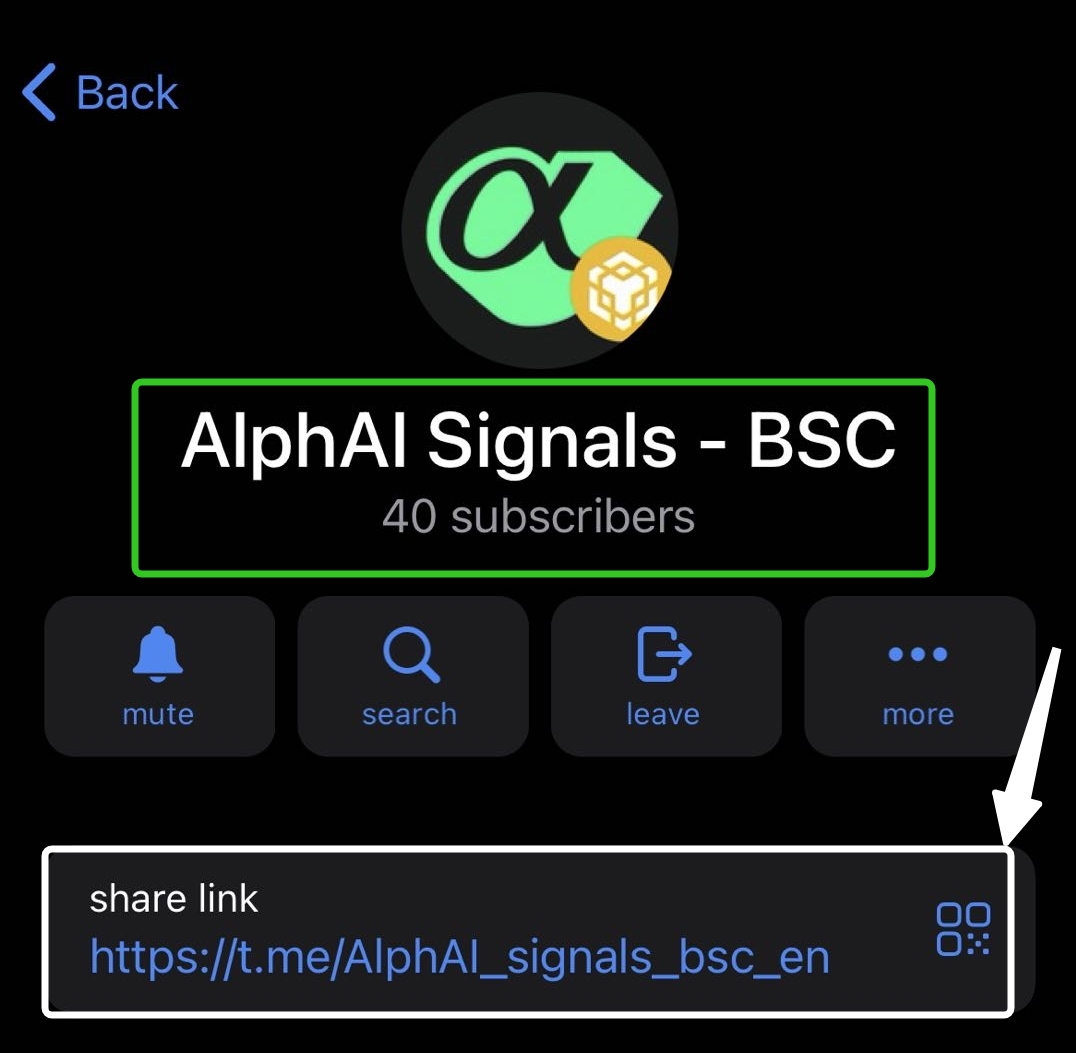
**Alph Website :** [https://www.alph.ai/](https://www.alph.ai/)\ **Alph Bot Telegram:** [https://t.me/AlphAI\_Official\_Bot](https://t.me/AlphAI_Official_Bot)\ **Alph SOL Signal:** [https://t.me/AlphAI\_signals\_sol\_en](https://t.me/AlphAI_signals_sol_en)\ **Alph BSC Signal:** [https://t.me/AlphAI\_signals\_bsc\_en](https://t.me/AlphAI_signals_bsc_en)\ **Alph All Bots:** [https://www.alph.ai/bots](https://www.alph.ai/bots)
### Or you can visit:
{% content-ref url="/pages/nPeVjrpFH0XiTNfIcO73" %}
[Alph Tools](/discover-alph-experience/alph-tools)
{% endcontent-ref %}
{% hint style="info" %}
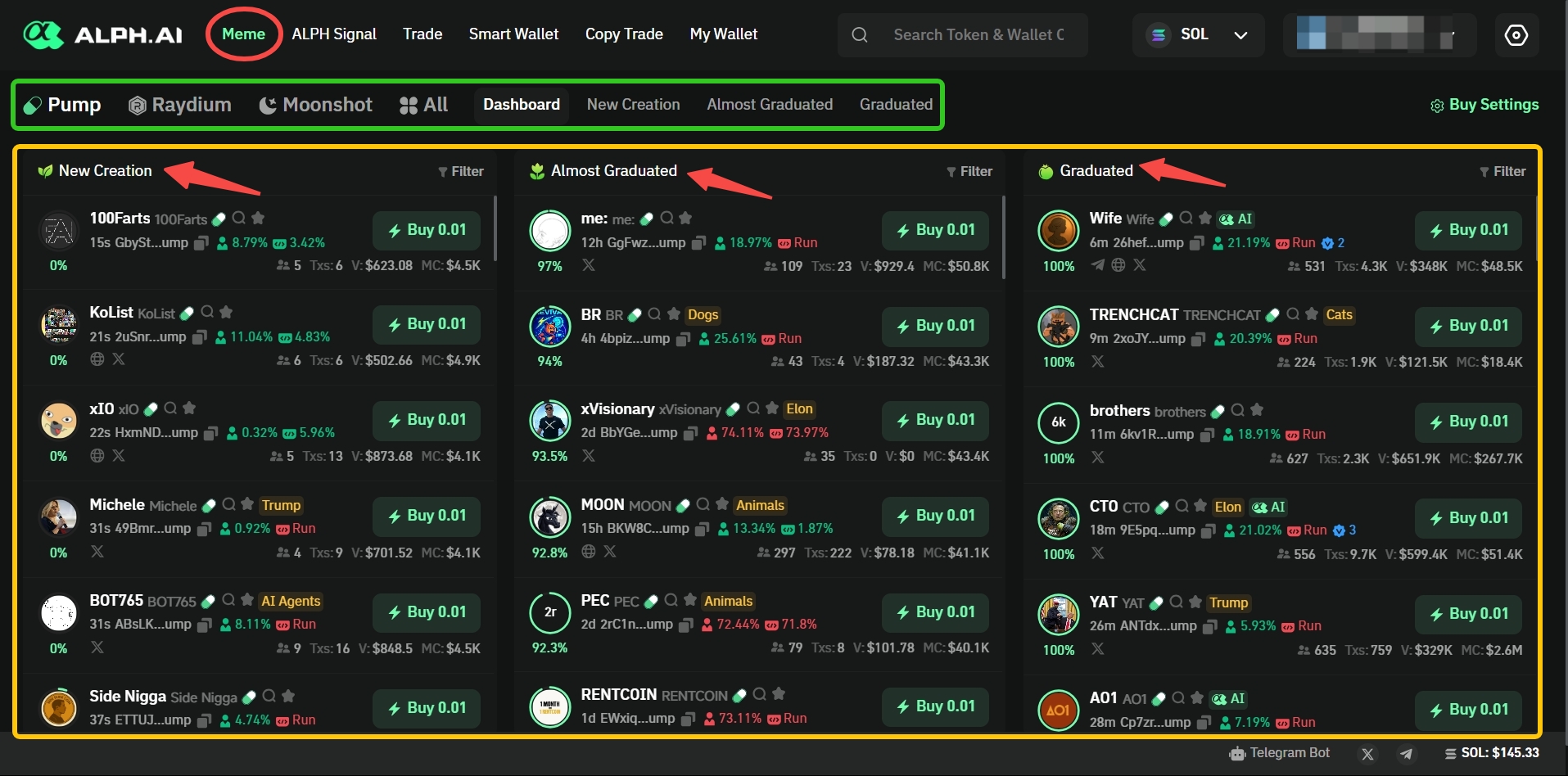
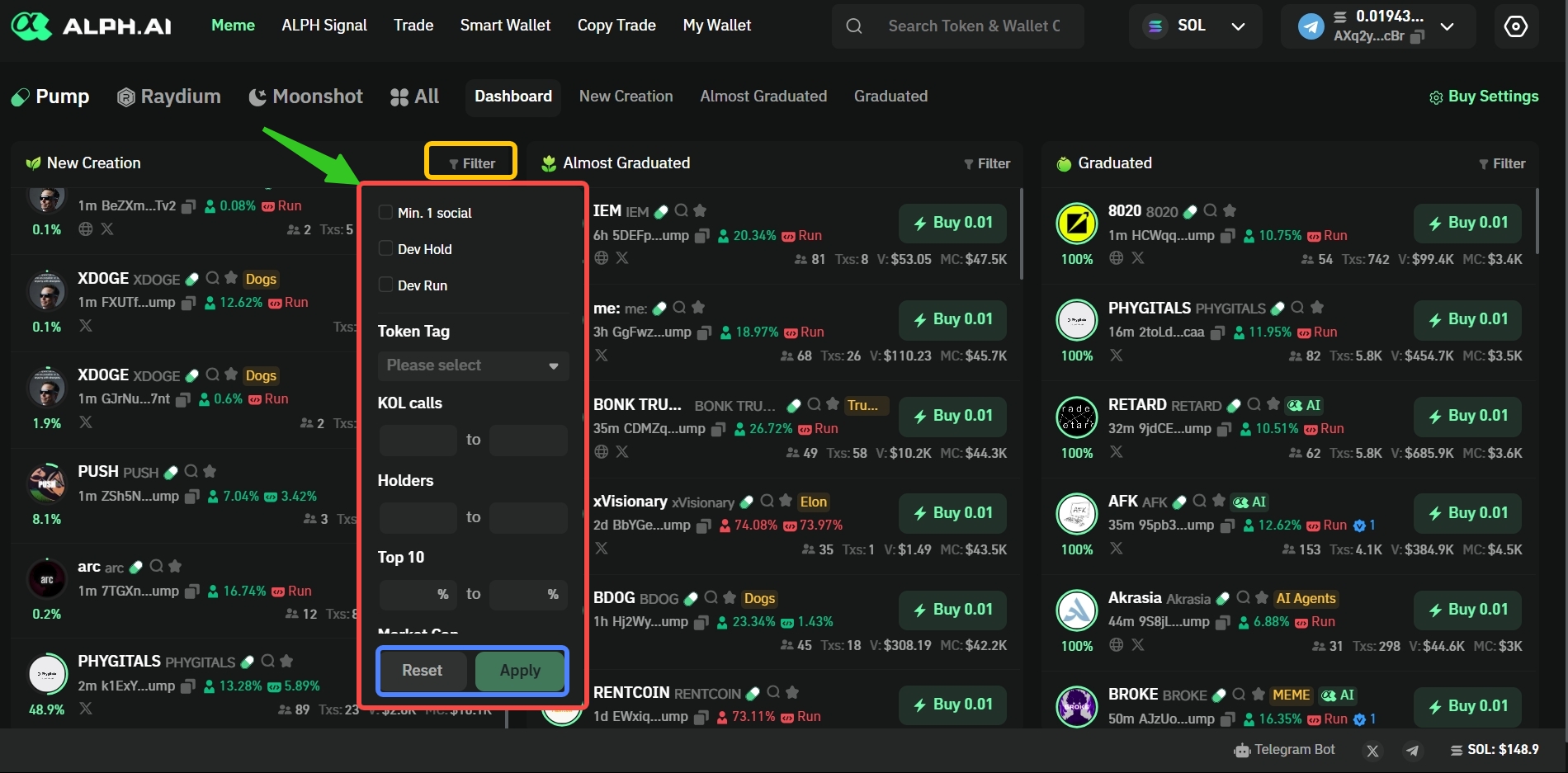
**𝛂 Alph Tips:** *Use filters to find your perfect degen coin.*\
*Customize your radar: sort by market cap, volume surge, or social buzz. Alph AI helps you hunt the right coin — not just any coin*
{% endhint %}
# Meet Alph
## *"Where AI Meets Precision"*
Alph AI is a Decentralized exchange who combined the artificial intellegence technology with Blockchain. By degens, for connoisseurs of the meme expert \~
We’re proud to offer highly performing features, designed with both novice and expert traders in mind.
Here’s what you can expect from 𝛂 Alph AI:
* *Alph Gems Signals*
* *Blazing Fast Transactions ( Under < 1 second)*
* *Powerfull Tools*
* *Smart Money Track*
* *KOL's Calls Track*
* *Safety Features*
* *Simplified Trade*
* *Gems Detector*
* *And so much more!*
With this guide, you’ll quickly become familiar with Alph AI interface, features, and strategies to make the most out of your trading experience. Let’s elevate your trade with Alph!
## :globe\_with\_meridians: Your First Glimpse Into Alph AI!
Got 2 minutes? step into the world of Alph AI brilliance below:
{% embed url="" %}
{% hint style="info" %}
𝛂 Alph Tips: Use sentiment filters and social score to separate noise from real momentum. Let Alph AI guide you to high-potential gems!
{% endhint %}
# Essence of Alph
## 💎 𝛂 Alph Gems Signal
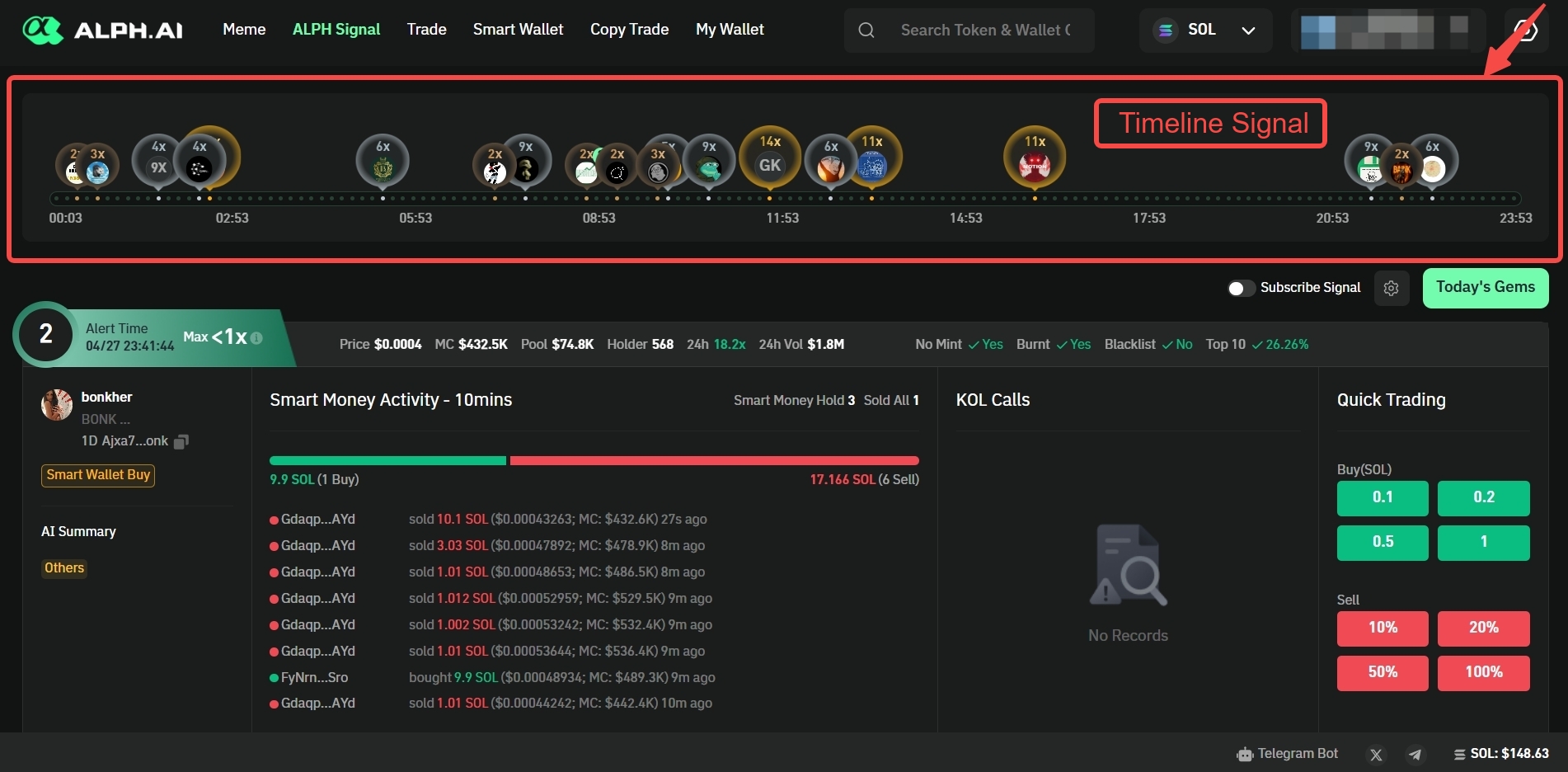
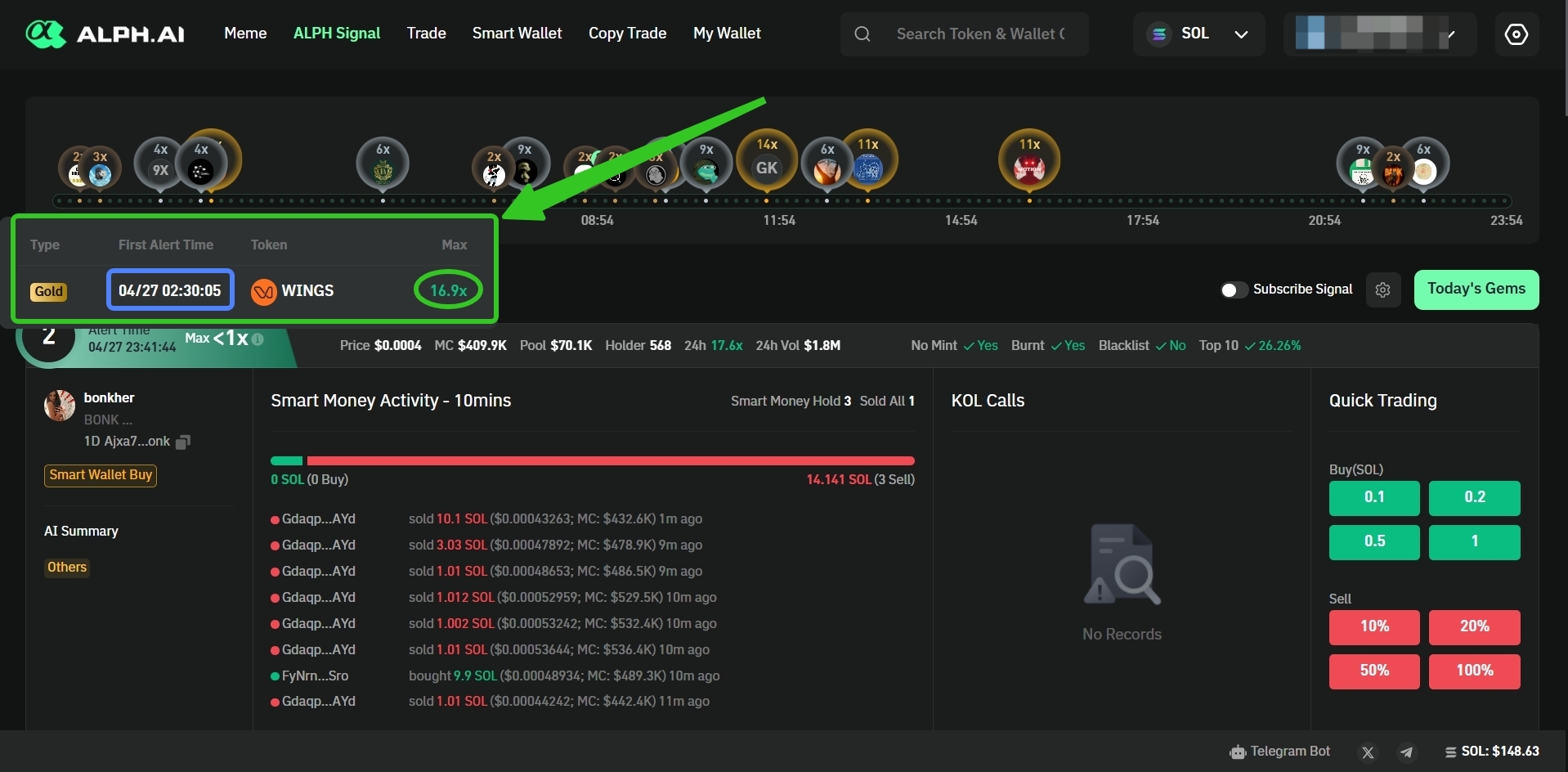
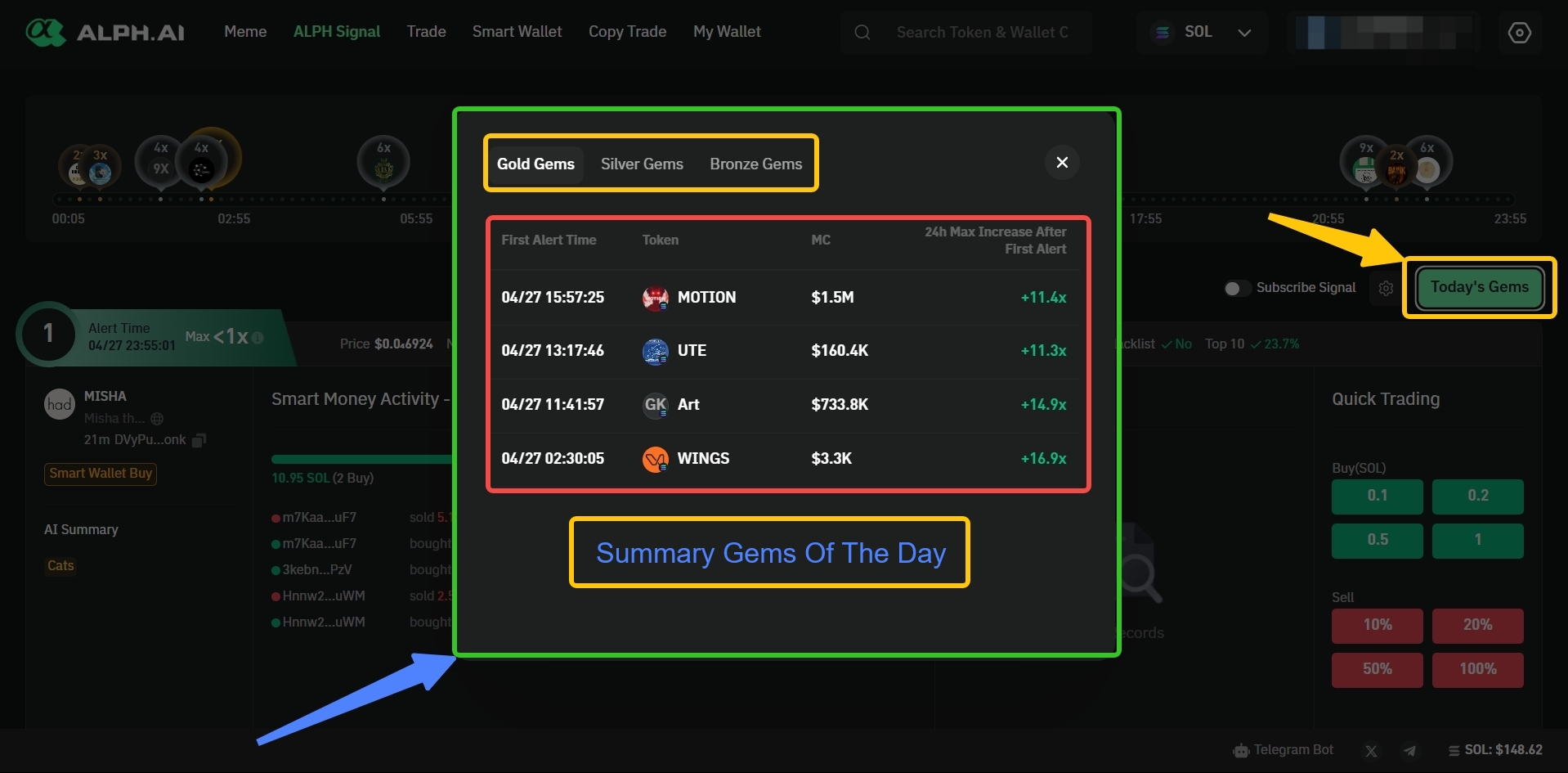
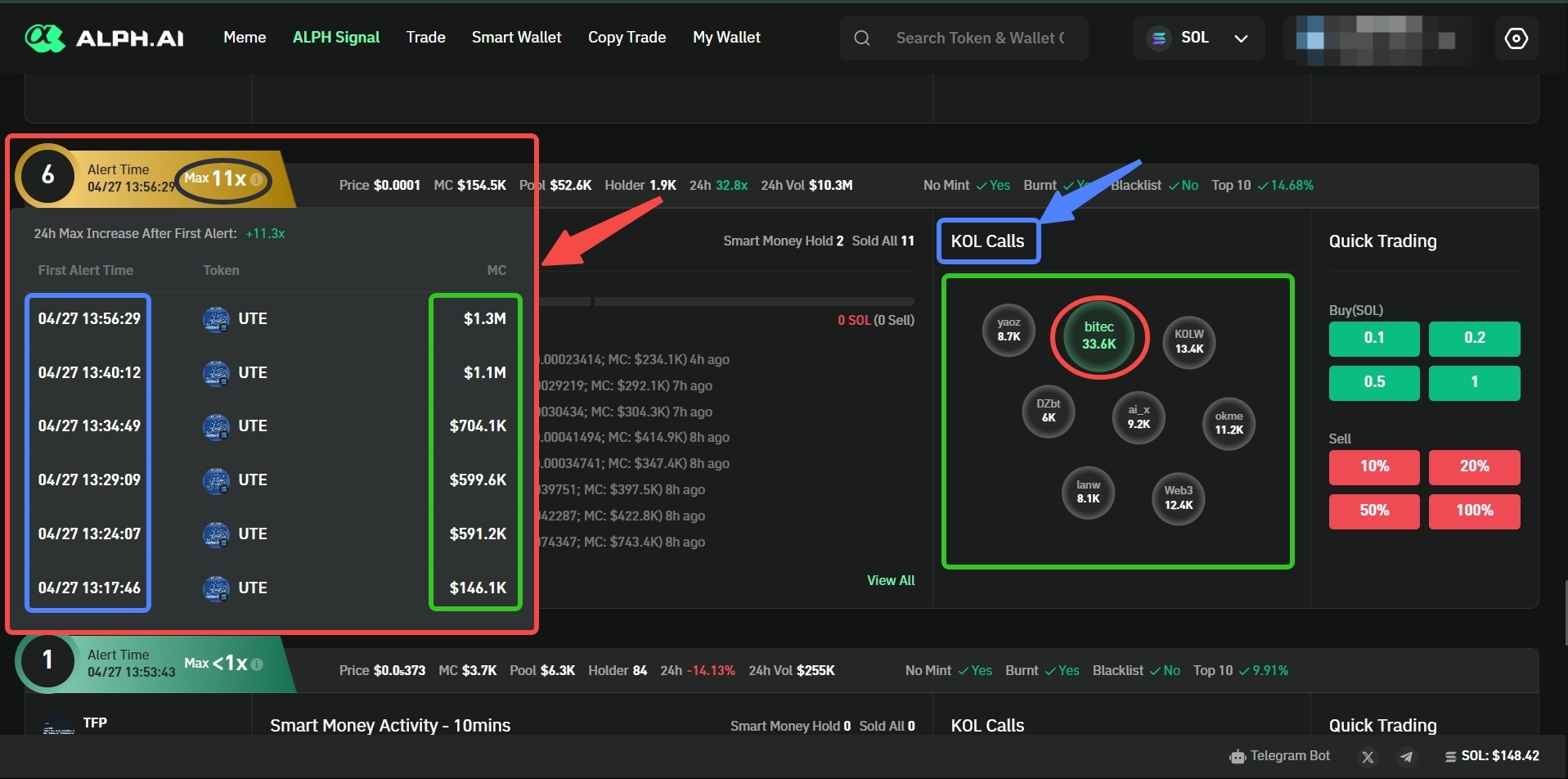
Unlock hidden market gems with **Alph Signals**, offering exclusive signals and in-depth analysis to guide your trading strategy. Discover valuable opportunities before they become mainstream.
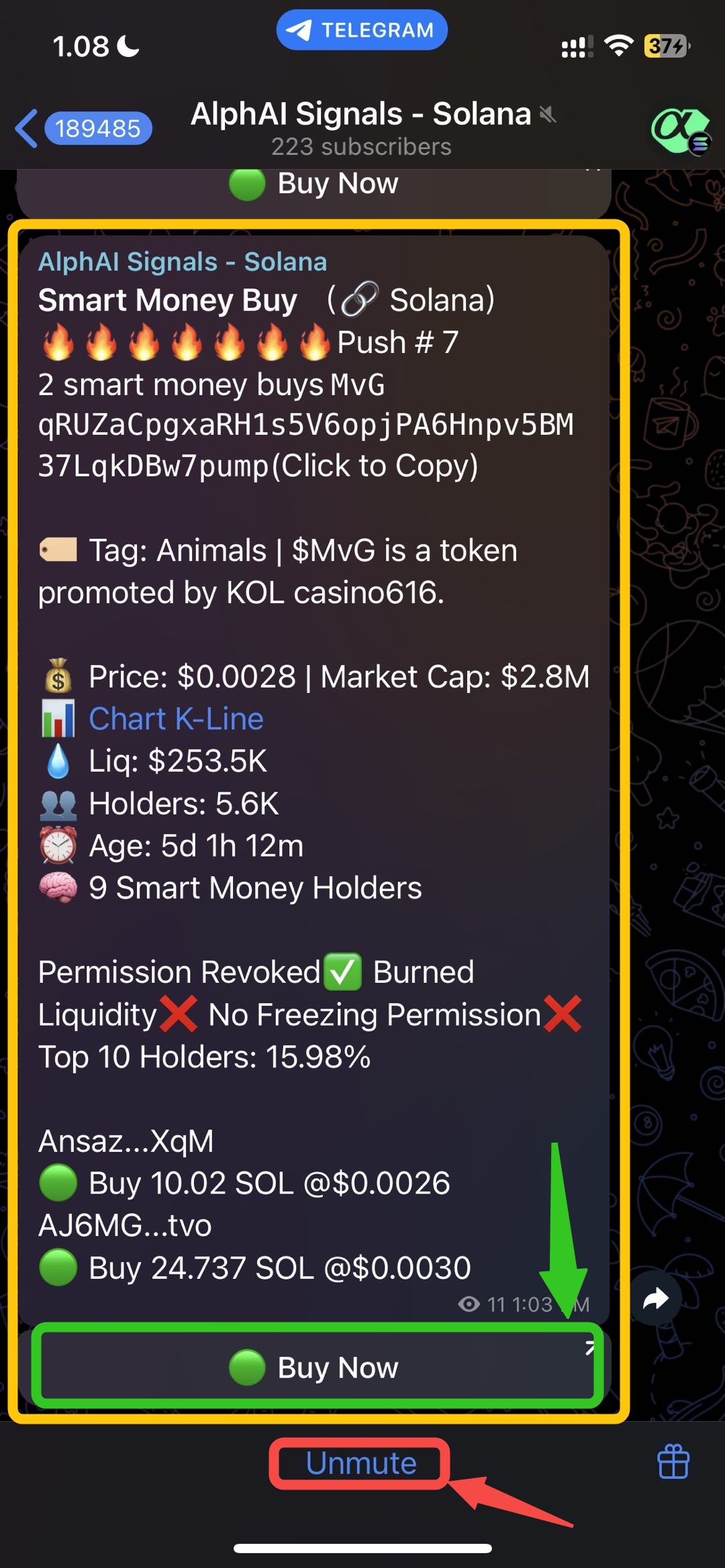
𝛂 Alph Signal Covered By KOL's Calls and Smart Money Activity
## 🎯𝛂 Alph Smart Wallet Tracker
*\~ Track smarter, trade sharper \~*\
With **Alph's Smart Wallet Tracker**, gain realtime visibility into the movements of high-performing wallets. Discover what top wallets are buying, holding, or exiting, and use those insights to inform your next move.
Powerfull 𝛂 Alph Smart Wallet with Highest Return
## 📈 Trade Smarter with 𝛂 Alph AI’s Analysis
*\~Analyze the narrative within a second\~*\
Don’t miss out on the next memecoin explosion! 𝛂 Alph AI’s analysis shows you exactly where the hype is building and where is the narrative happening.
Seamless, effortlessly and scan fast as lightning
## 📨 Copy Trade Your Favorite Smart Money
No time to trade? Let smart money do the work copy their moves effortlessly! ollow the pros, track the latest memecoin trends, and catch those pumps in real-time. Just sit back, relax, and let the big moves come to you — no charts, no stress, just profits!
You Just Copy and Ride the Hype!
## 📡24/7 𝛂 Alph AI Signals
Say goodbye to endless charting and hello to AI-powered insights that lead you straight to the next 100x gem. Whether it’s following the smart money or KOL's call catching the latest hype wave, 𝛂 Alph AI keeps you in the loop with real-time signals.
24/7 Signals, 100x Dreams
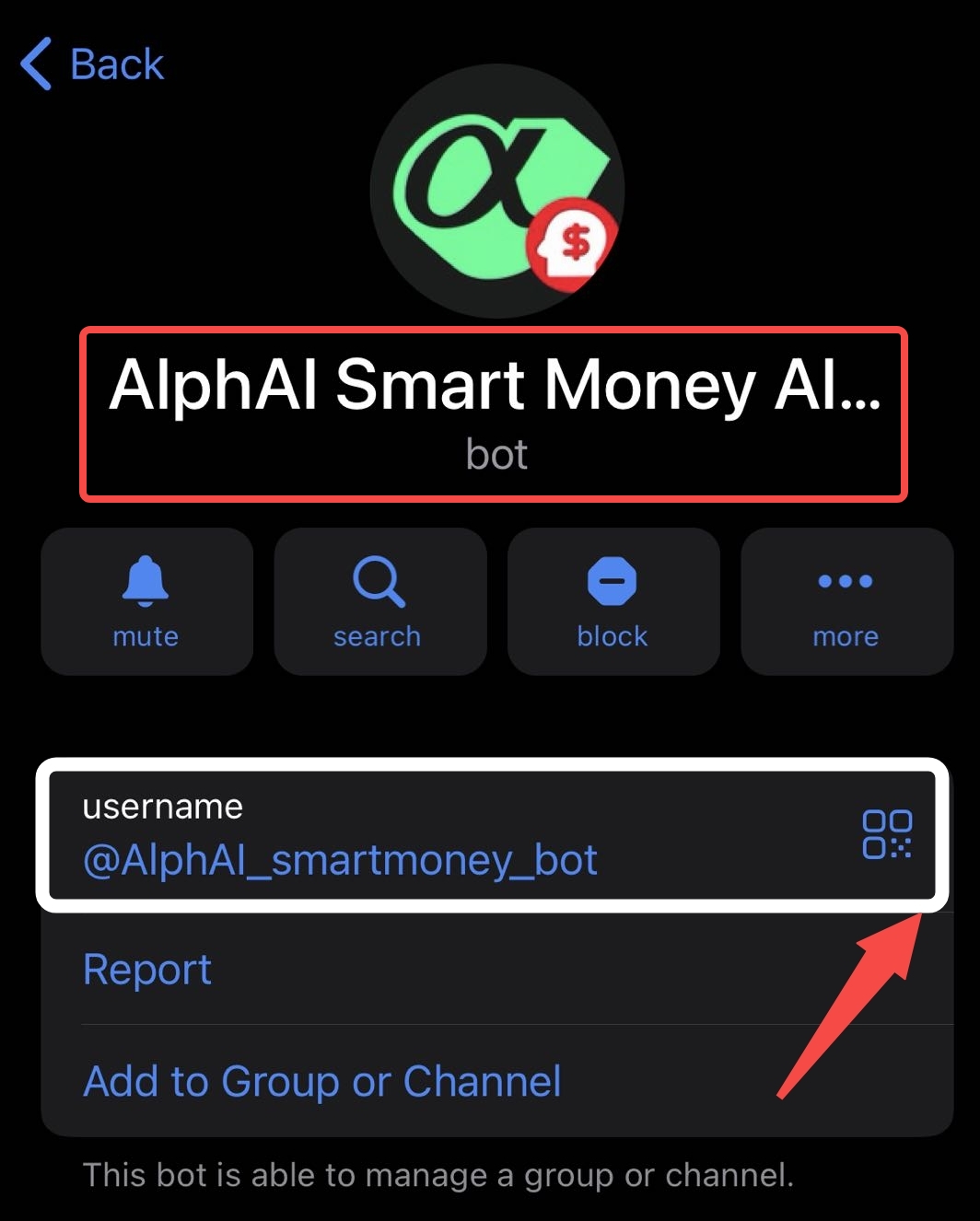
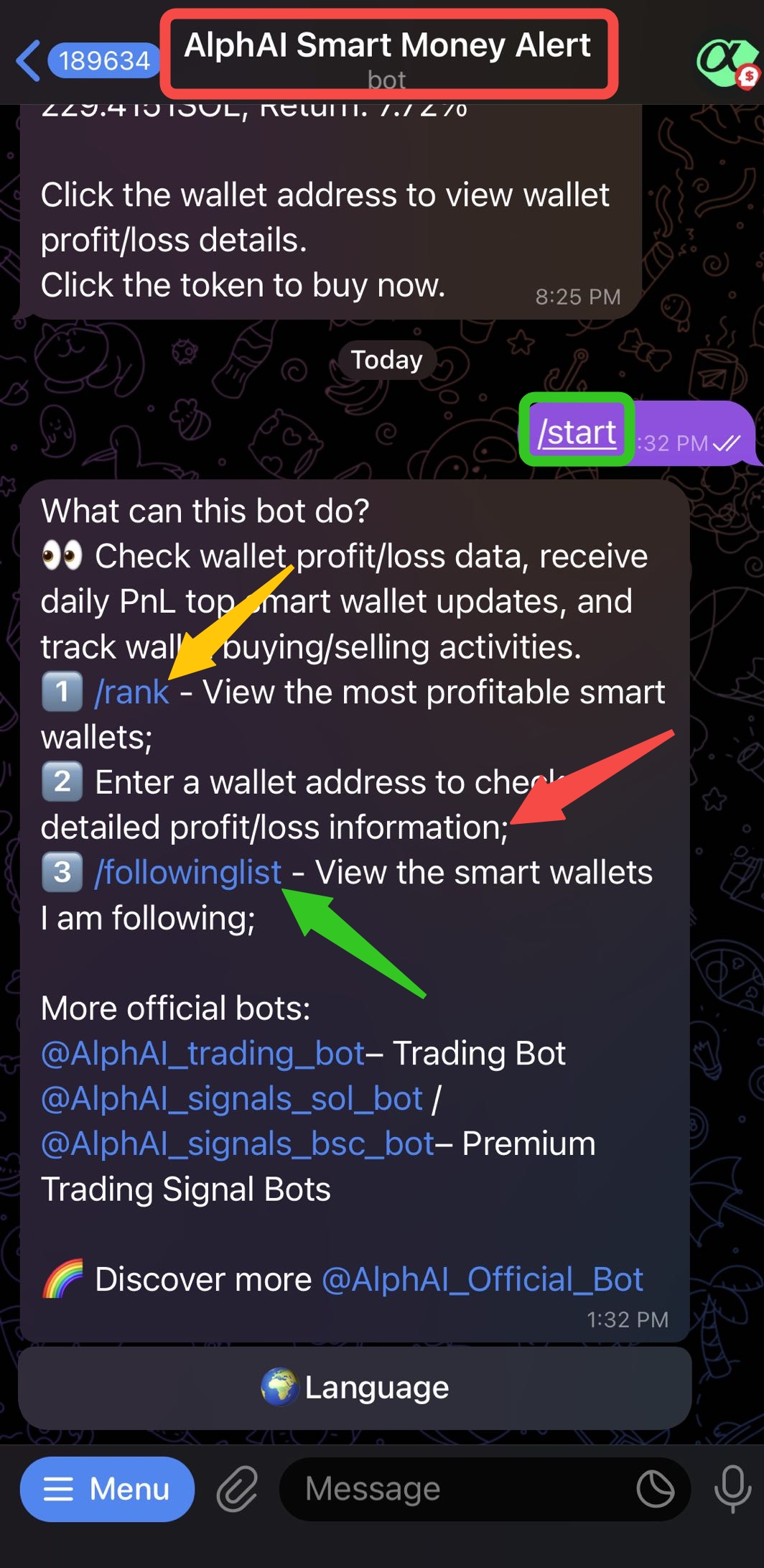
## 🚨𝛂 Alph AI Smart Money Alert
Get notified the moment smart money starts moving, whether they're aping into memecoins or prepping the next pump. No more guessing, no more being late. Let Alph AI track Smart Money flows so you can ape in with confidence and ride the waves like a true degen
Whales Aping In? Alph AI's Got the Ping
{% hint style="info" %}
**𝛂 Alph Tips:** Degen early, not blindly. Alph’s KOL's buzz + volume spike filters are your early alpha radar!
{% endhint %}
# Alph Referral Program
Alph AI Referral Program
### 1. Introduction
Welcome to Alph Ai Referral Program! This initiative rewards users for promoting our decentralized exchange (DEX) by offering multi-level commissions and cashback rewards. Users can earn through direct and indirect invitations, making it a powerful tool for organic growth and community building.
***
### 2. How the Referral Program Works
#### Multi-Level Commission Structure
When a user (inviter) invites others (invitees), they earn commissions on their transactions and transactions made by invitees up to 5 levels deep.
**Example Commission Rates:**
* **Level 1 Invitee**: Customizable by inviter (e.g., 30%-10%)
* **Level 2 Invitee**: 3.5% (system-set, fixed)
* **Level 3 Invitee**: 3% (system-set, fixed)
* **Level 4 Invitee**: 2% (system-set, fixed)
* **Level 5 Invitee**: 1% (system-set, fixed)
#### Default Commission Setting
* New users automatically receive a default invite link with 100% commission and 0% cashback.
* Default commission rates are pre-configured by the system admin.
#### Daily Settlement Cycle
* Cashback and commission rewards are calculated and distributed once daily, during **UTC 00:00 - 01:00.**
***
### 3. Cashback and Commission Rules
| Reward Type | Formula | Description |
| ----------------- | --------------------------------------- | ---------------------------------------- |
| Cashback | Transaction Fee × Cashback Percentage | Earned by invitees to encourage trading |
| Commission Rebate | Transaction Fee × Commission Percentage | Earned by inviters from invitee's trades |
| KOL Commission | Transaction Fee × KOL Bonus Percentage | Extra earning for recognized influencers |
> ✨ Users can monitor rewards via the "Rebate Rewards" dashboard in real-time.
***
### 4. How to Invite Friends
#### Default Invitation Link
* Shareable in Telegram Bot.
* Commission and cashback ratios fixed at system-default.
#### Creating Custom Invitation Links
* Users can create up to **10 invitation links**.
* Customize commission and cashback percentages for each link.
* Once configured and published, commission and cashback settings are **locked**.
**Rules:**
* Cashback cannot exceed the commission percentage.
* Users cannot modify existing links; they must create a new link for changes.
#### Invitation Binding Process
* Clicking on an invitation link auto-binds the inviter to the invitee.
* Even if a user does not register immediately, the referral code is stored and applied upon registration.
***
### 5. How to Become a KOL
#### KOL (Key Opinion Leader) Application
Users can apply to become KOLs and enjoy increased commission rates:
1. Submit an application via Google Form [(Apply Here)](https://forms.gle/h7NefJ5cvv3g1jgB7)
2. Admin reviews the social influence and trading history.
3. Approved KOLs receive enhanced commission percentages, visible in their account settings.
#### KOL Benefits
* Increased base commission rate (e.g., from 10% to 30%).
* Dedicated support from the admin team.
* Exclusive marketing resources.
***
### 6. FAQ
**Q: When are my rewards updated?**
* Rewards are calculated once daily (00:00-01:00 UTC) and reflected in the dashboard.
**Q: How much can I withdraw?**
* You must meet the minimum threshold (e.g., 1 SOL). Partial withdrawals are not allowed.
**Q: What if I’m placed on the blocklist?**
* Blocklisted users lose eligibility for commissions and cashback. Their subordinates' transactions still generate cashback for themselves.
**Q: How can I maximize my earnings?**
* Apply to become a KOL and maintain active, high-volume invitees.
**Q: Are there any fees for withdrawals?**
* Withdrawal gas fees are paid by the platform.
**Q: How does the Telegram Bot help?**
* It allows easy access to links, real-time reward monitoring, and notification for withdrawal approvals.
***
### 7. Telegram Bot Features
* **Referral Link Copy**: Instantly copy the default or preferred invite link.
* **Rebate Summary**: View invited user count, cumulative rewards, and pending rewards.
* **Withdrawal Updates**: Get notified once your withdrawal request is approved.
***
***
> ✨ Start building your network and maximizing your earnings on Alph Ai platform today!
***
## Quick Links
* [Apply as KOL ](https://forms.gle/h7NefJ5cvv3g1jgB7)
* View Rebate Rewards (Soon)
* [Help Center](https://t.me/AlphAICommunity)
***
*For technical issues or assistance, please reach out through our* [*Official Telegram Support Channel*](https://t.me/AlphAICommunity)*.*
# Alph Tools
Alph Tools is your all-in-one command center powered by Alph AI. From tracking smart money moves and memecoin. Whether you're a degen chasing the next 100x or a strategist looking for high-conviction insights, Alph Tools gives you the edge you need in one seamless dashboard.
🌎 Alph AI Website 📼Alph AI Youtube Channel💳 Alph Bot Wallet💸Smart Money Bot🔫 Alph Trading Bot🚨 Alph SOL Signal 💎 Alph BSC Signal🤖 Alph AI All Bots🗺️ Alph Community
{% hint style="info" %}
**𝛂 Alph Tips: Don’t chase pumps. Predict them.**\
Alph AI analyzes narrative momentum and social hype so you can catch the wave early — not at the top.
{% endhint %}
## 🚀 Ready to elevate your 𝛂Alph AI experience to the next level? 🚀
# No Keys, No Worries: Alph’s MPC Security Model
Source: krayondigital
## **MPC (Multi-Party Computation) for Enhanced Security at Alph AI**
In a world increasingly dependent on digital technology, data security is an aspect that cannot be overlooked. Every company, especially those operating in the crypto and fintech sectors, must prioritize customer data protection and secure transactions. One technology gaining traction in strengthening security systems is **Multi-Party Computation (MPC)**.
### 🔐 What is Multi-Party Computation (MPC)?
**Multi-Party Computation (MPC)** is a subfield of cryptography that enables multiple parties to compute a function over their inputs while keeping those inputs private. No single party can see the complete data, yet the group can collectively perform cryptographic operations such as signing or key generation.
>
#### :key: **Why is MPC Important for Security?**
Cybersecurity is a major concern in the crypto industry, where transactions involving money or digital assets are vulnerable to various attacks. One key vulnerability lies in the **management of cryptographic keys**. Private keys are essential for securing digital assets, and if a private key falls into the wrong hands, assets can be stolen instantly. Therefore, protecting private keys is of the utmost importance.
> By using MPC, Alph ensures that private keys never exist in full in a single location. Instead, the keys are split into multiple parts and distributed across several entities. No single party has full control over the private key, reducing the risk of hacks or key theft that could result in asset loss.
🛡️ **How Does Alph Implement MPC?**
Alph has adopted MPC as part of its platform's security architecture to provide an extra layer of protection for cryptographic keys and transactions. This approach ensures that even if one part of the system is compromised, hackers cannot access sensitive information or manipulate transactions. Here’s how Alph integrates MPC:
> * **Distributed Key Storage**\
> Cryptographic keys are not stored in one place or on a single server. Instead, they are broken into pieces and distributed across different nodes or entities. Each participant only holds a fragment of the key, which is useless without the others.
> * **Decentralized Computation**\
> For transactions or block creation, the computation is carried out in a decentralized manner among parties holding key fragments. This prevents any single party from accessing or manipulating the full key without consensus.
> * **Elimination of Single Points of Failure**\
> With MPC, there is no single point of failure in the system. Even if one entity is compromised, the system remains secure because the key and data are distributed across multiple locations.
> * **End-to-End Encryption**\
> Alph ensures that all transaction processes, including key management, are protected with end-to-end encryption. This ensures that data transmitted between parties remains secure and inaccessible to unauthorized third parties.
#### :guard: **Benefits of MPC at Alph**
Implementing MPC at Alph provides numerous advantages, both in terms of security and operations:
> * **Stronger Security**: MPC enables secure distribution of cryptographic keys, reducing the risk of theft or hacking.
> * **Data Protection**: MPC ensures that personal data and transactions remain private and inaccessible without proper authorization.
> * **Decentralization**: This technology minimizes reliance on a single entity, reducing the risk of failure or attack at a single point.
> * **Regulatory Compliance**: By using MPC, Alph can also meet strict security regulations in the crypto and fintech industries.
{% hint style="info" %}
Alph continues to uphold the integrity and security of its platform — and MPC is a key part of that commitment for the future
{% endhint %}
# Elevate Account Safety with 2FA
## 🔐 Keep Your Alph Wallet Safe with 2FA
In the crypto world, **security is everything**. That’s why Alph uses **Two-Factor Authentication (2FA)** with **Google Authenticator** — adding an extra layer of protection to keep your account and crypto assets safe.
### Why 2FA Matters?
Two-Factor Authentication (2FA) is a security method that requires two forms of verification before granting access to your account:
> 1. **Something you know**: Your password.
> 2. **Something you have**: A temporary code sent to your phone or generated by an app.
>
> By requiring both elements, 2FA makes it significantly harder for unauthorized individuals to gain access to your account, even if they know your password.
### How to Enable 2FA on Alph AI?
It only takes a few minutes to set up:
1. Log into your Alph account.
2. Go to the **Account Security** page.
3. Click **“Bind Now”**.
4. Download the **Google Authenticator** app from:
* [App Store (iPhone)](https://apps.apple.com/us/app/google-authenticator/id388497605)
* [Google Play (Android)](https://play.google.com/store/apps/details?id=com.google.android.apps.authenticator2)
5. Scan the QR code shown on the Alph screen.
6. Enter the 6-digit code from the app into the field.
7. Done! Your account is now much more secure.
{% hint style="info" %}
🕒 **Note:** After enabling 2FA, withdrawals will be locked for 3 hours for security reasons.
{% endhint %}
***
### Lost Access to Google Authenticator?
Got a new phone? Accidentally deleted the app?
No worries — you can reset your 2FA by submitting a quick verification form. Once your reset request is approved, you can rebind your account to a new Google Authenticator app.
📘 Submit Form Here
{% hint style="info" %}
🕒 After resetting or unbinding, withdrawals will be locked for **24 to 48 hours** to protect your account from unauthorized access.
{% endhint %}
### Withdrawing Funds: What to Expect?
Before withdrawing, you’ll be prompted to enter a 2FA code.
🚫 Entering the wrong code **5 times in a row** will freeze your withdrawals for 2 hours.\
✅ Entering the correct code will trigger the withdrawal, and you’ll see links to track your transaction via:
* [Solscan (for SOL)](https://solscan.io/)
* [Bscscan (for BNB)](https://bscscan.com/)
{% hint style="info" %}
⏱️ If the transaction takes too long (15 seconds), the system will notify you that there might be a network or balance issue.
{% endhint %}
### Need Help?
Join the Alph community on Telegram for support:
* 🌐 [Global Community](https://t.me/alphaiog)
* 🇮🇩 [Indonesian Community](https://t.me/AlphAICommunity)
***
# How to create wallet in Alph?
## Step 1 -> Create SOL and BSC address
**Visit Alph Bot Wallet here:**
💳 Alph Bot Wallet
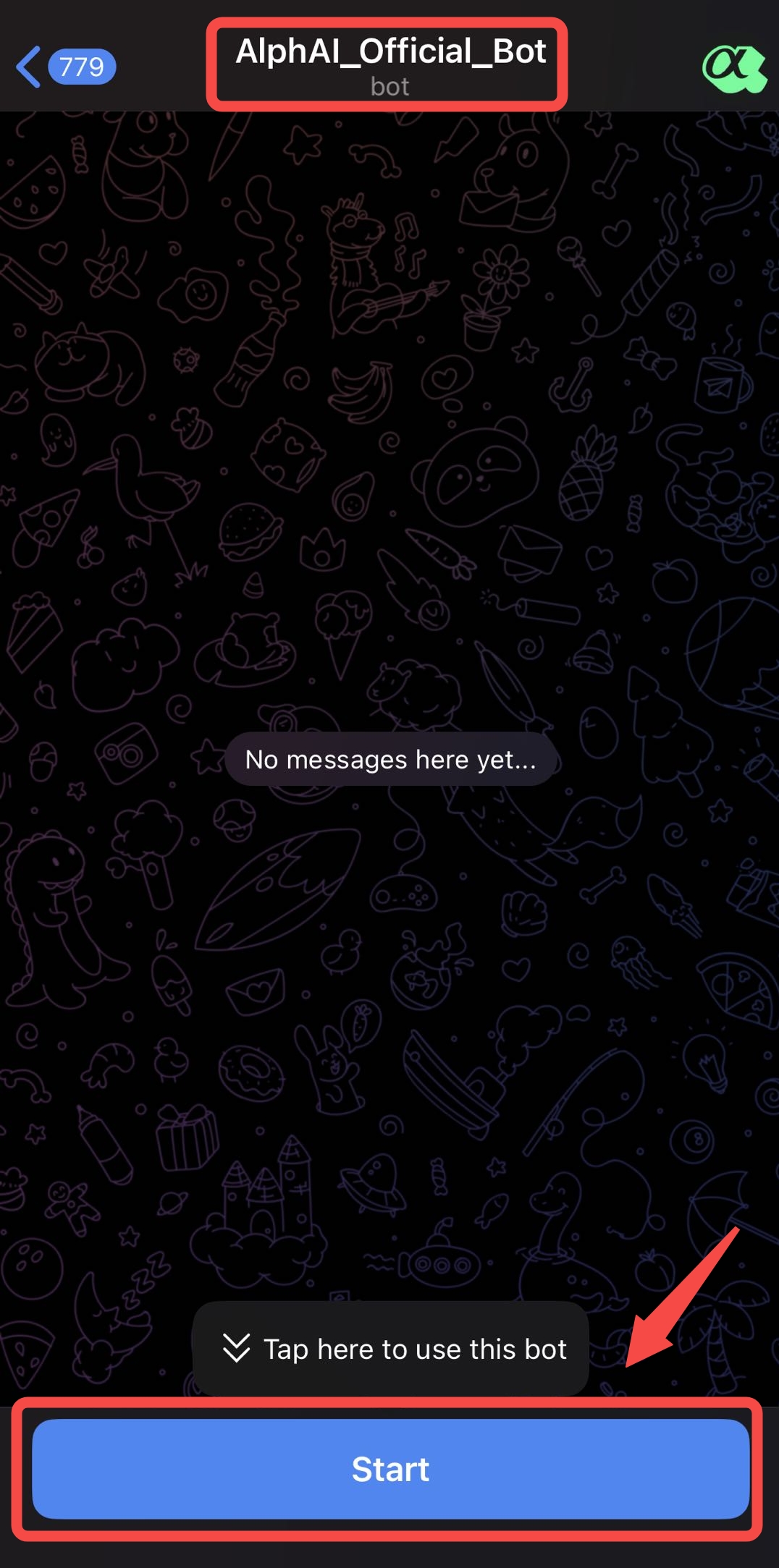
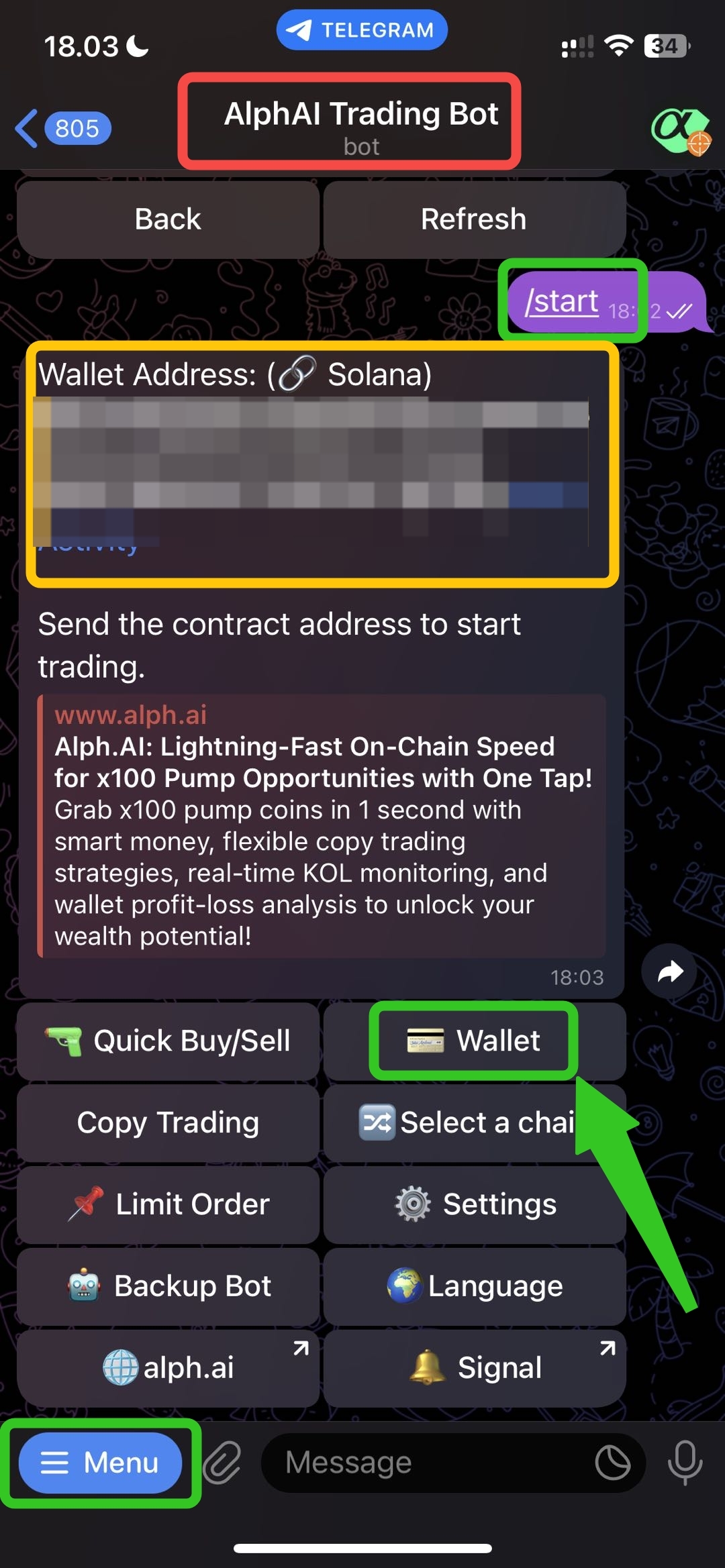
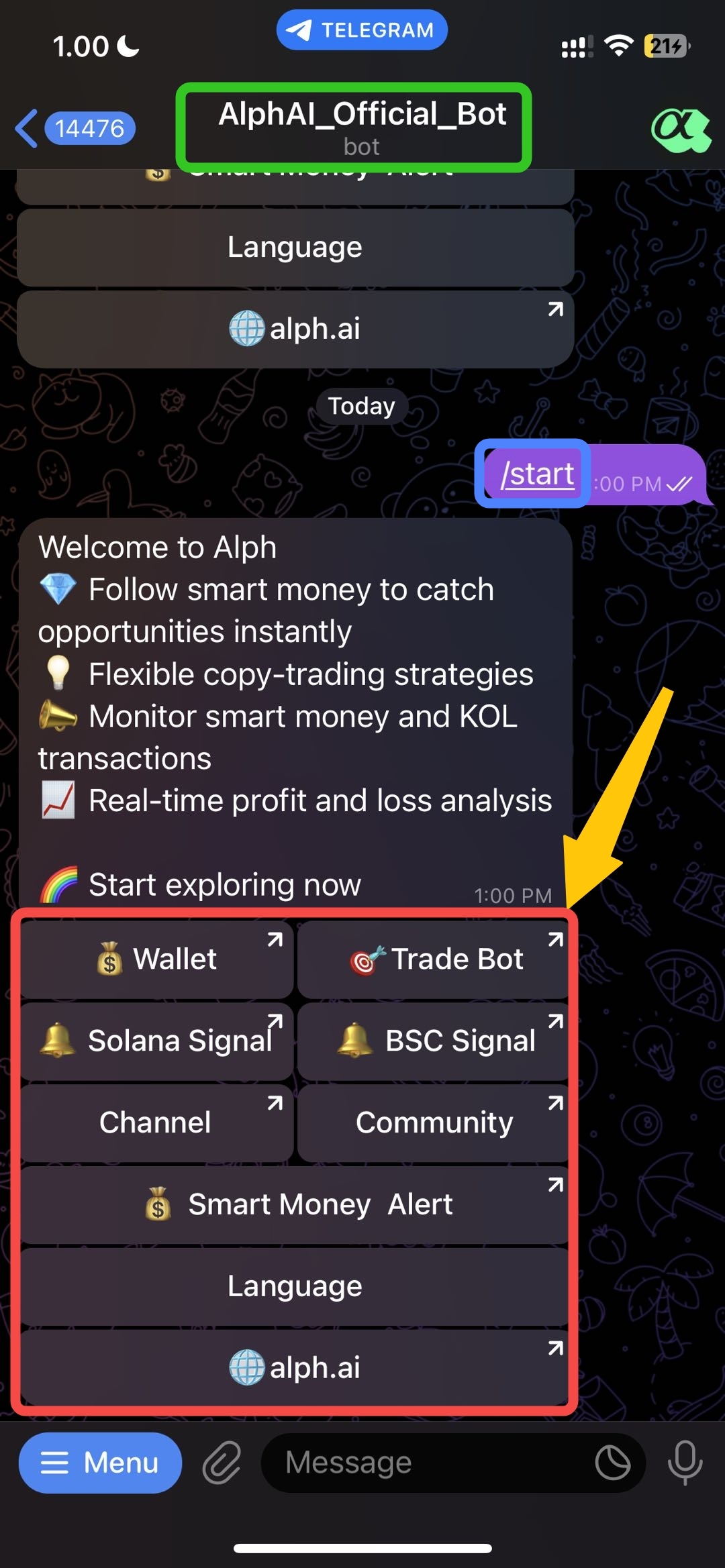
**After you click the Alph bot link, then please to click** `/start` **to use Alph bot.**
## Step 2 -> Choose the wallet button
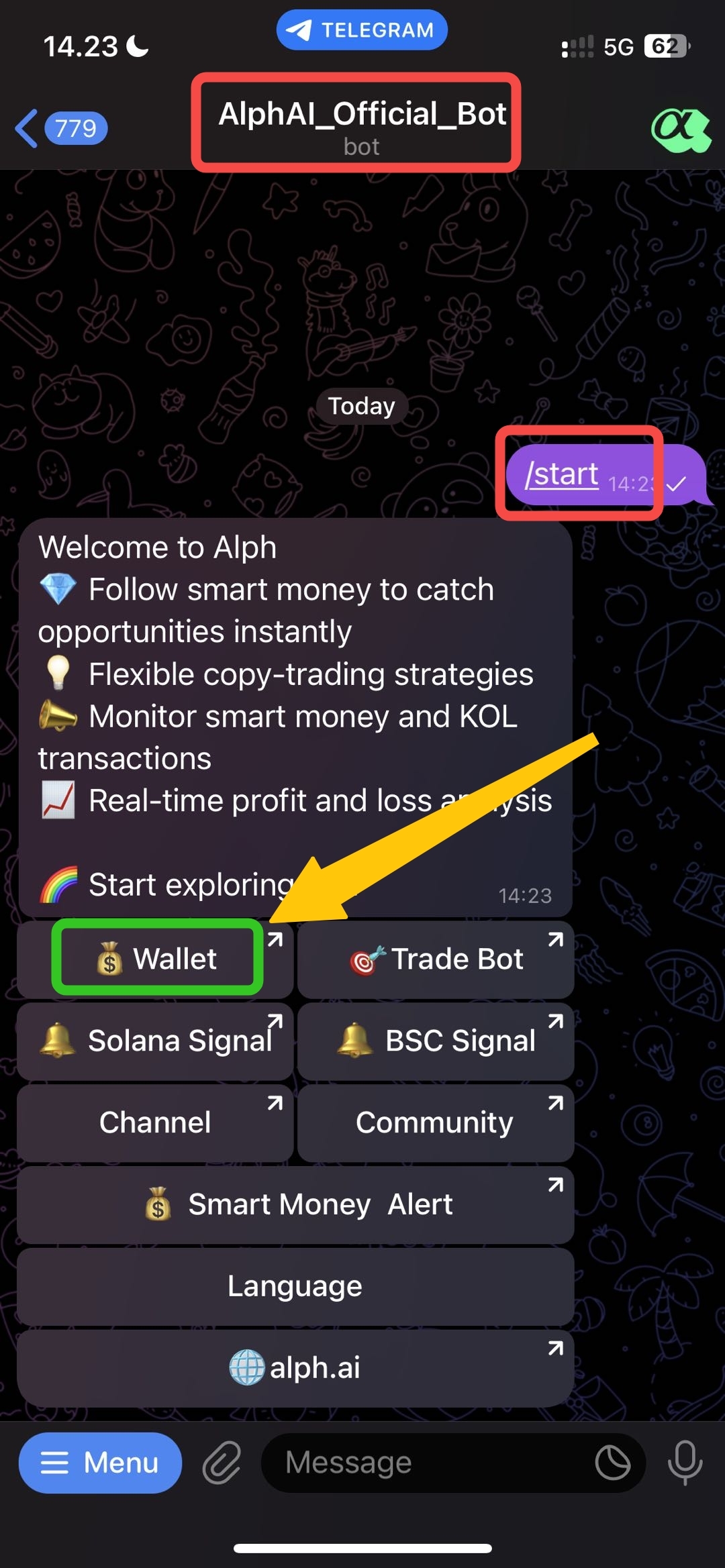
After you click the start button, you will directly go to this page. and then after you got Alph welcoming message, you can **click `Wallet button`.**
## Step 3 -> Your SOL Address is Ready🎉
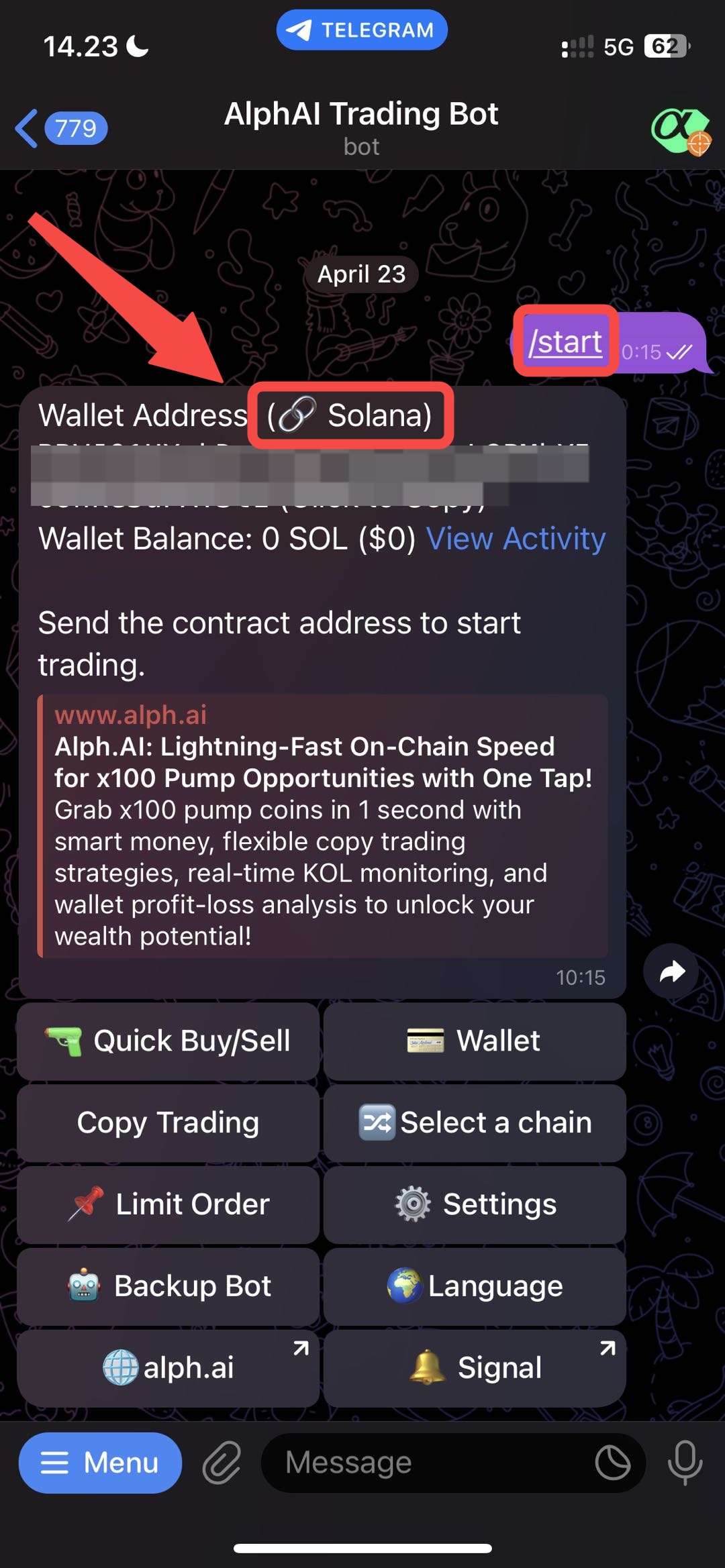
You can see your `SOL wallet address` below the arrow and ready to copy for DEPOSIT SOL amount from other sources.
{% hint style="info" %}
**𝛂 Alph Tips: Please don't deposit others token or coin except BNB to this Address Wallet. Please note that the Alph AI team assumes no responsibility for any asset loss.**
{% endhint %}
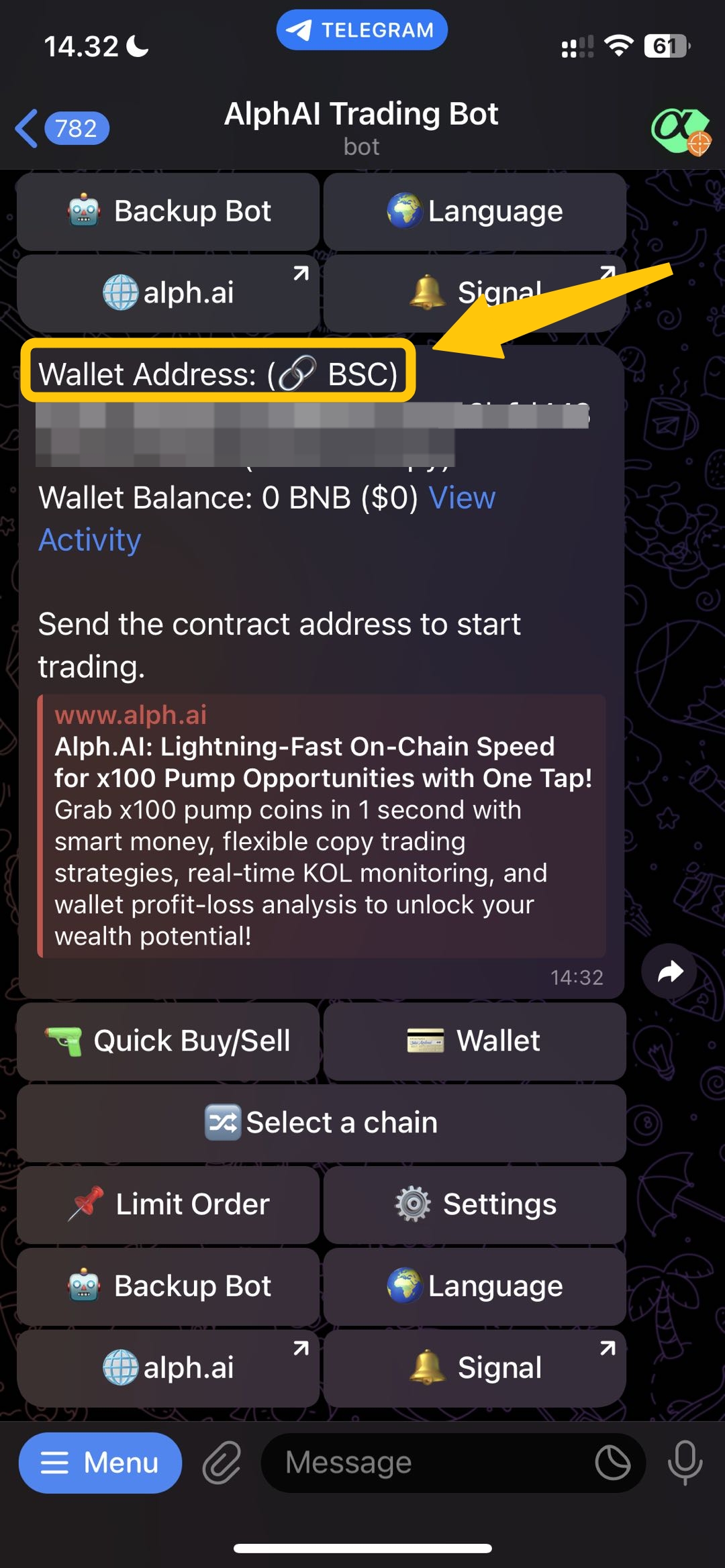
## Step 4 -> Create BSC Address
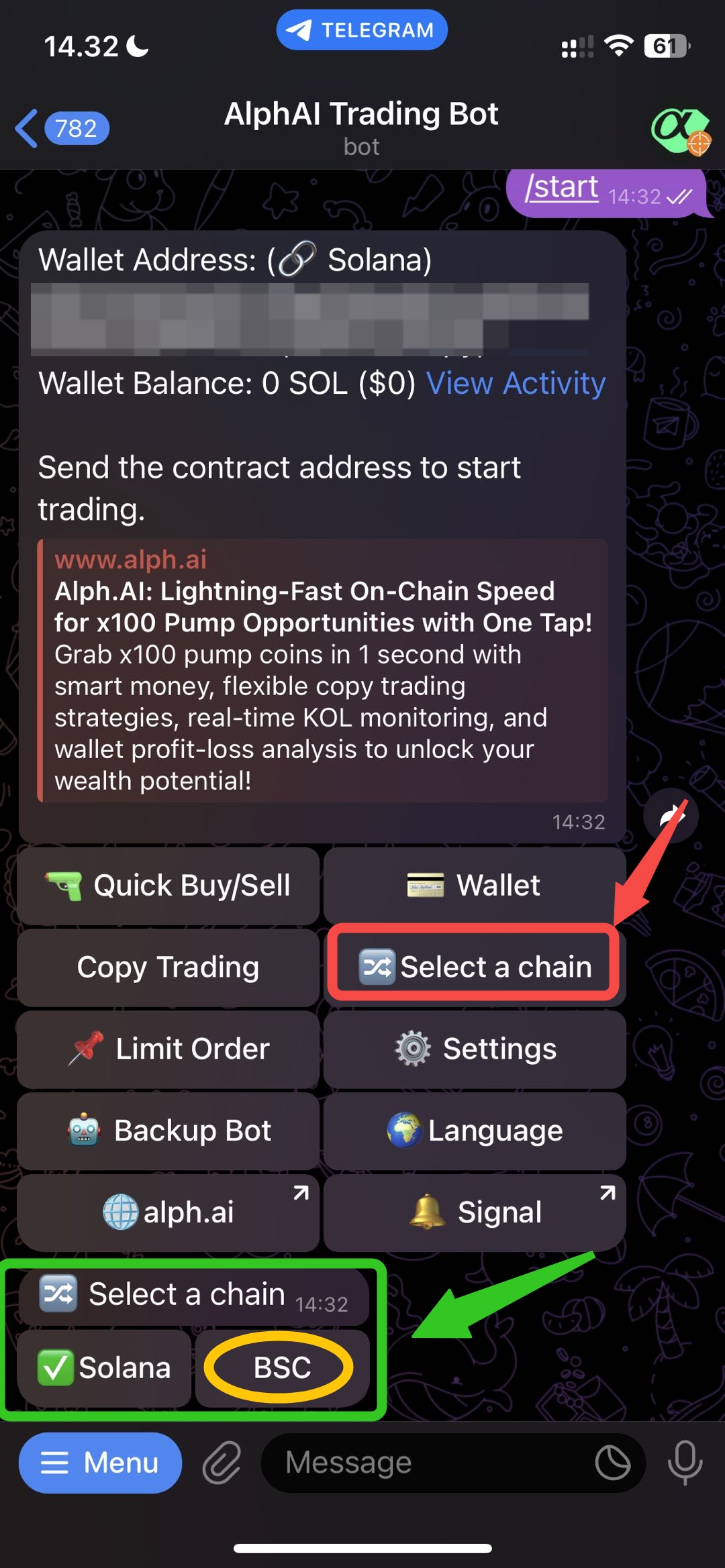
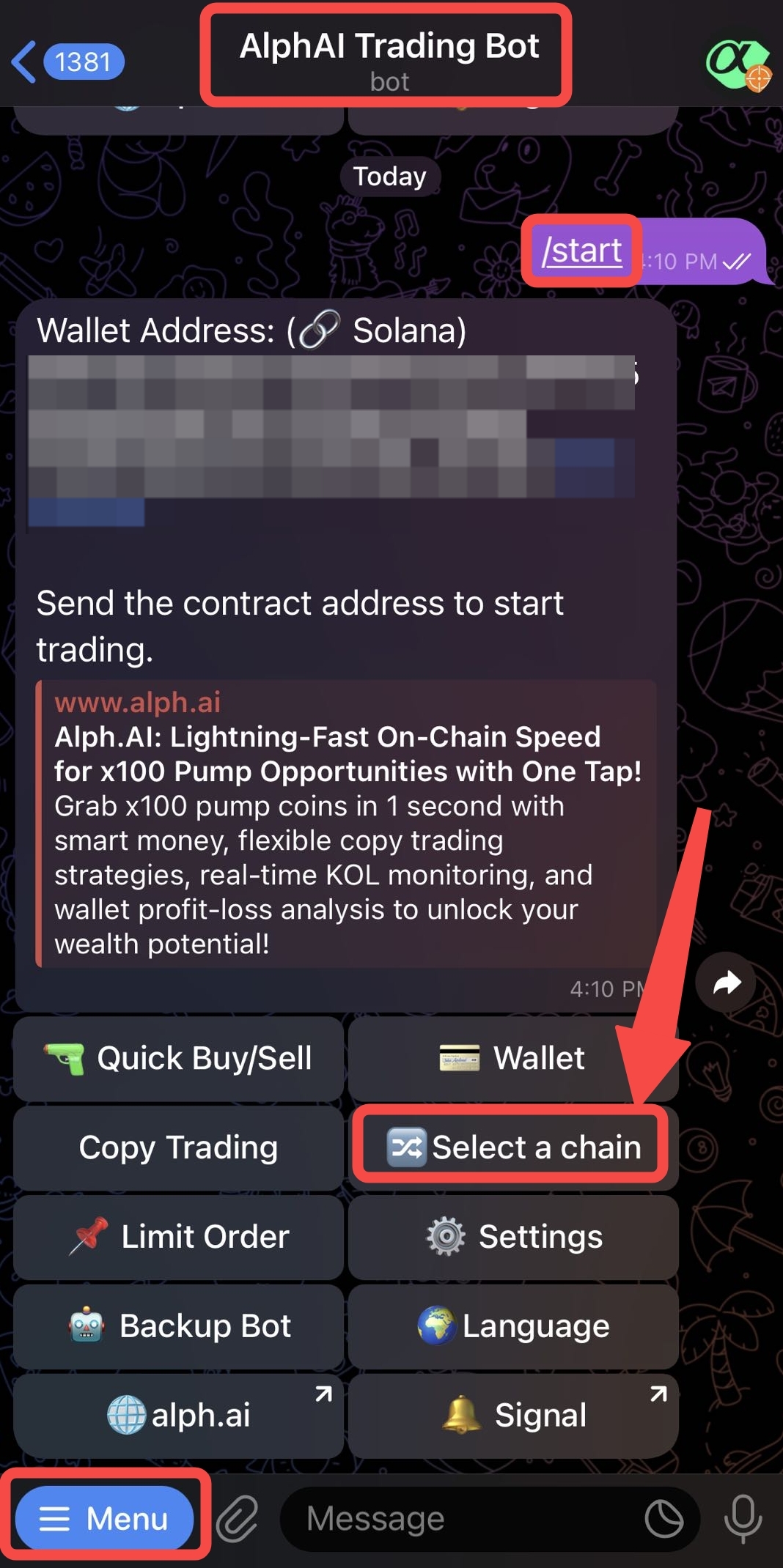
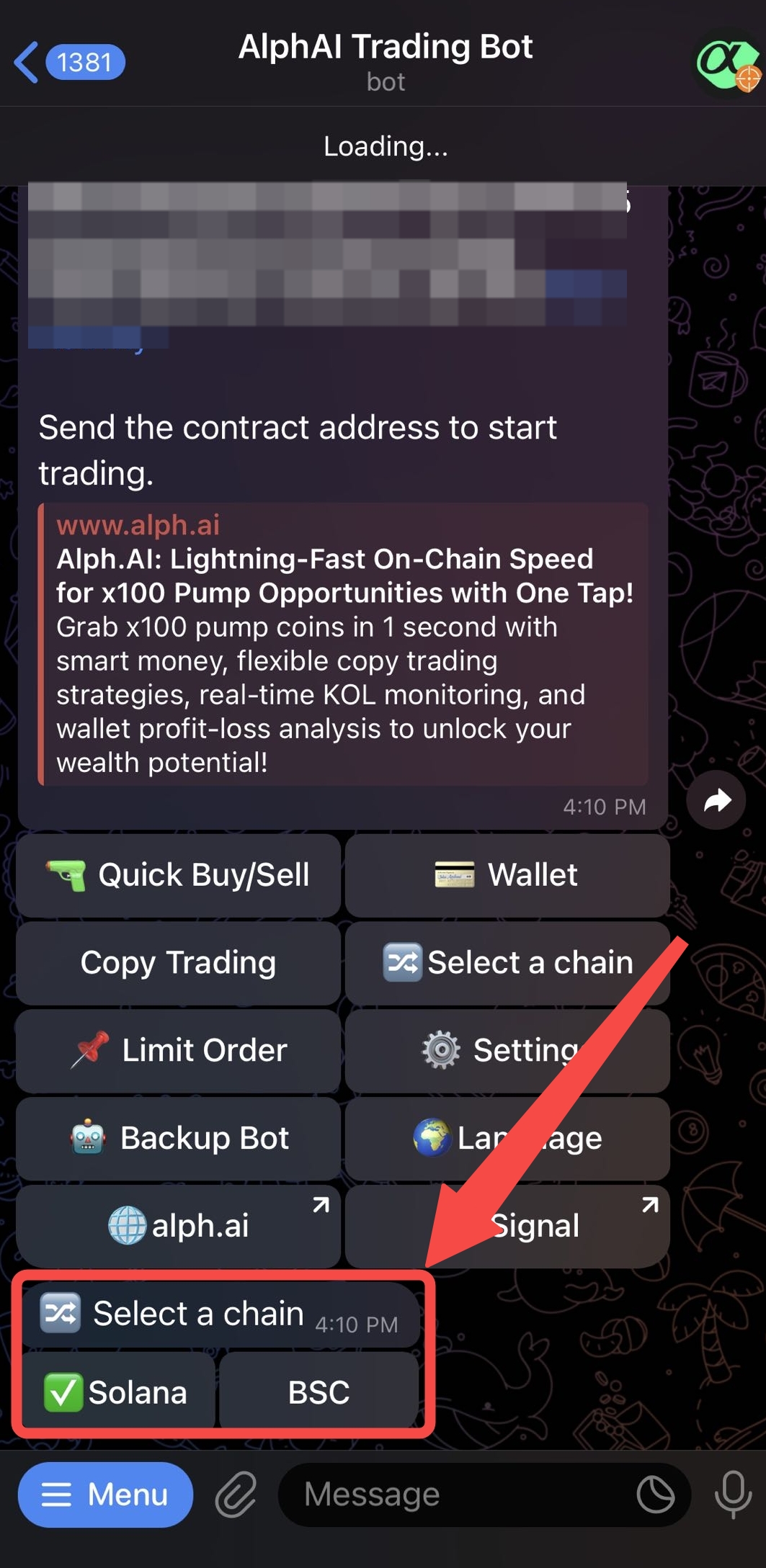
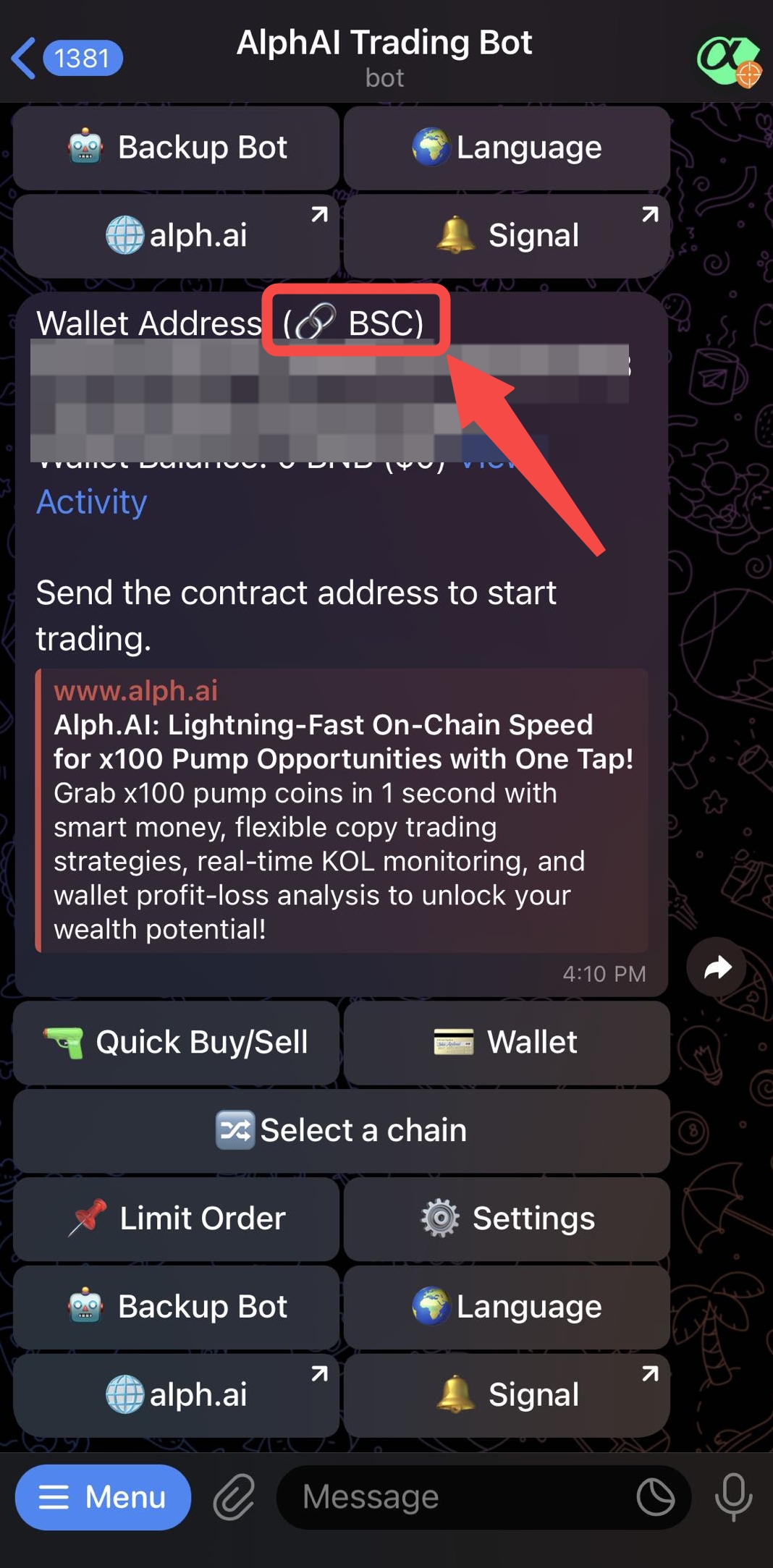
If you want to create BSC address you need to click `select a chain` and then the button for select chain will include SOL or BSC, you can directly click `BSC button`
## Step 5 -> Your BSC Address is Ready🎉
You can see your `BSC wallet address` below the arrow and ready to copy for DEPOSIT BSC amount from other sources
{% hint style="info" %}
**𝛂 Alph Tips: Please don't deposit others token or coin except BNB to this Address Wallet. Please note that the Alph AI team assumes no responsibility for any asset loss.**
{% endhint %}
# How to deposit to Alph wallet?
## Step 1 -> Deposit SOL or BSC to Alph Wallet
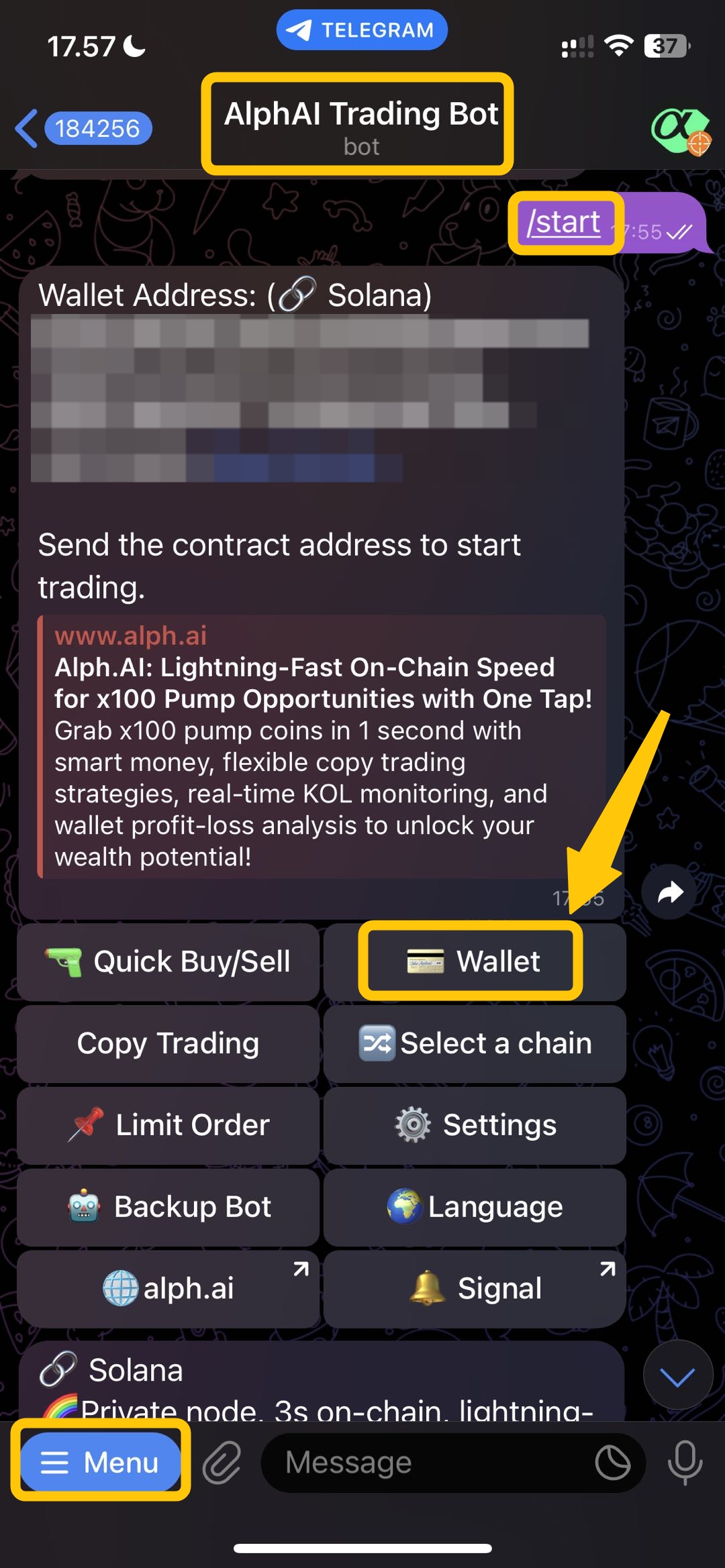
**Visit Alph trading bot here:**
🔫 Alph Trading Bot
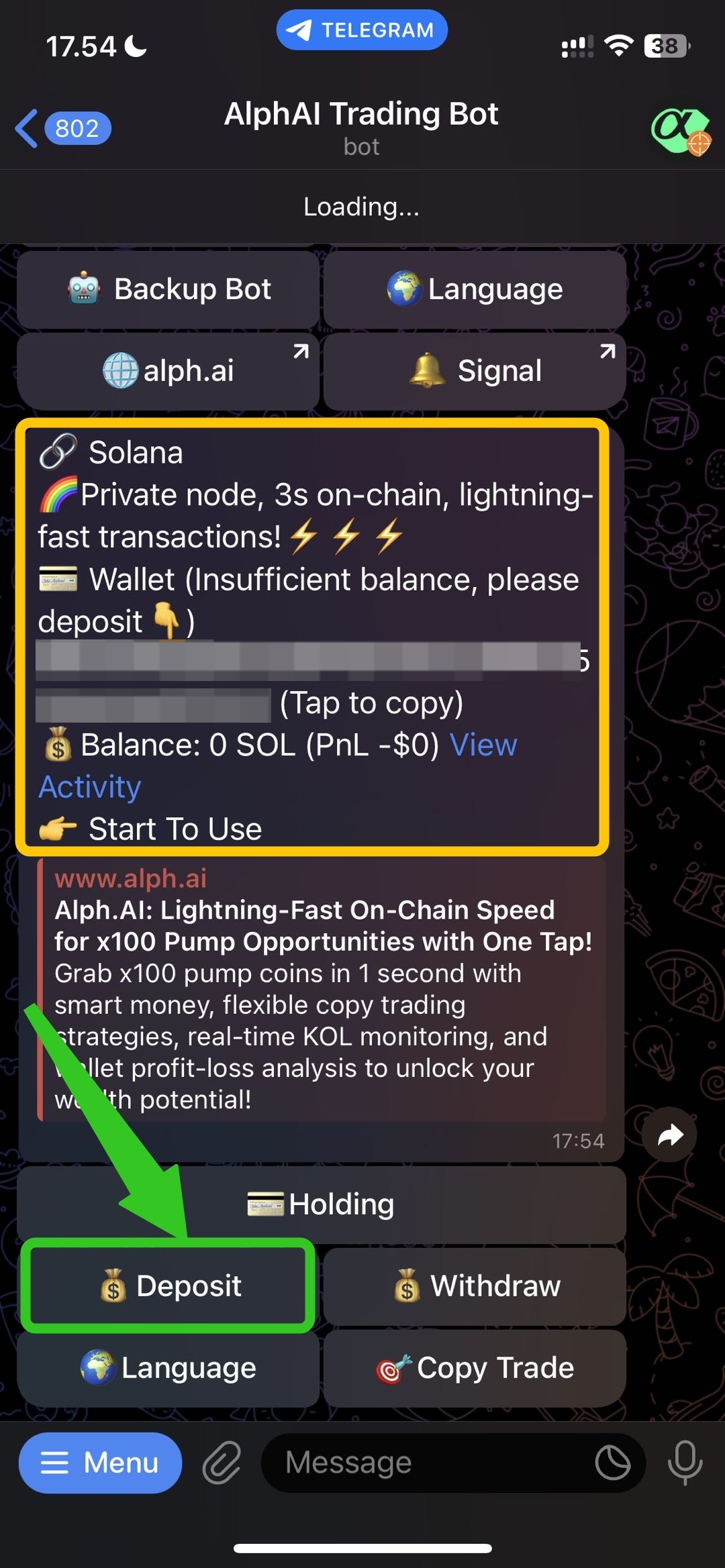
After you visit Alph trading bot, first you click `Menu button` in the left bottom corner and click `/start button`. and your wallet address will appear (You can switch the chain between SOL or BSC). after that you can click `wallet button`.
## Step 2 -> Deposit Amount of SOL
After that, this page layout will be appear. you can see your solana address here. to continue deposit, you can click `deposit button.`
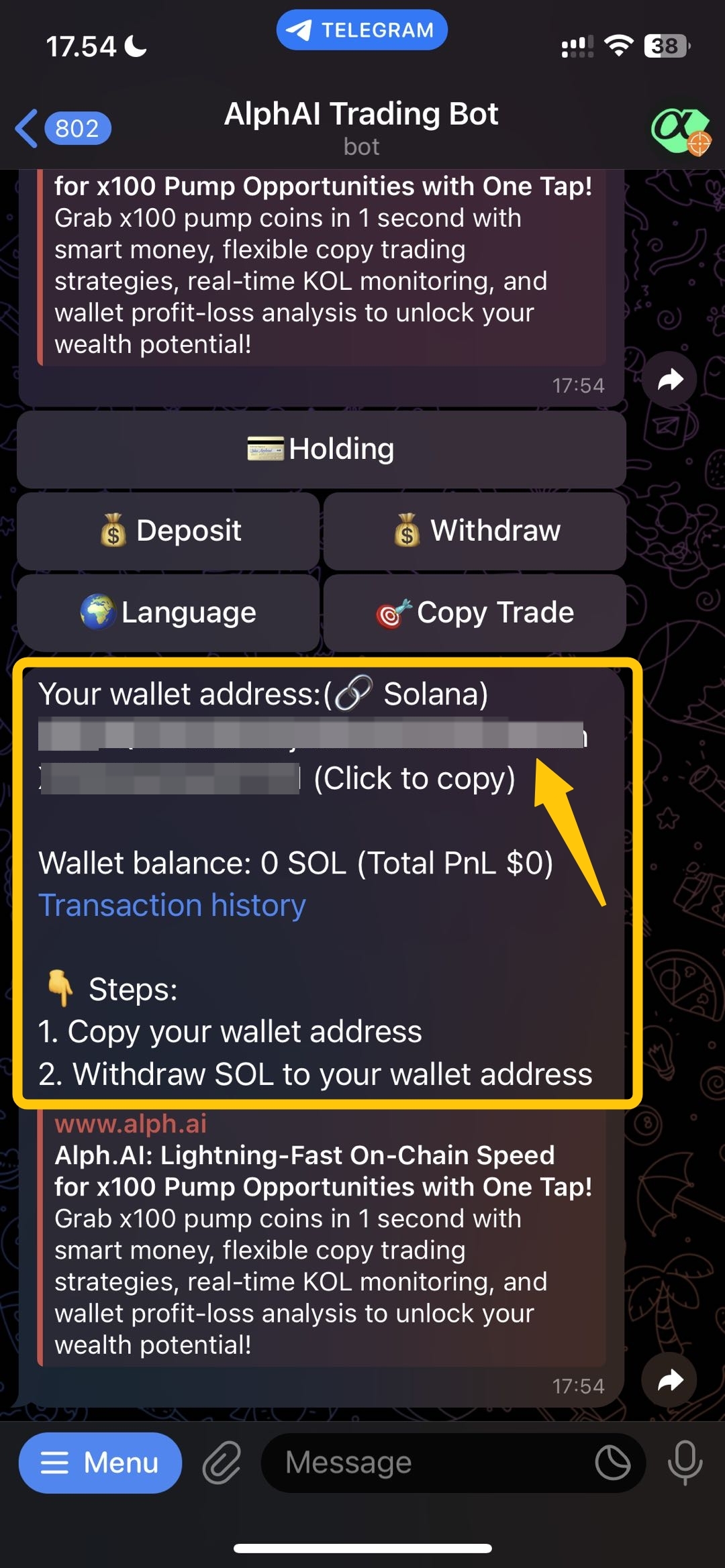
## Step 3 -> Copy Wallet Address
Next, you will see your address and then you just copy your address to process the deposit process.
## Step 4 -> Deposit Arrived🎉
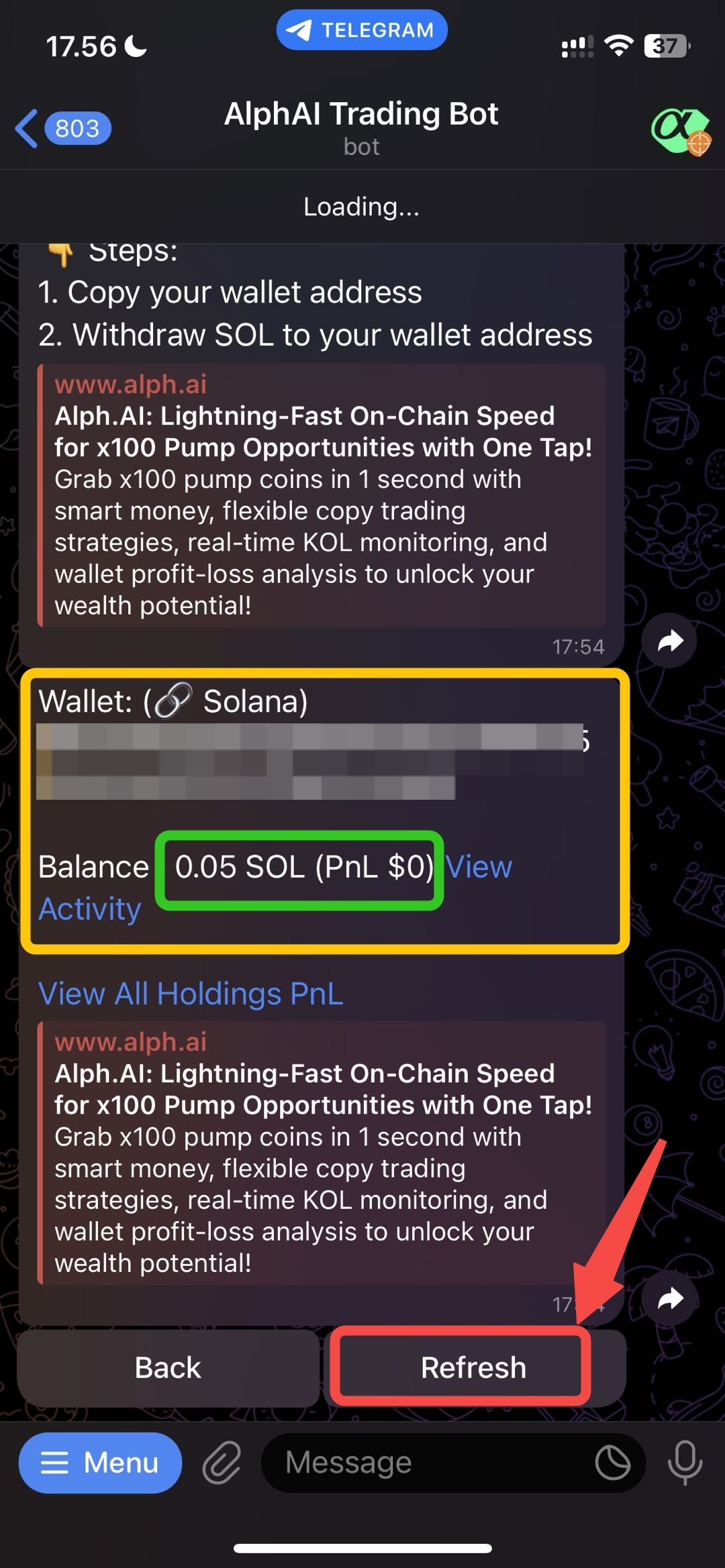
After you already move your SOL to Alph Address, you can monitor the progress by `refresh the button`. if the transfer is success, you can your deposit amount in your Alph address.
# How to trade with Alph Bot?
## Step 1 -> How to Trade with Alph TG Bot
**Visit to Alph Trade Bot Here:**
🔫Alph Trading Bot
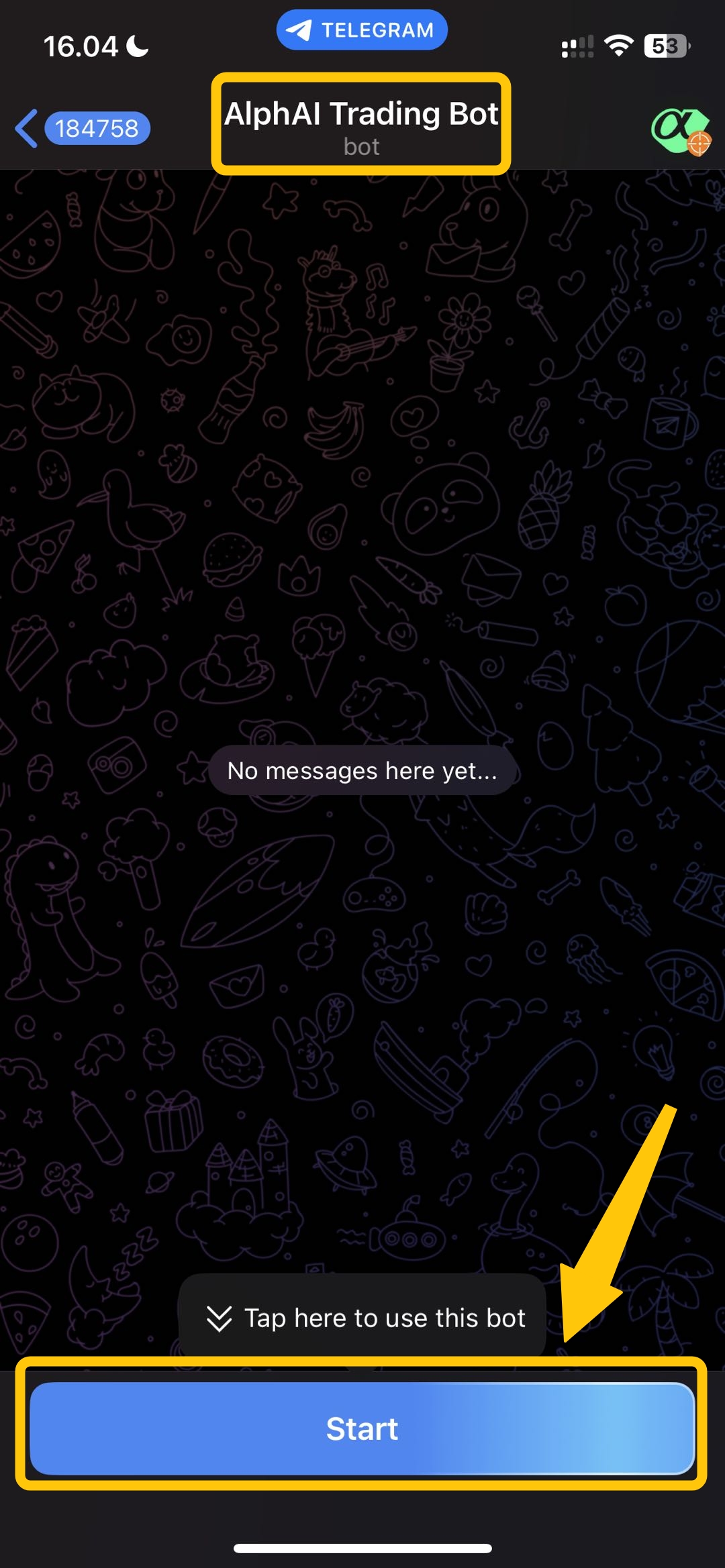
**After you click the Alph Trading Bot link, then please to click `start` to use the bot.**
## Step 2 -> Quick Buy or Sell
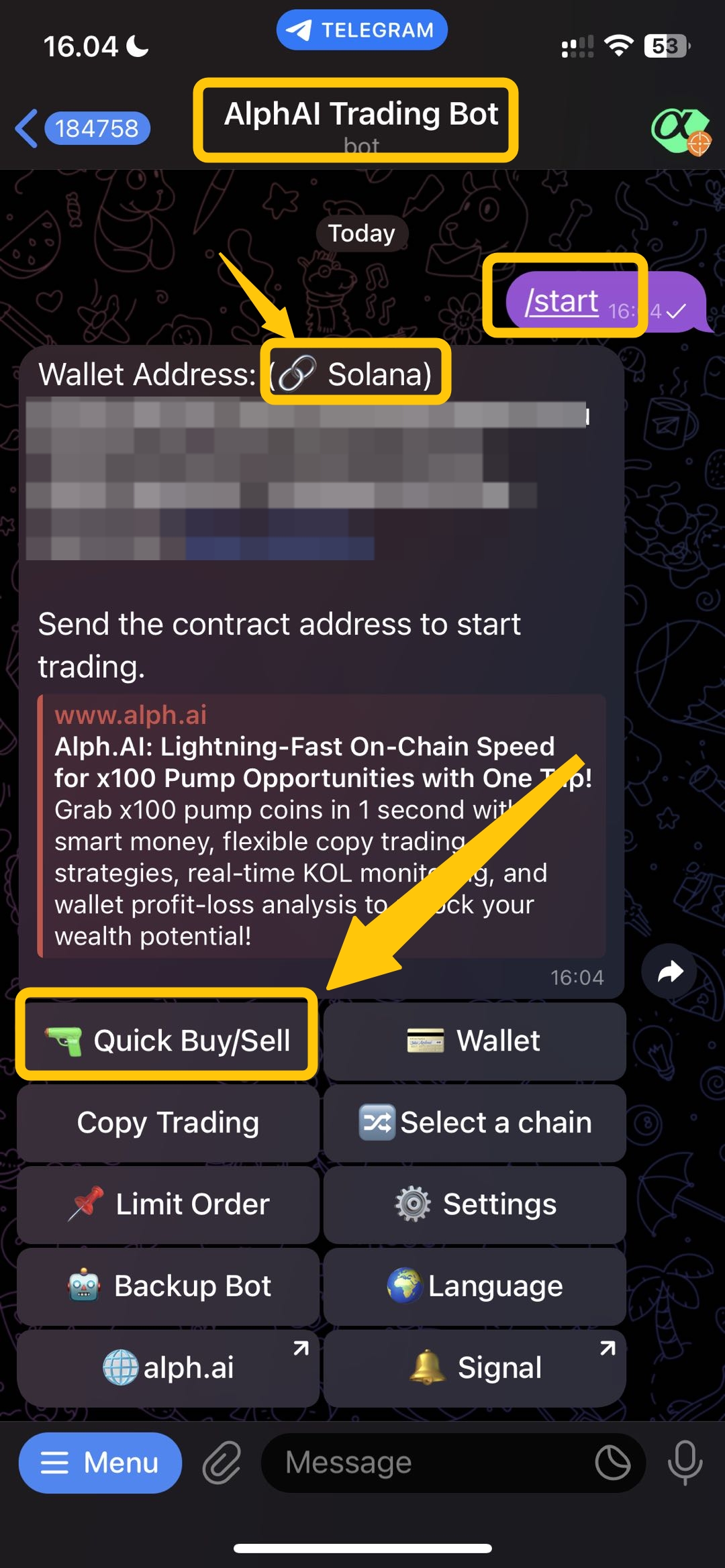
After you click start button, this page will be appear. and will give you some information include: wallet address, buy/sell and many more.\
you can directly click **`Quick Buy/Sell`** button
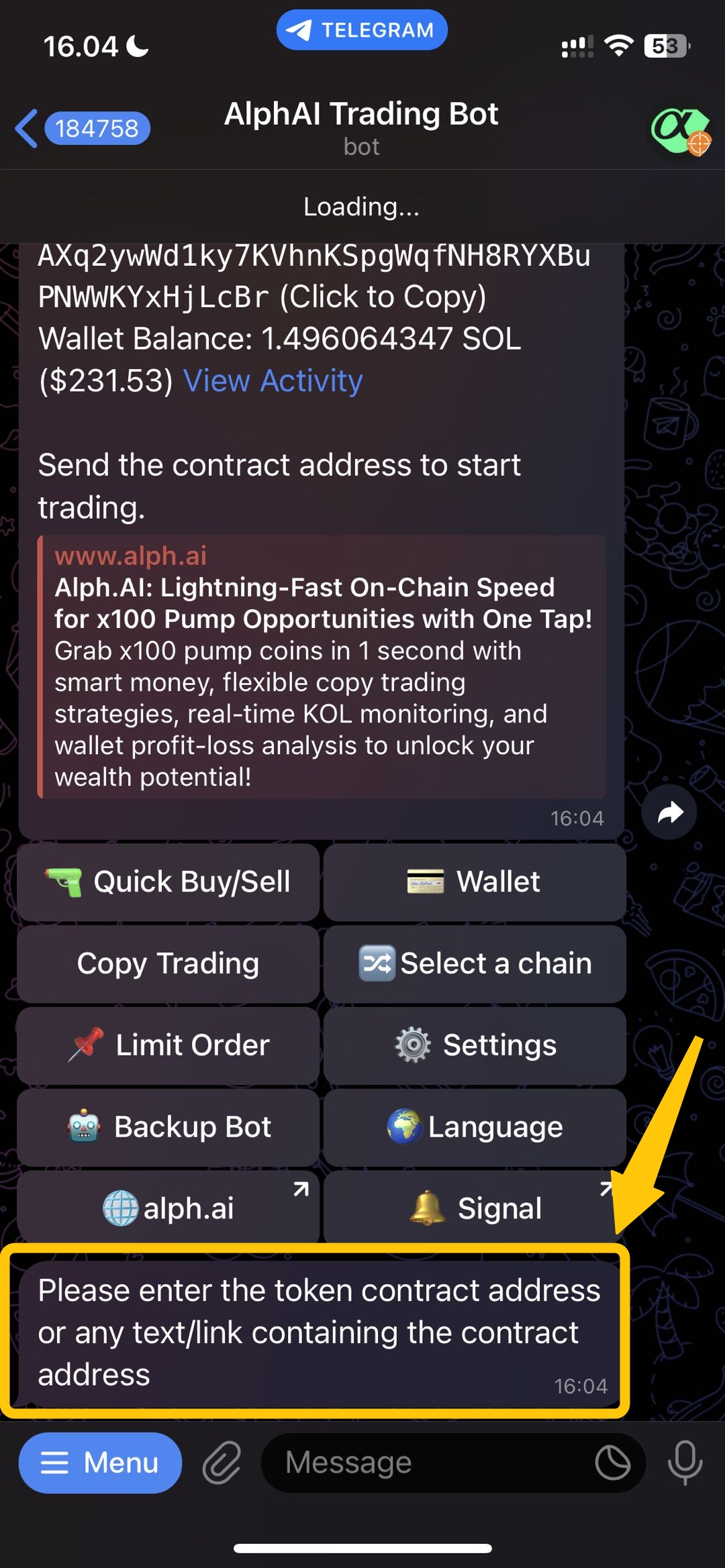
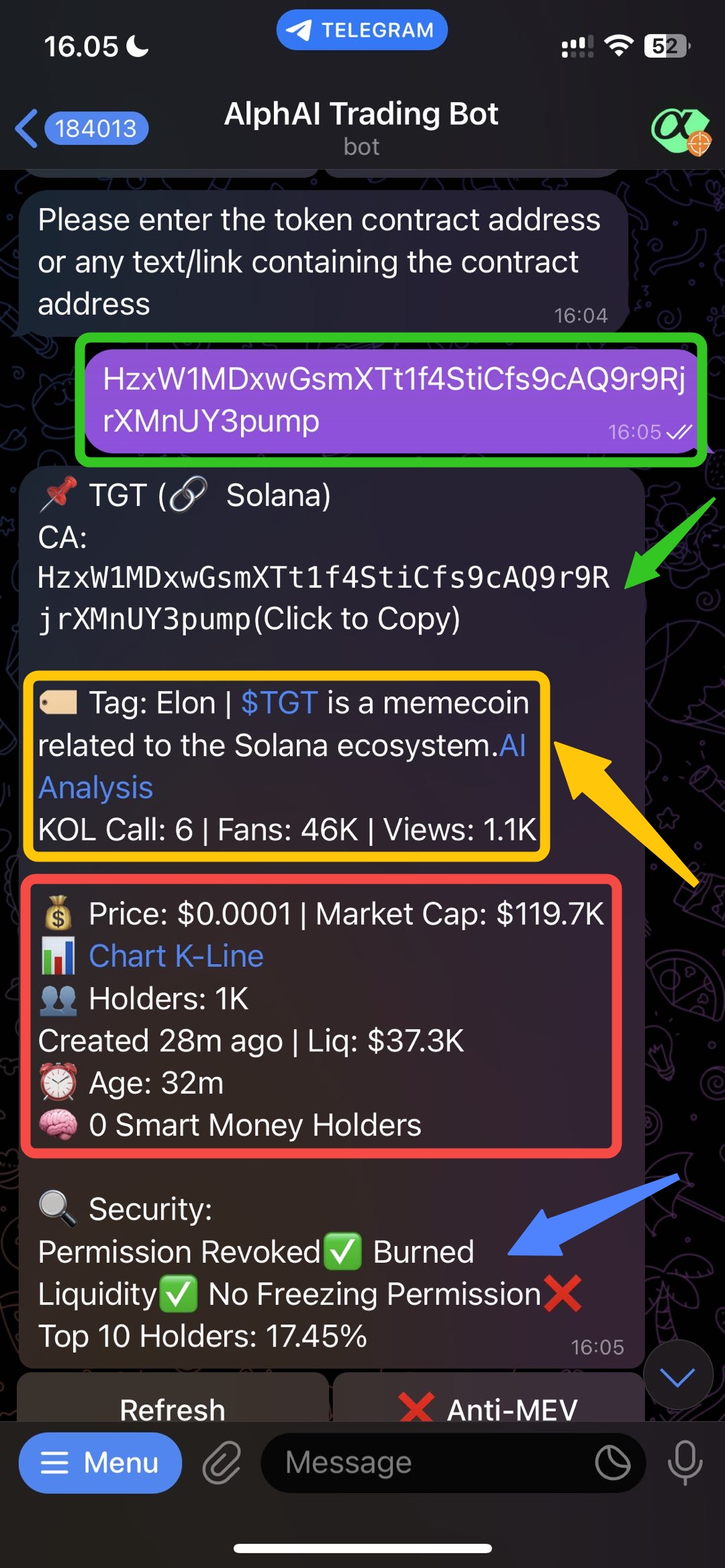
## Step 3 -> Input The Contact Address
After you decide to quick buy/sell you need to put the **`contact address`** of the token that you want to trade.
## Step 4 -> Scan Contract Address
The contract address that you've put before will be automatically scanned by Alph Ai bot. you can see the details about the token include contract address, Alph Ai Analysis, Price, Marketcap, holders, liquidity, details KOL calls and much more.
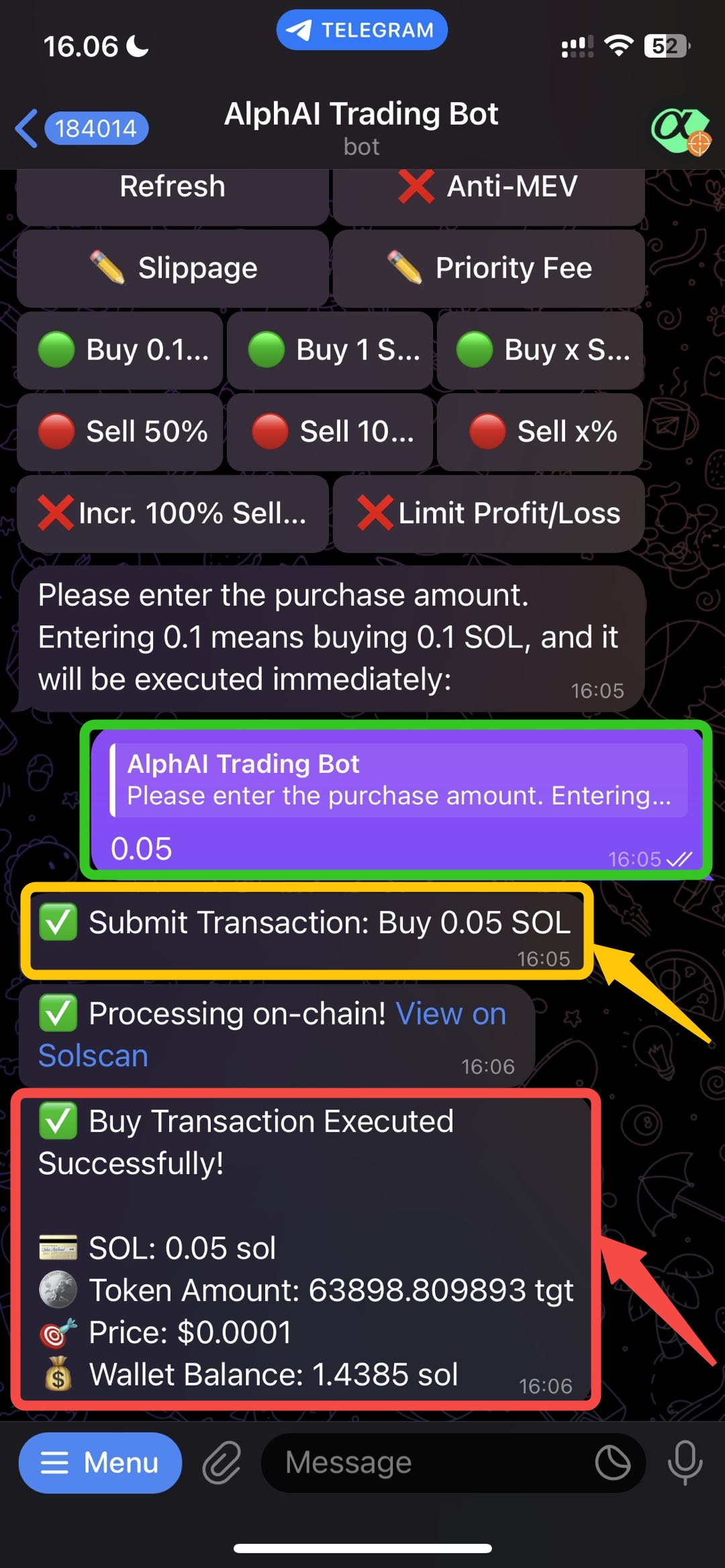
## Step 5 -> Buy and Sell Process
after you already decide how many SOL that you want to buy or sell, you can directly buy 0.1 SOL, 1 SOL and you can **`customize how many` SOL** that you want to buy with **`Buy x SOL`**` ``button.` after you selected the amount, your transaction will executed within second. and if your transaction has successfully executed there will be the details information about your transaction.
# How to withdraw from Alph address?
## Step 1 -> Withdraw Your Asset
**Visit to Alph Trade Bot Here:**
🔫Alph Trading Bot
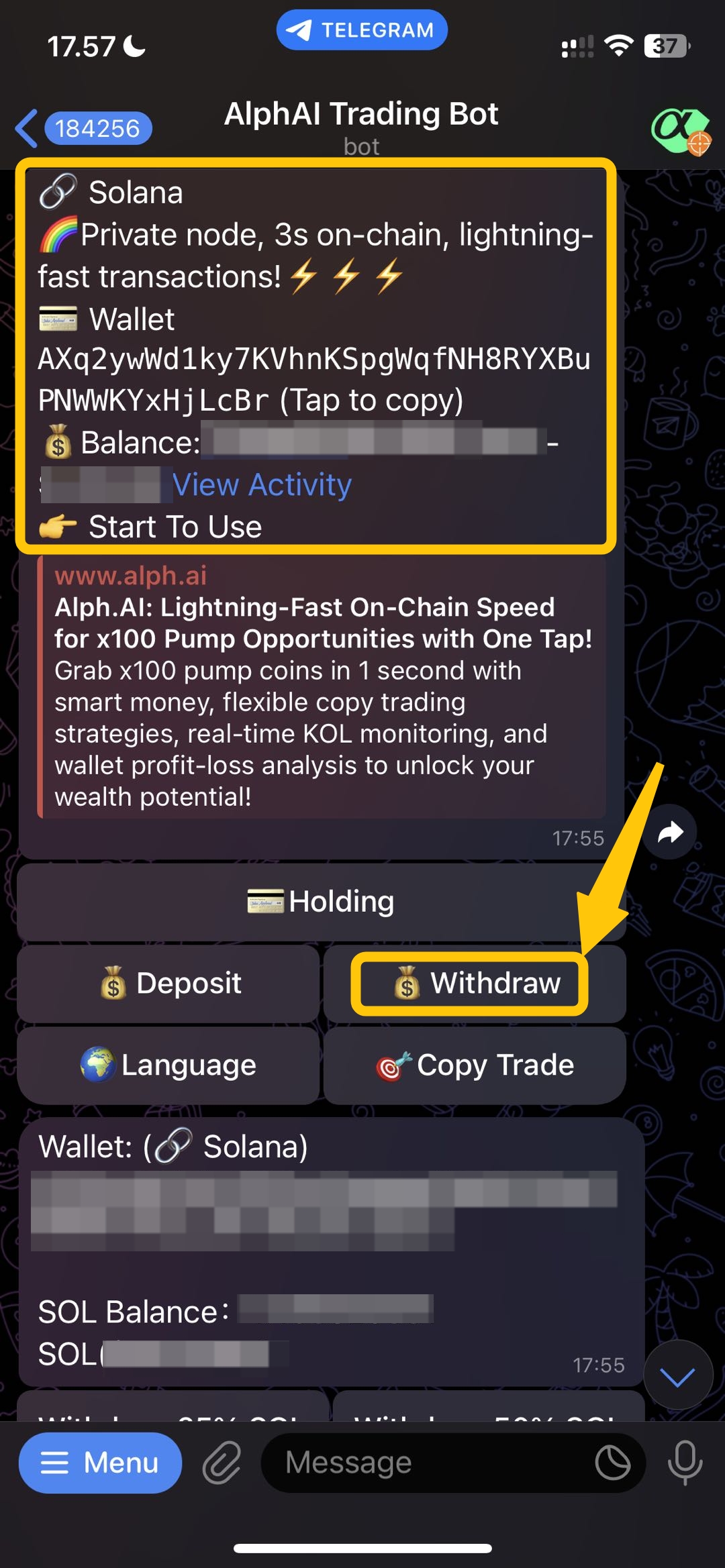
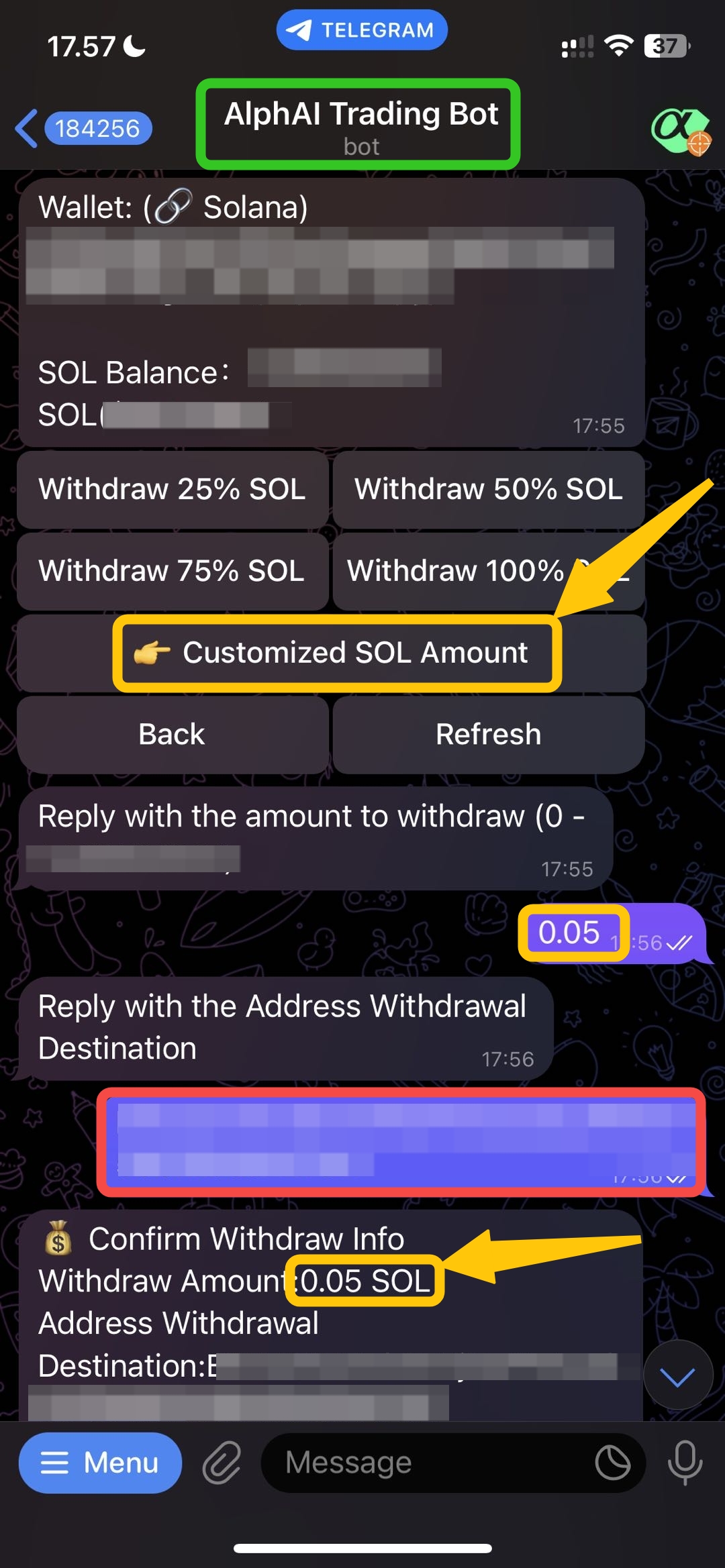
After you open the Alph Trading Bot, you click the `menu button` in the left corner and then click `/start button` your wallet address will showed up and click `withdraw button.`
## Step 2 -> Click Withdraw Button
you will see your wallet address include the wallet balance and after that click the `withdraw button.`
## Step 3 -> Customize Amount
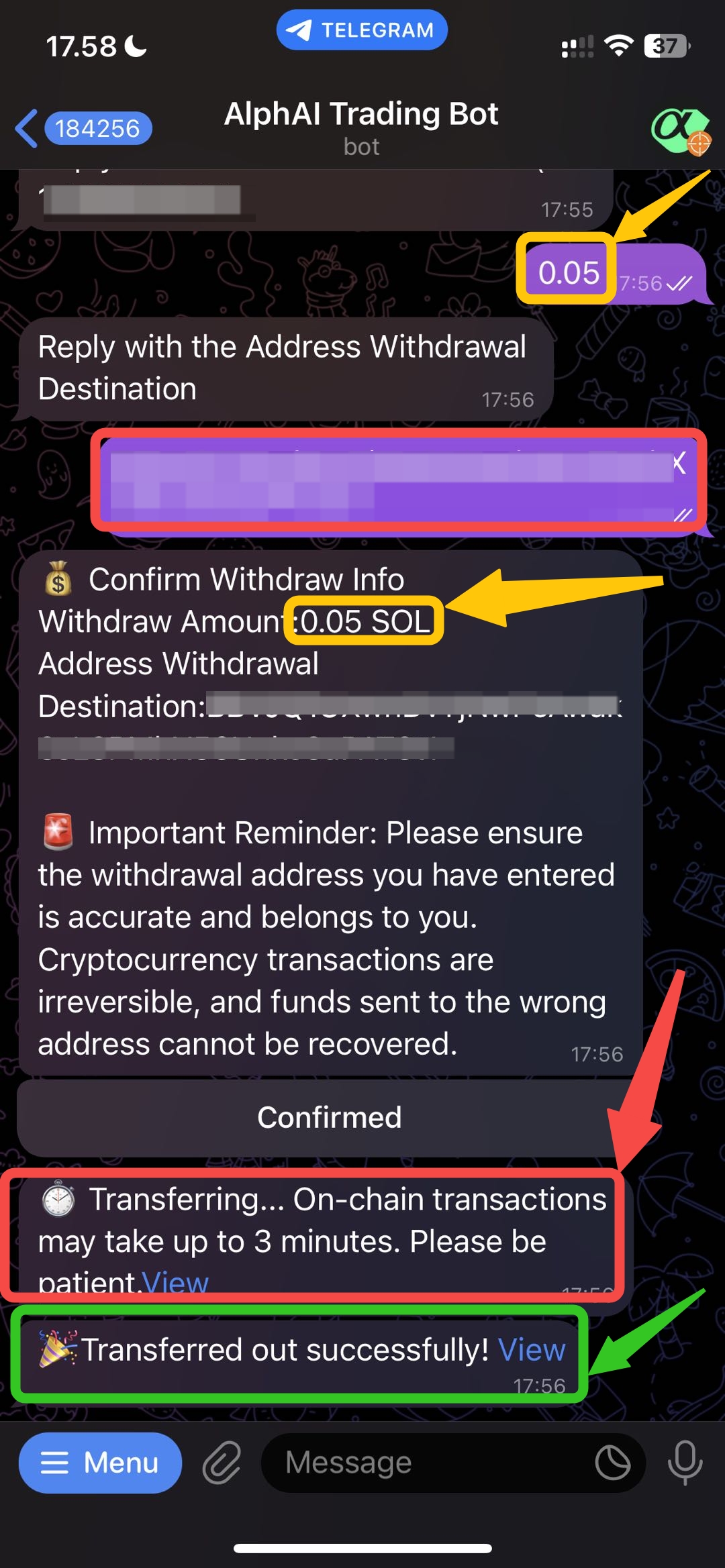
after you click the `withdraw button`, you can choose how many amount that you want to withdraw. if you want to withdraw with specific amount, you can click button of `customized SOL amount for solana network, and customized BNB amount for BSC network`. and put the NUMBER ONLY. after you already decide how many amount that you want to withdraw, next you put the `destination address`. after you choose the amount and destination address there will be notification to confirm and make sure the data. if the data is correct, you can proceed to `confirm.`
## Step 4 -> Withdraw Completed🎉
After you confirm and make sure the data is correct. then the withdraw is processing. after several second, if the withdraw is completed you can see the `tx hash` in the link below.
# Alph.AI Trading Fees
The total cost of each transaction is composed of the following items:
```
Total Fee = Alph.AI Platform Fee (0.3%) + Gas Fee + Launchpad Fee (Not Migrated) or DEX Liquidity Fee (Migrated)
```
\
**---**
### **BSC Chain**
#### **Not Migrated**
| Platform | Alph.AI Platform Fee | Platform Fee | Gas Fee | Total (excl. Gas) |
| -------- | -------------------- | ------------ | --------------------- | ----------------- |
| flap | 0.3% | 1% | 0.00002 \~ 0.0005 BNB | 1.3% |
| fourmeme | 0.3% | 1% | 0.00002 \~ 0.0005 BNB | 1.3% |
| openfour | 0.3% | Variable | 0.00002 \~ 0.0005 BNB | 0.3% + variable |
#### **Migrated**
\
Migrated fee = Gas + Aggregator fee (0.3%) + DEX liquidity fee\
**Aggregator fee (0.3%) breakdown:**
| Routing | OKX receives | Alph.AI receives |
| -------------------- | ------------ | ---------------- |
| Via OKX Aggregator | 0.06% (20%) | 0.24% (80%) |
| Via Alph.AI Contract | — | 0.3% (100%) |
\
**DEX liquidity fee (determined by actual routing; values below are for reference):**
| DEX | Fee Rate |
| ---------- | ----------------------------------------------- |
| Uniswap V2 | 0.30% |
| Uniswap V3 | 0.01% / 0.05% / 0.30% / 1.00% (by pool tier) |
| Uniswap V4 | 0% \~ 100% (set by pool creator, unpredictable) |
\
Note: A single trade may route through multiple DEXs. Actual DEX fees are determined at settlement on-chain.\
**---**
### **Robinhood Chain**
#### **Not Migrated**
| Platform | Alph.AI Platform Fee | Platform Fee | Gas Fee | Total (excl. Gas) |
| --------------- | -------------------- | --------------------- | --------------------- | ----------------- |
| Pons | 0.3% | 1% | 0.00001 \~ 0.0006 ETH | 1.3% |
| Bow\.fun | 0.3% | 1% | 0.00001 \~ 0.0006 ETH | 1.3% |
| uniswap-instant | 0.3% | Variable (Uniswap V4) | 0.00001 \~ 0.0006 ETH | 0.3% + variable |
#### **Migrated**
\
Same structure as BSC Migrated. Aggregator fee breakdown rules are identical. Gas fee is denominated in ETH (0.00001 \~ 0.0006 ETH).\
**---**
### **Solana Chain**
#### **Not Migrated**
| Platform | Alph.AI Platform Fee | Platform Fee | Total (excl. Gas) |
| ----------- | -------------------- | ------------ | ----------------- |
| pump.fun | 0.3% | 1.25% | 1.55% |
| Pump AMM | 0.3% | 0.30% | 0.60% |
| moonit | 0.3% | 1% | 1.30% |
| boop.fun | 0.3% | 1% | 1.30% |
| bonk | 0.3% | 1.25% | 1.55% |
| Bags | 0.3% | 2% | 2.30% |
| Meteora DBC | 0.3% | 0.25% | 0.55% |
| Trends.fun | 0.3% | Unknown | — |
| Rise | 0.3% | Unknown | — |
\
Note: Trends.fun and Rise currently have no active tokens or trading activity, and their fee rates are not publicly disclosed.
#### **Migrated**
\
Solana Migrated trades use one of two routing methods:\
**① Direct Routing** (tokens migrated from supported launchpads are routed via Alph.AI's own router, bypassing Jupiter)\
Fee = 0.3% (Alph.AI) + DEX liquidity fee
| DEX | Fee Range |
| --------------- | ----------- |
| Raydium AMM V4 | 0% \~ 0.5% |
| Raydium CPMM | 0.25% \~ 2% |
| Raydium CLMM | 0% \~ 3% |
| Meteora AMM | 0.25% |
| Meteora DAMM V2 | 0.1% |
| Meteora DLMM | 0% \~ 5% |
\
**② Jupiter Aggregator Routing**\
Jupiter connects to hundreds of DEXs. Routing paths are dynamic and unpredictable, making the total fee composition impossible to determine in advance.
#### **Gas Fee (Solana only)**
| Fee Item | Default | Notes |
| ------------ | ----------- | ---------------------------------- |
| Priority Fee | \~0.001 SOL | User-adjustable |
| Bribe Fee | \~0.001 SOL | Minimum 0.001 SOL, user-adjustable |
\
**---**
### **Examples**
#### **Example 1: BSC Not Migrated (fourmeme) — buy tokens worth 100 USDT**
| Fee Item | Calculation | Amount |
| ---------------------- | -------------------------------------- | ------------ |
| Alph.AI platform fee | 100 × 0.3% | 0.30 USDT |
| fourmeme fee | 100 × 1% | 1.00 USDT |
| Gas fee | \~0.0001 BNB (assuming BNB = 600 USDT) | ≈ 0.06 USDT |
| Total fees |
| ≈ 996.38 USDT |
\
**---**
### **Fee Quick Reference**
| Chain | Scenario | Alph.AI Fee | Third-Party Fee | Gas Reference |
| --------- | ----------------------------- | ----------------- | ---------------------------- | --------------------- |
| BSC | Not Migrated: flap / fourmeme | 0.3% | 1% each | 0.00002 \~ 0.0005 BNB |
| BSC | Not Migrated: openfour | 0.3% | Variable | 0.00002 \~ 0.0005 BNB |
| BSC | Migrated | 0.3% (aggregator) | DEX liquidity fee (variable) | 0.00002 \~ 0.0005 BNB |
| Robinhood | Not Migrated: Pons / Bow\.fun | 0.3% | 1% each | 0.00001 \~ 0.0006 ETH |
| Robinhood | Not Migrated: uniswap-instant | 0.3% | Variable (V4) | 0.00001 \~ 0.0006 ETH |
| Robinhood | Migrated | 0.3% (aggregator) | DEX liquidity fee (variable) | 0.00001 \~ 0.0006 ETH |
| SOL | Not Migrated: pump.fun / bonk | 0.3% | 1.25% each | \~0.002 SOL |
| SOL | Not Migrated: Pump AMM | 0.3% | 0.3% | \~0.002 SOL |
| SOL | Not Migrated: Meteora DBC | 0.3% | 0.25% | \~0.002 SOL |
| SOL | Not Migrated: Bags | 0.3% | 2% | \~0.002 SOL |
| SOL | Migrated (Direct Routing) | 0.3% | 0.1% \~ 5% (varies by DEX) | \~0.002 SOL |
| SOL | Migrated (Jupiter) | 0.3% | Complex, unpredictable | \~0.002 SOL |
\
**---**
### **Notes**
\
1\. **Gas fee fluctuations**: Gas fees can increase significantly during network congestion. The ranges above reflect normal network conditions and are not guaranteed values.\
2\. **DEX liquidity fees are variable**: Migrated trades may route through multiple DEXs with different fee tiers. Actual fees are determined at the time of on-chain settlement.\
3\. **Aggregator fee breakdown**: Users always pay a 0.3% aggregator fee regardless of routing. When routed via OKX, OKX takes 20% (0.06%) and Alph.AI keeps 80% (0.24%). When routed via Alph.AI's own contract, Alph.AI keeps the full 0.3%.\
4\. **Priority Fee and Bribe Fee (Solana)**: These are network-level Gas fees charged in SOL, not as a percentage of trade value. The minimum Bribe Fee is 0.001 SOL.\
5\. **Variable-rate scenarios**: openfour (BSC) and uniswap-instant (Robinhood) are built on Uniswap V4, where pool creators set their own fee tiers. Jupiter routing covers hundreds of DEXs with dynamic paths. In these cases, only Alph.AI's 0.3% can be confirmed in advance.\
6\. **Trends.fun / Rise**: These Solana launchpads have no active trading activity. Their fee rates are undisclosed and excluded from this reference.
# Geographic Restrictions
Below countries are restricted from placing orders on Alph.AI. Countries marked **close-only** can close existing positions, but cannot open new ones. Countries marked **frontend UI restricted** are restricted only on the Alph.AI frontend:
| Country code | Countries | Status |
| ------------ | ------------------------------------ | ---------------------- |
| AU | Australia | Blocked |
| BE | Belgium | Blocked |
| BY | Belarus | Blocked |
| BI | Burundi | Blocked |
| CF | Central African Republic | Blocked |
| CD | Congo (Kinshasa) | Blocked |
| CU | Cuba | Blocked |
| DE | Germany | Blocked |
| ET | Ethiopia | Blocked |
| FR | France | Blocked |
| GB | United Kingdom | Blocked |
| IR | Iran | Blocked |
| IQ | Iraq | Blocked |
| IT | Italy | Blocked |
| JP | Japan | Frontend UI restricted |
| KP | North Korea | Blocked |
| LB | Lebanon | Blocked |
| LY | Libya | Blocked |
| MM | Myanmar | Blocked |
| NI | Nicaragua | Blocked |
| NL | Netherlands | Blocked |
| PL | Poland | Close-only |
| RU | Russia | Blocked |
| SG | Singapore | Close-only |
| SO | Somalia | Blocked |
| SS | South Sudan | Blocked |
| SD | Sudan | Blocked |
| SY | Syria | Blocked |
| TH | Thailand | Close-only |
| TW | Taiwan | Close-only |
| UM | United States Minor Outlying Islands | Blocked |
| US | United States | Blocked |
| VE | Venezuela | Blocked |
| YE | Yemen | Blocked |
| ZW | Zimbabwe | Blocked |
| HK | Hong Kong | Blocked |
***
### [](https://docs.polymarket.com/cn/api-reference/geoblock#%E5%8F%97%E9%99%90%E5%9C%B0%E5%8C%BA)Restricted regions
In addition to fully restricted countries, certain regions within the following countries are also restricted:
| Countries | Regions | Codes |
| ------------ | ------- | ----- |
| Canada (CA) | Ontario | ON |
| Ukraine (UA) | Crimea | 43 |
| Ukraine (UA) | Donetsk | 14 |
| Ukraine (UA) | Luhansk | 09 |
***
### Restriction system
The geographic restriction system includes:
1. **OFAC-sanctioned countries**: Countries sanctioned by the U.S. Office of Foreign Assets Control (OFAC)
2. **Other regulatory restrictions**: Countries added for specific regulatory compliance reasons
***
# How to connect Alph wallet to Alph website?
## Step 1 -> Connect to 𝛂Alph website
**Visit Alph Bot Wallet here:**
💳 Alph Official Bot
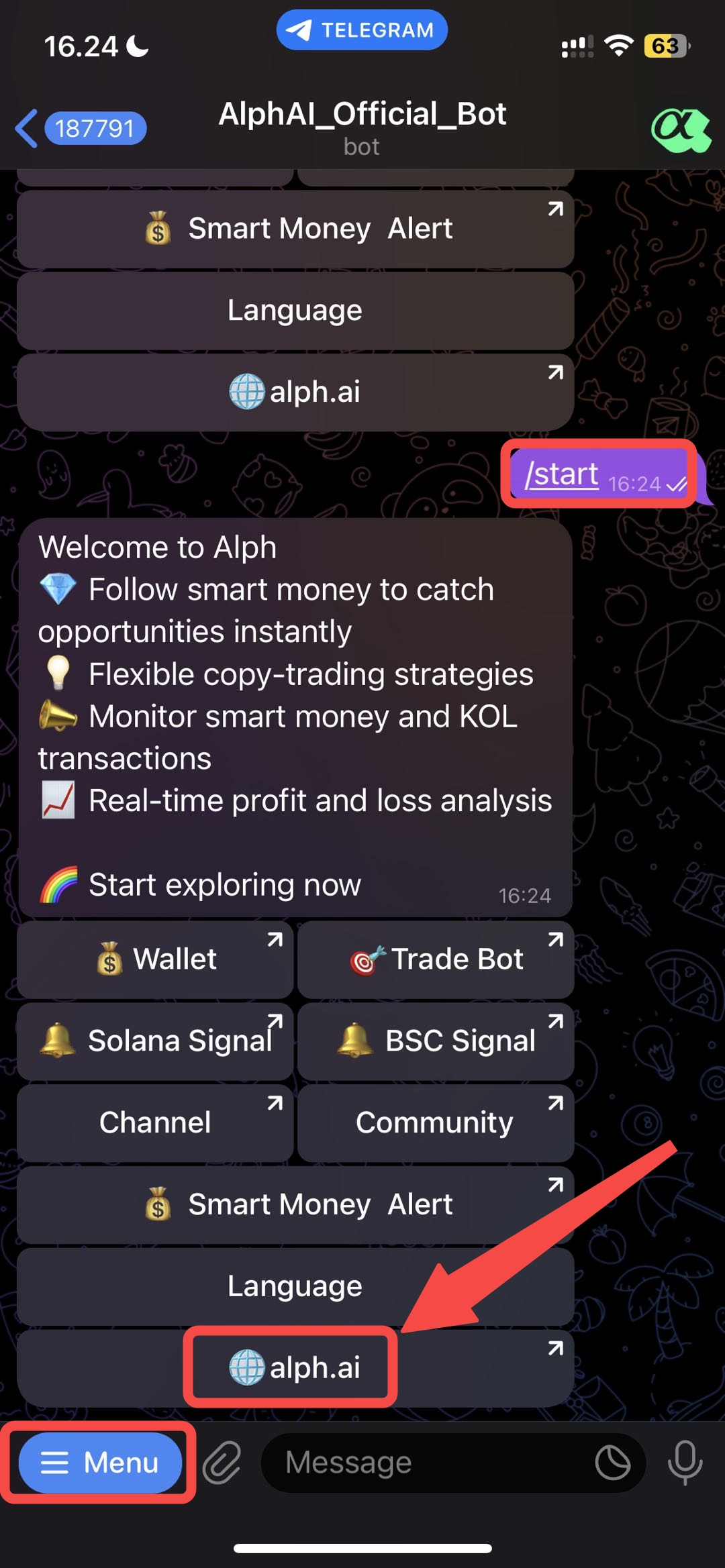
After you have the Alph wallet address in telegram, you can connect it to Alph website to see the powerful website. first you go to `Alph Official Bot`, and click menu button in the left bottom corner after that you click `/start button`. then click `Alph.ai button` to jump our website.
## Step 2 -> Direct jump to 𝛂Alph website
you will see this link page, and click /`Yes button` to continue to the website.
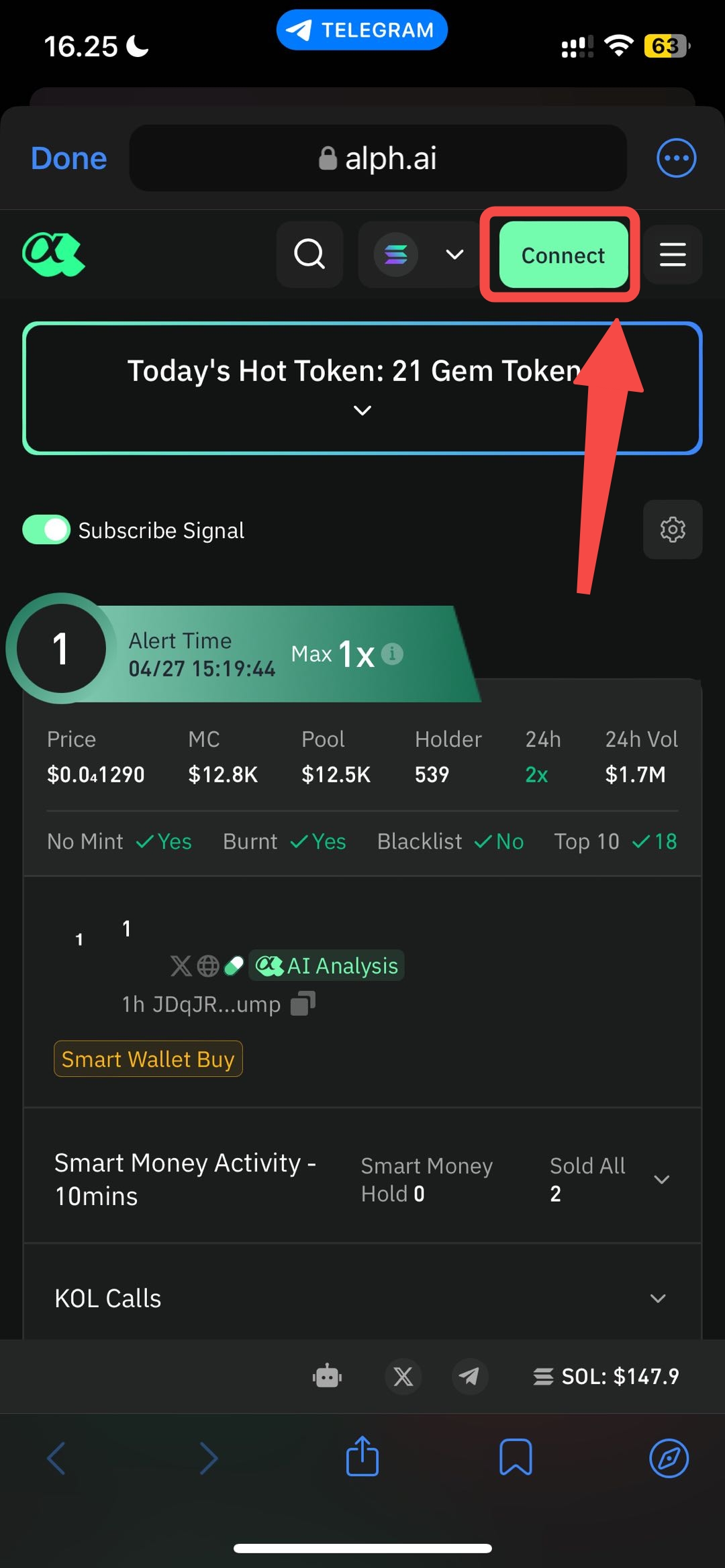
## Step 3 -> Connect the wallet address
After you click yes, you will go to Alph website and click **`connect button`**
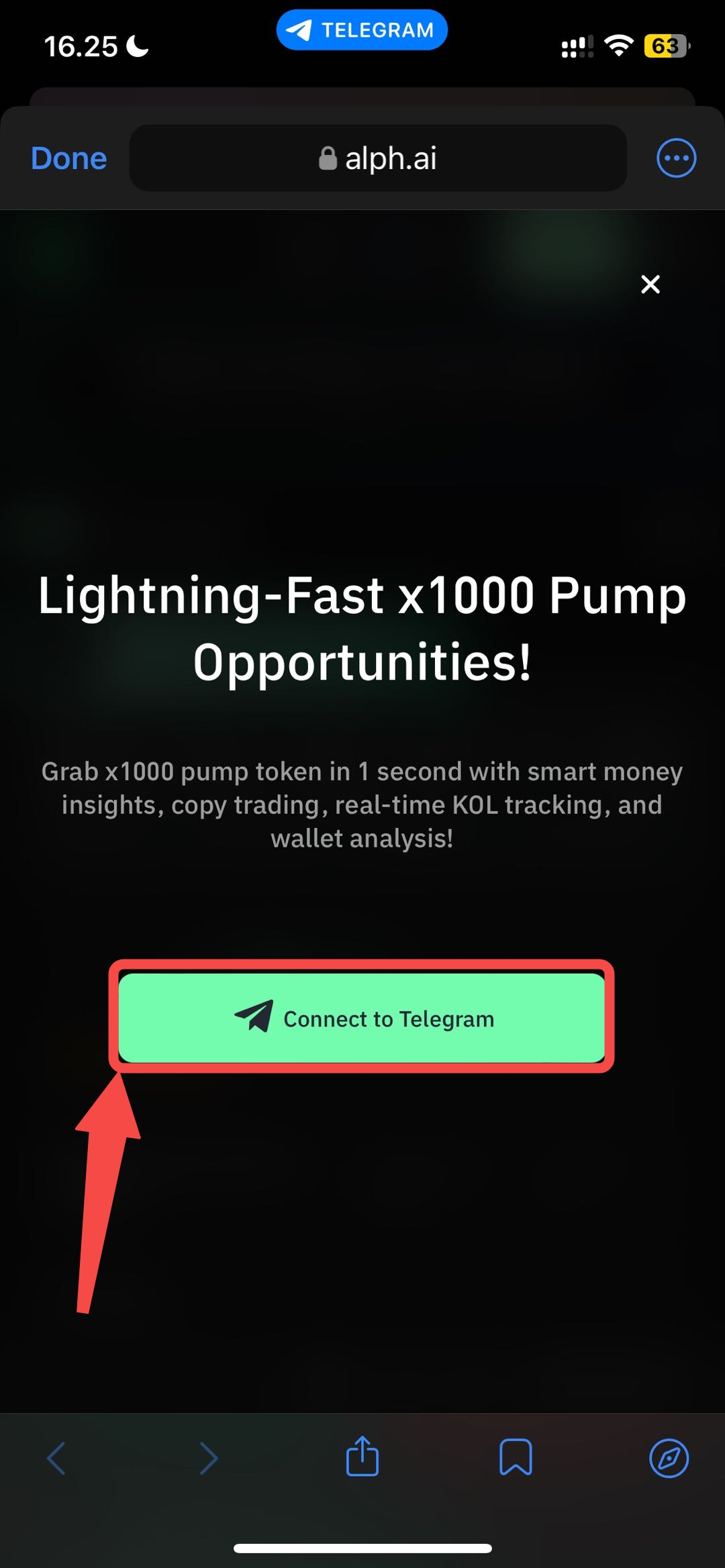
## Step 4 -> Connect to Telegram
This pop up layout will be appear after you click connect before, then click `connect to telegram button`
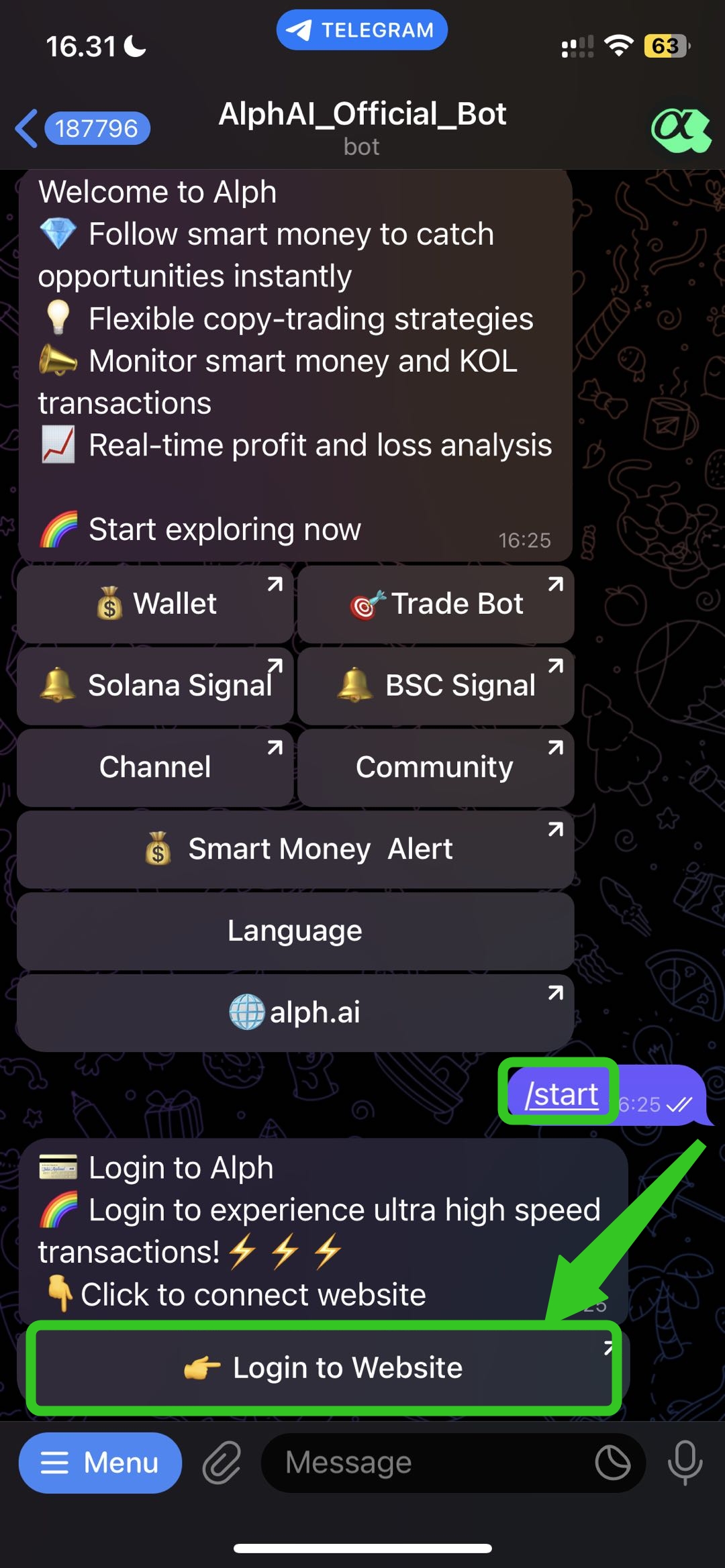
## Step 4 -> Connect to Telegram
after you click connect to telegram, it will be direct automatically `/start` and you will see the `login to website button`
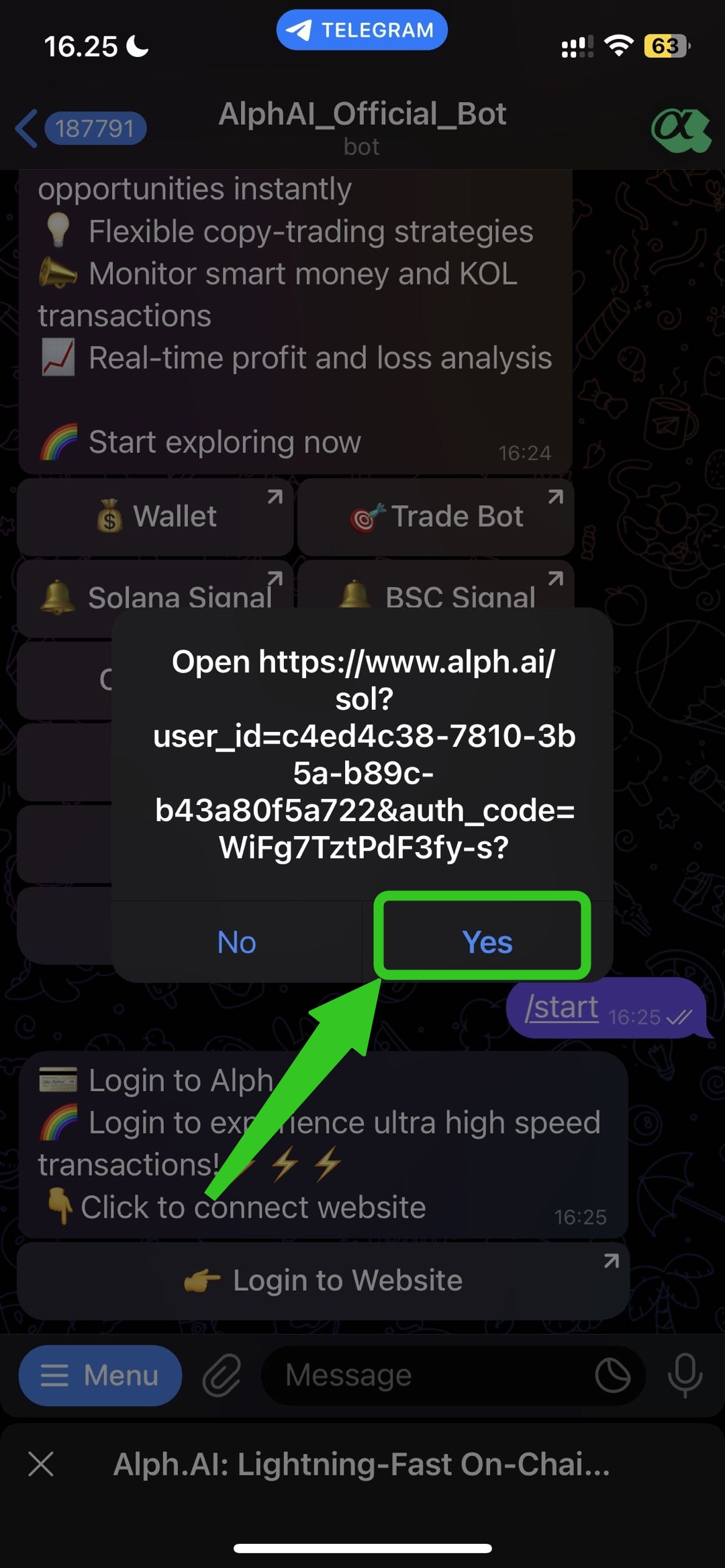
## Step 5 -> Continue to Alph Website
After you click login to website button, this link will appear and click `yes button` it will take you back to the Alph website.
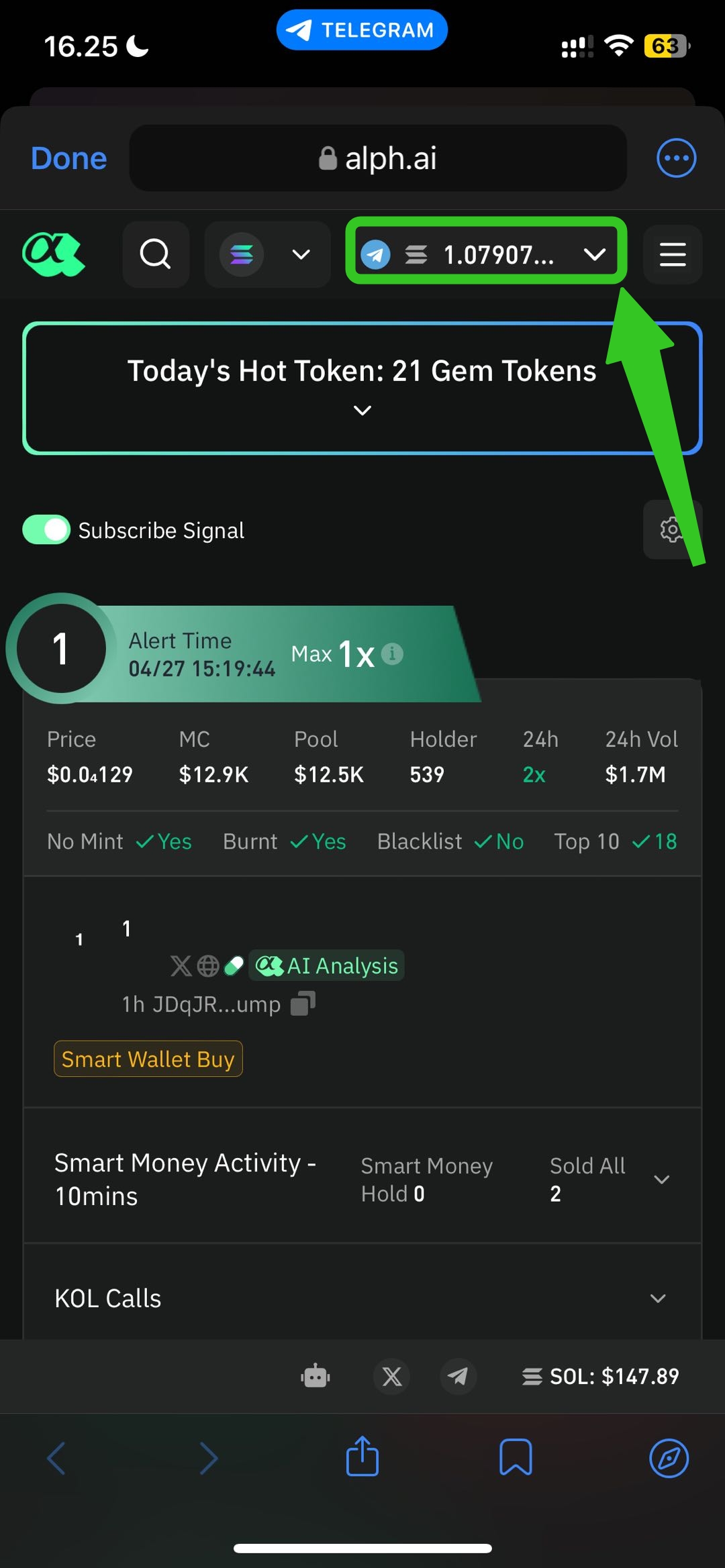
## Step 6 -> Your Wallet Connected🎉
after you see your wallet address and your balance, congratulations your wallet is connected and you can start to trade with Alph website.
# How to switch the network in Alph?
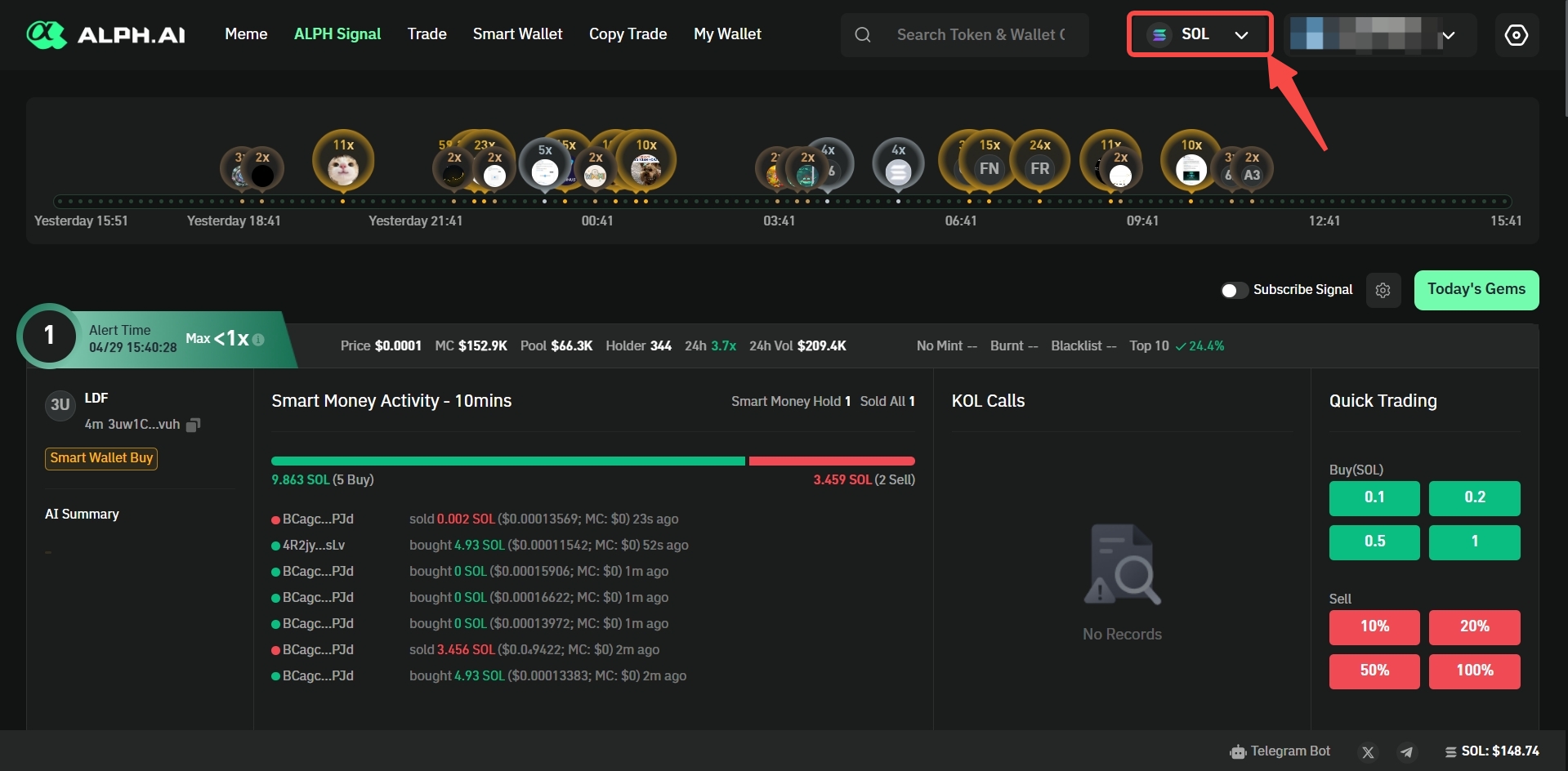
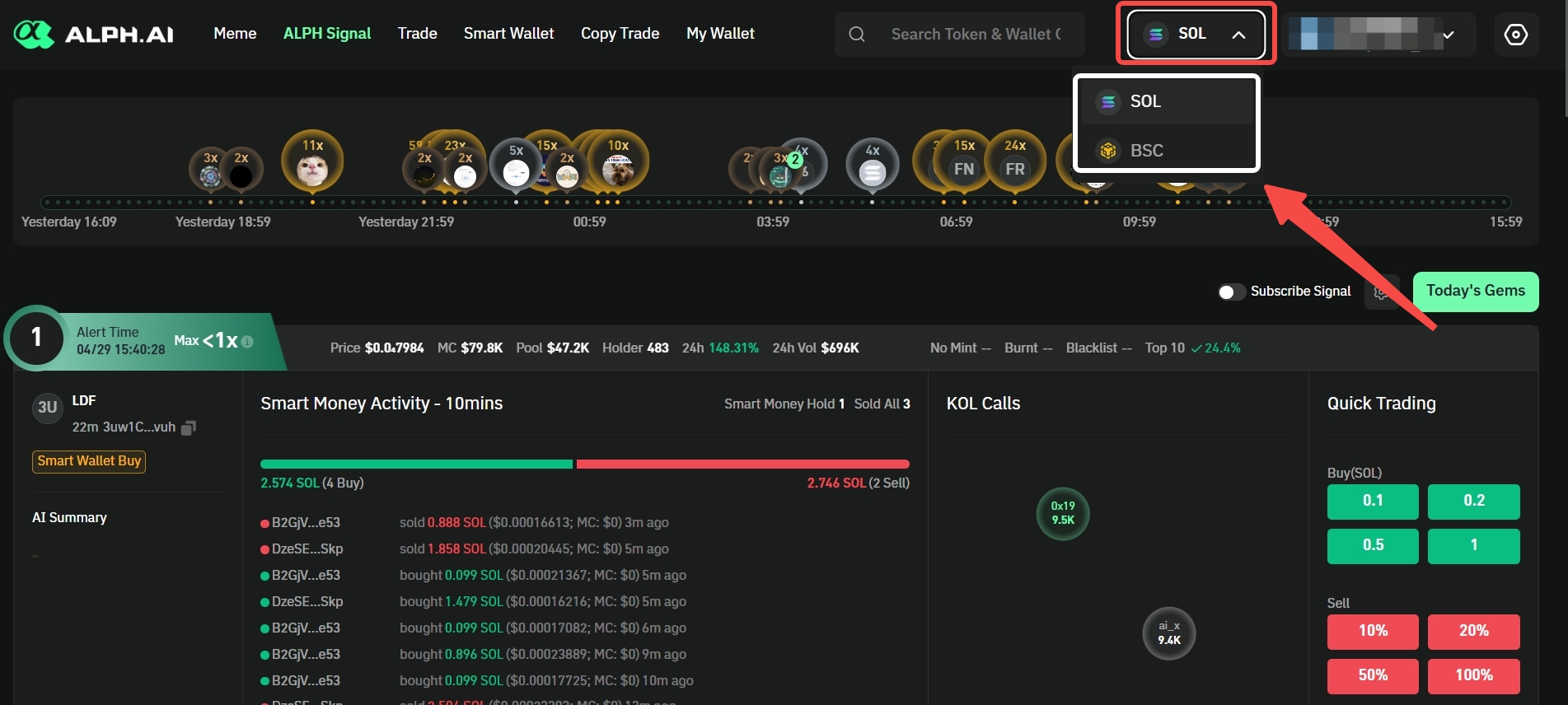
## Web Version
## Telegram Version
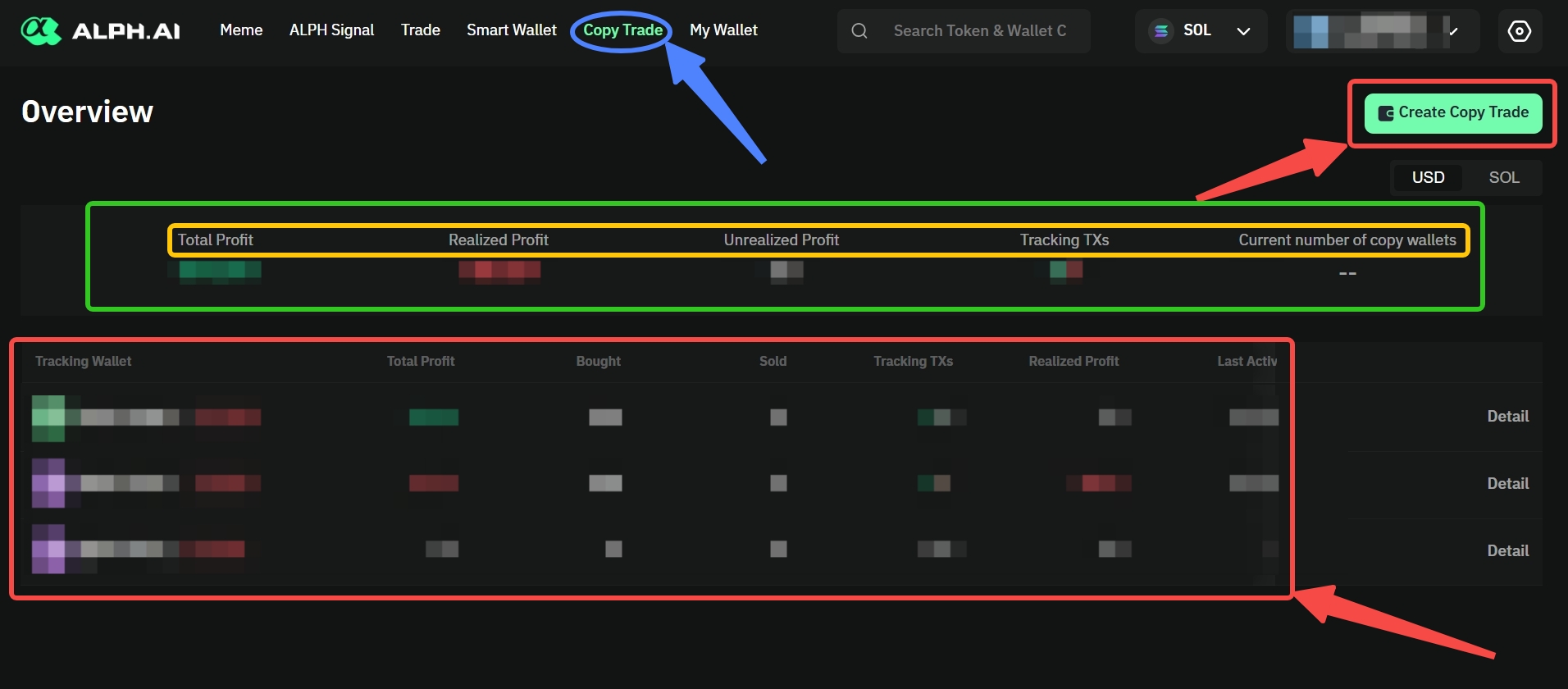
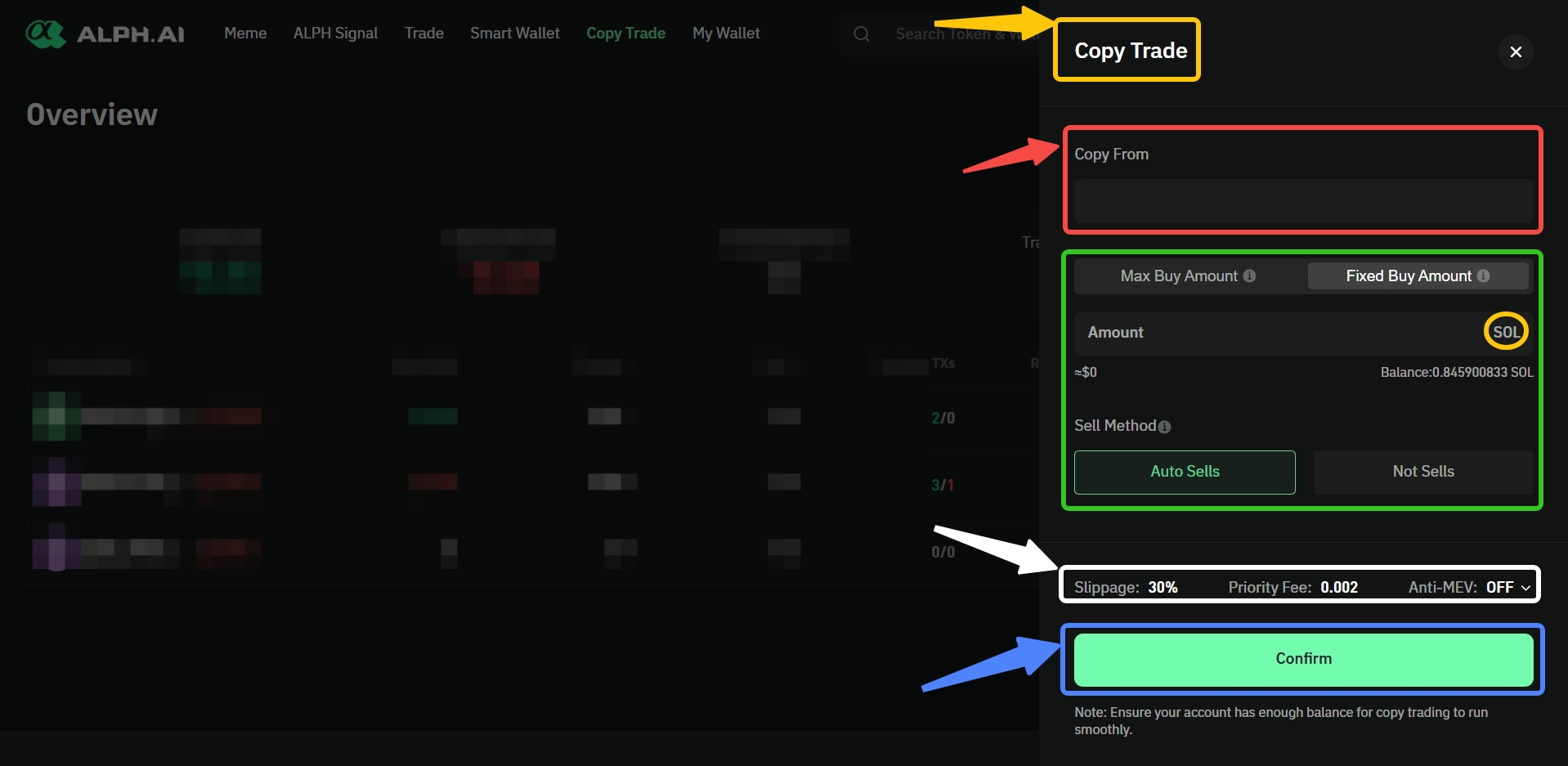
# How to use Alph copy trade?
##
# How to enable 2FA on Alph?
### How to Enable 2FA on Alph AI?
It only takes a few minutes to set up:
1. Log into your Alph account.
2. Go to the **Account Security** page.
>
1. Click **“Bind Now”**.
2. Download the **Google Authenticator** app from:
* [App Store (iPhone)](https://apps.apple.com/us/app/google-authenticator/id388497605)
* [Google Play (Android)](https://play.google.com/store/apps/details?id=com.google.android.apps.authenticator2)
>
3. Scan the QR code shown on the Alph screen.
>
3. Enter the 6-digit code from the app into the field.
4. Done! Your account is now much more secure.
# Tips Identifying Smart Wallet
# Adjust Your Slippage Like a Pro
# Think Like Degen, Catch Like Pro: x100 Gems Path
# Alph Website Version
# ALPH Signal
## **Visit Alph website here:**
🌎 Alph AI Website
# Meme
# Trade
# Smart Wallet
# Copy Trade
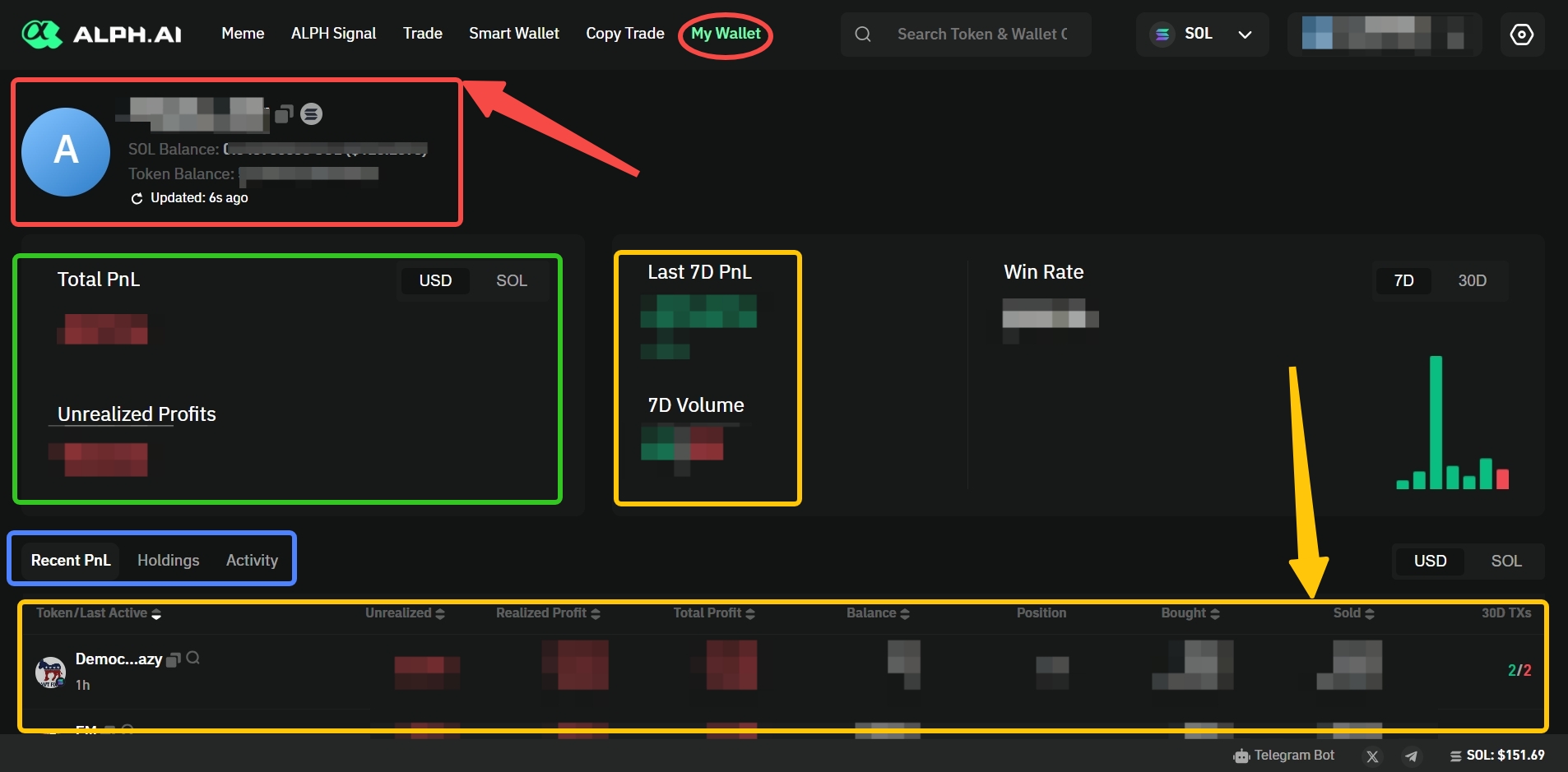
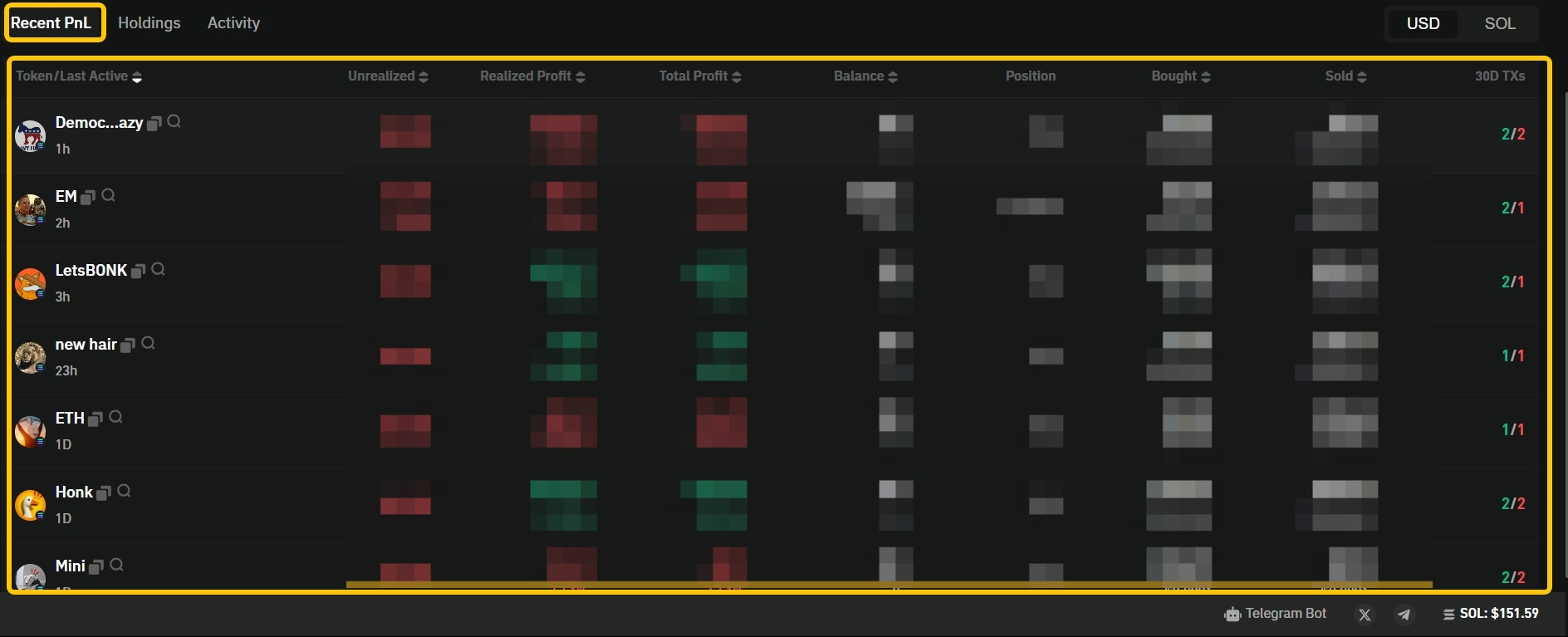
# My Wallet
# Alph Telegram Bot
# Alph Wallet Bot
# ALPH Signal Alert
## Solana Network
## BSC Network
# Alph Trade Bot
# Alph Smart Money Alert
# Wallet Account
# Deposit & Withdraw
# Trading
## Q1: Transaction/Limit Order failure
# Why My Transactions Fail?
**Wondering why your transaction didn’t go through?**\
*Transaction failures are common due to network congestion, low gas fees, slippage tolerance issues, insufficient token balances, or incorrect smart contract interactions. Other causes may include expired transaction deadlines or liquidity shortages in the pool. Understanding these factors can help users optimize their transaction settings and achieve smoother, faster trades on Alph AI platforms.*
| Error Code | Error Message | Possible Cause | Solution |
| -------------- | --------------------------------------------------------------------------------------- | -------------------------------------------------------------- | --------------------------------------------------------------------------------------------------------------------------------------------- |
| 200 | Limit order created successfully! | Transaction was successful. | No action needed. |
| 410 | Copy trade data cannot be modified. | Attempted to change existing copy trade settings. | Cancel the current copy trade and create a new one. |
| 411 | The copy trade wallet and trading account cannot be the same. | The wallet address used for copying and trading are identical. | Use two different wallet addresses for copy trade and trading. How? Visit here |
| 412 | Unsupported blockchain type. | Selected blockchain network is not supported by Alph AI. | Switch to a supported blockchain network. (SOL and BSC) |
| 413 | Invalid copy trade wallet. | Wallet address entered is invalid or incorrectly formatted. | Re-enter a valid wallet address. |
| 414 | Duplicate copy trade wallet. | Wallet address is already registered for copy trading. | Use a different wallet address that is not already registered. |
| 419 | Token balance is insufficient. | Not enough tokens to complete the transaction. | Deposit sufficient tokens. |
| 420 | $% balance is insufficient. Please top up and try again. | General wallet balance is too low. | Top up wallet balance. How? [Visit here](/alph-academy/how-to-deposit-to-alph-wallet) |
| 421 | Token balance is insufficient. Please top up and try again. | Token balance is insufficient. | Add more tokens to your wallet. |
| 422 | The order amount is below the minimum amount. Please increase the amount and try again. | Same as above; amount is too low. | Enter a higher order amount. |
| 500 | An internal error occurred. Please try again later. | Temporary internal server issue. |
Wait a few minutes and try again. Contact support if the issue persists. How? Visit here
|
| 503 | Order placement failed. Please verify your order details and try again. | Incorrect order parameters or network issue. | Review and correct order details, then resubmit. |
| 504 | Request timed out. Please try again later. | Network congestion or connectivity issues. | Retry after a few seconds or adjust gas/priority fee settings. |
| 1001 | Transaction failed (1001) | Gas fees too low or blockchain congestion. | Increase gas fees and retry. |
| 1002 | Transaction failed (1002) | Node or network instability. | Retry or switch to a different RPC node. |
| 2001/2002/2003 | Transaction failed, please check the sell amount and try again (2001)/(2002)/(2003) | Sell amount exceeds available balance or incorrect value. | Re-enter a correct sell amount. How? [Visit here](/alph-academy/how-to-trade-with-alph-bot) |
| 3001 | Transaction failed (3001) | Fee rate Error | Contact Support |
| 3002 | Transaction failed, please check the slippage and try again (3002) | Slippage setting too small. | Increase the slippage tolerance. |
| 3003 | Slippage is too low. Please increase the slippage and try again. | Slippage tolerance is too narrow. | Set a higher slippage tolerance. |
| 4001 | Transaction failed (4001) | Error Swap Address | Contact Support |
| 4002 | Transaction failed (4002) | Error Receiver Address | Contact Support |
| 4003 | Transaction failed (4003) | Error Contract Address | Contact Support |
| 4004 | Transaction failed (4004) | Error Contract Address | Contact Support |
| 4005 | Transaction failed, no available route (4005) | No liquidity available for selected pair. | Try again later or select a different token pair. |
| 5001 | Transaction failed (5001) | Contract Error | Contact Support |
| 5002 | Transaction failed (5002) | Contract Error | Contact Support |
| 6001 | Transaction failed (6001) | Fail Signature | Contact Support |
| 7001 | Transaction failed (7001) | Fail Signature | Contact Support |
| 8001 | Insufficient balance. Please deposit and try again. | Wallet balance is too low. | Deposit more funds into your wallet. How?[ Visit here](/alph-academy/how-to-deposit-to-alph-wallet) |
| 8002 | Abnormal gas fee. Please check settings, then try again. | Gas fee value is set too high or too low. | Adjust gas fee to a normal range and retry. |
| 10000 | There was an issue with the request. Please try again later. | General system or network error. | Retry after some time or report the issue. |
| 99001 | Transaction failed (99001) | Undefined Transaction | Contact Support |
| 100429 | Login rate limit triggered. Please try again after 10 minutes. | Too many login attempts in a short time. | Wait 10 minutes before trying again. |
| 400101 | Please enter a valid value. Slippage valid range: 0 - 100%. | Slippage setting is outside the allowed range. | Set slippage between 0% and 100%. |
| 400102 | Please enter a valid value. Priority fee valid range: 0 - 2. | Priority fee is out of accepted range. | Set priority fee between 0 and 2. |
| 400103 | Please enter a valid value. The valid buy quantity must be greater than 0.0{15}1. | Buy quantity is too small. | Enter a larger buy quantity. How? [Visit here](/alph-academy/how-to-trade-with-alph-bot) |
| 400104 | Please enter a valid value. The valid sell ratio must be between 0.0{13}1 and 100. | Sell ratio is out of valid range. | Enter a sell ratio between 0.0000000000001% and 100%. |
✅Tips: If the execution fails, you can go to or to query the failure hash to understand the failure reason.
{% hint style="danger" %}
**𝛂 Alph Tips: Minimize transaction failures with precision settings.**\
Optimize gas fees, align slippage tolerance with market volatility, and verify pool liquidity before executing. Alph AI ensures your transactions are efficient and fail-proof.
{% endhint %}
# Terms of Use
**Effective Date:** 25 April 2025\
**Last Updated:** 25 April 2025
### **1. DEFINITIONS**
1.1 **"Platform"** refers to Alpha.AI, a decentralized exchange protocol operating on the blockchain that incorporates artificial intelligence technologies.
1.2 **"User"** means any individual or entity that accesses or uses the Platform.
1.3 **"Smart Contracts"** refers to self-executing agreements deployed on the Solana blockchain that facilitate Platform operations.
1.4 **"AI Models"** means the proprietary machine learning algorithms developed by Alpha.AI.
### **2. ACCEPTANCE OF TERMS**
2.1 These Terms of Use ("Terms") constitute a legally binding agreement between the User and Alpha.AI.
2.2 By accessing, connecting a digital wallet, or otherwise using the Platform, User expressly agrees to be bound by these Terms.
2.3 If User does not agree to these Terms, User must immediately cease all use of the Platform.
### **3. ELIGIBILITY**
3.1 User represents and warrants that:
* Have full legal capacity to enter into these Terms;
* Are not a resident of any jurisdiction where use would be prohibited;
* Are not subject to any economic sanctions programs.
### **4. PLATFORM SERVICES**
4.1 Alpha.AI provides:
* A non-custodial decentralized exchange interface;
* AI-powered trading analytics and tools;
* Smart contract-based liquidity pools;
4.2 All services are provided on an "as-is" basis without warranties of any kind.
### **5. USER RESPONSIBILITIES**
5.1 **Security Obligations:**
* User is solely responsible for walle.
* Must implement appropriate security measures.
* Must immediately report suspected unauthorized access.
### **6. RISK DISCLOSURES**
User acknowledges and accepts the following risks:
\
6.1 **Market Risks:** Cryptocurrency volatility may result in total loss.
\
6.2 **Technology Risks:** Potential smart contract vulnerabilities.
\
6.3 **Regulatory Risks:** Changing legal environments.
\
6.4 **AI Risks:** Model inaccuracies and prediction errors.
### **7. INTELLECTUAL PROPERTY**
7.1 All Platform content, including AI Models, code, and interfaces are protected by intellectual property laws.
7.2 User is granted a limited, non-exclusive, revocable license to access the Platform for personal use only.
### **8. LIABILITY LIMITATIONS**
8.1 To the maximum extent permitted by law, Alpha.AI shall not be liable for:
* Any direct, indirect, or consequential damages;
* Loss of funds or profits;
* Service interruptions or failures.
### **9. INDEMNIFICATION**
User agrees to defend, indemnify, and hold harmless Alpha.AI from any claims arising from:
* User's breach of these Terms;
* Unauthorized use of the Platform;
* Violation of applicable laws.
### **10. TERMINATION**
11.1 Alpha.AI DEX may terminate access for:
* Violation of these Terms;
* Security concerns;
* Regulatory requirements.
11.2 Upon termination:
* All licenses are immediately revoked;
* User must cease all Platform use.
### **11. GENERAL PROVISIONS**
12.1 **Force Majeure:** Not liable for events beyond reasonable control.
12.2 **Severability:** If any provision is invalid, remainder remains enforceable.
12.3 **Entire Agreement:** These Terms constitute the complete agreement between parties.
### **12. CONTACT INFORMATION**
For Community notices:
By using the Platform, User acknowledges having read, understood, and agreed to be bound by these Terms of Use in their entirety.
# Privacy Policy
**Effective Date:** 25 April 2025\
**Last Updated:** 25 April 2025
### **1. INTRODUCTION**
Alpha.AI ("we," "our," or "us") respects your privacy and is committed to protecting your personal data. This Privacy Policy explains how we collect, use, disclose, and safeguard your information when you use our decentralized exchange platform operating on the Solana blockchain ("Platform").
By accessing or using the Platform, you consent to the data practices described in this policy. If you do not agree, please discontinue use immediately.
### **2. INFORMATION WE COLLECT**
#### **2.1 Non-Personal Data**
We automatically collect:
* Blockchain transaction data (public wallet addresses, transaction hashes, amounts)
* Smart contract interaction logs
* Platform usage metrics
* Device information (browser type, IP address)
#### **2.2 Personal Data**
We may collect:
* Contact information (if voluntarily provided)
* Customer support communications
### **3. HOW WE USE INFORMATION**
#### **3.1 Operational Purposes**
* Facilitate blockchain transactions
* Improve Platform functionality
* Develop and train AI models
* Provide customer support
#### **3.2 Analytical Purposes**
* Platform performance analysis
* User behavior studies
* Service optimization
### **4. DATA SHARING AND DISCLOSURE**
We may disclose information to:
* **Service Providers:** Third-party analytics and infrastructure providers
* **Regulators:** When required by law or legal process
* **Affiliates:** Within our corporate group
* **Acquirers:** In case of business transfer
All sharing is limited to necessary purposes and conducted with appropriate safeguards.
### **5. DATA SECURITY**
We implement:
* Encryption protocols for data transmission
* Secure access controls
* Regular security audits
* Blockchain-native security measures
However, no system is completely secure. Users must take responsibility for their wallet security.
### **6. DATA RETENTION**
We retain data:
* As long as necessary for operational purposes
* As required by applicable laws
* Until user requests deletion (where possible)
Blockchain data is immutable and cannot be deleted.
### **7. USER RIGHTS**
Depending on jurisdiction, you may have rights to:
* Access your personal data
* Request correction
* Request deletion
* Restrict processing
* Data portability
* Object to processing
Submit requests to:
### **8. INTERNATIONAL TRANSFERS**
Data may be transferred globally, including to jurisdictions with different data protection laws. We implement appropriate safeguards for such transfers.
### **9. COOKIES AND TRACKING**
We use:
* Essential cookies for Platform operation
* Analytics cookies (opt-out available)
* No unnecessary tracking mechanisms
### **10. POLICY UPDATES**
We may update this policy periodically. Material changes will be notified via:
* Platform announcements
* Email (where applicable)
* Updated effective date
### **12. CONTACT INFORMATION**
For Community notices:
This Privacy Policy supersedes all prior versions and constitutes the complete agreement regarding your personal data.
# 𝛂 Alph AI KickStarter
Selamat datang di 𝛂 **Alph AI**, gerbang masuk pertama Anda ke dunia *trading* yang lebih cerdas, lebih cepat dan didukung oleh AI. Baik Anda adalah seorang pemula yang baru terjun, degenerasi, atau investor *crypto, **Alph AI*** memberikan wawasan yang luas - tepat di ujung jari Anda.
**Visi 𝛂 Alph AI:**
> * Menjadi pelopor DEX yang mengkombinasikan AI dan Blockchain yang dirancang khusus untuk pedagang/*traders* memecoin dan komunitasi Degen. Alph AI memiliki visi untuk menjadi mitra utama dengan bantuan AI bagi para *traders* memecoin dan komunitas Degen, memberikan wawasan berbasis data secara *real-time* yang mendorong keputusan *trading* yang lebih cerdas.
**Misi 𝛂 Alph AI:**
> * Kami bertujuan untuk mengubah cara *trader* berinteraksi dengan pasar, memberi wawasan berbasis AI yang menyederhanakan data yang kompleks, menghasilkan keputusan yang lebih cepat dan lebih tepat.
> * Dengan Alph AI, setiap *trader* mendapatkan **akses mendalam**, **analisis berbasis data** yang dapat membuat keputusan yang tepat. Platform kami menawarkan kecerdasan yang tidak tertandingi yang mengambil berbagai sumber seperti setimen sosial, tren pasar, dan aktivitas *on-chain, sehingga* memastikan bahwa tidak ada peluang yang terlewatkan.
> * Dalam dunia memecoin yang terus berkembang, spekulasi sering kali dipadukan dengan naluri. Alph AI mencampurkan **analisis ilmiah**, sehingga membantu *trader* mengambil keputusan melampaui intuisi yang mengandalkan **model prediktif** serta **algoritma AI** untuk meningkatkan strategi *trading*.
***
Di Alph.AI, kami tidak hanya membuat alat — Kami menawarkan keunggulan untuk era baru para *trader*. Baik Anda disini untuk meme, volalitas, atau untuk mencapai perburuan yang ke-100x berikutnya, Kami percaya bahwa ***intelligent trading***** harus mudah diakses, cepat dan menyenangkan**.
## **𝛂** Alpha Perjalanan Anda Dimulai Di sini!
Video Tinjauan Alph AI 🚀
### Paket Alph:
**Alph Website :** [https://www.alph.ai/](https://www.alph.ai/)\ **Alph Bot Telegram:** [https://t.me/AlphAI\_Official\_Bot](https://t.me/AlphAI_Official_Bot)\ **Alph SOL Signal:** [https://t.me/AlphAI\_signals\_sol\_en](https://t.me/AlphAI_signals_sol_en)\ **Alph BSC Signal:** [https://t.me/AlphAI\_signals\_bsc\_en](https://t.me/AlphAI_signals_bsc_en)\ **Alph All Bots:** [https://www.alph.ai/bots](https://www.alph.ai/bots)
{% hint style="info" %}
**𝛂 Alph Tips: Menggunakan filter untuk menemukan koin degen yang sempurna untuk Anda***.*\
*Sesuaikan radar Anda: urutkan berdasarkan kapitalisasi pasar, lonjakan volume, atau perbincangan sosial. Alph AI membantu Anda berburu koin yang tepat — bukan sembarang koin.*
{% endhint %}
{% content-ref url="/pages/UtPjMGSEGxjzMcTKu5wA" %}
[Apa itu Alph?](/id/discover-the-alph-experience/apa-itu-alph)
{% endcontent-ref %}
# Apa itu Alph?
## *"Di Mana AI Bertemu dengan Presisi"*
**Alph AI** adalah sebuah *decentralized exchange* yang menggabungkan teknologi kecerdasan buatan dengan Blockchain. Dibuat oleh para degen, untuk para penikmat sejati meme \~\
Kami bangga menawarkan fitur-fitur berperforma tinggi, yang dirancang untuk pemula maupun trader berpengalaman. \~
Berikut yang bisa kamu dapatkan dari **𝛂 Alph AI**:
* Sinyal Alph Gems
* Transaksi Super Cepat (Di bawah < 1 detik)
* Alat yang Kuat
* Pelacakan Smart Money
* Pelacakan ajakan dari KOL
* Fitur Keamanan
* Perdagangan yang Disederhanakan
* Detektor Gems
* Dan masih banyak lagi!
Dengan panduan ini, kamu akan cepat akrab dengan antarmuka Alph AI, fitur-fiturnya, serta strategi untuk memaksimalkan pengalaman trading kamu.\
**Mari tingkatkan perdaganganmu bersama Alph!**experience. Let’s elevate your trade with Alph!
{% hint style="info" %}
**𝛂 Alph Tips:** Gunakan filter sentimen dan skor sosial untuk memisahkan noise dari momentum yang sebenarnya. Biarkan Alph AI membimbingmu menuju *gems* berpotensi tinggi!
{% endhint %}
## Info Sekilas Mengenai Alph AI!
Punya waktu 2 menit? masuklah ke dunia Alph AI di bawah ini:
{% embed url="" %}
# Inti dari Alph
## 💎 𝛂 Alph Gems Signal
Temukan *gems* tersembunyi di pasar dengan Alph Signals, yang menawarkan sinyal eksklusif dan analisis mendalam untuk memandu strategi trading kamu. Temukan peluang berharga sebelum jadi arus utama.
𝛂 Sinyal Alph yang dibagikan dengan Panggilan KOL dan Aktivitas Uang Pintar
## 🎯𝛂 Alph Smart Wallet Tracker
\~ *Track smarter, trade sharper* \~\
Dengan **Smart Wallet Tracker dari Alph**, kamu bisa memantau secara real-time pergerakan dompet berperforma tinggi. Cari tahu apa yang sedang dibeli, ditahan, atau dijual oleh dompet top, dan gunakan informasi itu untuk langkah trading kamu berikutnya.
Powerfull 𝛂 Alph Smart Wallet with Highest Return
## 📈 Trading Lebih Cerdas dengan Analisis dari 𝛂 Alph AI
\~ *Analisa narasi hanya dalam hitungan detik* \~\
Jangan ketinggalan ledakan memecoin berikutnya! Analisis dari 𝛂 Alph AI menunjukkan dengan tepat di mana hype sedang membangun dan narasi sedang berlangsung.
Seamless, effortlessly and scan fast as lightning
## 📨 Copy Trade Smart Money Favoritmu
Nggak sempat trading? Biarkan *smart money* bekerja untukmu—salin gerakan mereka dengan mudah! Ikuti para pro, pantau tren memecoin terbaru, dan tangkap *pump* secara real-time. Duduk santai, biarkan pergerakan besar datang kepadamu—tanpa grafik, tanpa stres, cuma cuan!
You Just Copy and Ride the Hype!
## 📡Sinyal 𝛂 Alph AI 24/7
Ucapkan selamat tinggal pada charting tanpa henti dan sambut insight berbasis AI yang langsung membawamu ke *gem* berikutnya yang bisa 100x. Entah itu mengikuti smart money atau *KOL's call*, Alph AI selalu up-to-date dengan sinyal real-time.
24/7 Signals, 100x Dreams
## 🚨𝛂 Alph AI Smart Money Alert
Dapatkan notifikasi saat *smart money* mulai bergerak—baik saat mereka *ape-in* ke memecoin atau bersiap untuk *pump* berikutnya. Nggak perlu tebak-tebakan lagi, nggak bakal telat. Biarkan Alph AI lacak arus Smart Money supaya kamu bisa ikut dengan percaya diri dan *ride the waves* seperti degen sejati.
Whales Aping In? Alph AI's Got the Ping
{% hint style="info" %}
𝛂 Tips Alph: Degen lebih awal, jangan membabi buta. Filter buzz + lonjakan volume dari KOL Alph adalah radar alfa awal Anda!
{% endhint %}
# Program Referral Alph
Alph AI Referral System
### 1. Pendahuluan
Selamat datang di **Program Referral Alph AI!**\
Inisiatif ini memberikan imbalan kepada pengguna yang mempromosikan decentralized exchange (DEX) kami melalui sistem komisi multi-level dan cashback. Pengguna bisa mendapatkan penghasilan dari undangan langsung maupun tidak langsung—menjadikannya alat yang kuat untuk pertumbuhan organik dan pembangunan komunitas.
***
### 2. Cara Kerja Program Referral
**📊 Struktur Komisi Multi-Level**
Saat seorang pengguna (pengundang) mengundang orang lain (yang diundang), mereka akan menerima komisi dari transaksi pengguna yang diundang hingga **5 level ke bawah**.
💰 **Contoh Tingkat Komisi:**
* Level 1: Disesuaikan oleh pengundang (misal: 3%-10%)
* Level 2: 3.5% (ditetapkan sistem)
* Level 3: 3% (ditetapkan sistem)
* Level 4: 2% (ditetapkan sistem)
* Level 5: 1% (ditetapkan sistem)
**🛠 Pengaturan Default**
* Pengguna baru otomatis mendapatkan link referral dengan **100% komisi & 0% cashback**.
* Komisi default diatur oleh admin sistem.
**⏰ Siklus Pembayaran Harian**
Cashback dan komisi dihitung dan dibagikan setiap hari antara pukul **00:00 - 01:00 UTC**.
***
### 3. Aturan Cashback dan Komisi
| Tipe Reward | Rumus | Deskripsi |
| --------------- | -------------------------------------- | ---------------------------------------------------- |
| Cashback | Biaya Transaksi × Persentase Cashback | Diperoleh dari undangan untuk mendorong perdagangan |
| Potongan Komisi | Biaya Transaksi × Persentase Komisi | Diperoleh pengundang dari perdagangan yang diundang |
| Komisi KOL | Biaya transaksi × Persentase Bonus KOL | Penghasilan tambahan untuk influencer yang terdaftar |
> ✨ Pengguna dapat memantau hadiah melalui dasbor “Hadiah Rabat” secara real-time.
***
### 4. Cara mengundang teman
**🔗 Link Undangan Default**
* Dapat dibagikan melalui **Telegram Bot**.
* Rasio cashback & komisi mengikuti pengaturan sistem.
**🛠 Buat Link Undangan Kustom**
* Pengguna dapat membuat hingga **10 link undangan**.
* Sesuaikan persentase cashback & komisi untuk tiap link.
* Setelah dipublikasikan, pengaturan tidak dapat diubah.
**Aturan:**
* Cashback tidak boleh lebih besar dari komisi.
* Link yang sudah ada tidak bisa diedit — buat link baru untuk perubahan.
**🔒 Proses Binding Undangan**
* Klik link undangan akan otomatis mengikat pengundang ke pengguna.
* Jika pengguna belum langsung mendaftar, kode referral tetap tersimpan dan akan aktif saat pendaftaran.
***
### 5. Cara Menjadi KOL
**⭐ Pendaftaran KOL (Key Opinion Leader)**
* Pengguna bisa mendaftar sebagai KOL dan mendapatkan komisi lebih tinggi.
* Ajukan permohonan melalui **Google Form** (Segera).
* Admin akan meninjau **pengaruh sosial & riwayat trading**.
* KOL yang disetujui akan melihat **persentase komisi khusus** di pengaturan akun.
**🎁 Keuntungan KOL**
* Peningkatan komisi dasar (contoh: dari 10% ke 30%).
* Dukungan eksklusif dari tim admin.
* Akses ke sumber daya pemasaran eksklusif.
***
### 6. FAQ
**Q: Kapan reward saya diperbarui?**\
A: Imbalan dihitung setiap hari (00:00-01:00 UTC) dan ditampilkan di dashboard.
**Q: Berapa yang bisa saya tarik?**\
A: Harus mencapai ambang minimum (misalnya: 1 SOL). Tidak ada penarikan sebagian.
**Q: Bagaimana jika saya masuk daftar blokir?**\
A: Pengguna yang diblokir kehilangan hak cashback & komisi, tapi bawahan mereka tetap mendapat cashback.
**Q: Bagaimana cara memaksimalkan penghasilan?**\
A: Daftar sebagai KOL dan undang pengguna aktif dengan volume tinggi.
**Q: Apakah ada biaya penarikan?**\
A: Biaya *gas* penarikan ditanggung oleh platform.
**Q: Apa kegunaan Telegram Bot?**\
A: Akses link referral, pantau reward real-time, dan notifikasi saat penarikan disetujui.
***
### 7. Fitur-fitur Bot Telegram
* 🔗 **Copy Link Referral**: Salin link default atau link kustom secara instan.
* 📊 **Ringkasan Rebate**: Lihat jumlah pengguna yang diundang, total reward, dan reward yang tertunda.
* 🔔 **Update Penarikan**: Dapatkan notifikasi saat permintaan penarikan disetujui.
***
### 8. Rumus dan Contoh Perhitungan
**🧮 Contoh Komisi Dasar**
* Invitee A trading 1 SOL
* Biaya transaksi: 0.01 SOL
* Cashback: 0.01 × 5% = **0.0005 SOL**
* Komisi: 0.01 × 5% = **0.0005 SOL**
**🔁 Contoh Komisi Multi-Level**
* Invitee B (Level 2) trading 1 SOL
* Level 1 (A) mendapat: 0.01 × 4% = **0.0004 SOL**
* Root inviter (S) mendapat: 0.01 × 4% = **0.0004 SOL**
**👑 Contoh Komisi KOL**
* KOL memiliki bonus 30%
* Invitee C trading 1 SOL
* Komisi: 0.01 × 30% = **0.003 SOL**
***
> ✨ Mulai bangun jaringanmu dan maksimalkan penghasilanmu di platform **Alph AI** sekarang juga!
***
## Quick Links
* Daftar sebagai KOL (Segera)
* Lihat Rebate Rewards (Segera)
* [Pusat Bantuan](https://t.me/AlphAICommunity)
***
Untuk bantuan teknis atau pertanyaan lainnya, silakan hubungi [**Official Telegram Support Channel**](https://t.me/AlphAICommunity) kami.
# Alph Tools
**Alph Tools** adalah pusat kendali all-in-one kamu yang didukung oleh **Alph AI**. Dari pelacakan pergerakan *smart money* hingga memecoin terbaru — apakah kamu seorang *degen* yang memburu 100x berikutnya atau seorang *strategist* yang mencari insight berlandaskan keyakinan tinggi, **Alph Tools** memberikan keunggulan yang kamu butuhkan dalam satu dashboard yang mulus.
🌎 Alph AI Website 💳 Alph Bot Wallet🔫 Alph Trading Bot🚨 Alph SOL Signal 💎 Alph BSC Signal🤖 Alph AI All Bots🗺️ Alph Community
{% hint style="info" %}
**𝛂 Alph Tips:** Jangan kejar *pump*. Prediksi sebelum terjadi.\
Alph AI menganalisis momentum naratif dan hype sosial agar kamu bisa menangkap gelombang lebih awal — bukan saat puncaknya.
{% endhint %}
## 🚀 Siap untuk tingkatkan pengalamanmu bersama **𝛂 Alph AI** ke level berikutnya? 🚀
# Tanpa Kunci, Tanpa Kekhawatiran: Model Keamanan MPC Alph
Source: krayondigital
**MPC (Multi-Party Computation) untuk Keamanan yang Ditingkatkan di Alph AI**
Di era digital yang semakin maju, keamanan data menjadi aspek yang tidak bisa diabaikan. Setiap perusahaan, terutama yang bergerak di sektor kripto dan fintech, harus memprioritaskan perlindungan data pelanggan dan transaksi yang aman. Salah satu teknologi yang semakin populer dalam memperkuat sistem keamanan adalah **Multi-Party Computation (MPC)**.
🔐 **Apa itu Multi-Party Computation (MPC)?**\
Multi-Party Computation (MPC) adalah cabang dari kriptografi yang memungkinkan beberapa pihak untuk melakukan perhitungan atas input mereka masing-masing tanpa mengungkapkan informasi pribadi tersebut. Tidak ada satu pihak pun yang dapat melihat keseluruhan data, namun kelompok tersebut tetap bisa melakukan operasi kriptografi seperti penandatanganan atau pembuatan kunci secara kolektif.
#### Mengapa MPC Penting untuk Keamanan?
Keamanan siber adalah perhatian utama dalam industri kripto, di mana transaksi yang melibatkan uang atau aset digital rentan terhadap berbagai jenis serangan. Salah satu titik lemah utama adalah dalam pengelolaan **kunci kriptografi**. Kunci privat sangat penting untuk mengamankan aset digital, dan jika jatuh ke tangan yang salah, aset tersebut bisa dicuri dalam sekejap. Oleh karena itu, melindungi kunci privat menjadi prioritas utama.
Dengan menggunakan MPC, Alph memastikan bahwa kunci privat tidak pernah ada secara utuh di satu lokasi. Sebaliknya, kunci tersebut dibagi menjadi beberapa bagian dan didistribusikan ke berbagai entitas. Tidak ada satu pihak pun yang memiliki kendali penuh atas kunci privat, sehingga mengurangi risiko peretasan atau pencurian kunci yang dapat menyebabkan kehilangan aset.
🛡️ **Bagaimana Alph Menerapkan MPC?**
Alph telah mengadopsi MPC sebagai bagian dari arsitektur keamanan platformnya untuk memberikan lapisan perlindungan tambahan terhadap kunci kriptografi dan transaksi. Pendekatan ini memastikan bahwa meskipun salah satu bagian sistem dikompromikan, peretas tetap tidak dapat mengakses informasi sensitif atau memanipulasi transaksi. Berikut cara Alph mengintegrasikan MPC:
* **Penyimpanan Kunci Terdistribusi**\
Kunci kriptografi tidak disimpan di satu tempat atau server tunggal. Sebaliknya, kunci dipecah menjadi beberapa bagian dan disimpan di berbagai node atau entitas. Setiap peserta hanya memegang potongan kunci yang tidak berguna tanpa bagian lainnya.
* **Perhitungan Terdesentralisasi**\
Untuk transaksi atau pembuatan blok, perhitungan dilakukan secara terdesentralisasi oleh pihak-pihak yang memegang potongan kunci. Ini mencegah akses atau manipulasi oleh satu pihak tanpa konsensus dari yang lain.
* **Menghilangkan Titik Kegagalan Tunggal**\
Dengan MPC, tidak ada titik kegagalan tunggal dalam sistem. Bahkan jika satu entitas dikompromikan, sistem tetap aman karena kunci dan data tersebar di berbagai lokasi.
* **Enkripsi End-to-End**\
Alph memastikan bahwa semua proses transaksi, termasuk manajemen kunci, dilindungi dengan enkripsi end-to-end. Ini menjamin bahwa data yang dikirim antar pihak tetap aman dan tidak dapat diakses oleh pihak ketiga yang tidak berwenang.
#### Manfaat Penggunaan MPC di Alph
Penerapan MPC di Alph memberikan berbagai keuntungan, baik dari segi keamanan maupun operasional:
* **Keamanan Lebih Kuat:**\
MPC memungkinkan distribusi kunci kriptografi secara aman, mengurangi risiko pencurian atau peretasan.
* **Perlindungan Data:**\
MPC menjamin bahwa data pribadi dan transaksi tetap bersifat privat dan tidak dapat diakses tanpa otorisasi yang sah.
* **Desentralisasi:**\
Teknologi ini mengurangi ketergantungan pada satu entitas, sehingga menurunkan risiko kegagalan atau serangan pada satu titik.
* **Kepatuhan Regulasi:**\
Dengan menggunakan MPC, Alph dapat memenuhi regulasi keamanan ketat yang berlaku di industri kripto dan fintech.
{% hint style="info" %}
**Alph** terus menjunjung tinggi integritas dan keamanan platformnya — dan **MPC** adalah bagian penting dari komitmen tersebut untuk masa depan.
{% endhint %}
# Tingkatkan Keamanan Akun dengan 2FA
🔐 **Amankan Wallet Alph Anda dengan 2FA**
Dalam dunia kripto, keamanan adalah segalanya. Itulah mengapa Alph menggunakan **Two-Factor Authentication (2FA)** dengan **Google Authenticator** — memberikan lapisan perlindungan ekstra untuk menjaga akun dan aset kripto Anda tetap aman.
#### Mengapa 2FA Penting?
**Two-Factor Authentication (2FA)** adalah metode keamanan yang memerlukan dua bentuk verifikasi sebelum Anda bisa mengakses akun:
* **Sesuatu yang Anda tahu**: Kata sandi Anda.
* **Sesuatu yang Anda miliki**: Kode sementara yang dikirim ke ponsel atau dihasilkan oleh aplikasi.
Dengan mewajibkan kedua elemen ini, 2FA membuat akun Anda jauh lebih sulit diakses oleh pihak tidak berwenang, bahkan jika mereka mengetahui kata sandi Anda.
***
#### Cara Mengaktifkan 2FA di Alph AI
Aktivasinya sangat mudah dan hanya butuh beberapa menit:
1. Masuk ke akun Alph Anda.
2. Buka halaman **Keamanan Akun (Account Security)**.
3. Klik **"Bind Now"**.
4. Unduh aplikasi **Google Authenticator** dari:
* [App Store (untuk iPhone)](https://apps.apple.com/us/app/google-authenticator/id388497605)
* [Google Play (untuk Android)](https://play.google.com/store/apps/details?id=com.google.android.apps.authenticator2)
5. Pindai **kode QR** yang muncul di layar Alph.
6. Masukkan **kode 6 digit** dari aplikasi ke kolom yang tersedia.
7. Selesai! Akun Anda kini jauh lebih aman.
{% hint style="info" %}
🕒 **Catatan**: Setelah 2FA diaktifkan, **penarikan akan dikunci selama 3 jam** untuk alasan keamanan.
{% endhint %}
***
#### Kehilangan Akses ke Google Authenticator?
Ganti ponsel? Tidak sengaja menghapus aplikasi?
Tenang — Anda bisa **mereset 2FA** dengan mengisi **formulir verifikasi**. Setelah permintaan reset disetujui, Anda dapat menghubungkan akun ke Google Authenticator yang baru.
{% hint style="info" %}
🕒 **Setelah reset atau unbind, penarikan akan dikunci selama 24 hingga 48 jam** untuk melindungi akun Anda dari akses tidak sah.
{% endhint %}
📘Isi Formulirnya disini
***
#### Penarikan Dana: Apa yang Harus Diketahui?
Sebelum melakukan penarikan, Anda akan diminta memasukkan **kode 2FA**.
🚫 Jika Anda salah memasukkan kode **sebanyak 5 kali berturut-turut**, penarikan akan **dibekukan selama 2 jam**.\
✅ Jika kode benar, proses penarikan akan dimulai, dan Anda akan mendapatkan tautan untuk melacak transaksi Anda melalui:
* [**Solscan** (untuk SOL)](https://solscan.io/)
* [**Bscscan** (untuk BNB)](https://bscscan.com/)
{% hint style="info" %}
⏱️ Jika transaksi memakan waktu lebih dari **15 detik**, sistem akan memberi tahu Anda bahwa mungkin ada masalah jaringan atau saldo.
{% endhint %}
***
#### Butuh Bantuan?
Bergabunglah dengan komunitas Alph di Telegram untuk dukungan langsung:
* [🌐 **Komunitas Global**](https://t.me/alphaiog)
* 🇮🇩 [**Komunitas Indonesia**](https://t.me/AlphAICommunity)
# Bagamaima cara membuat Alph Wallet?
## Langkah 1 -> Membuat SOL dan BSC *Address*
**Kunjungi Alph Bot Wallet di sini:**
💳 Alph Bot Wallet
**Setelah Anda mengklik tautan Alph bot, silakan klik** `/start` **untuk menggunakan Alph bot.**
## Langkah 2 -> Pilih Tombol *Wallet*
Setelah Anda mengklik tombol **`start`**, Anda akan lansung masuk ke halaman ini. Dan kemudian Anda mendapatkan pesan sambutan dari Alph, Anda dapat mengklik tombol **`Wallet`.**
## Langkah 3 -> SOL *Address* Anda sudah siap🎉
Anda dapat melihat ***`SOL Wallet Address`*** Anda di bawah tanda panah dan siap untuk menyalin jumlah DEPOSIT BSC dari sumber lain.
{% hint style="info" %}
**𝛂 Alph Tips: Mohon jangan depositkan token atau koin orang lain kecual BNB ke *****wallet address***** ini. Harap dicatat bahwa tim Alph AI tidak bertanggung jawab atas kehilangan aset apa pun.**
{% endhint %}
## Langkah 4 -> Membuat BSC *Address*
Jika Anda ingin membuat BSC *Address*, Anda perlu mengklik `select a chain` dan kemudian tombol tersebut akan menyertakan pilih SOL atau BSC, Anda dapat langsung mengklik tombol `BSC`.
## Langkah 5 -> BSC *Address* Anda Sudah Siap🎉
Anda dapat melihat ***`BSC Wallet Address`*** Anda di bawah tanda panah dan siap untuk menyalin jumlah DEPOSIT BSC dari sumber lain.
{% hint style="info" %}
**𝛂 Alph Tips: Mohon jangan depositkan token atau koin orang lain kecual BNB ke *****wallet address***** ini. Harap dicatat bahwa tim Alph AI tidak bertanggung jawab atas kehilangan aset apa pun.**
{% endhint %}
{% content-ref url="/spaces/nN39gnF3pZ7VTubMV63w/pages/NpXlffA7gngzfvUK9Cn2" %}
[Alph Academy](/alph-academy/how-to-create-wallet-in-alph)
{% endcontent-ref %}
# Bagaimana cara deposit ke Alph Wallet?
## Langkah 1 -> Deposit SOL atau BSC ke Alph Wallet
**Kunjungi bot trading Alph di sini:**
🔫 Alph Trading Bot
Setelah Anda mengunjungi bot trading Alph, pertama-tama Anda klik tombol `Menu` di pojok kiri bawah dan klik tombol `/start`. Dan *wallet address* Anda akan muncul (Anda dapat mengganti *chain* antara SOL atau BSC). Setelah itu Anda dapat mengklik tombol `wallet`.
## Langkah 2 -> Jumlah Deposit SOL
Setelah itu, akan muncul tampilan seperti ini. Anda dapat melihat solana *address* Anda di sini. Untuk melanjutkan deposit, Anda dapat mengklik tombol `deposit`.
## Langkah 3 -> Salin *Wallet Address*
Selanjutnya, Anda akan melihat *address* Anda dan kemudian Anda cukup menyalin *address* Anda untuk melanjutkan proses deposit.
## Langkah 4 -> Deposit Telah Sampai🎉
Setelah Anda memindahkan SOL Anda ke Alph *Address*, Anda dapat memantau perkembangannya dengan mengklik tombol `refresh`. Jika transfer berhasil, Anda dapat melihat jumlah deposit Anda di Alph *Address* Anda.
# Bagaimana cara trading dengan Alph Bot?
## Langkah 1 -> Bagaimana Cara Trading dengan Alph TG Bot
**Kunjungi Alph Trade Bot di sini:**
🔫Alph Trading Bot
**Setelah Anda mengklik tautan Alph Trading Bot, silakan klik tombol `Start` untuk menggunakan bot.**
## Langkah 2 -> Quick Buy/Sell
Setelah Anda mengklik tombol **`Start`**, akan muncul halaman seperti ini. Dan akan memberikan Anda informasi seperti: *wallet address*, beli/jual dan masih banyak lagi. Anda dapat langsung mengklik tombol **`Quick Buy/Sell`**.
## Langkah 3 -> Masukkan *Contract Address*
Setelah Anda memutuskan untuk melakukan jual/beli, Anda harus memasukkan *contract address* dari token yang ingin Anda *trade*.
## Langkah 4 -> Memindai *Contract Address*
*Contract address* yang telah Anda masukkan sebelumnya akan secara otomatis dipindai oleh bot Alph AI. Anda dapat melihat detail tentang token termasuk *contract address*, analisis Alph AI, harga, kapitalisasi pasar, *holders*, likuiditas, detail panggilan KOL, dan masih banyak lagi.
## Langkah 5 -> Proses Jual Beli
Setelah Anda menentukan berapa banyak SOL yang ingin Anda beli atau jual, Anda bisa langsung membeli 0.1 SOL, 1 SOL dan Anda bisa menyesuaikan berapa banyak SOL yang ingin Anda beli dengan tombol **`Buy x SOL`.** Setelah Anda memilih jumlahnya, transaksi Anda anda dieksekusi dalam hitungan detik. Dan jika transaksi Anda berhasil, maka akan muncul informasi detail tentang transaksi tersebut.
# Bagaimana cara menarik dana dari Alph address?
## Langkah 1 -> Tarik Aset Anda
**Kunjungi Alph Trade Bot di sini:**
🔫Alph Trading Bot
Setelah Anda membuka Alph Trading Bot, Anda dapat mengklik tombol menu di pojok kiri dan klik tombol `/start` *wallet address* Anda muncul dan klik tombol **`withdraw` .**
## Langkah 2 -> Klik Tombol *Withdraw*
Anda akan melihat wallet address Anda termasuk jumlah saldo dan setelah itu klik tombol *`withdraw`.*
## Langkah 3 -> Menyesuaikan Jumlah
Setelah Anda mengklik tombol **`withdraw`**, Anda dapat memilih berapa jumlah yang ingin Anda tarik. Jika Anda ingin menarik dengan jumlah tertentu, Anda dapat mengklik tombol **`Customized SOL Amount`** untuk **Solana**, dan tombol **`Customized BNB Amount`** untuk **BSC**. Dan cantumkan JUMLAHNYA saja. Setelah Anda sudah menentukan berapa jumlah yang ingin Anda tarik, selanjutnya Anda cantumkan *destination address.* Setelah Anda menentukan jumlah dan *destination address,* maka akan muncul notifikasi untuk konfirmasi dan memastikan data. Jika data sudah sesuai, maka Anda bisa lanjut ke proses ***`confirm`***.
## Langkah 4 -> Penarikan Selesai🎉
Setelah Anda melakukan konfirmasi dan memastikan bahwa datanya sudah benar, maka penarikan dana akan diproses. Setelah beberapa detik, jika penarikan dana selesai, Anda akan melihat **`tx hash`** pada link di bawah.
# Biaya Trading Alph.AI
Total biaya setiap transaksi terdiri dari komponen-komponen berikut:
```
Total Biaya = Biaya Platform Alph.AI (0.3%) + Biaya Gas + Biaya Platform Peluncuran (Belum Migrasi) atau Biaya Likuiditas DEX (Sudah Migrasi)
```
\
**---**
### **Jaringan BSC**
#### **Belum Migrasi**
| Platform | Biaya Platform Alph.AI | Biaya Platform | Biaya Gas | Total (tidak termasuk Gas) |
| -------- | ---------------------- | -------------- | --------------------- | -------------------------- |
| flap | 0.3% | 1% | 0.00002 \~ 0.0005 BNB | 1.3% |
| fourmeme | 0.3% | 1% | 0.00002 \~ 0.0005 BNB | 1.3% |
| openfour | 0.3% | Tidak Tetap | 0.00002 \~ 0.0005 BNB | 0.3% + tidak tetap |
#### **Sudah Migrasi**
\
Total biaya = Gas + Biaya Agregator (0.3%) + Biaya Likuiditas DEX\
**Pembagian biaya agregator 0.3%:**
| Jalur Routing | Diterima OKX | Diterima Alph.AI |
| ----------------------- | ------------ | ---------------- |
| Melalui Agregator OKX | 0.06% (20%) | 0.24% (80%) |
| Melalui Kontrak Alph.AI | — | 0.3% (100%) |
\
**Biaya likuiditas DEX (ditentukan oleh jalur routing aktual; nilai di bawah hanya referensi):**
| DEX | Tingkat Biaya |
| ---------- | ----------------------------------------------------------------- |
| Uniswap V2 | 0.30% |
| Uniswap V3 | 0.01% / 0.05% / 0.30% / 1.00% (berdasarkan tingkatan pool) |
| Uniswap V4 | 0% \~ 100% (ditetapkan oleh pembuat pool, tidak dapat diprediksi) |
\
Catatan: Satu transaksi dapat melewati beberapa DEX sekaligus. Biaya DEX aktual ditentukan saat penyelesaian on-chain.\
**---**
### **Jaringan Robinhood**
#### **Belum Migrasi**
| Platform | Biaya Platform Alph.AI | Biaya Platform | Biaya Gas | Total (tidak termasuk Gas) |
| --------------- | ---------------------- | ------------------------ | --------------------- | -------------------------- |
| Pons | 0.3% | 1% | 0.00001 \~ 0.0006 ETH | 1.3% |
| Bow\.fun | 0.3% | 1% | 0.00001 \~ 0.0006 ETH | 1.3% |
| uniswap-instant | 0.3% | Tidak Tetap (Uniswap V4) | 0.00001 \~ 0.0006 ETH | 0.3% + tidak tetap |
#### **Sudah Migrasi**
\
Struktur biaya sama dengan BSC Sudah Migrasi. Aturan pembagian biaya agregator identik. Biaya Gas menggunakan satuan ETH (0.00001 \~ 0.0006 ETH).\
**---**
### **Jaringan Solana**
#### **Belum Migrasi**
| Platform | Biaya Platform Alph.AI | Biaya Platform | Total (tidak termasuk Gas) |
| ----------- | ---------------------- | --------------- | -------------------------- |
| pump.fun | 0.3% | 1.25% | 1.55% |
| Pump AMM | 0.3% | 0.30% | 0.60% |
| moonit | 0.3% | 1% | 1.30% |
| boop.fun | 0.3% | 1% | 1.30% |
| bonk | 0.3% | 1.25% | 1.55% |
| Bags | 0.3% | 2% | 2.30% |
| Meteora DBC | 0.3% | 0.25% | 0.55% |
| Trends.fun | 0.3% | Tidak Diketahui | — |
| Rise | 0.3% | Tidak Diketahui | — |
\
Catatan: Trends.fun dan Rise saat ini tidak memiliki token atau aktivitas perdagangan aktif, dan tingkat biayanya tidak dipublikasikan.
#### **Sudah Migrasi**
\
Trading Sudah Migrasi di Solana menggunakan salah satu dari dua metode routing:\
**① Routing Langsung** (token yang telah migrasi dari platform peluncuran yang didukung dirouting melalui router Alph.AI sendiri, melewati Jupiter)\
Biaya = 0.3% (Alph.AI) + Biaya Likuiditas DEX
| DEX | Rentang Biaya |
| --------------- | ------------- |
| Raydium AMM V4 | 0% \~ 0.5% |
| Raydium CPMM | 0.25% \~ 2% |
| Raydium CLMM | 0% \~ 3% |
| Meteora AMM | 0.25% |
| Meteora DAMM V2 | 0.1% |
| Meteora DLMM | 0% \~ 5% |
\
**② Routing Agregator Jupiter**\
Jupiter terhubung ke ratusan DEX. Jalur routing bersifat dinamis dan tidak dapat diprediksi, sehingga total biaya tidak dapat ditentukan sebelumnya.
#### **Biaya Gas (Khusus Jaringan Solana)**
| Jenis Biaya | Nilai Default | Keterangan |
| ------------------------------ | ------------- | -------------------------------------------------- |
| Biaya Prioritas (Priority Fee) | \~0.001 SOL | Dapat disesuaikan oleh pengguna |
| Biaya Suap (Bribe Fee) | \~0.001 SOL | Minimum 0.001 SOL, dapat disesuaikan oleh pengguna |
\
**---**
### **Contoh Perhitungan**
#### **Contoh 1: BSC Belum Migrasi (fourmeme) — membeli token senilai 100 USDT**
| Jenis Biaya | Perhitungan | Jumlah |
| -------------------------- | ------------------------------------ | ------------ |
| Biaya platform Alph.AI | 100 × 0.3% | 0.30 USDT |
| Biaya fourmeme | 100 × 1% | 1.00 USDT |
| Biaya Gas | \~0.0001 BNB (asumsi BNB = 600 USDT) | ≈ 0.06 USDT |
| Total biaya |
| ≈ 996.38 USDT |
\
**---**
### **Referensi Cepat Biaya**
| Jaringan | Skenario | Biaya Alph.AI | Biaya Pihak Ketiga | Referensi Gas |
| --------- | -------------------------------- | ---------------- | ---------------------------------- | --------------------- |
| BSC | Belum Migrasi: flap / fourmeme | 0.3% | Masing-masing 1% | 0.00002 \~ 0.0005 BNB |
| BSC | Belum Migrasi: openfour | 0.3% | Tidak Tetap | 0.00002 \~ 0.0005 BNB |
| BSC | Sudah Migrasi | 0.3% (agregator) | Biaya likuiditas DEX (tidak tetap) | 0.00002 \~ 0.0005 BNB |
| Robinhood | Belum Migrasi: Pons / Bow\.fun | 0.3% | Masing-masing 1% | 0.00001 \~ 0.0006 ETH |
| Robinhood | Belum Migrasi: uniswap-instant | 0.3% | Tidak Tetap (V4) | 0.00001 \~ 0.0006 ETH |
| Robinhood | Sudah Migrasi | 0.3% (agregator) | Biaya likuiditas DEX (tidak tetap) | 0.00001 \~ 0.0006 ETH |
| SOL | Belum Migrasi: pump.fun / bonk | 0.3% | Masing-masing 1.25% | \~0.002 SOL |
| SOL | Belum Migrasi: Pump AMM | 0.3% | 0.3% | \~0.002 SOL |
| SOL | Belum Migrasi: Meteora DBC | 0.3% | 0.25% | \~0.002 SOL |
| SOL | Belum Migrasi: Bags | 0.3% | 2% | \~0.002 SOL |
| SOL | Sudah Migrasi (Routing Langsung) | 0.3% | 0.1% \~ 5% (bervariasi per DEX) | \~0.002 SOL |
| SOL | Sudah Migrasi (Jupiter) | 0.3% | Kompleks, tidak dapat diprediksi | \~0.002 SOL |
\
**---**
### **Catatan Penting**
\
1\. **Fluktuasi biaya Gas**: Biaya Gas dapat meningkat signifikan saat jaringan sedang padat. Rentang di atas mencerminkan kondisi jaringan normal dan bukan nilai yang dijamin.\
2\. **Biaya likuiditas DEX tidak tetap**: Trading Sudah Migrasi dapat melewati beberapa DEX dengan tingkatan biaya berbeda. Biaya aktual ditentukan saat penyelesaian on-chain.\
3\. **Pembagian biaya agregator**: Pengguna selalu membayar biaya agregator sebesar 0.3% tanpa memandang jalur routing. Jika menggunakan routing OKX, OKX mengambil 20% (0.06%) dan Alph.AI menyimpan 80% (0.24%). Jika menggunakan kontrak Alph.AI sendiri, Alph.AI menyimpan 0.3% penuh.\
4\. **Biaya Prioritas dan Biaya Suap (Solana)**: Ini adalah biaya Gas di tingkat jaringan yang dikenakan dalam SOL, bukan sebagai persentase dari nilai transaksi. Biaya Suap minimum adalah 0.001 SOL.\
5\. **Skenario dengan biaya tidak tetap**: openfour (BSC) dan uniswap-instant (Robinhood) dibangun di atas Uniswap V4, di mana pembuat pool menetapkan tingkatan biaya mereka sendiri. Routing Jupiter mencakup ratusan DEX dengan jalur yang dinamis. Pada skenario ini, hanya biaya Alph.AI sebesar 0.3% yang dapat dipastikan sebelumnya.\
6\. **Trends.fun / Rise**: Platform peluncuran Solana ini tidak memiliki aktivitas perdagangan aktif. Tingkat biaya mereka tidak dipublikasikan dan tidak disertakan dalam referensi ini.
# Bagaimana cara menghubungkan Alph wallet ke website Alph?
## Langkah 1 -> Menghubugkan ke website 𝛂Alph
**Kunjungi Alph Bot Wallet di sini:**
💳 Alph Official Bot
Setelah Anda memiliki Alph *wallet address* di telegram, Anda dapat menghubungkannya ke website Alph untuk melihat berbagai fitur hebat. Pertama, Anda masuk ke **`Alph Official Bot`**, dan klik tombol **`menu`** di pojok kiri bawah setelah Anda mengklik tombol **`/start`**. Kemudian klik tombol **`alph.ai`** yang akan langsung diarahkan ke website kami.
## Langkah 2 -> Langsung menuju ke website 𝛂 Alph
Anda akan melihat halaman tautan ini, dan klik tombol /`Yes` untuk melanjutkan ke website 𝛂Alph.
## Langkah 3 -> Menghubungkan *wallet address*
Setelah Anda mengklik **`Yes`**, Anda akan masuk ke website Alph dan klik tombol **`Connect`.**
## Langkah 4 -> Menghubungkan ke Telegram
Tata letak *pop up* in akan muncul setelah Anda mengklik tombol **`connect`** sebelumnya, lalu klik tombol **`Connect to Telegram`**
## Langkah 4 -> Menghubungkan ke Telegram
Setelah anda klik **`Connect to Telegram`**, maka akan langsung otomatis **`/start`** dan anda akan melihat tombol **`Login to Website`.**
## Langkah 5 -> Lanjutkan ke Website Alph
Setelah Anda mengklik tombol **`Login to Website`**, tautan ini akan muncul dan klik tombol **`Yes`**, maka Anda akan kembali ke website Alph.
## Langkah 6 -> *Wallet* Anda Terhubung🎉
Setelah Anda melihat *wallet address* dan saldo Anda, selamat *wallet* Anda telah terhubung dan Anda dapat mulai untuk *trade* dengan website Alph.
# Bagaimana cara mengganti jaringan di Alph?
## Web Version
## Telegram Version
# Bagaimana cara menggunakan Alph copy trade?
##
# Bagaimana cara mengaktifkan 2FA di Alph?
Hanya butuh beberapa menit untuk mengatur 2FA:
* Masuk ke akun Alph Anda.
* Buka halaman **Keamanan Akun (Account Security)**.
* Klik tombol **“Bind Now”**.
* Unduh aplikasi **Google Authenticator** dari:
> [**App Store** (untuk pengguna iPhone)](https://apps.apple.com/us/app/google-authenticator/id388497605)
>
> [**Google Play** (untuk pengguna Android)](https://play.google.com/store/apps/details?id=com.google.android.apps.authenticator2)
* **Pindai kode QR** yang ditampilkan di layar Alph menggunakan aplikasi tersebut.
* Masukkan **kode 6 digit** dari aplikasi ke kolom yang tersedia di Alph.
* **Selesai!** Akun Anda kini jauh lebih aman.
# Alph Website Version
# ALPH Signal
## Web Version
{% hint style="info" %}
**Good to know:** depending on the product you're building, it can be useful to explicitly document use cases. Got a product that can be used by a bunch of people in different ways? Maybe consider splitting it out!
{% endhint %}
## Figma Integrations
{% tabs %}
{% tab title="Installing" %}
{% embed url="" %}
{% endtab %}
{% tab title="Configuring" %}
Maecenas faucibus mollis interdum. Donec id elit non mi porta gravida at eget metus. Donec ullamcorper nulla non metus auctor fringilla. Donec sed odio dui. Donec ullamcorper nulla non metus auctor fringilla.
{% endtab %}
{% tab title="Customizing" %}
{% endtab %}
{% endtabs %}
# Meme
{% hint style="info" %}
**Good to know:** depending on the product you're building, it can be useful to explicitly document use cases. Got a product that can be used by a bunch of people in different ways? Maybe consider splitting it out!
{% endhint %}
## GitHub Integrations
Cras mattis consectetur purus sit amet fermentum. Praesent commodo cursus magna, vel scelerisque nisl consectetur et.
{% tabs %}
{% tab title="Installing" %}
Sed posuere consectetur est at lobortis. Integer posuere erat a ante venenatis dapibus posuere velit aliquet. Aenean lacinia bibendum nulla sed consectetur. Maecenas sed diam eget risus varius blandit sit amet non magna.
```
string | ComponentClass | FunctionComponent
```
{% endtab %}
{% tab title="Second tab" %}
Maecenas faucibus mollis interdum. Donec id elit non mi porta gravida at eget metus. Donec ullamcorper nulla non metus auctor fringilla. Donec sed odio dui. Donec ullamcorper nulla non metus auctor fringilla.
{% endtab %}
{% endtabs %}
# Trade
# Smart Wallet
# Copy Trade
# My Wallet
# Alph Telegram Bot
# Alph Wallet Bot
# ALPH Signal Alert
## Solana Network
## BSC Network
# Alph Trade Bot
# Alph Smart Money Alert
# Wallet Account
# Deposit & Withdraw
# Trading
## Q1: Transaction/Limit Order failure
# Kenapa Transaksi Saya Gagal?
**Ingin tahu mengapa transaksi Anda tidak berhasil?**\
Kegagalan transaksi sering terjadi karena kemacetan jaringan *(network congestion), gas fees* yang rendah, masalah toleransi slippage, saldo token tidak mencukupi, atau interaksi *smart contract* yang salah. Penyebab lain mungkin termasuk tenggat waktu transaksi yang kadaluwarsa atau kekurangan likuiditas dalam *pool.* Memahami faktor-faktor ini dapat membantu pengguna mengoptimalkan pengaturan transaksi mereka dan mencapai perdagangan yang lebih lancar dan lebih cepat di platform Alph AI.
| Error Code | Pesan Kesalahan | Kemungkinan Penyebab | Solusi |
| --------------------------------------------------------------------------------------------- | ------------------------------------------------------------------------------------------------------- | -------------------------------------------------------------------- | ------------------------------------------------------------------------------------------------------------------------------------------------- |
| 410 | Copy trade data cannot be modified. | Mencoba mengubah pengaturan copy trade yang ada.. | Batalkan copy trade saat ini dan buat copy trade baru. |
| 411 | The copy trade wallet and trading account cannot be the same. | *Wallet address* yang digunakan untuk *copy trade* dan *trade* sama. | Gunakan dua *wallet address* yang berbeda untuk *copy trade* dan perdagangan. Bagaimana caranya? [Kunjungi di sini](https://t.me/AlphAICommunity) |
| 412 | Unsupported blockchain type. | Jaringan blockchain yang dipilih tidak didukung oleh Alph AI. | Beralih ke jaringan blockchain yang didukung. (SOL dan BSC) |
| 413 | Invalid copy trade wallet. | Wallet address enyang dimasukkan tidak valid atau salah format. | Masukkan *wallet address* yang valid. |
| 414 | Duplicate copy trade wallet. | *Wallet address* sudah terdaftar untuk *copy trading*. | Gunakan *wallet address* yang berbeda yang belum terdaftar. |
| 500 | An internal error occurred. Please try again later. | Masalah server internal sementara. |
Tunggu beberapa menit dan coba lagi. Hubungi dukungan jika masalah masih berlanjut. |
| Bagaimana? Kunjungi di sini
| | | |
| 503 | Order placement failed. Please verify your order details and try again. | Parameter pesanan salah atau masalah jaringan. | Tinjau dan perbaiki detail pesanan, lalu kirim ulang. |
| 504 | Request timed out. Please try again later. | Kemacetan jaringan atau masalah konektivitas. | Coba lagi setelah beberapa detik atau sesuaikan pengaturan biaya gas/prioritas. |
| 8001 | Insufficient balance. Please deposit and try again. | Saldo *wallet* terlalu rendah. | Setor lebih banyak dana ke dompet Anda. Bagaimana caranya? [Kunjungi di sini](/alph-academy/how-to-deposit-to-alph-wallet) |
| 8002 | Abnormal gas fee. Please check settings, then try again. | Nilai *gas fees* yang ditetapkan terlalu tinggi atau terlalu rendah. | Sesuaikan *gas fees* ke kisaran normal dan coba lagi. |
| 10000 | There was an issue with the request. Please try again later. | Kesalahan sistem atau jaringan secara umum. | Coba lagi setelah beberapa waktu atau laporkan masalah tersebut. |
| 400101 | Please enter a valid value. Slippage valid range: 0 - 100%. | Slippage setting is outside the allowed range. | Pengaturan selip berada di luar kisaran yang diizinkan. |
| 400102 | Please enter a valid value. Priority fee valid range: 0 - 2. | Biaya prioritas berada di luar kisaran yang dapat diterima. | Atur biaya prioritas antara 0 dan 2. |
| 400103 | Please enter a valid value. The valid buy quantity must be greater than 0.0{15}1. | Jumlah pembelian terlalu kecil. | Masukkan jumlah pembelian yang lebih besar. Bagaimana? [Kunjungi di sini](/alph-academy/how-to-trade-with-alph-bot) |
| 400104 | Please enter a valid value. The valid sell ratio must be between 0.0{13}1 and 100. | Rasio jual berada di luar rentang yang valid. | Masukkan rasio jual antara 0.0000000000001% dan 100%. |
| 100429 | Login rate limit triggered. Please try again after 10 minutes. | Terlalu banyak upaya masuk dalam waktu singkat. | Tunggu 10 menit sebelum mencoba lagi. |
| 200 | Limit order created successfully! | Transaksi berhasil dilakukan. | Tidak ada tindakan yang diperlukan. |
| 420 | $% balance is insufficient. Please top up and try again. | General wallet balance is too low. | Saldo terlalu rendah. |
| 421 | Token balance is insufficient. Please top up and try again. | Saldo token tidak mencukupi. | Tambahkan lebih banyak token ke *wallet* Anda. |
| 422 | The order amount is below the minimum amount. Please increase the amount and try again. | Sama seperti di atas; jumlahnya terlalu rendah. | Masukkan jumlah pesanan yang lebih tinggi. |
| 3003 | Slippage is too low. Please increase the slippage and try again. | Toleransi *slippage* terlalu sempit. | Tetapkan toleransi *slippage* yang lebih tinggi. |
| 4005 | No available on-chain trading route at the moment. Please try again later or choose another token pair. | Tidak ada likuiditas yang tersedia untuk pasangan yang dipilih. | Coba lagi nanti atau pilih pasangan token yang berbeda. |
| 419 | Token balance is insufficient. | Token tidak cukup untuk menyelesaikan transaksi. | Deposit token yang cukup. |
| 1001 | Transaction failed (1001) | *Gas fees* terlalu rendah atau kemacetan blockchain. | Naikkan *gas fees* dan coba lagi. |
| 1002 | Transaction failed (1002) | Ketidakstabilan node atau jaringan. | Coba lagi atau alihkan ke node RPC lain. |
| 2001 | Transaction failed, please check the sell amount and try again (2001) | Jumlah penjualan melebihi saldo yang tersedia atau nilai yang salah. | Masukkan kembali jumlah jual yang benar. Bagaimana caranya? [Kunjungi di sini](/alph-academy/how-to-trade-with-alph-bot) |
| 3002 | Transaction failed, please check the slippage and try again (3002) | Pengaturan *slippage* terlalu kecil. | Meningkatkan toleransi *slippage*. |
| 4005 | | | |
✅Tips: Jika eksekusi gagal, Anda dapat mengunjungi atau untuk menanyakan alasan kegagalan untuk mengetahui alasan kegagalan.
{% hint style="danger" %}
**Tips 𝛂 Alph: Meminimalkan kegagalan transaksi dengan pengaturan presisi.**
\
Optimalkan *gas fees*, sesuaikan toleransi *slippage* harga dengan volatilitas pasar, dan verifikasi likuiditas *pool* sebelum melakukan eksekusi. Alph AI memastikan transaksi Anda efisien dan bebas dari kegagalan.
{% endhint %}
# Ketentuan Pengguna
**Tanggal Berlaku:** 25 April 2025\
**Terakhir Diperbaharui:** 25 April 2025
### **1. DEFINISI**
1.1 **"Platform"** mengacu pada Alpha.AI, protokol pertukaran terdesentralisasi yang beroperasi pada blockchain yang menggabungkan teknologi kecerdasan buatan.
1.2 **"User"** berarti setiap individu atau entitas yang mengakses atau menggunakan Platform.
1.3 **"Smart Contracts"** mengacu pada perjanjian yang dijalankan sendiri yang diterapkan pada blockchain Solana yang memfasilitasi operasi Platform.
1.4 **"AI Models"** berarti algoritme pembelajaran mesin eksklusif yang dikembangkan oleh Alpha.AI.
### **2. PENERIMAAN KETENTUAN**
2.1 Ketentuan Penggunaan ini (“Ketentuan”) merupakan perjanjian yang mengikat secara hukum antara Pengguna dan Alpha.AI.
2.2 Dengan mengakses, menghubungkan *wallet* digital, atau menggunakan Platform, Pengguna secara tegas setuju untuk terikat oleh Ketentuan ini.
2.3 Jika Pengguna tidak menyetujui Ketentuan ini, Pengguna harus segera menghentikan semua penggunaan Platform.
### **3.** KELAYAKAN
3.1 Pengguna menyatakan dan menjamin bahwa:
* Memiliki kapasitas hukum penuh untuk menandatangani Ketentuan ini;
* Bukan penduduk dari yurisdiksi mana pun yang melarang penggunaannya;
* Tidak tunduk pada program sanksi ekonomi apa pun.
### **4.** LAYANAN PLATFORM
4.1 Alpha.AI menyediakan:
* Antarmuka pertukaran terdesentralisasi non-kustodian;
* Analisis dan alat bantu trading bertenaga AI;
* Kumpulan likuiditas berbasis *smart contract*;
4.2 Semua layanan disediakan atas dasar “apa adanya” tanpa jaminan apa pun.
### **5.** TANGGUNG JAWAB PENGGUNA
5.1 Kewajiban Keamanan**:**
* Pengguna sepenuhnya bertanggung jawab atas *wallet*.
* Harus menerapkan langkah-langkah keamanan yang tepat.
* Harus segera melaporkan dugaan akses yang tidak sah.
### **6.** PENGUNGKAPAN RISIKO
Pengguna mengetahui dan menerima risiko-risiko berikut ini:
\
6.1 **Risiko Pasar**: Volatilitas mata uang kripto dapat mengakibatkan kerugian total.
\
6.2 **Risiko Teknologi**: Potensi kerentanan *smart contract*.
\
6.3 **Risiko Regulasi**: Perubahan lingkungan hukum.
\
6.4 **Risiko Kecerdasan Buatan** (AI): Ketidakakuratan model dan kesalahan prediksi.
### **7.** KEKAYAAN INTELEKTUAL
7.1 Semua konten Platform, termasuk Model AI, kode, dan antarmuka dilindungi oleh undang-undang kekayaan intelektual.
7.2 Pengguna diberikan lisensi terbatas, non-eksklusif, dan dapat dibatalkan untuk mengakses Platform hanya untuk penggunaan pribadi.
### **8.** BATASAN TANGGUNG JAWAB
8.1 Sejauh diizinkan oleh hukum, Alpha.AI tidak bertanggung jawab atas:
* Kerusakan langsung, tidak langsung, atau konsekuensial;
* Hilangnya dana atau keuntungan;
* Gangguan atau kegagalan layanan.
### **9.** PENGGANTIAN KERUGIAN
Pengguna setuju untuk membela, mengganti rugi, dan membebaskan Alpha.AI dari segala klaim yang timbul:
* Pelanggaran Pengguna terhadap Ketentuan ini;
* Penggunaan Platform tanpa izin;
* Pelanggaran terhadap hukum yang berlaku.
### **10.** PENGHENTIAN
11.1 Alpha.AI DEX dapat menghentikan akses untuk:
* Pelanggaran terhadap Ketentuan ini;
* Masalah keamanan;
* Persyaratan peraturan.
11.2 Setelah penghentian:
* Semua lisensi akan segera dicabut;
* Pengguna harus menghentikan semua penggunaan Platform.
### **11.** KETENTUAN UMUM
12.1 **Force Majeure:** Tidak bertanggung jawab atas kejadian-kejadian di luar kendali yang wajar.
12.2 **Severability:** Jika ada ketentuan yang tidak sah, maka ketentuan lainnya tetap dapat diberlakukan.
12.3 **Entire Agreement:** Ketentuan ini merupakan perjanjian lengkap antara kedua belah pihak.
### **12.** INFORMASI KONTAK
Untuk pemberitahuan Komunitas:
Dengan menggunakan Platform, Pengguna mengakui telah membaca, memahami, dan setuju untuk terikat oleh Ketentuan Penggunaan ini secara keseluruhan.
# Kebijakan Privasi
**Tanggal Berlaku:** 25 April 2025\
**Terakhir Diperbaharui:** 25 April 2025
### **1.** PENDAHULUAN
Alpha.AI menghormati privasi Anda dan berkomitmen untuk melindungi data pribadi Anda. Kebijakan Privasi ini menjelaskan bagaimana kami mengumpulkan, menggunakan, mengungkapkan, dan melindungi informasi Anda ketika Anda menggunakan platform pertukaran terdesentralisasi kami yang beroperasi pada blockchain Solana (“Platform”).
Dengan mengakses atau menggunakan Platform, Anda menyetujui praktik data yang dijelaskan dalam kebijakan ini. Jika Anda tidak setuju, harap segera hentikan penggunaan.
### **2.** INFORMASI YANG KAMI KUMPULKAN
#### **2.1** Data Non-Pribadi
Kami secara otomatis mengumpulkan:
* Data transaksi blockchain (*public wallet addresses, transaction hashes, amounts*)
* Catatan interaksi *smart contract*
* Metrik penggunaan platform
* Informasi perangkat (jenis browser, alamat IP)
#### **2.2 Data Pribadi**
Kami dapat mengumpulkan:
* Informasi kontak (jika diberikan secara sukarela)
* Komunikasi dukungan pelanggan
### **3.** BAGAIMANA KAMI MENGGUNAKAN INFORMASI
#### **3.1** Tujuan Operasional
* Memfasilitasi transaksi blockchain
* Meningkatkan fungsionalitas Platform
* Mengembangkan dan melatih model AI
* Menyediakan dukungan pelanggan
#### **3.2** Tujuan Analisis
* Analisis kinerja platform
* Studi perilaku pengguna
* Optimalisasi layanan
### **4.** PEMBAGIAN DAN PENGUNGKAPAN DATA
Kami dapat mengungkapkan informasi kepada:
* **Penyedia Layanan**: Penyedia analisis dan infrastruktur pihak ketiga
* **Regulator**: Jika diwajibkan oleh hukum atau proses hukum
* **Afiliasi**: Dalam grup perusahaan kami
* **Pengakuisisi**: Dalam hal pengalihan bisnis
Semua pembagian informasi terbatas pada tujuan yang diperlukan dan dilakukan dengan perlindungan yang sesuai.
### **5.** KEAMANAN DATA
Kami menerapkan:
* Protokol enkripsi untuk transmisi data
* Kontrol akses yang aman
* Audit keamanan rutin
* Langkah-langkah keamanan asli blockchain
Akan tetapi, tidak ada sistem yang sepenuhnya aman. Pengguna harus bertanggung jawab atas keamanan *wallet* mereka.
### **6.** PENYIMPANAN DATA
Kami menyimpan data:
* Selama diperlukan untuk tujuan operasional
* Sebagaimana diwajibkan oleh hukum yang berlaku
* Sampai pengguna meminta penghapusan (jika memungkinkan)
Data blockchain tidak dapat diubah dan tidak dapat dihapus.
### **7.** HAK PENGGUNA
Tergantung pada yurisdiksi, Anda mungkin memiliki hak untuk:
* Mengakses data pribadi Anda
* Meminta koreksi
* Meminta penghapusan
* Membatasi pemrosesan
* Portabilitas data
* Menolak untuk diproses
Kirimkan permohonan ke:
### **8.** TRANSFER INTERNASIONAL
Data dapat ditransfer secara global, termasuk ke yurisdiksi dengan undang-undang perlindungan data yang berbeda. Kami menerapkan perlindungan yang sesuai untuk transfer tersebut.
### **9.** COOKIE DAN PELACAKAN
Kami menggunakan:
* Cookie penting untuk pengoperasian Platform
* Cookie analitik (tersedia pilihan untuk menolak)
* Tidak ada mekanisme pelacakan yang tidak perlu
### **10.** PEMBARUAN KEBIJAKAN
Kami dapat memperbarui kebijakan ini secara berkala. Perubahan material akan diberitahukan melalui:
* Pengumuman platform
* Email (jika ada)
* Tanggal efektif yang diperbarui
### **12. INFORMASI KONTRAK**
Untuk pemberitahuan Komunitas:
Kebijakan Privasi ini menggantikan semua versi sebelumnya dan merupakan perjanjian lengkap mengenai data pribadi Anda.
# 𝛂 Alph AI 启动计划
欢迎来到 𝛂 Alph AI,这里是你迈入更智能、更高效、由 AI 驱动的交易世界的第一站。无论你是好奇的新手、热血的投机者,还是经验丰富的加密交易者,Alph AI 都将为你赋予洞察的超能力——触手可及。
**𝛂 Alph AI** 愿景**:**
> * 成为将 AI 与区块链融合、专为 Memecoin 交易者与 Degen 社群打造的 DEX 先锋。\
> AlphAI 致力于成为 Memecoin 交易者与 Degen 群体的终极 AI 智能助手,\
> 通过实时、数据驱动的洞察,助力用户做出更聪明的交易决策。
**𝛂 Alph AI** 使命**:**
> * 我们的目标是彻底改变交易者与市场互动的方式,通过先进的 AI 驱动洞察,简化复杂数据,\
> 帮助用户更快、更精准地做出交易决策。
> * 借助 AlphAI,每位交易者都能获得深度的数据驱动分析,在瞬息万变的市场中做出更精准、自信的决策。\
> 平台融合社交情绪、市场趋势与链上行为等多元数据源,提供前所未有的智能洞察,全面捕捉每一个潜在交易机会,不遗漏任何信号。
> * 在不断发展的 Memecoin 世界中,投机往往依赖于直觉。\
> AlphAI 引入了科学分析,帮助交易者超越直觉,依靠预测模型和 AI 算法来优化其交易策略。
***
在 Alph.AI,我们不仅仅是在构建工具——我们在为新时代的交易者打造竞争优势。\
无论您是为了 Memes、波动性,还是寻找下一个 100 倍机会而来,我们相信,智能交易应当是可接触的、快速的,并且充满乐趣的。
## 您的 Alpha **𝛂** 之旅从这里开始!
Alph AI 概览视频 🚀
### Alph 相关链接:
**Alph 网页 :** [https://www.alph.ai/](https://www.alph.ai/)\ **Alph 电报 Bot:** [https://t.me/AlphAI\_Official\_Bot](https://t.me/AlphAI_Official_Bot)\ **Alph SOL 信号源:** [https://t.me/AlphAI\_signals\_sol\_en](https://t.me/AlphAI_signals_sol_en)\ **Alph BSC 信号源:** [https://t.me/AlphAI\_signals\_bsc\_en](https://t.me/AlphAI_signals_bsc_en)\ **Alph 所有 机器人:** [https://www.alph.ai/bots](https://www.alph.ai/bots)
{% hint style="info" %}
𝛂 Alph 提示:使用筛选器找到您的完美 Degen 币种。\
自定义您的雷达:按市值、交易量激增或社交热度排序。\
Alph AI 帮助您寻找合适的币种——而不仅仅是任何一个币种。
{% endhint %}
{% content-ref url="/pages/UtPjMGSEGxjzMcTKu5wA" %}
[认识 Alph AI](/cn/tan-suo-alph-ai/ren-shi-alph-ai)
{% endcontent-ref %}
{% content-ref url="/pages/cqtOYBsNbXwbr9EJOIsE" %}
[Alph AI 的优势](/cn/tan-suo-alph-ai/alph-ai-de-you-shi)
{% endcontent-ref %}
{% content-ref url="/pages/SoszRSQYEQa5GaHDRYdV" %}
[Broken mention](broken://pages/SoszRSQYEQa5GaHDRYdV)
{% endcontent-ref %}
# 认识 Alph AI
## *"人工智能与精准相遇"*
Alph AI 是一个去中心化交易所,将人工智能技术与区块链结合。\
由 Degen 社群打造,专为 Memecoin 专家量身定制。
我们自豪地提供高性能的功能,专为新手和专家交易者量身设计。
以下是您可以期待的 𝛂 Alph AI 功能:
* *Alph Gems 信号*
* *闪电般快速的交易(低于 1 秒)*
* *强大的辅助工具*
* *跟踪聪明钱包*
* *KOL's Calls 信号*
* *安全功能*
* *简化交易*
* *金狗探测器*
* *还有更多精彩功能!*
通过本指南,您将迅速熟悉 Alph AI 的界面、功能和策略,充分利用您的交易体验。\
让我们一起用 Alph 提升您的交易水平!
{% hint style="info" %}
*𝛂 Alph 提示:使用情绪筛选器和社交评分,将噪音与真正的市场动能区分开。*\
*让 Alph AI 引导您发现高潜力的宝藏币!*
{% endhint %}
## :globe\_with\_meridians:将带您理解对 Alph AI 的初步影响!
有 2 分钟吗?立即进入 Alph AI 的卓越世界:
{% embed url="" %}
# Alph AI 的优势
## 💎 𝛂 Alph 宝藏币信号源
通过 Alph 信号解锁隐藏的市场宝藏币,提供独家信号和深入分析,帮助您制定交易策略。\
在这些机会成为主流之前,先行发现有价值的投资机会。
𝛂 Alph Signal Covered By KOL's Calls and Smart Money Activity


 #### :key: **Why is MPC Important for Security?**
Cybersecurity is a major concern in the crypto industry, where transactions involving money or digital assets are vulnerable to various attacks. One key vulnerability lies in the **management of cryptographic keys**. Private keys are essential for securing digital assets, and if a private key falls into the wrong hands, assets can be stolen instantly. Therefore, protecting private keys is of the utmost importance.
> By using MPC, Alph ensures that private keys never exist in full in a single location. Instead, the keys are split into multiple parts and distributed across several entities. No single party has full control over the private key, reducing the risk of hacks or key theft that could result in asset loss.
🛡️ **How Does Alph Implement MPC?**
Alph has adopted MPC as part of its platform's security architecture to provide an extra layer of protection for cryptographic keys and transactions. This approach ensures that even if one part of the system is compromised, hackers cannot access sensitive information or manipulate transactions. Here’s how Alph integrates MPC:
> * **Distributed Key Storage**\
> Cryptographic keys are not stored in one place or on a single server. Instead, they are broken into pieces and distributed across different nodes or entities. Each participant only holds a fragment of the key, which is useless without the others.
> * **Decentralized Computation**\
> For transactions or block creation, the computation is carried out in a decentralized manner among parties holding key fragments. This prevents any single party from accessing or manipulating the full key without consensus.
> * **Elimination of Single Points of Failure**\
> With MPC, there is no single point of failure in the system. Even if one entity is compromised, the system remains secure because the key and data are distributed across multiple locations.
> * **End-to-End Encryption**\
> Alph ensures that all transaction processes, including key management, are protected with end-to-end encryption. This ensures that data transmitted between parties remains secure and inaccessible to unauthorized third parties.
#### :guard: **Benefits of MPC at Alph**
Implementing MPC at Alph provides numerous advantages, both in terms of security and operations:
> * **Stronger Security**: MPC enables secure distribution of cryptographic keys, reducing the risk of theft or hacking.
> * **Data Protection**: MPC ensures that personal data and transactions remain private and inaccessible without proper authorization.
> * **Decentralization**: This technology minimizes reliance on a single entity, reducing the risk of failure or attack at a single point.
> * **Regulatory Compliance**: By using MPC, Alph can also meet strict security regulations in the crypto and fintech industries.
{% hint style="info" %}
Alph continues to uphold the integrity and security of its platform — and MPC is a key part of that commitment for the future
{% endhint %}
# Elevate Account Safety with 2FA
#### :key: **Why is MPC Important for Security?**
Cybersecurity is a major concern in the crypto industry, where transactions involving money or digital assets are vulnerable to various attacks. One key vulnerability lies in the **management of cryptographic keys**. Private keys are essential for securing digital assets, and if a private key falls into the wrong hands, assets can be stolen instantly. Therefore, protecting private keys is of the utmost importance.
> By using MPC, Alph ensures that private keys never exist in full in a single location. Instead, the keys are split into multiple parts and distributed across several entities. No single party has full control over the private key, reducing the risk of hacks or key theft that could result in asset loss.
🛡️ **How Does Alph Implement MPC?**
Alph has adopted MPC as part of its platform's security architecture to provide an extra layer of protection for cryptographic keys and transactions. This approach ensures that even if one part of the system is compromised, hackers cannot access sensitive information or manipulate transactions. Here’s how Alph integrates MPC:
> * **Distributed Key Storage**\
> Cryptographic keys are not stored in one place or on a single server. Instead, they are broken into pieces and distributed across different nodes or entities. Each participant only holds a fragment of the key, which is useless without the others.
> * **Decentralized Computation**\
> For transactions or block creation, the computation is carried out in a decentralized manner among parties holding key fragments. This prevents any single party from accessing or manipulating the full key without consensus.
> * **Elimination of Single Points of Failure**\
> With MPC, there is no single point of failure in the system. Even if one entity is compromised, the system remains secure because the key and data are distributed across multiple locations.
> * **End-to-End Encryption**\
> Alph ensures that all transaction processes, including key management, are protected with end-to-end encryption. This ensures that data transmitted between parties remains secure and inaccessible to unauthorized third parties.
#### :guard: **Benefits of MPC at Alph**
Implementing MPC at Alph provides numerous advantages, both in terms of security and operations:
> * **Stronger Security**: MPC enables secure distribution of cryptographic keys, reducing the risk of theft or hacking.
> * **Data Protection**: MPC ensures that personal data and transactions remain private and inaccessible without proper authorization.
> * **Decentralization**: This technology minimizes reliance on a single entity, reducing the risk of failure or attack at a single point.
> * **Regulatory Compliance**: By using MPC, Alph can also meet strict security regulations in the crypto and fintech industries.
{% hint style="info" %}
Alph continues to uphold the integrity and security of its platform — and MPC is a key part of that commitment for the future
{% endhint %}
# Elevate Account Safety with 2FA


 1. Click **“Bind Now”**.
2. Download the **Google Authenticator** app from:
* [App Store (iPhone)](https://apps.apple.com/us/app/google-authenticator/id388497605)
* [Google Play (Android)](https://play.google.com/store/apps/details?id=com.google.android.apps.authenticator2)
>
1. Click **“Bind Now”**.
2. Download the **Google Authenticator** app from:
* [App Store (iPhone)](https://apps.apple.com/us/app/google-authenticator/id388497605)
* [Google Play (Android)](https://play.google.com/store/apps/details?id=com.google.android.apps.authenticator2)
>  3. Scan the QR code shown on the Alph screen.
>
3. Scan the QR code shown on the Alph screen.
>  3. Enter the 6-digit code from the app into the field.
4. Done! Your account is now much more secure.
# Tips Identifying Smart Wallet
3. Enter the 6-digit code from the app into the field.
4. Done! Your account is now much more secure.
# Tips Identifying Smart Wallet


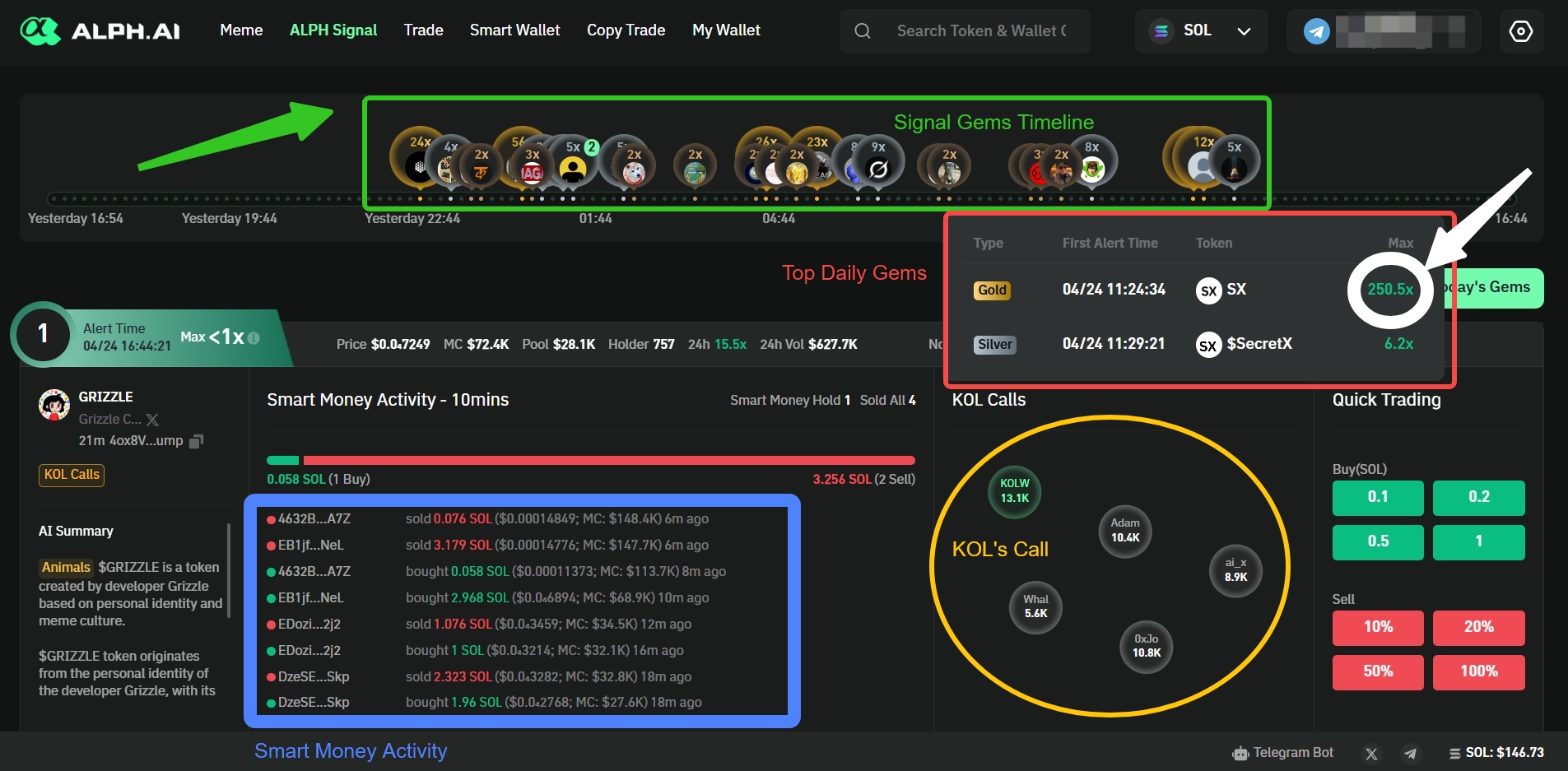
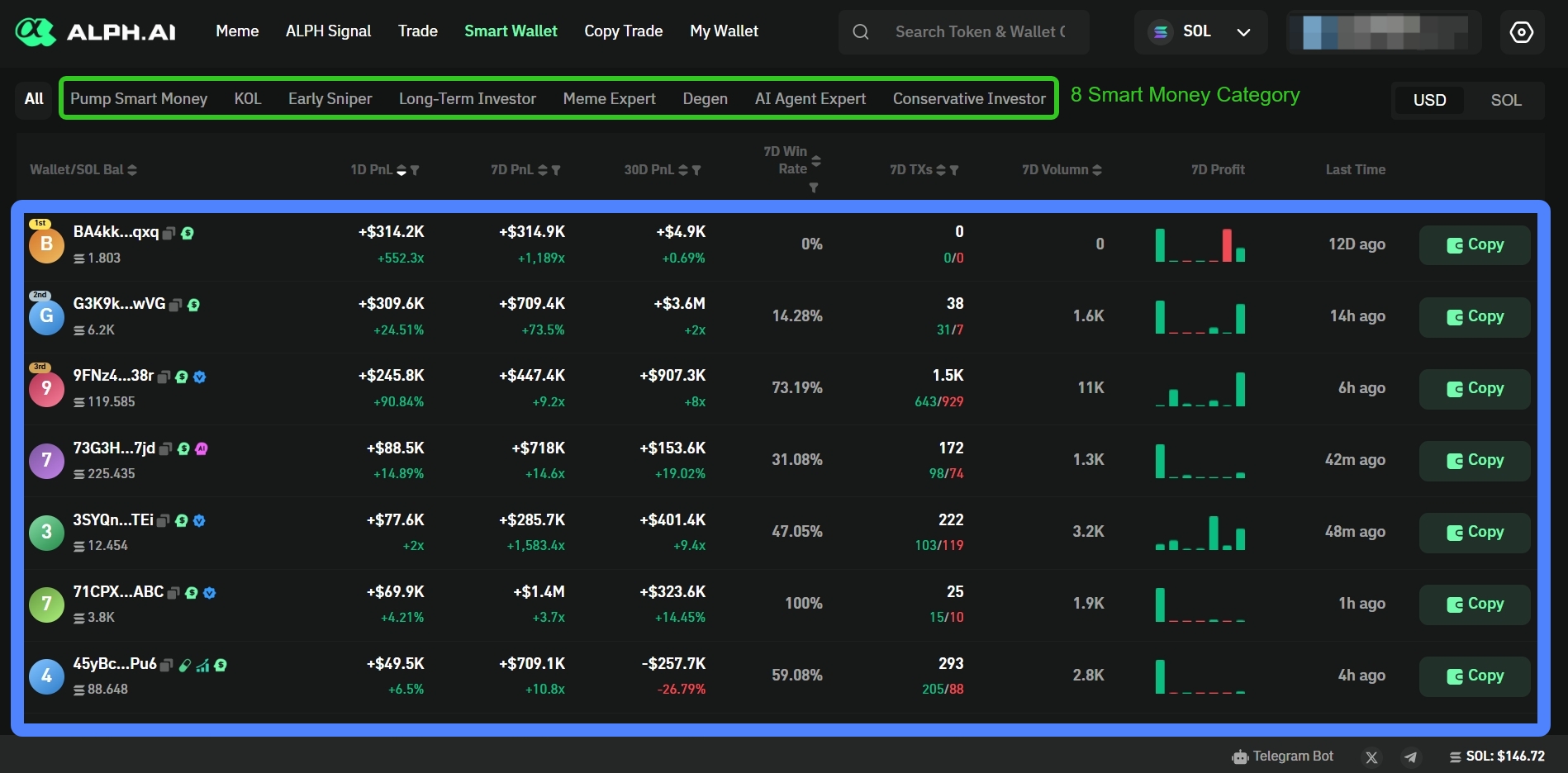
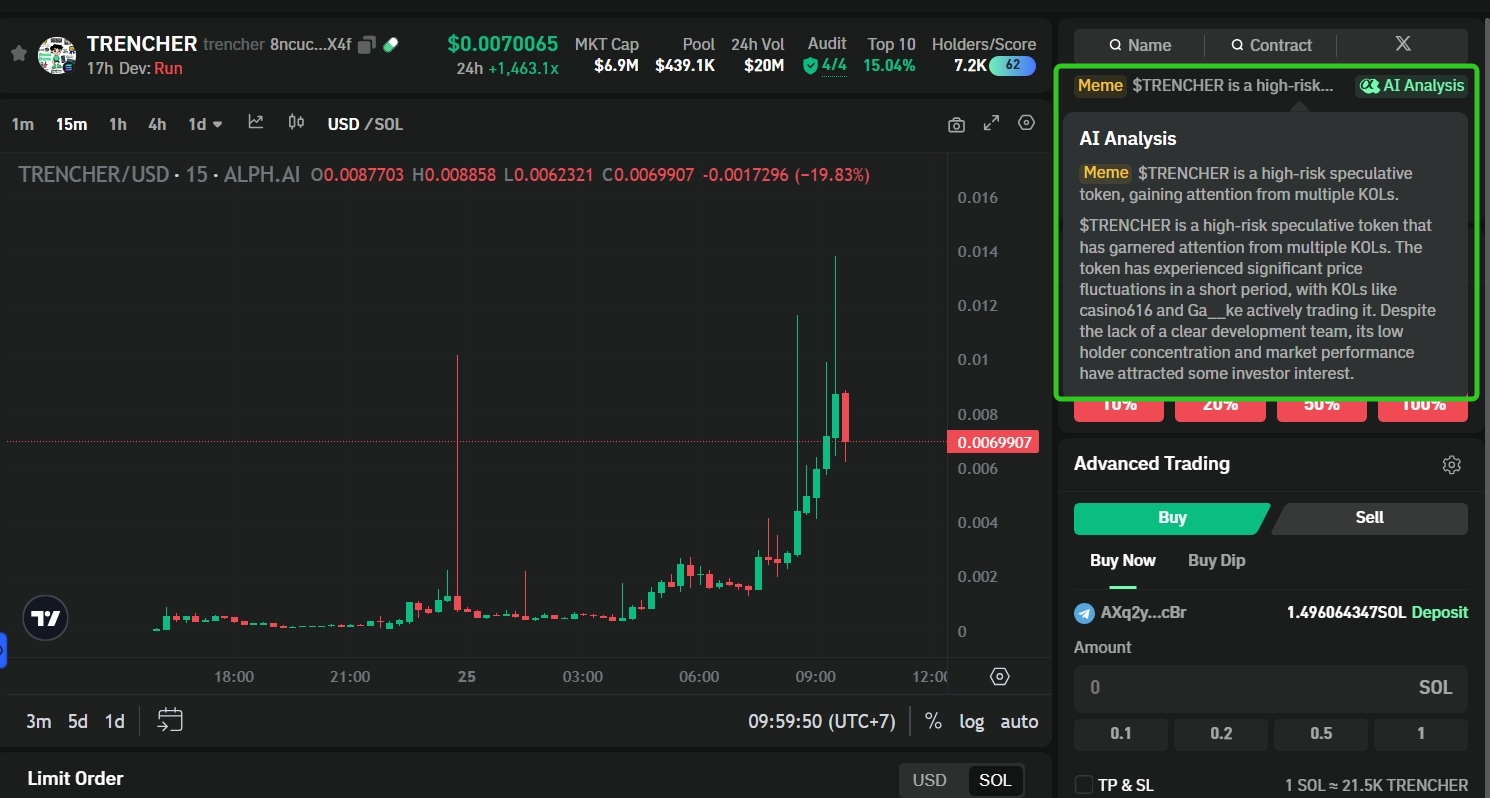
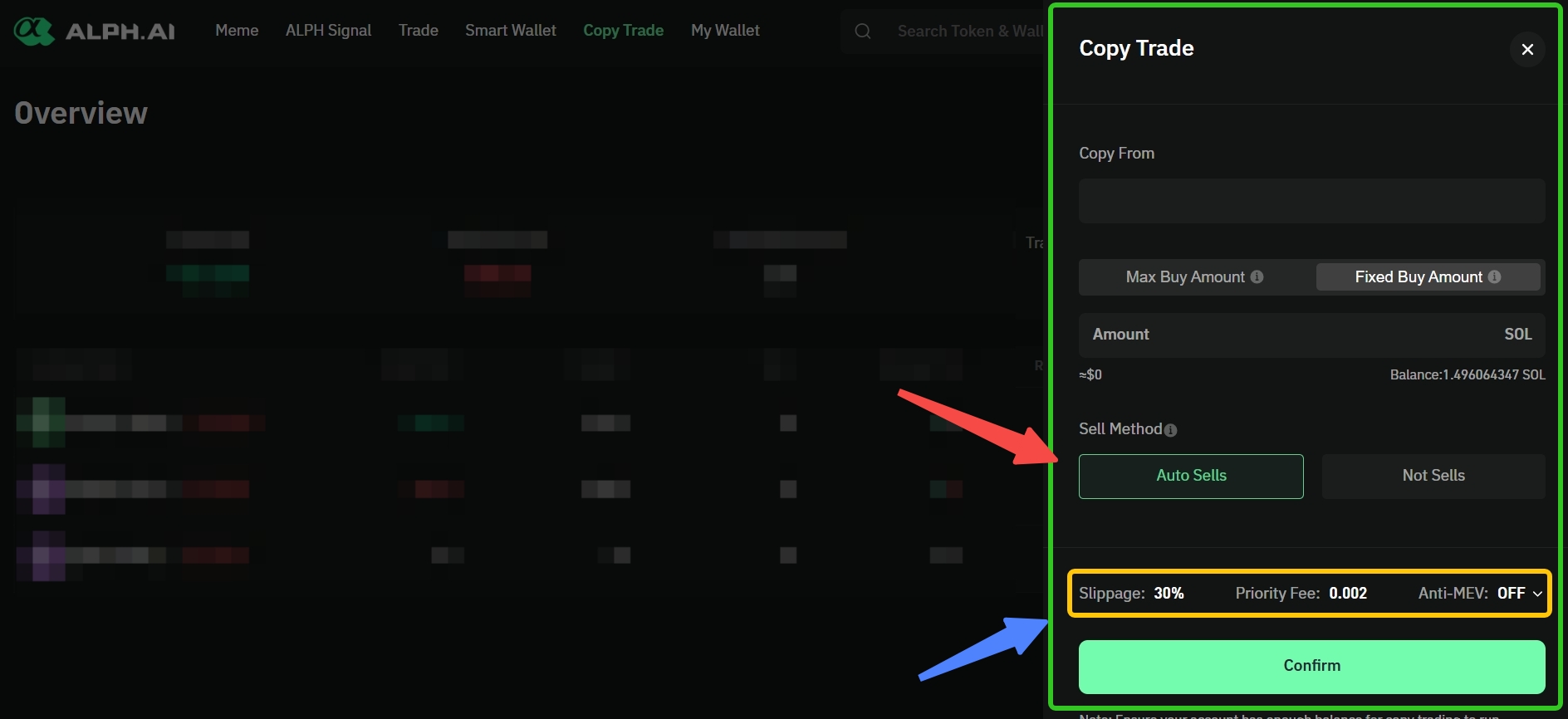
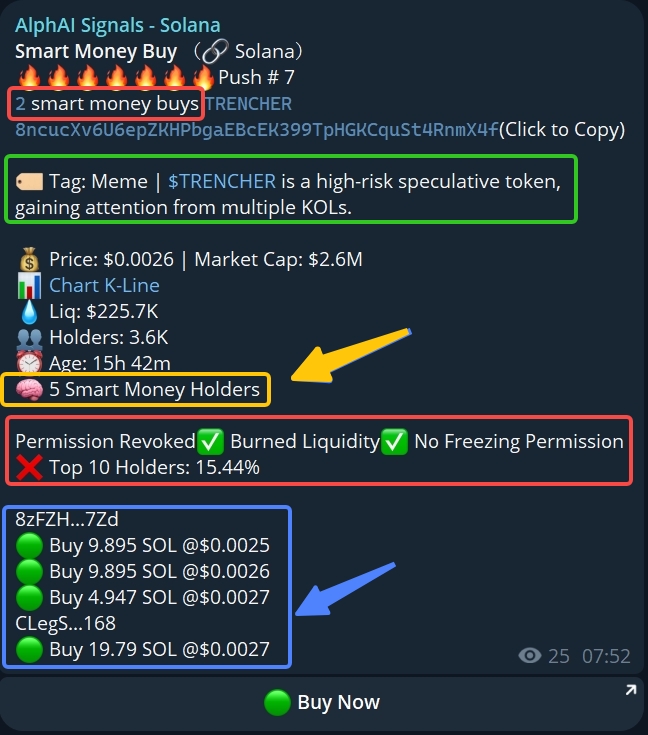
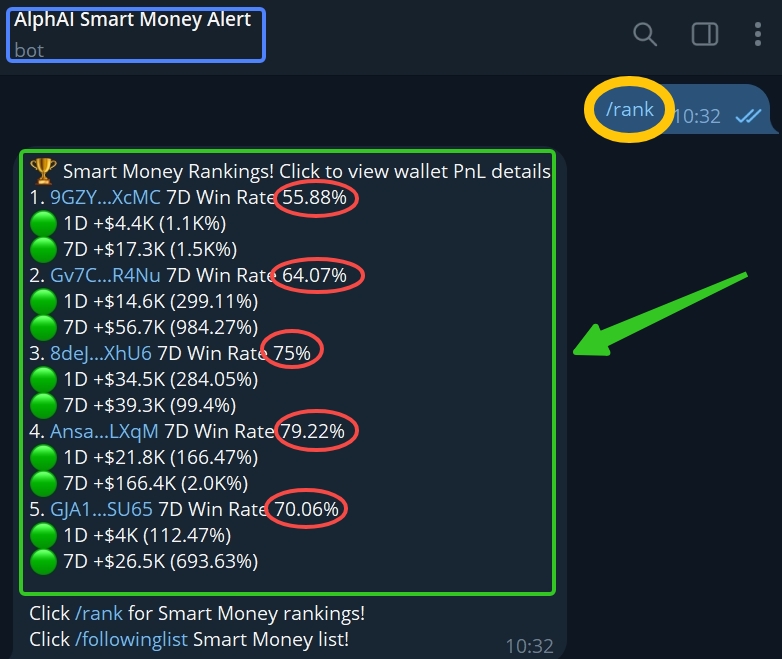


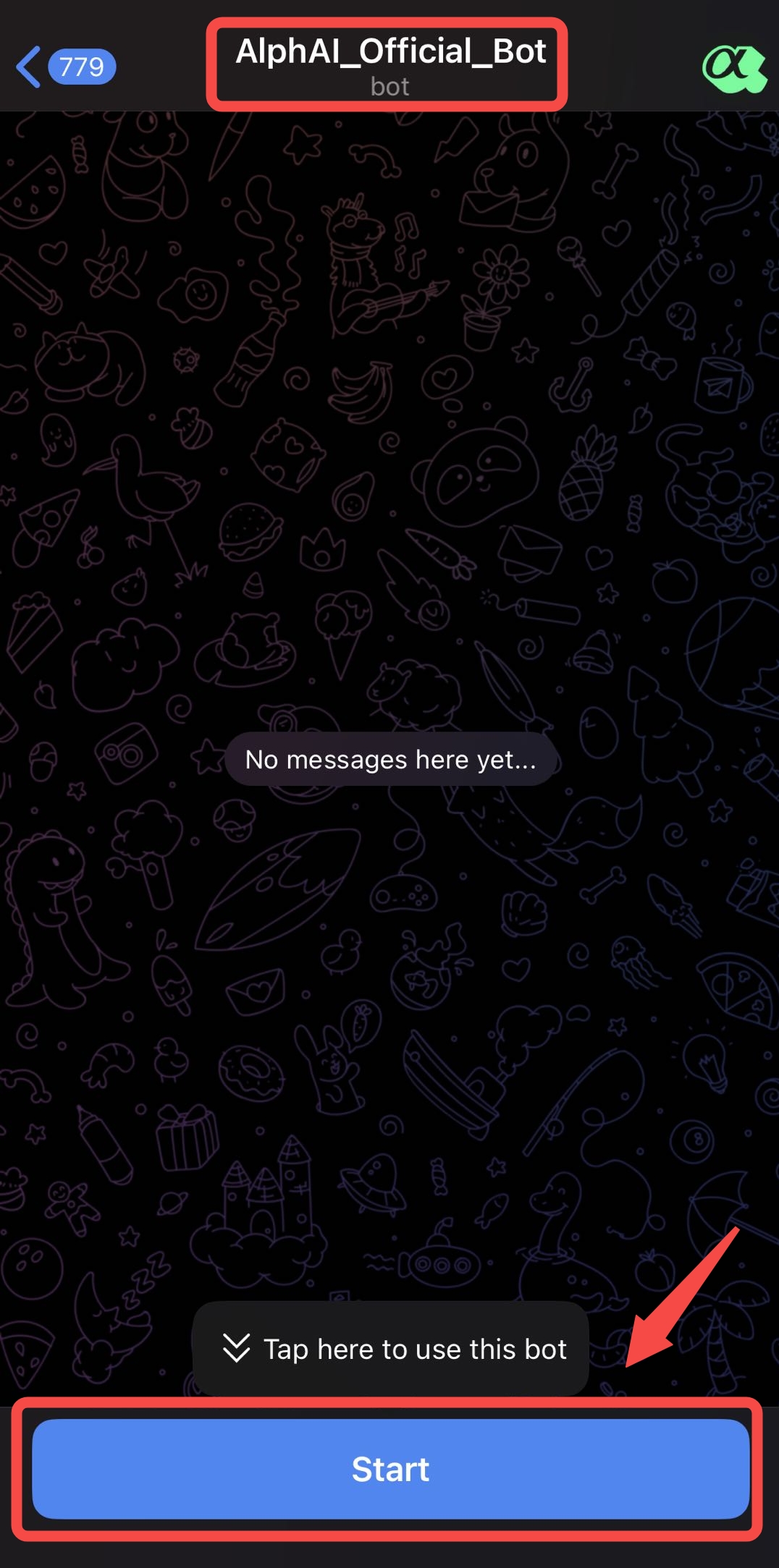
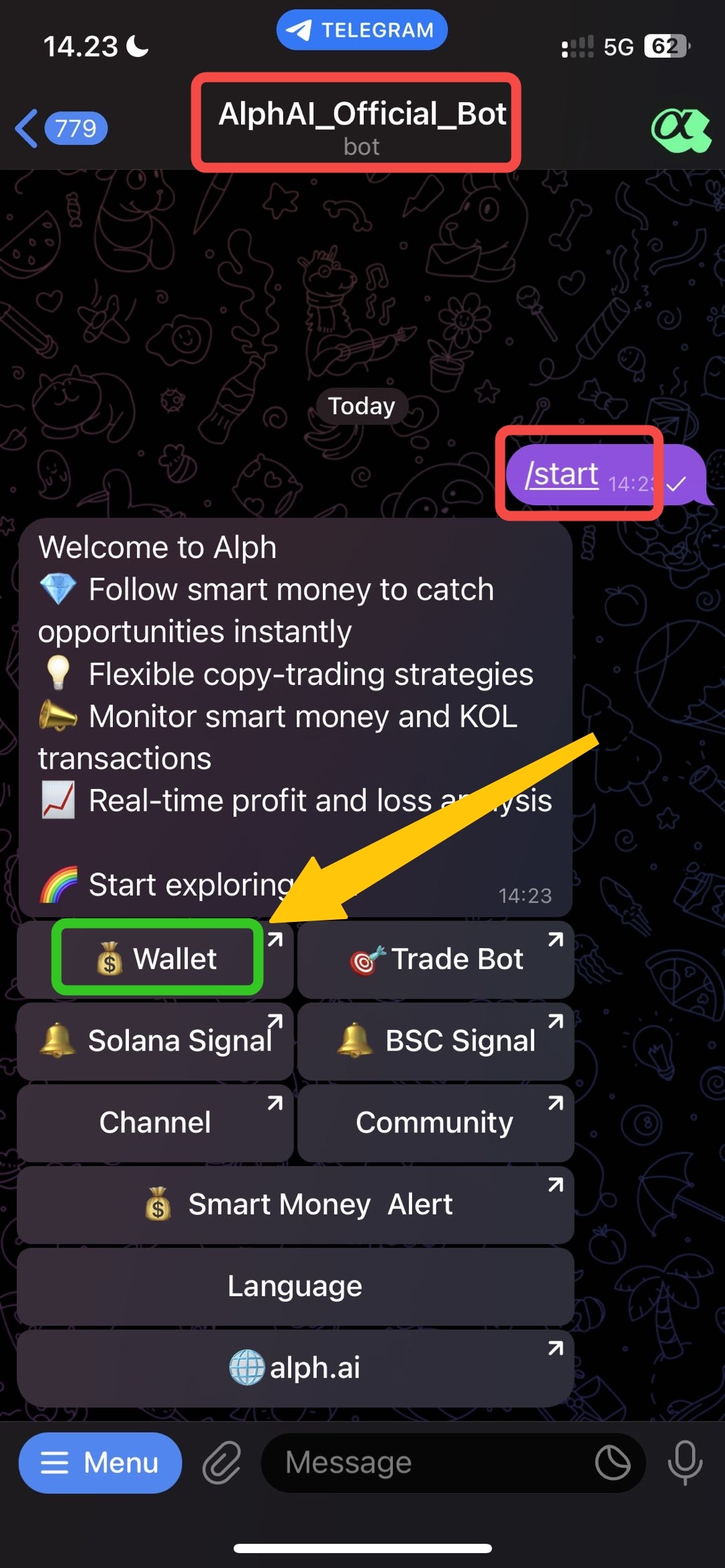
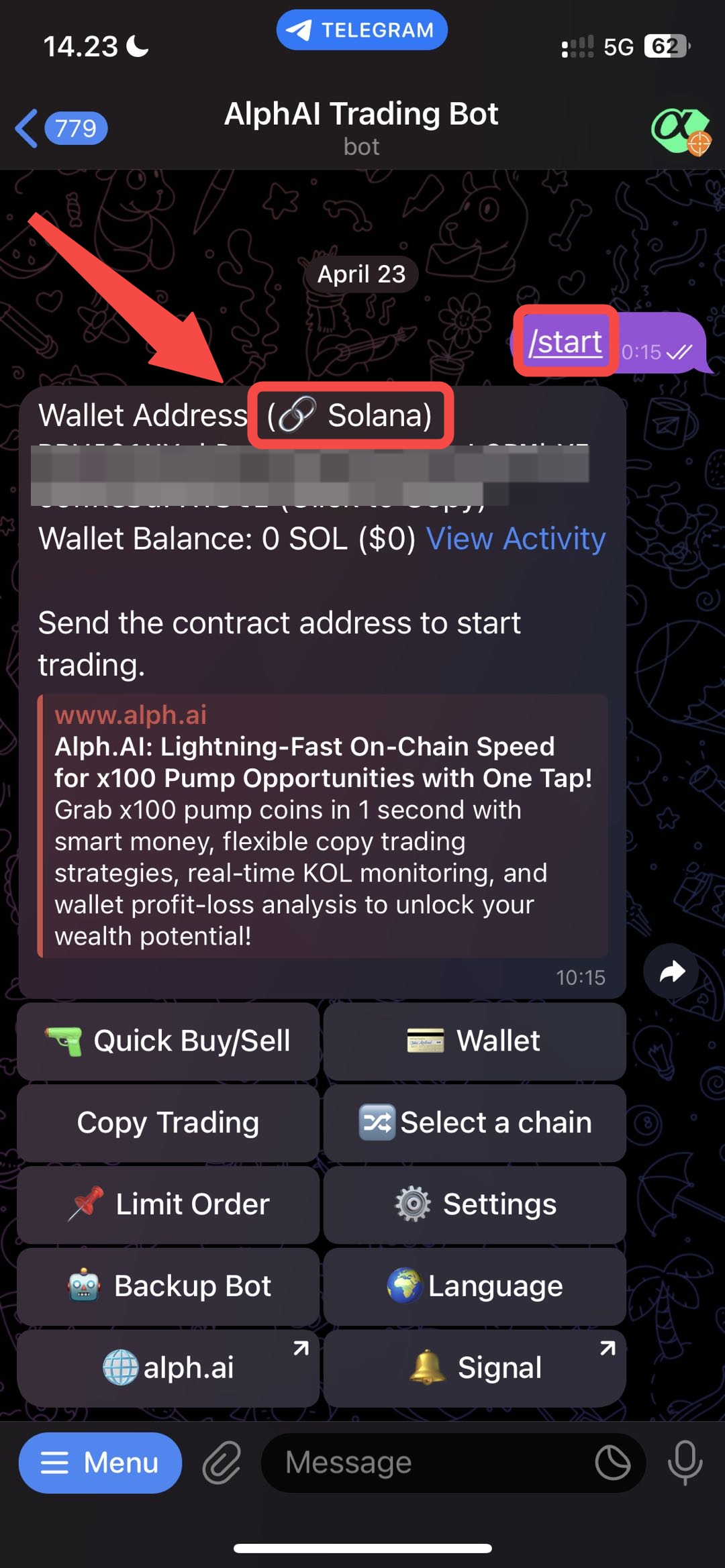
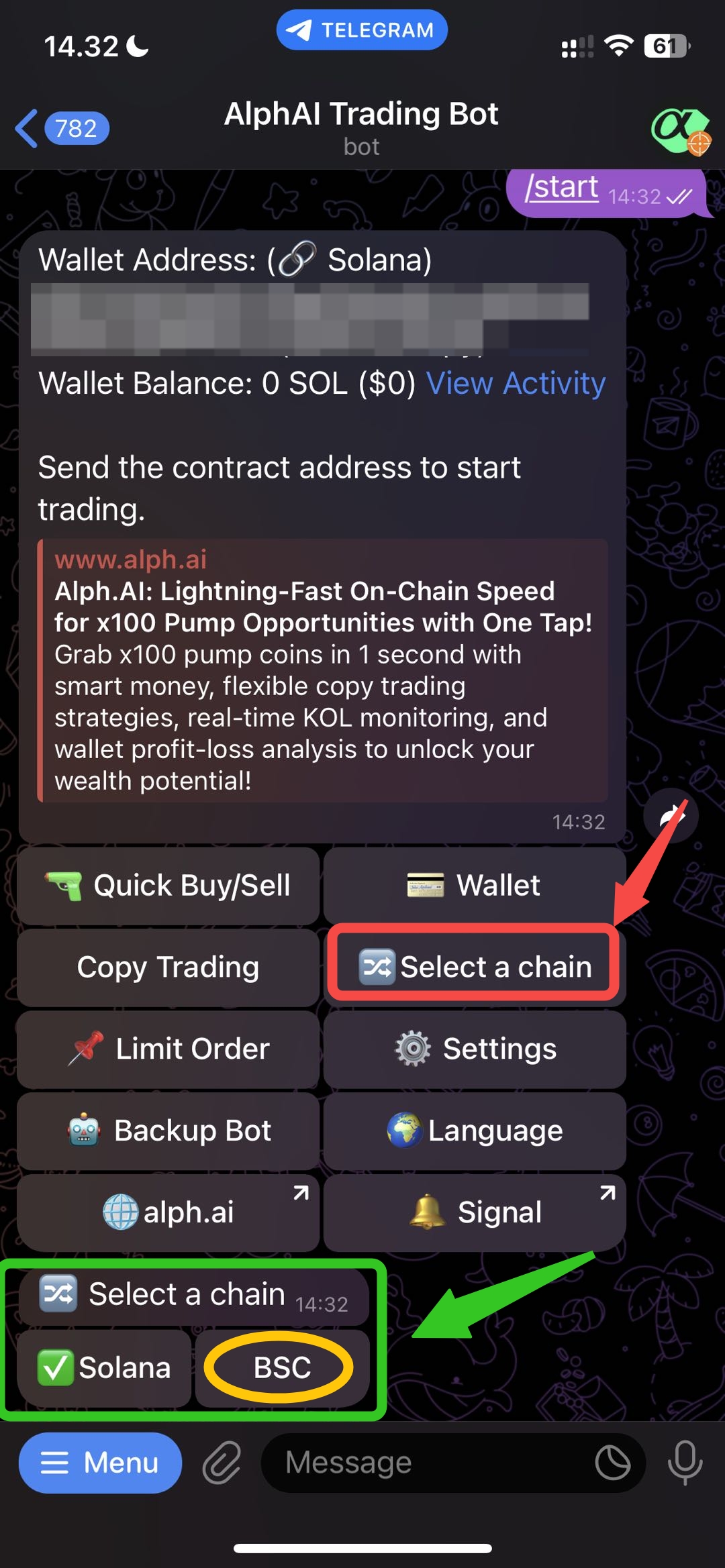
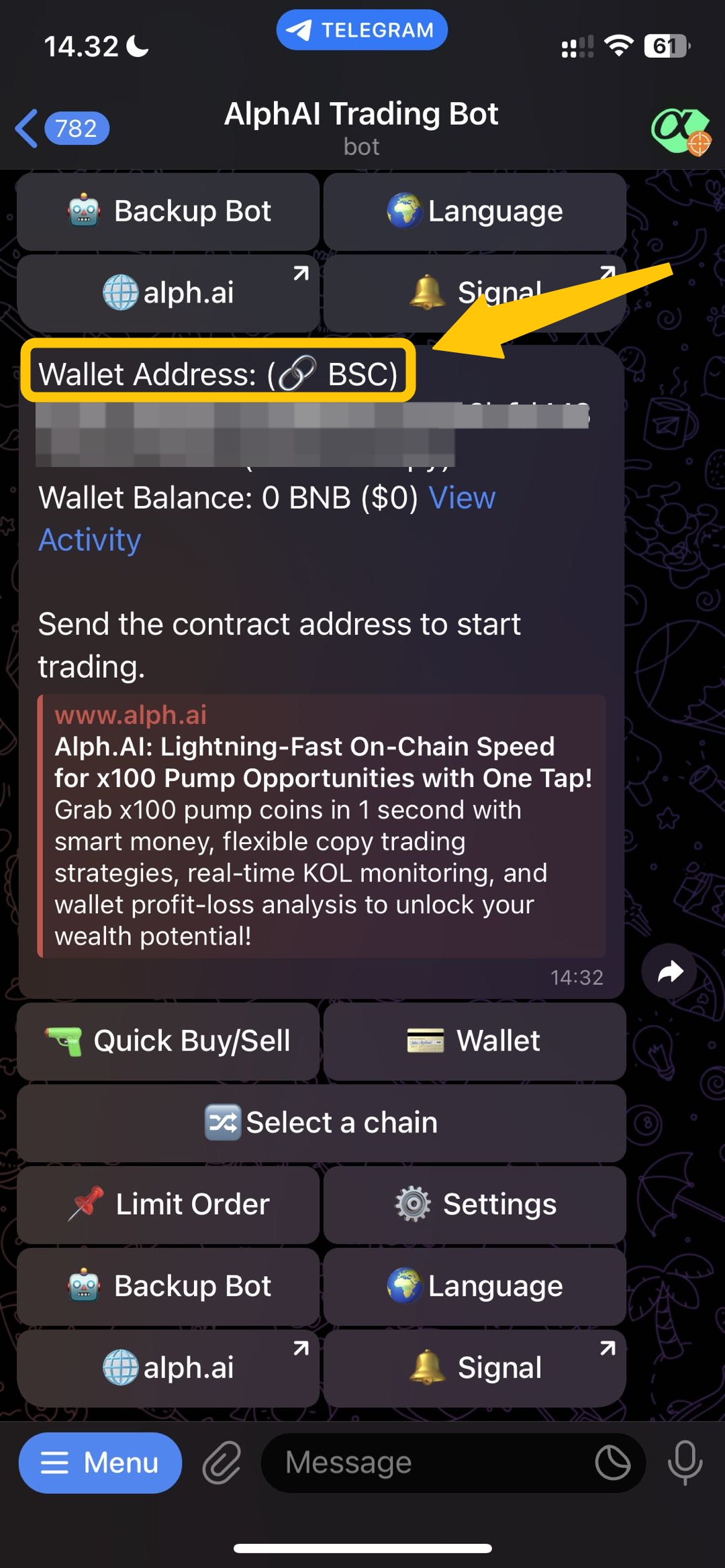
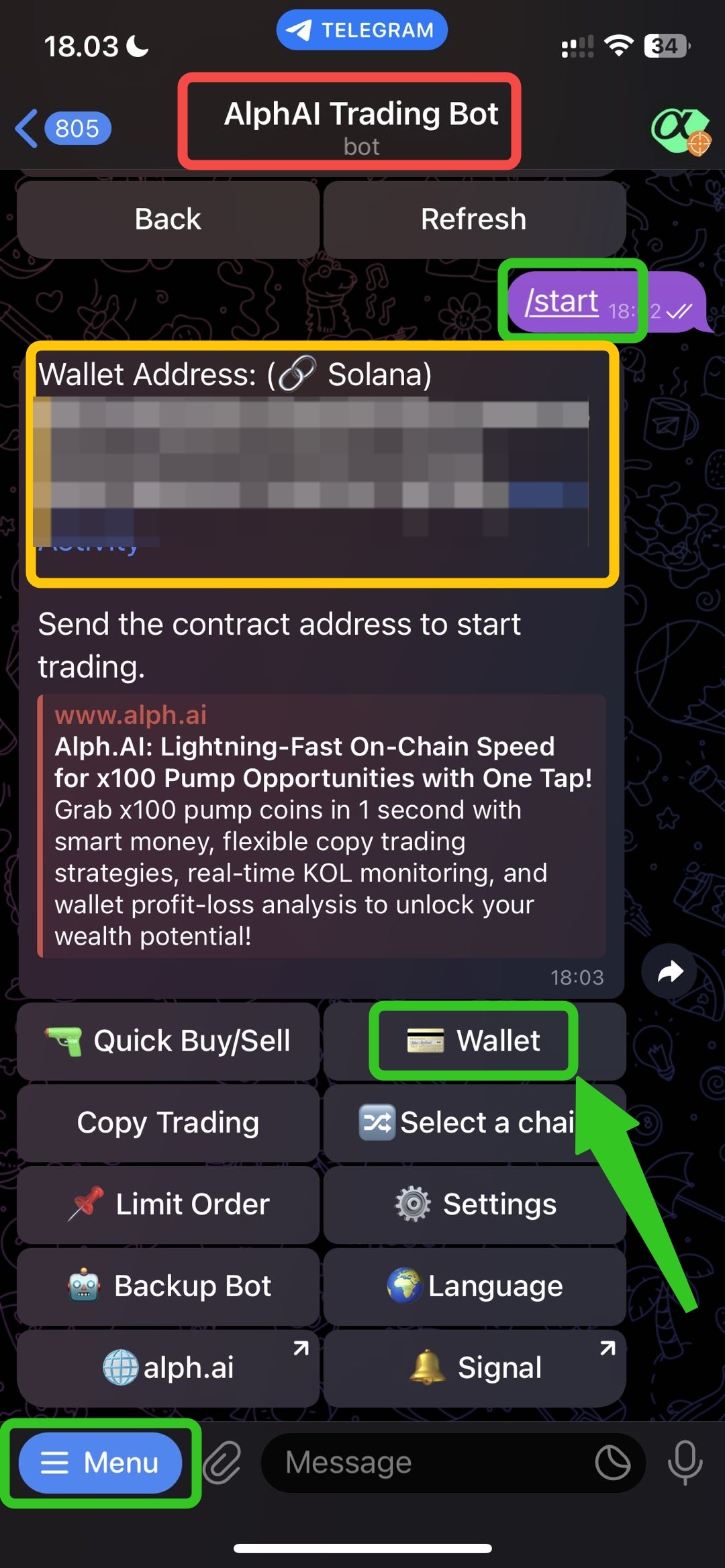
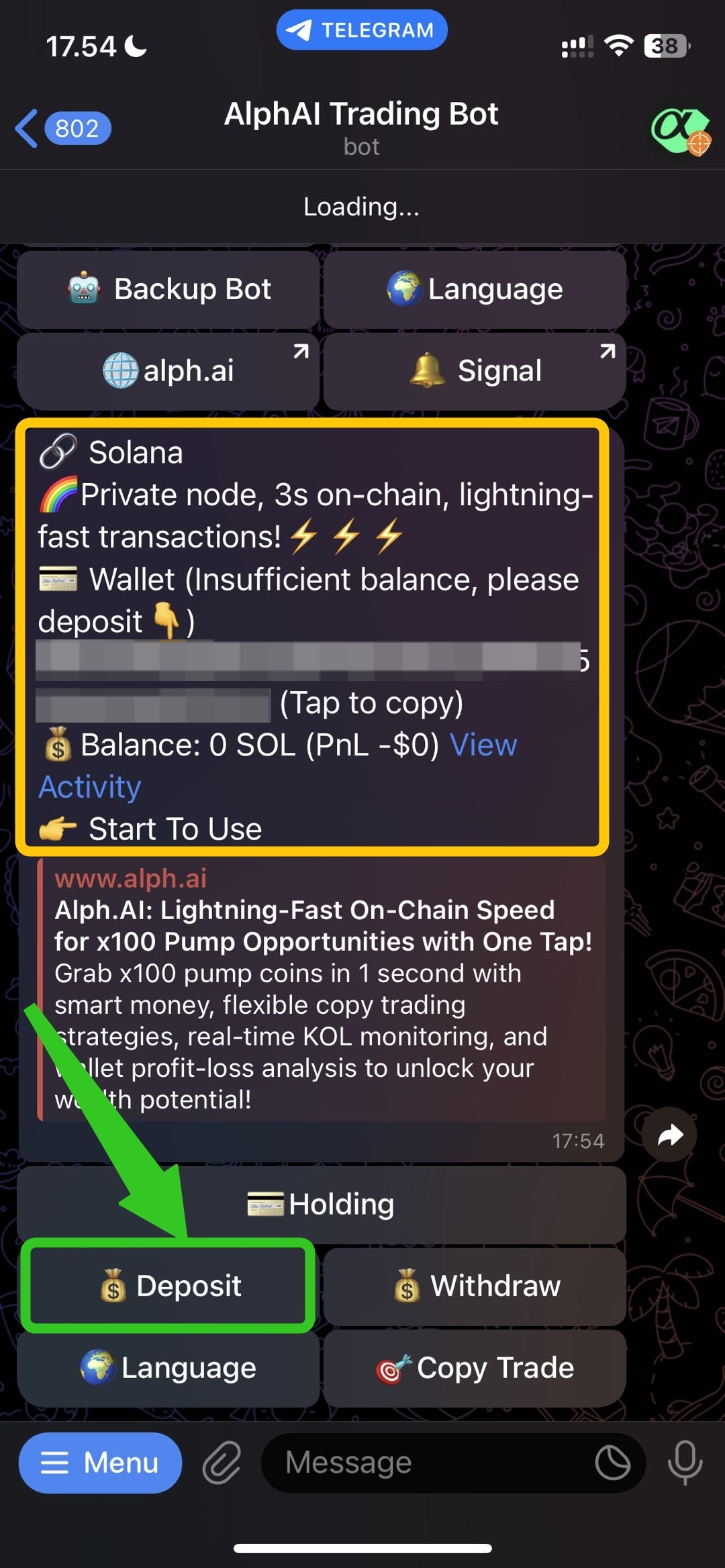
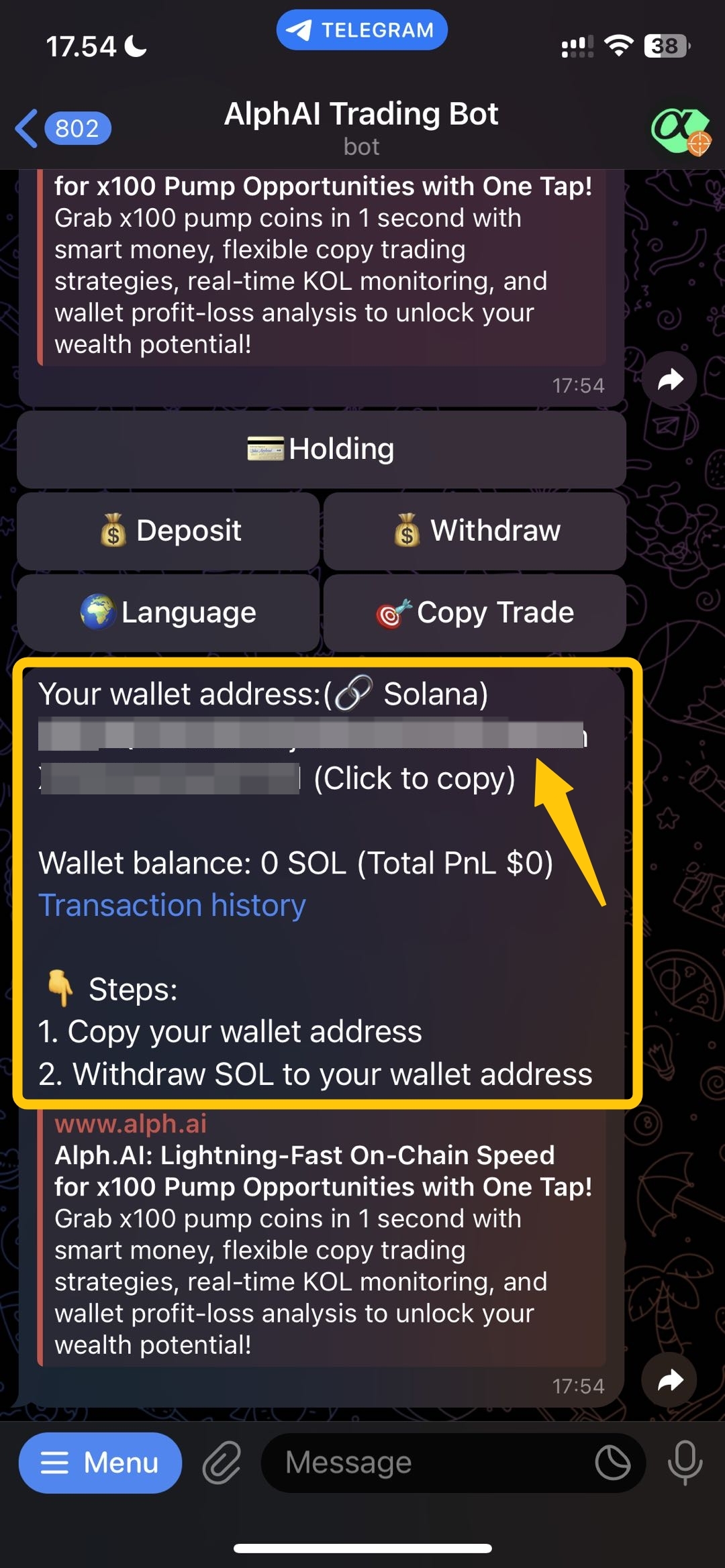
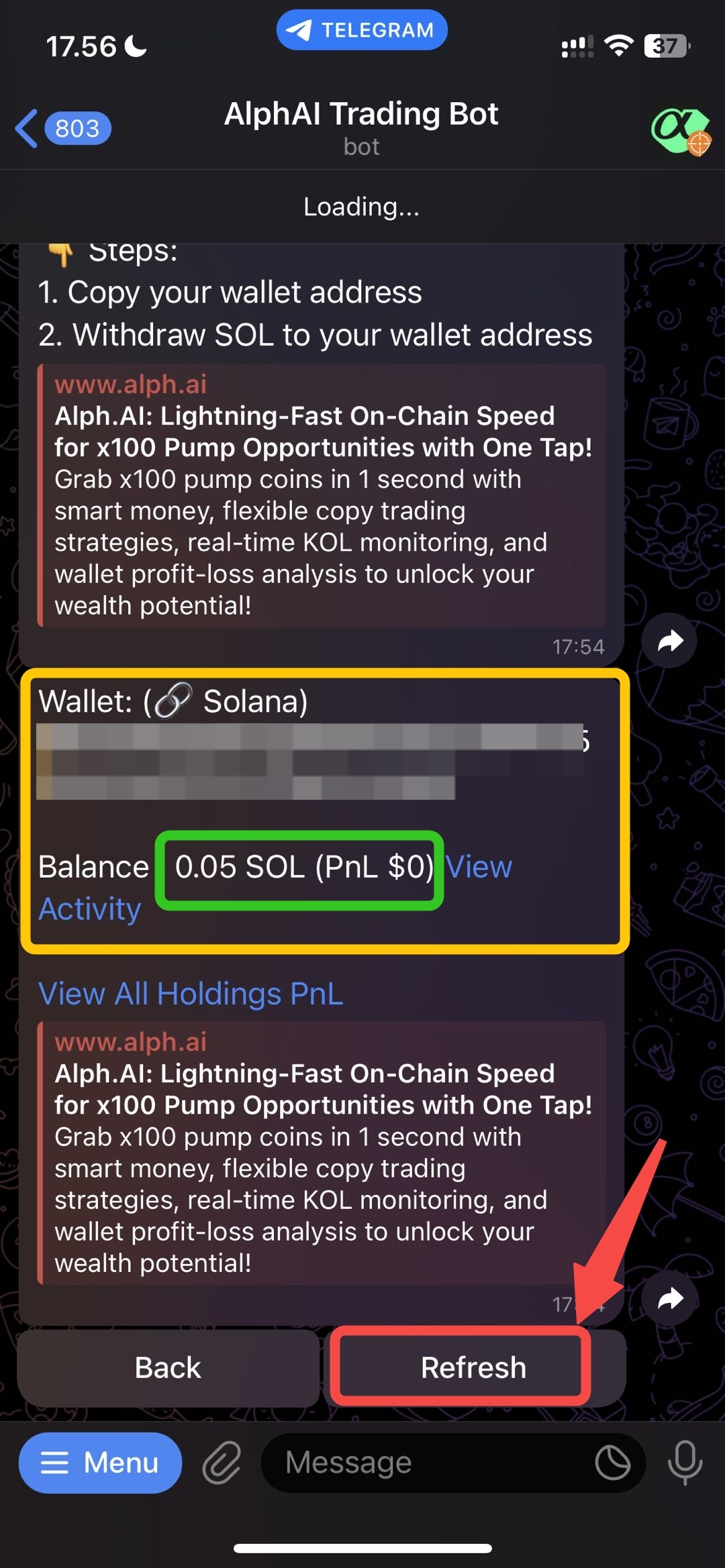
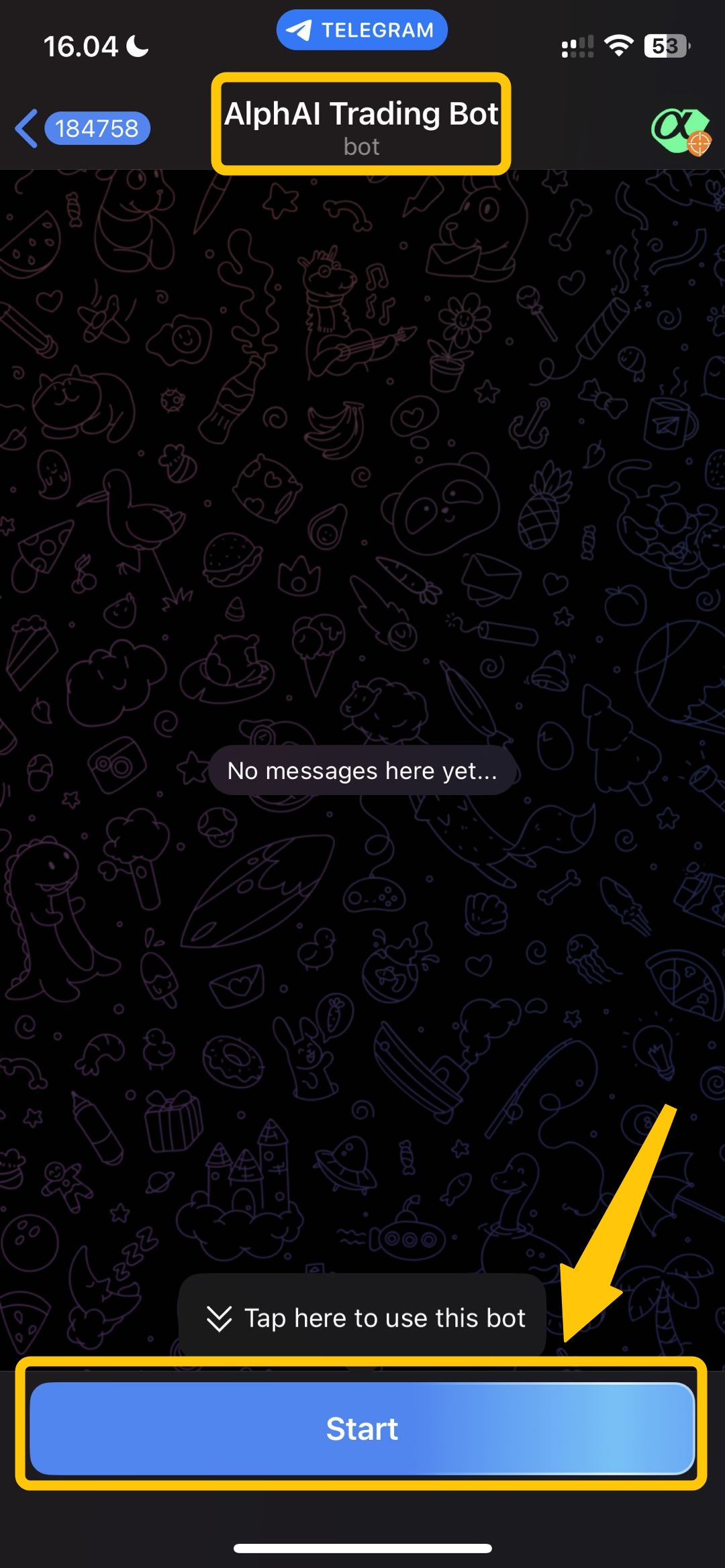
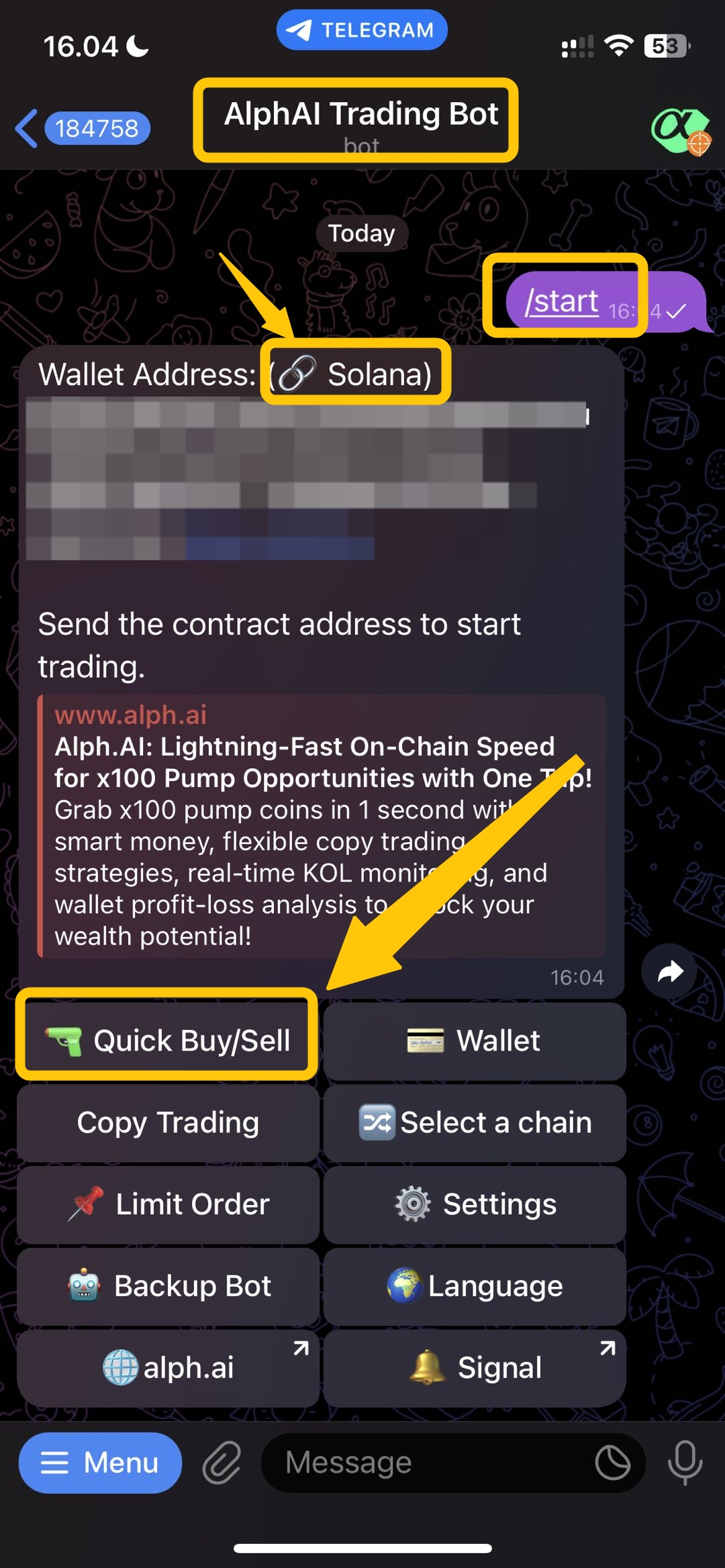
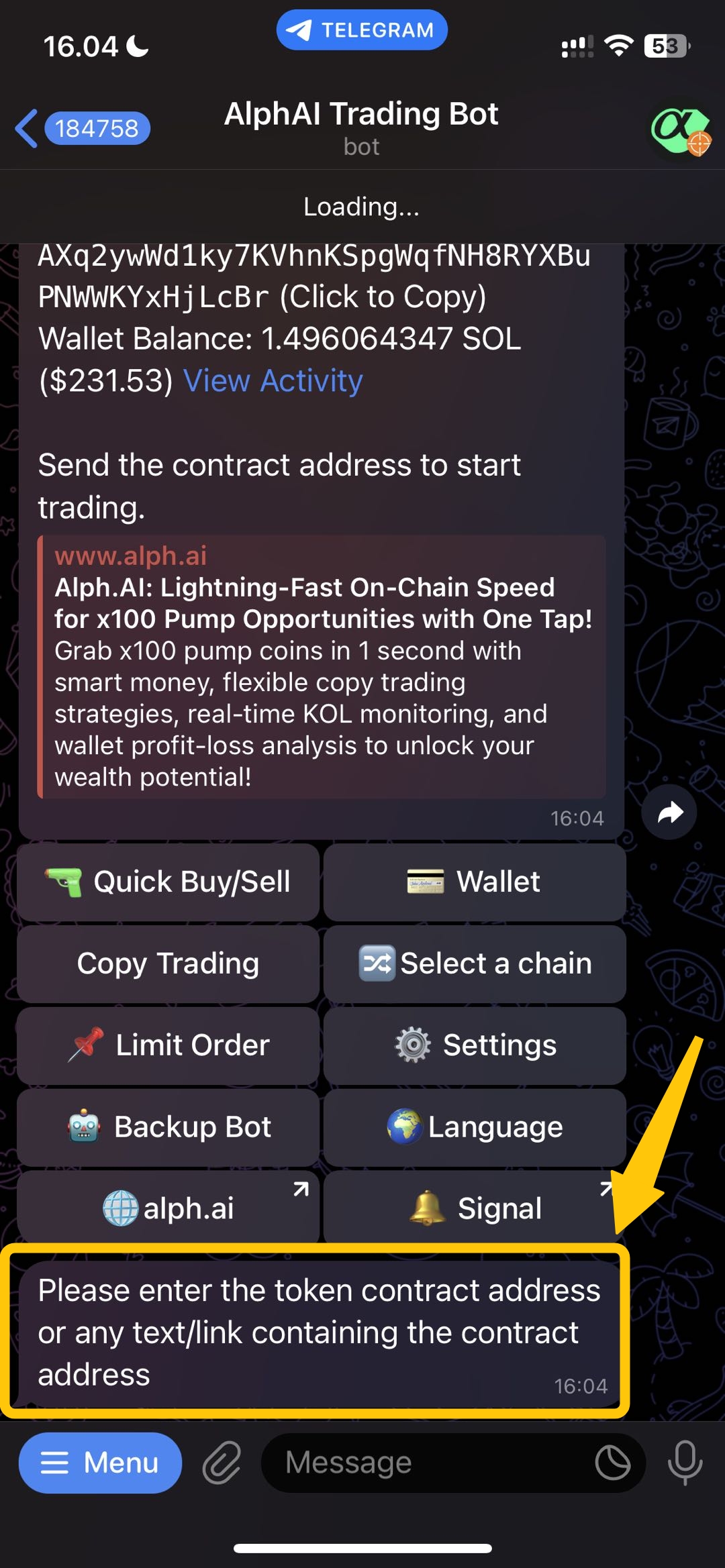
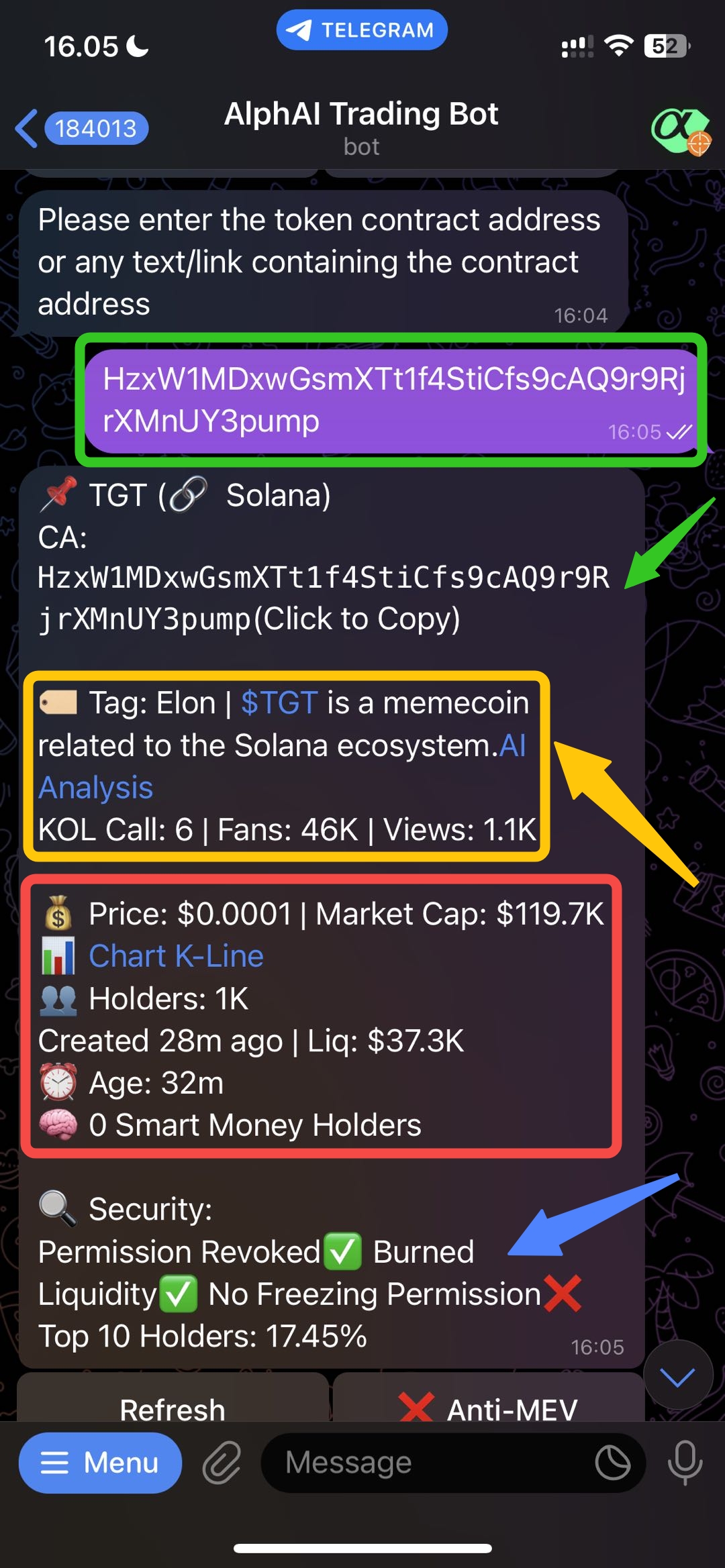
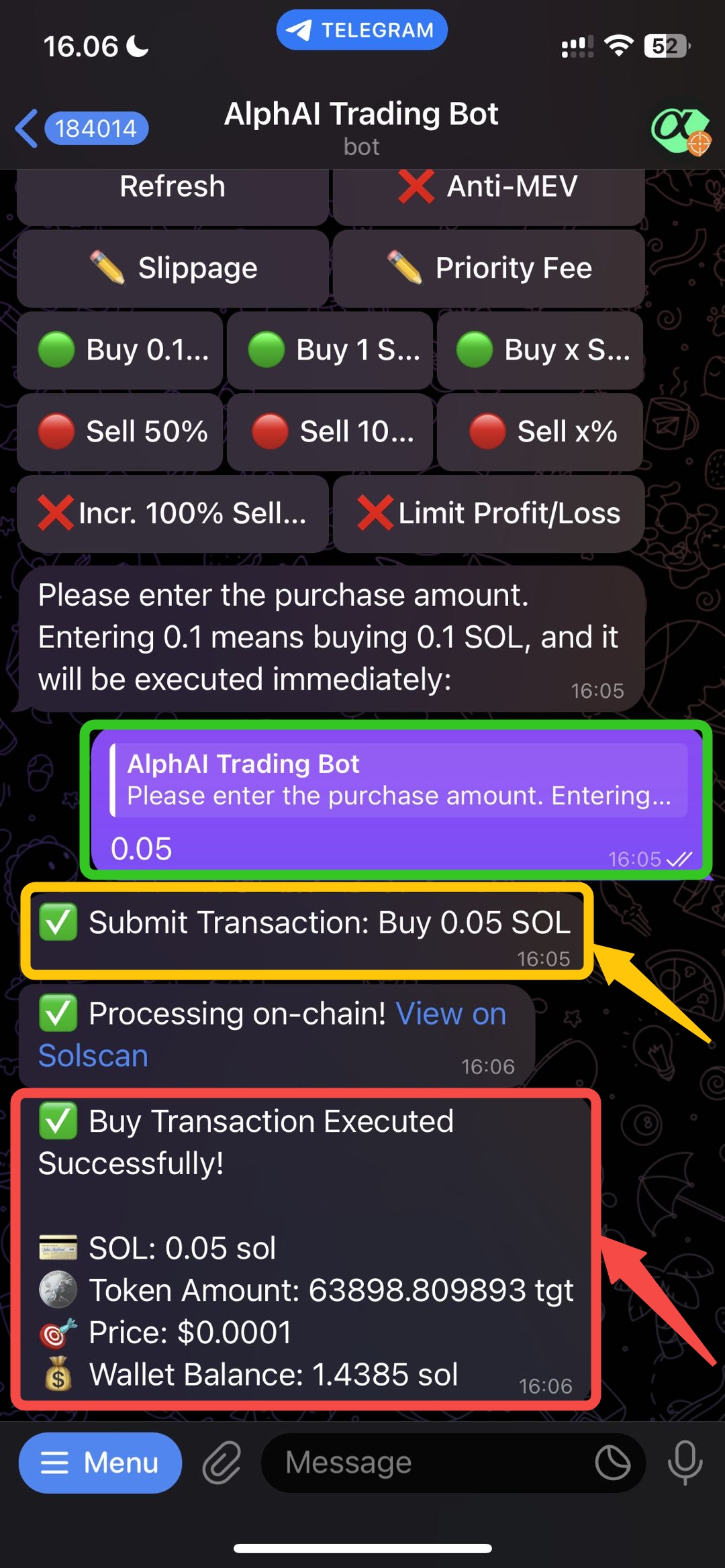
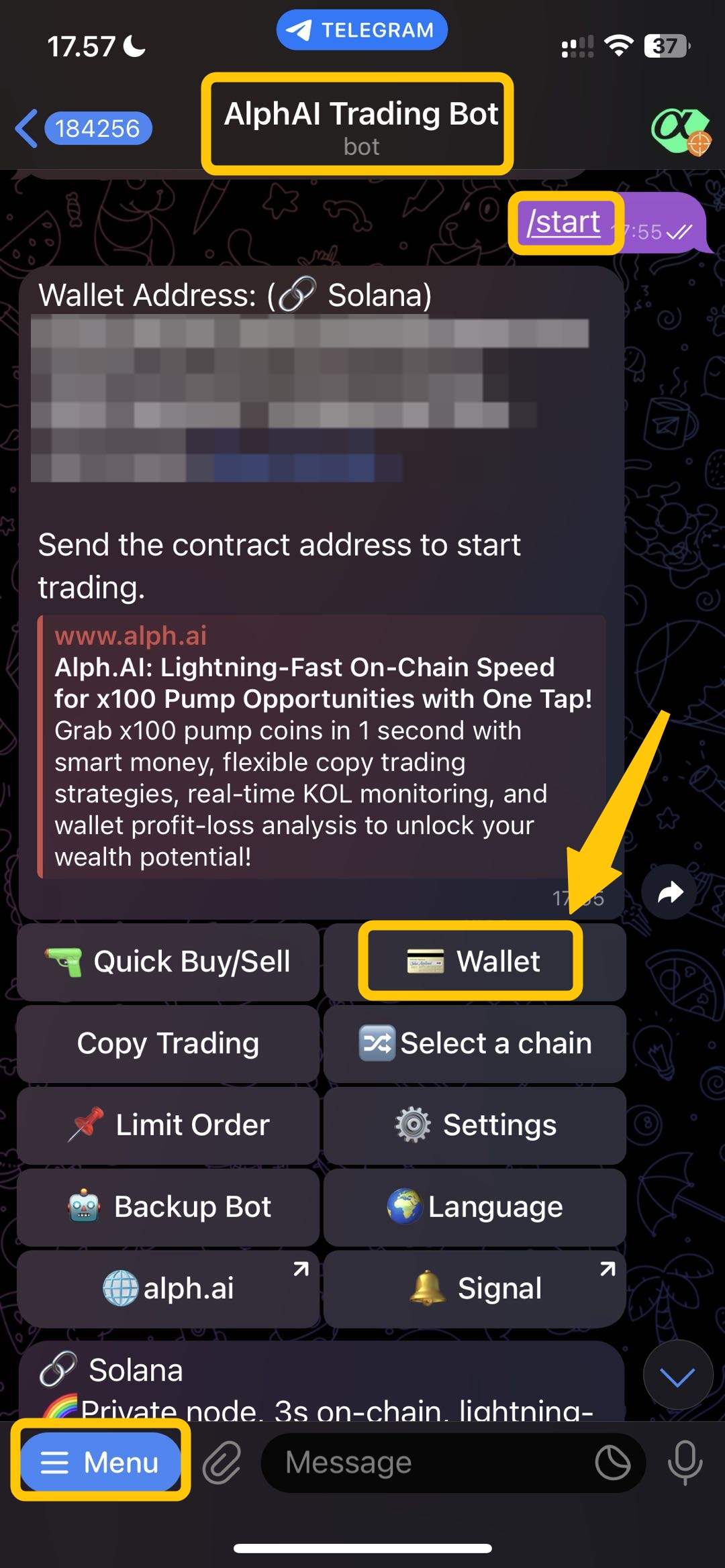
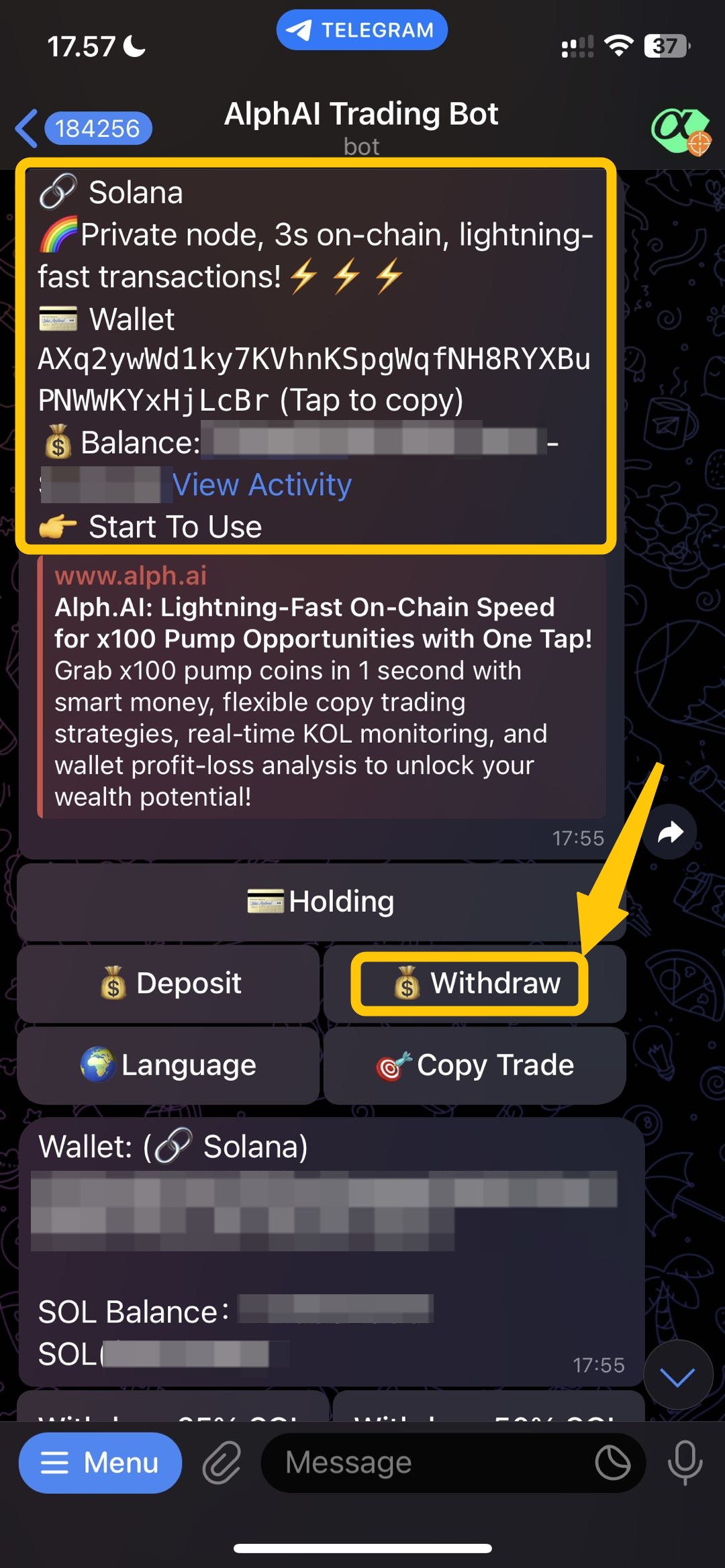
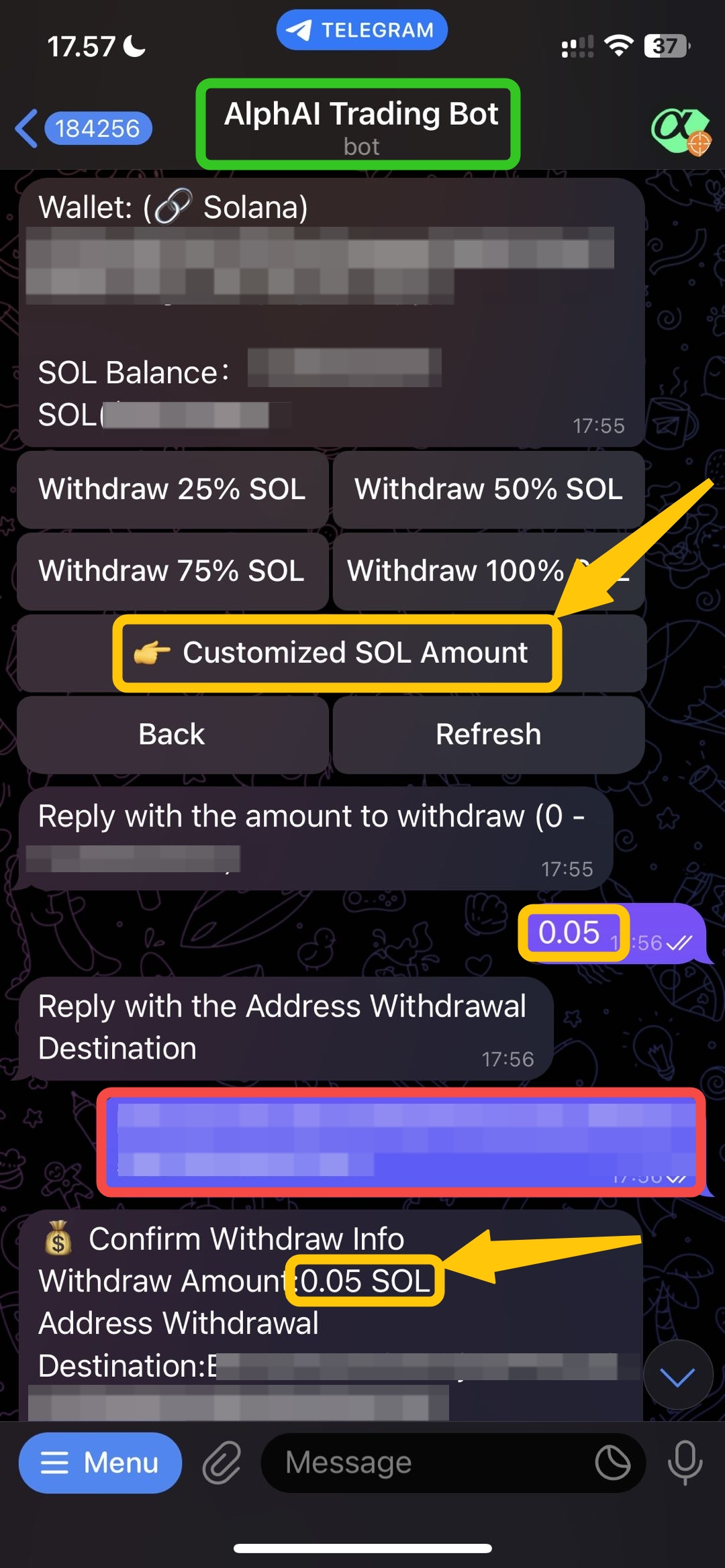
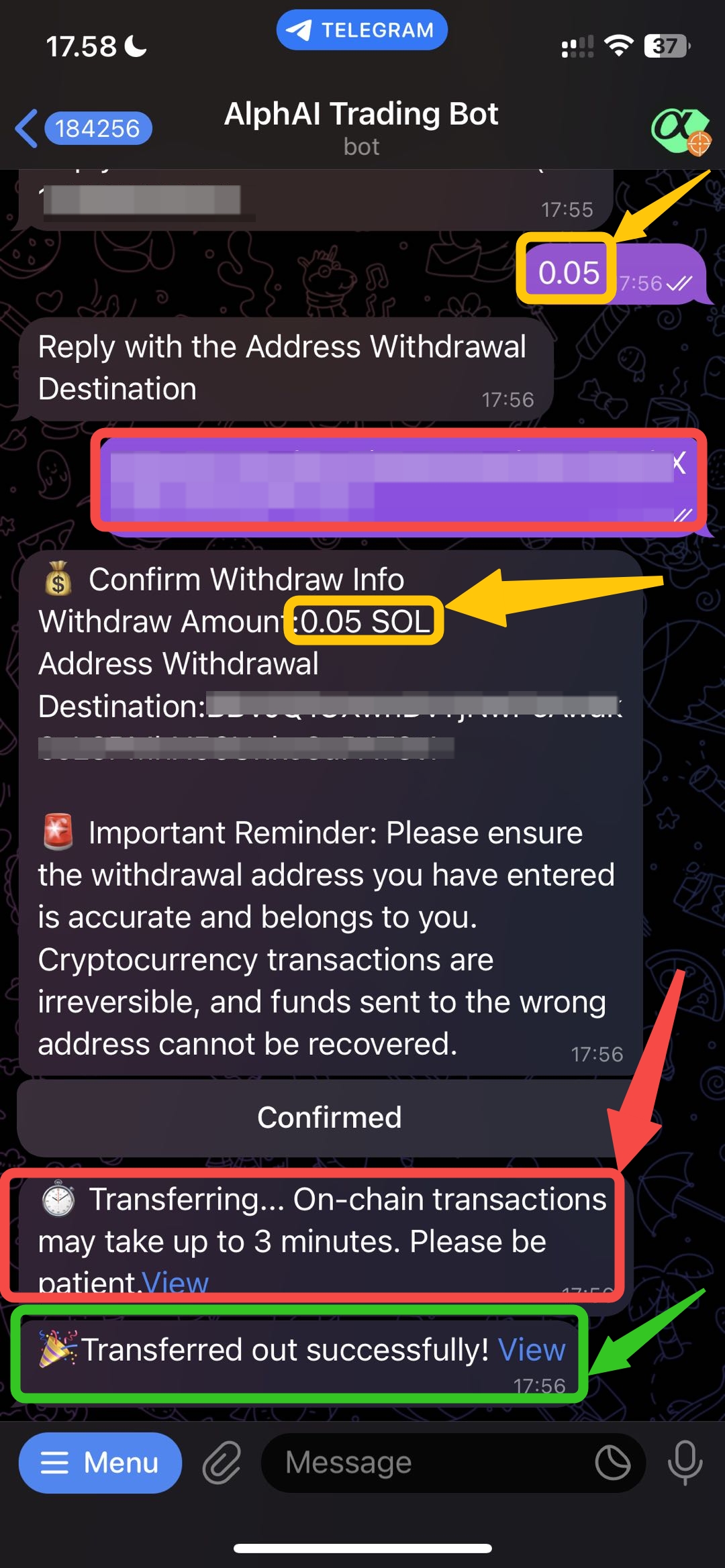
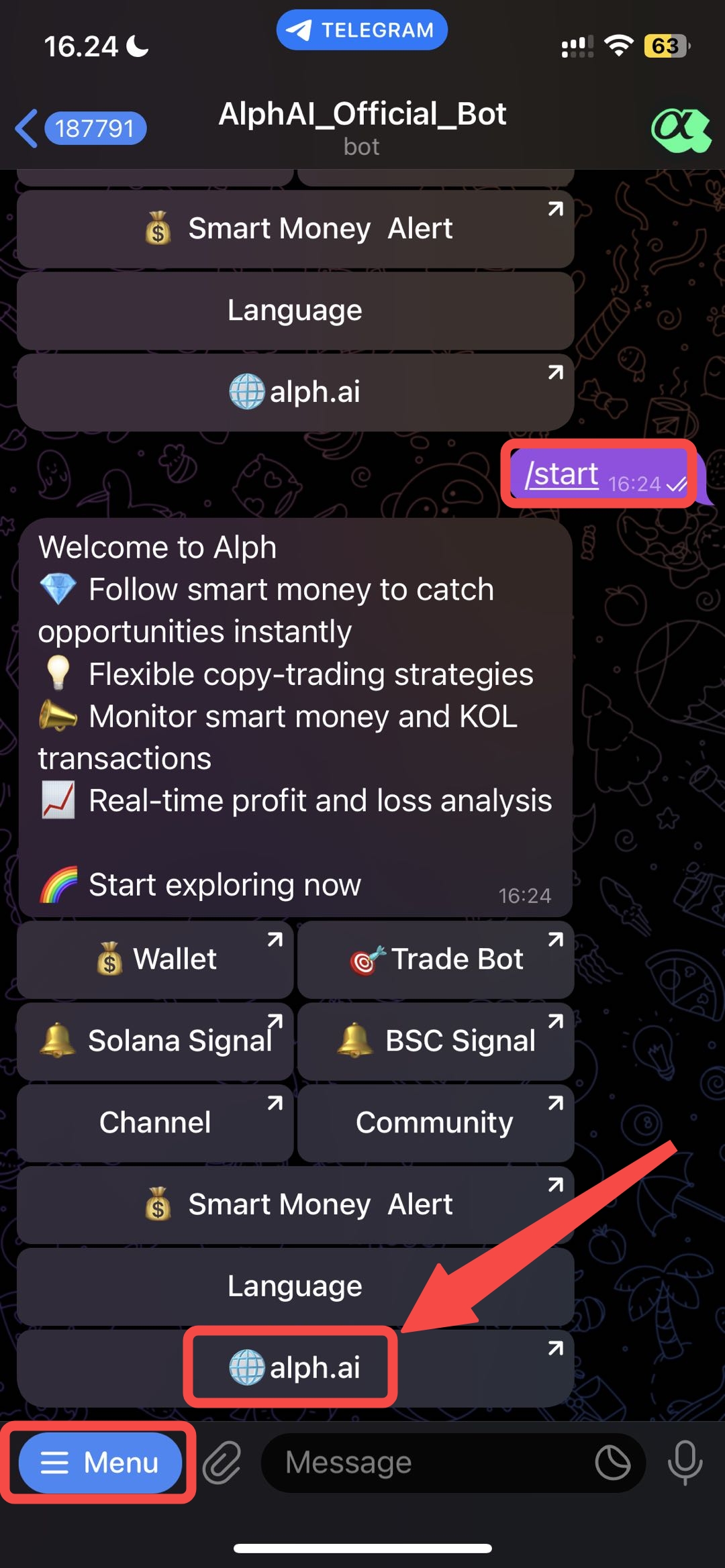
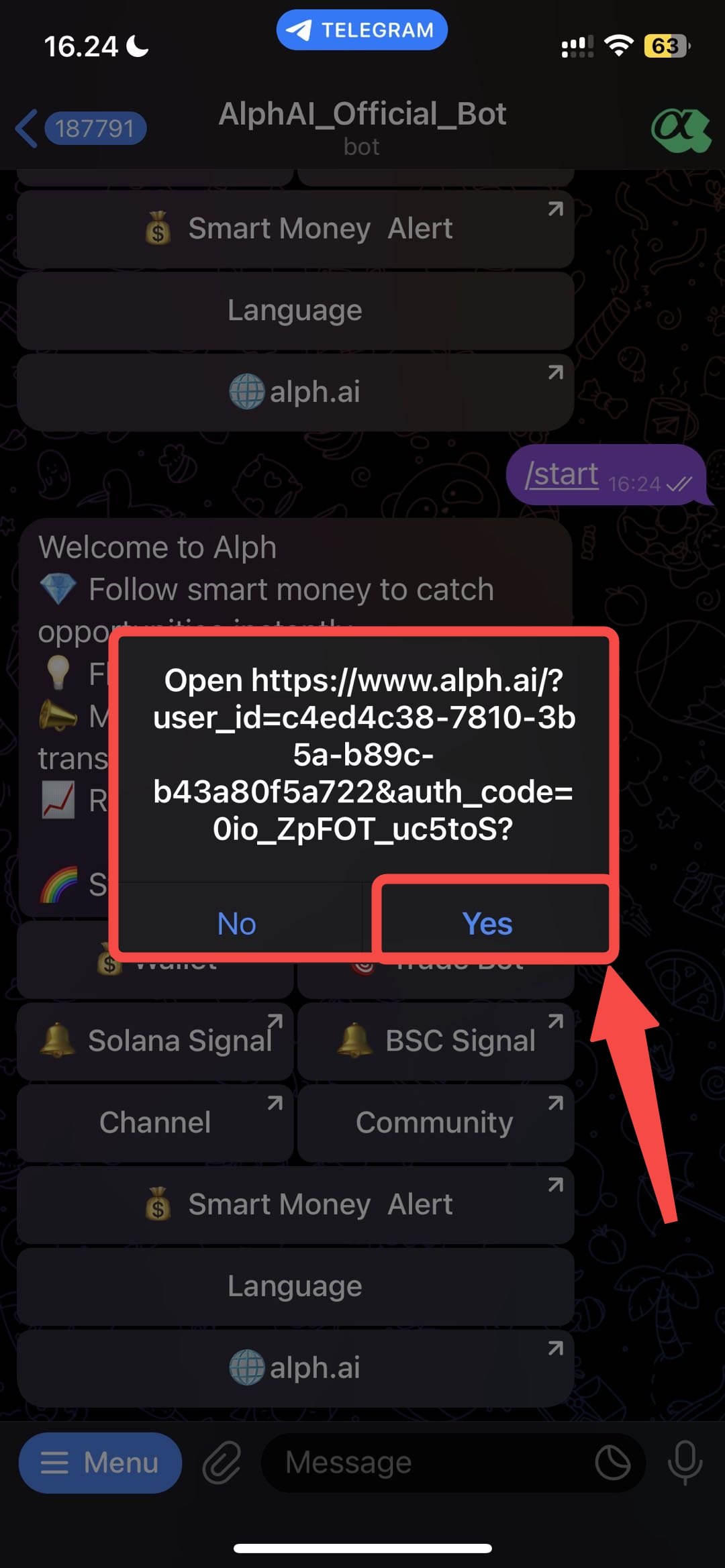
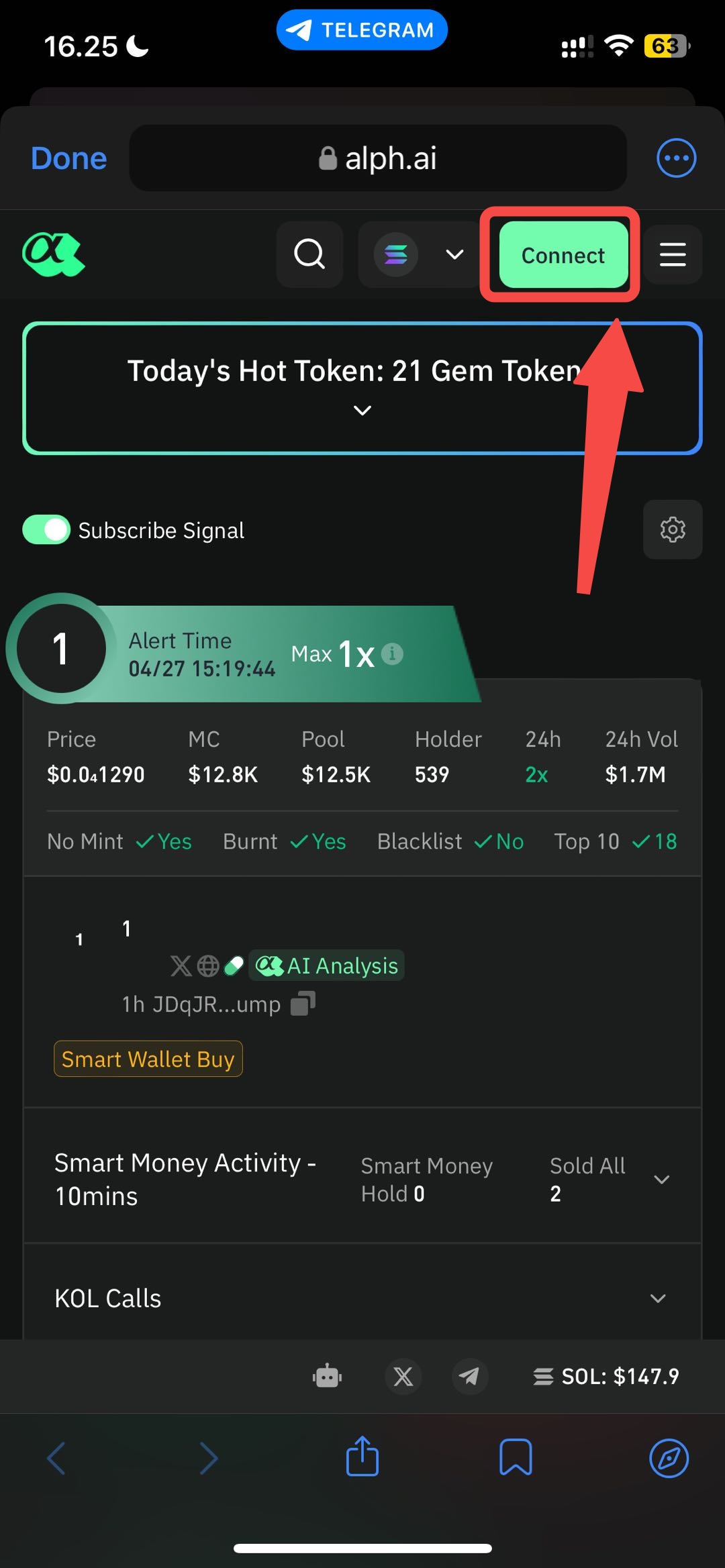
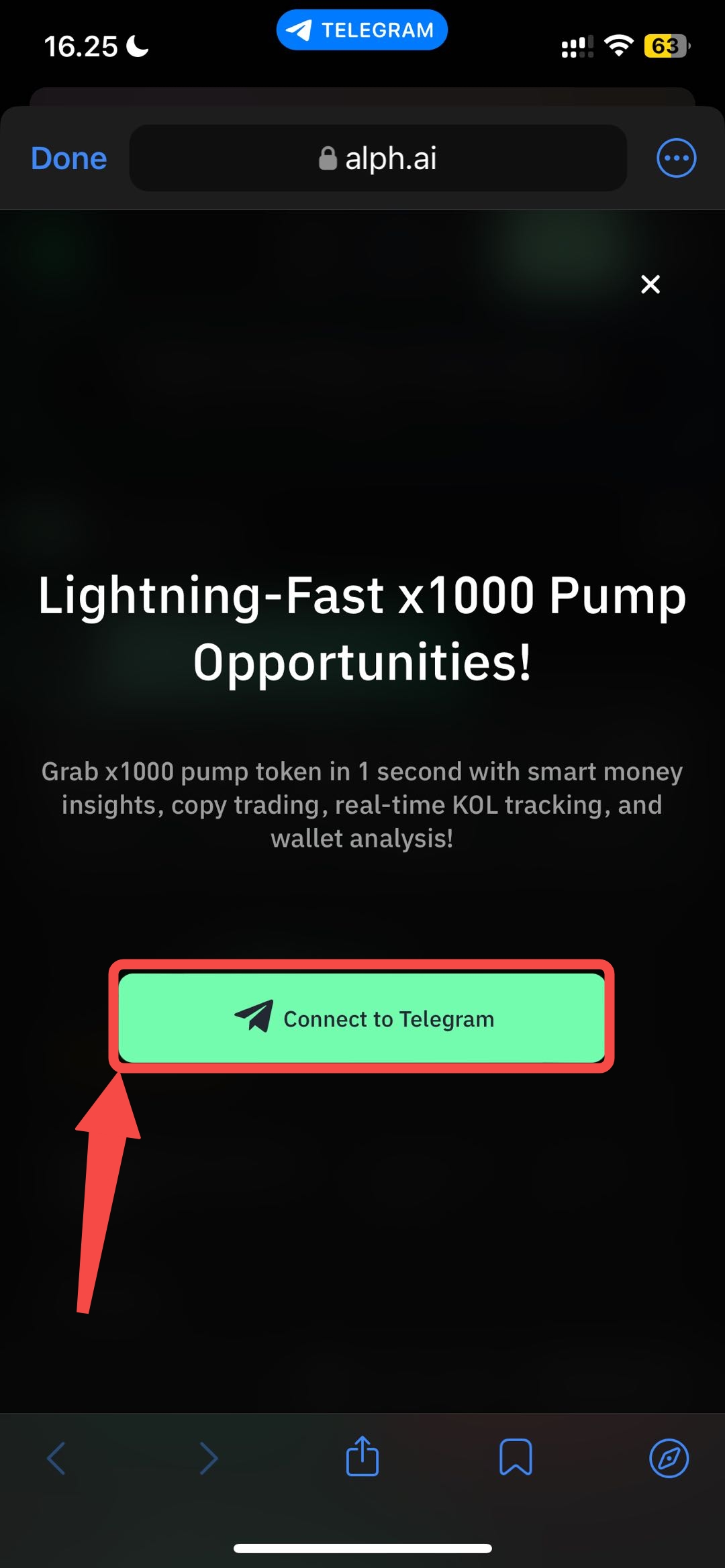
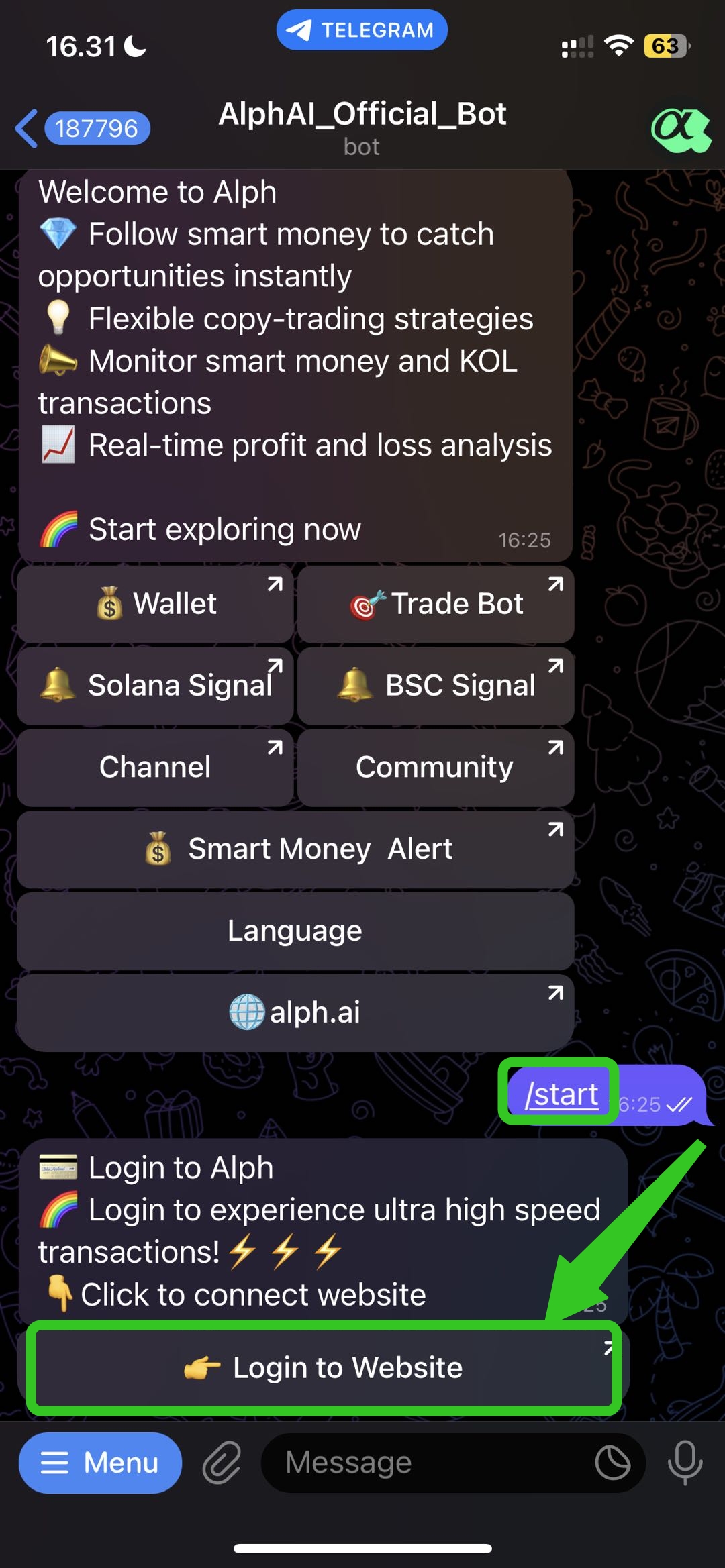
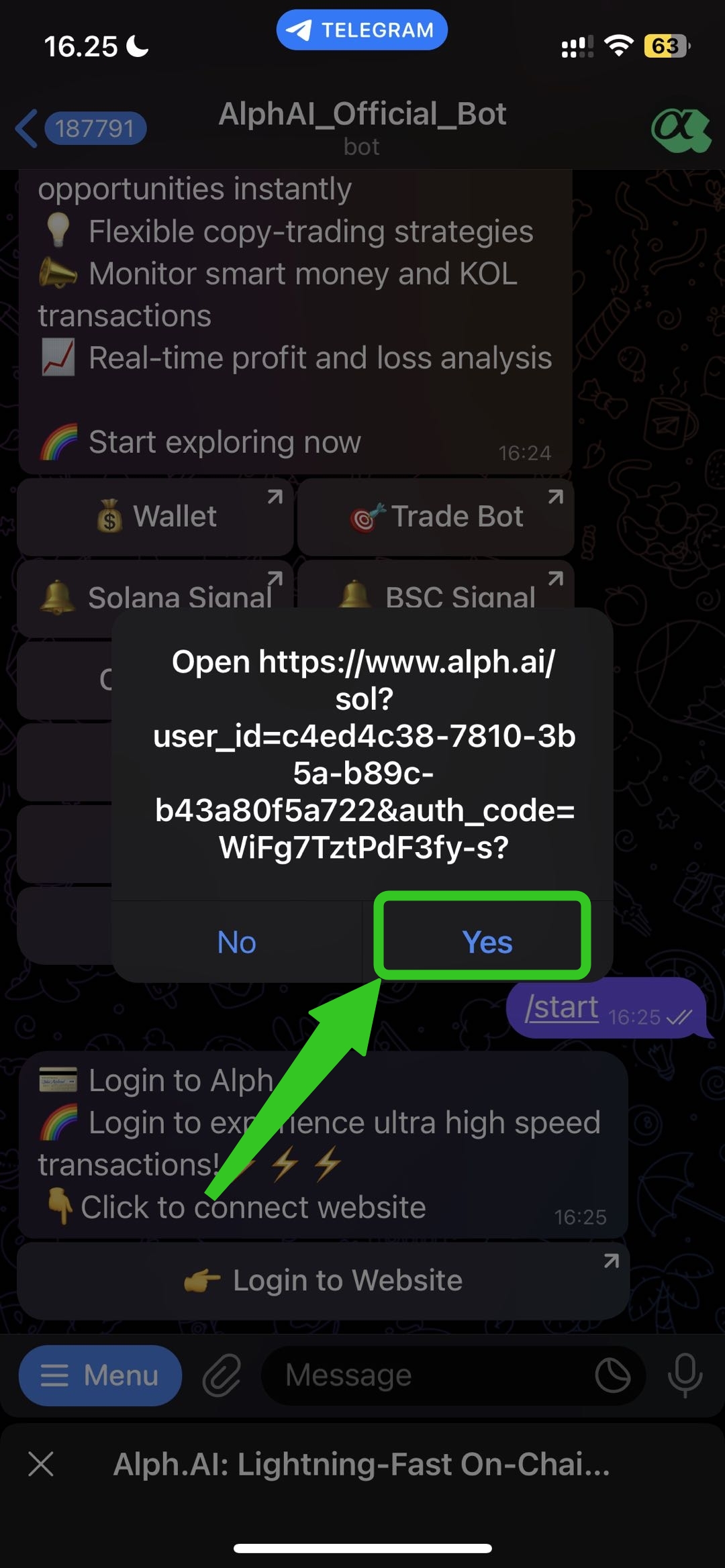
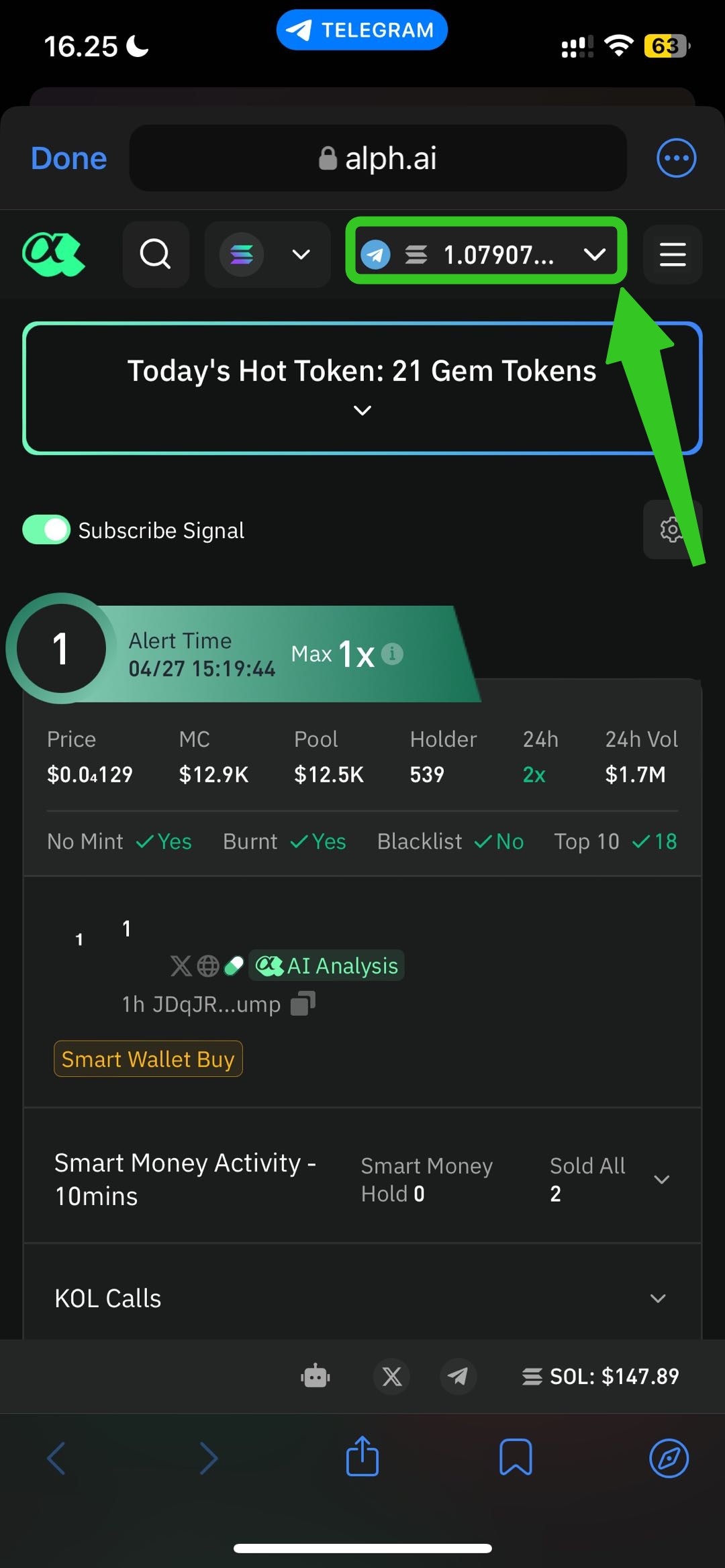
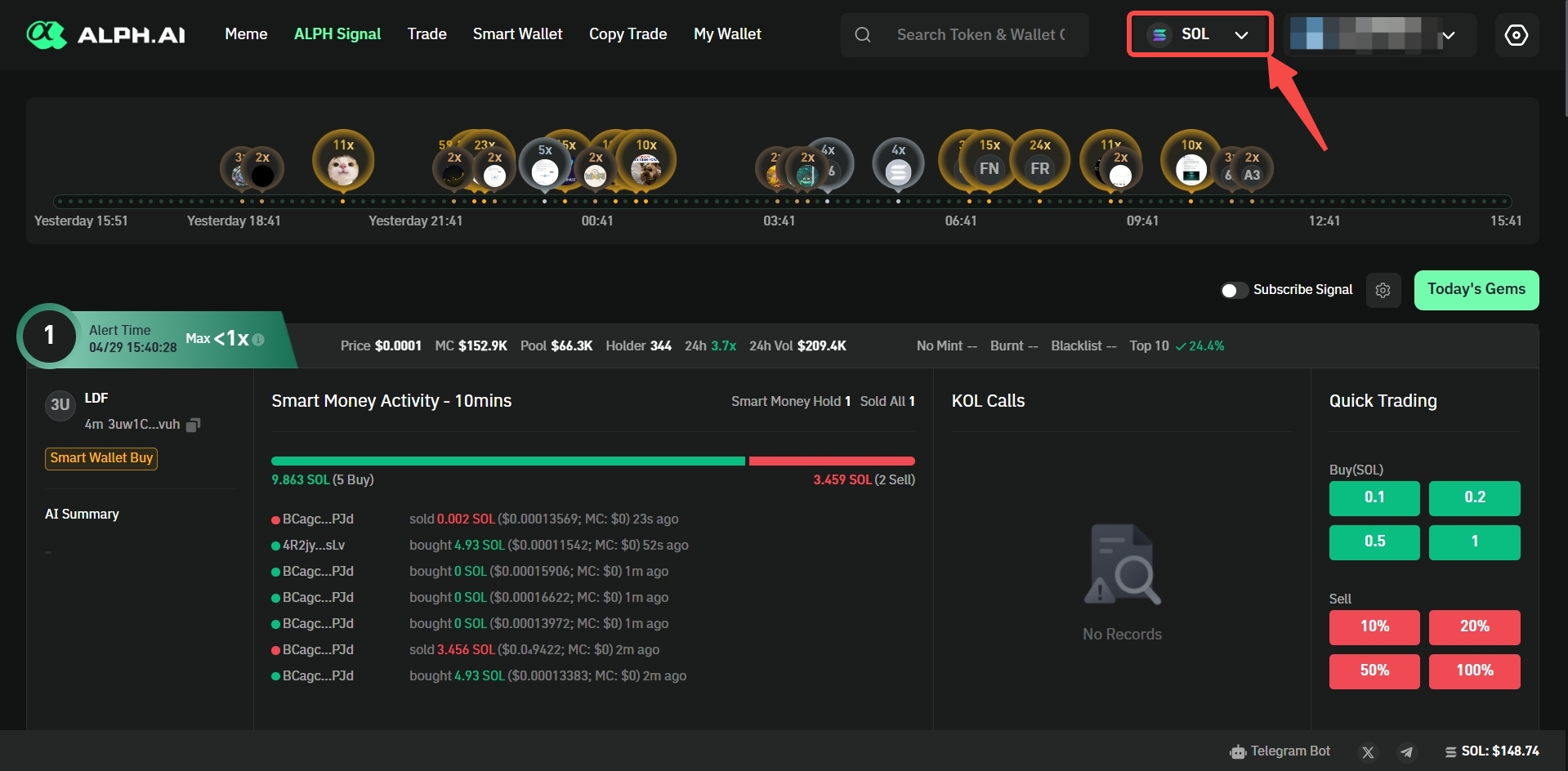
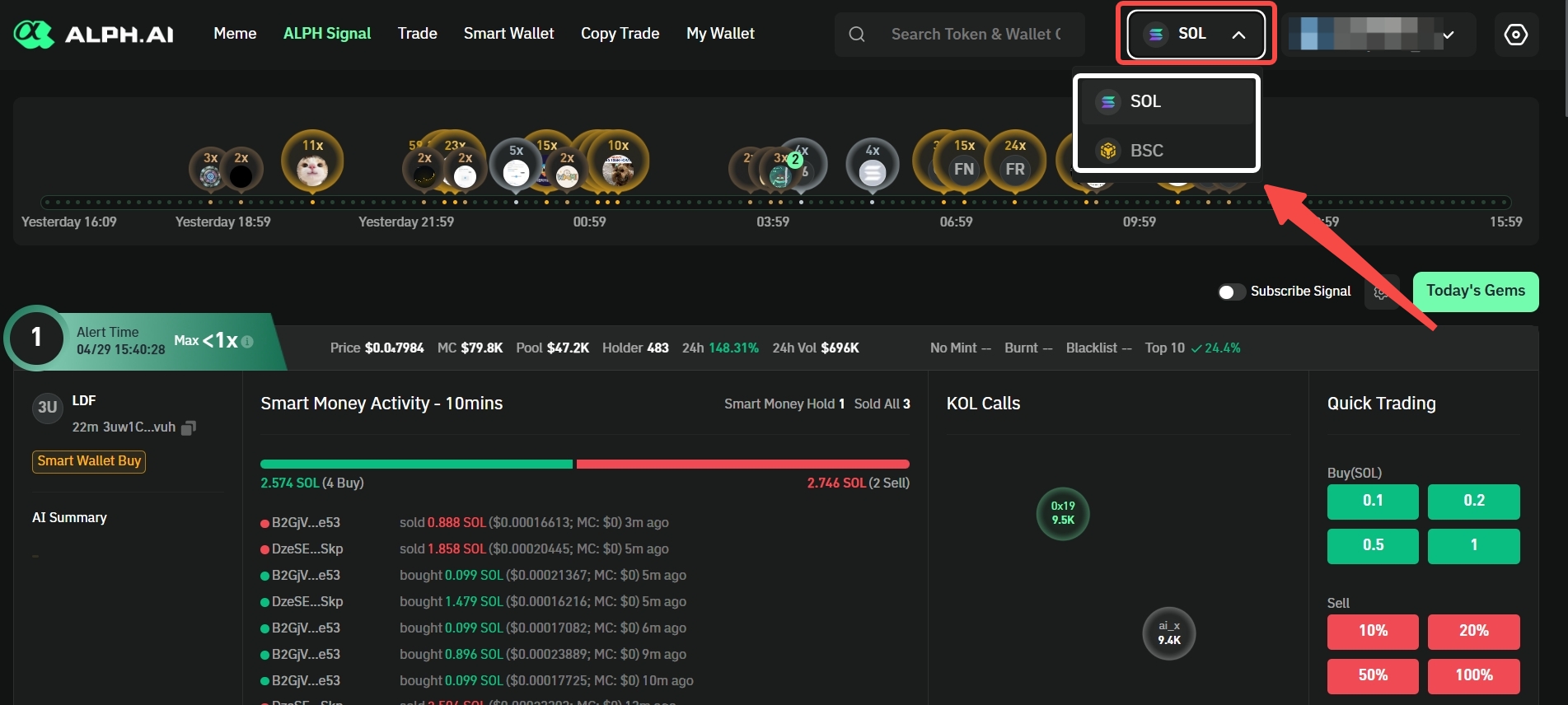
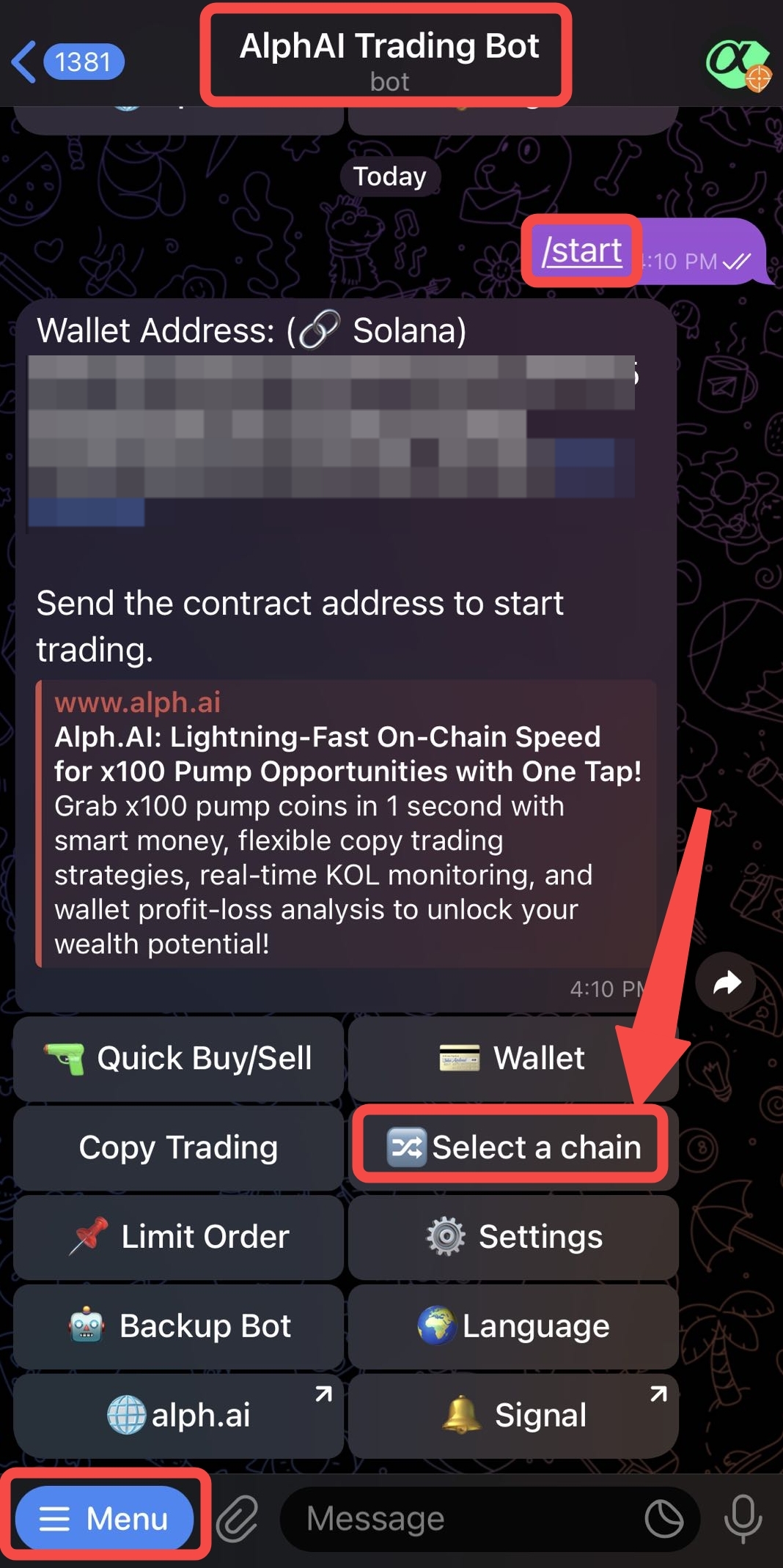
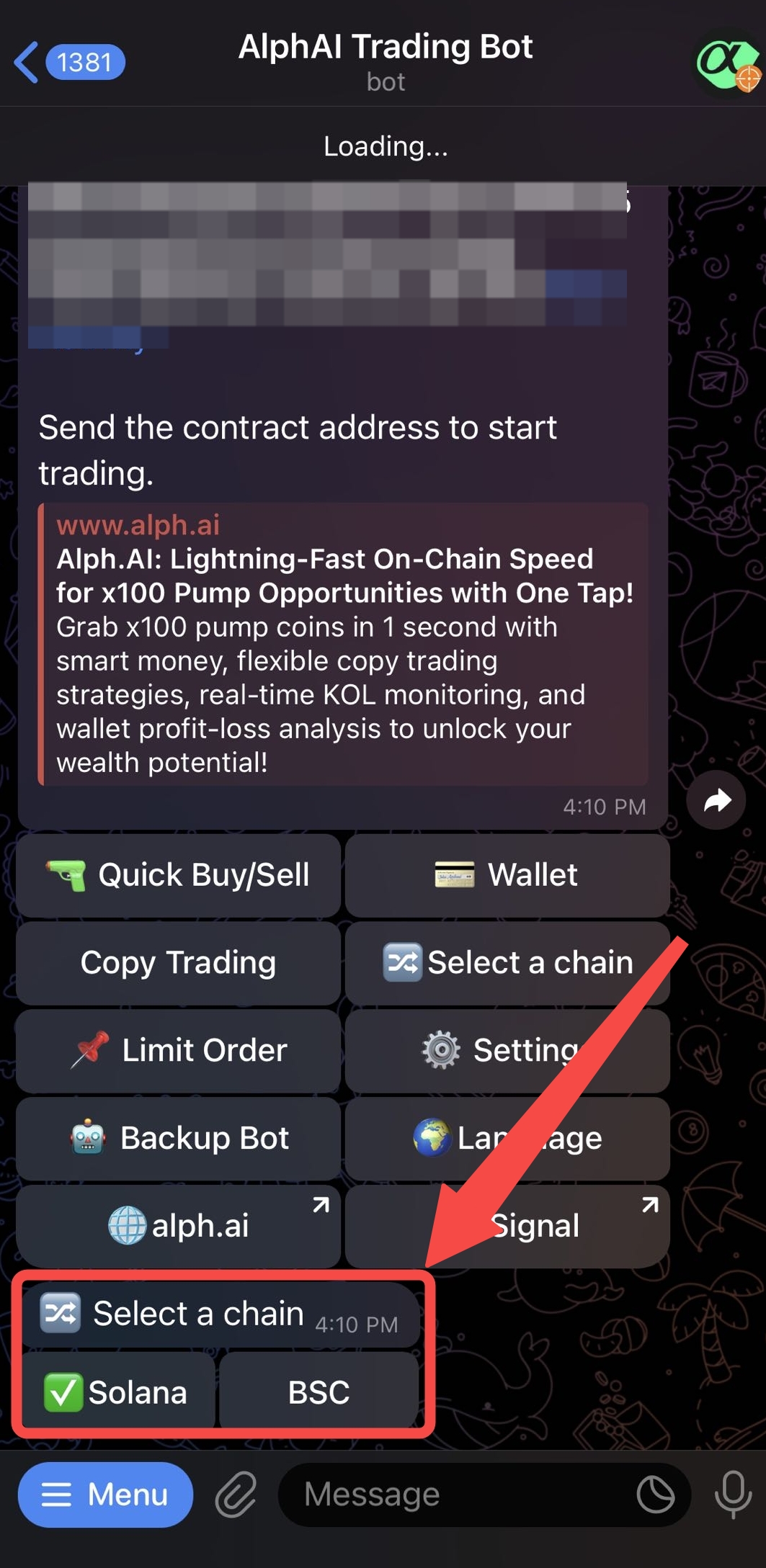
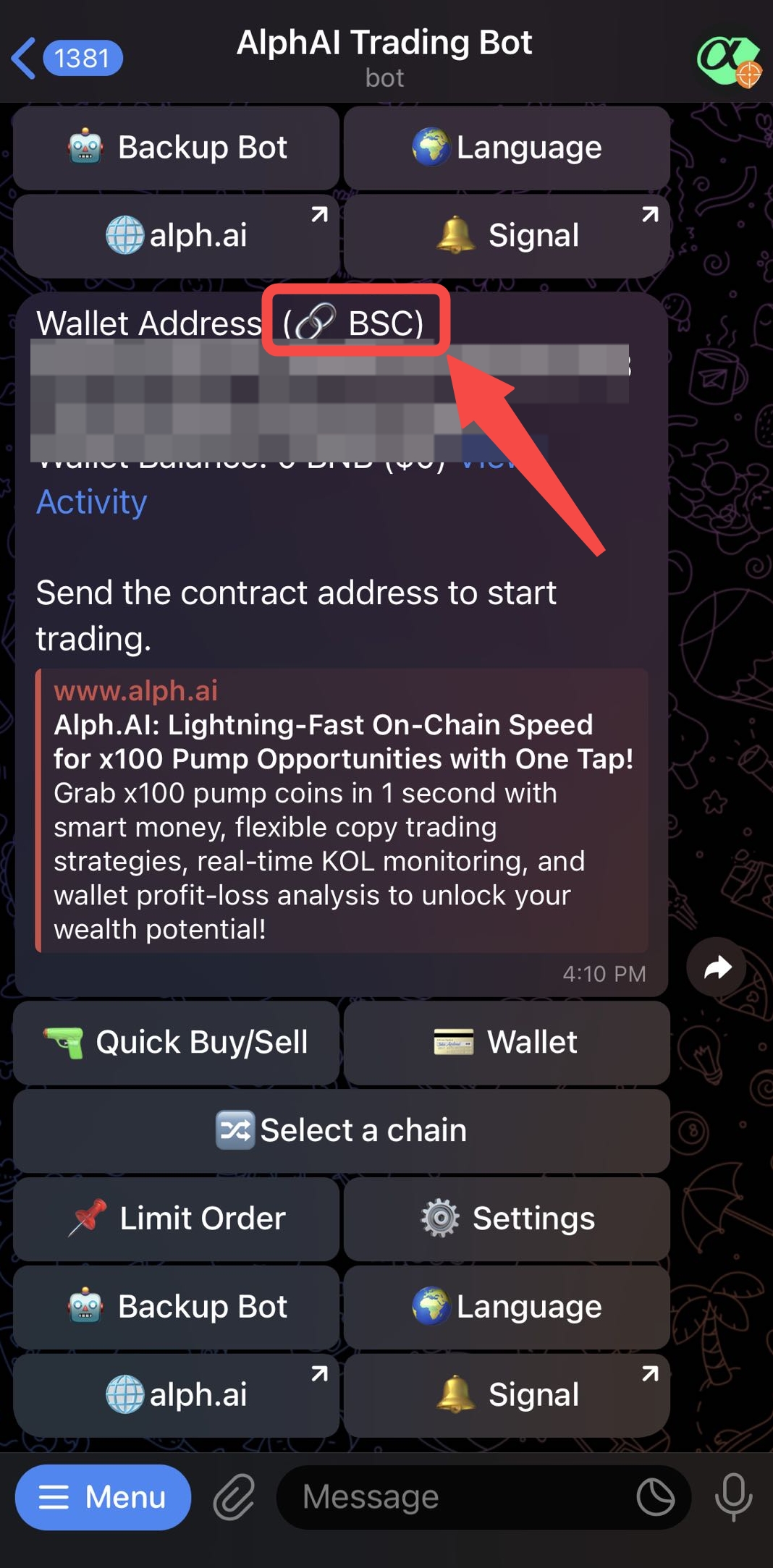


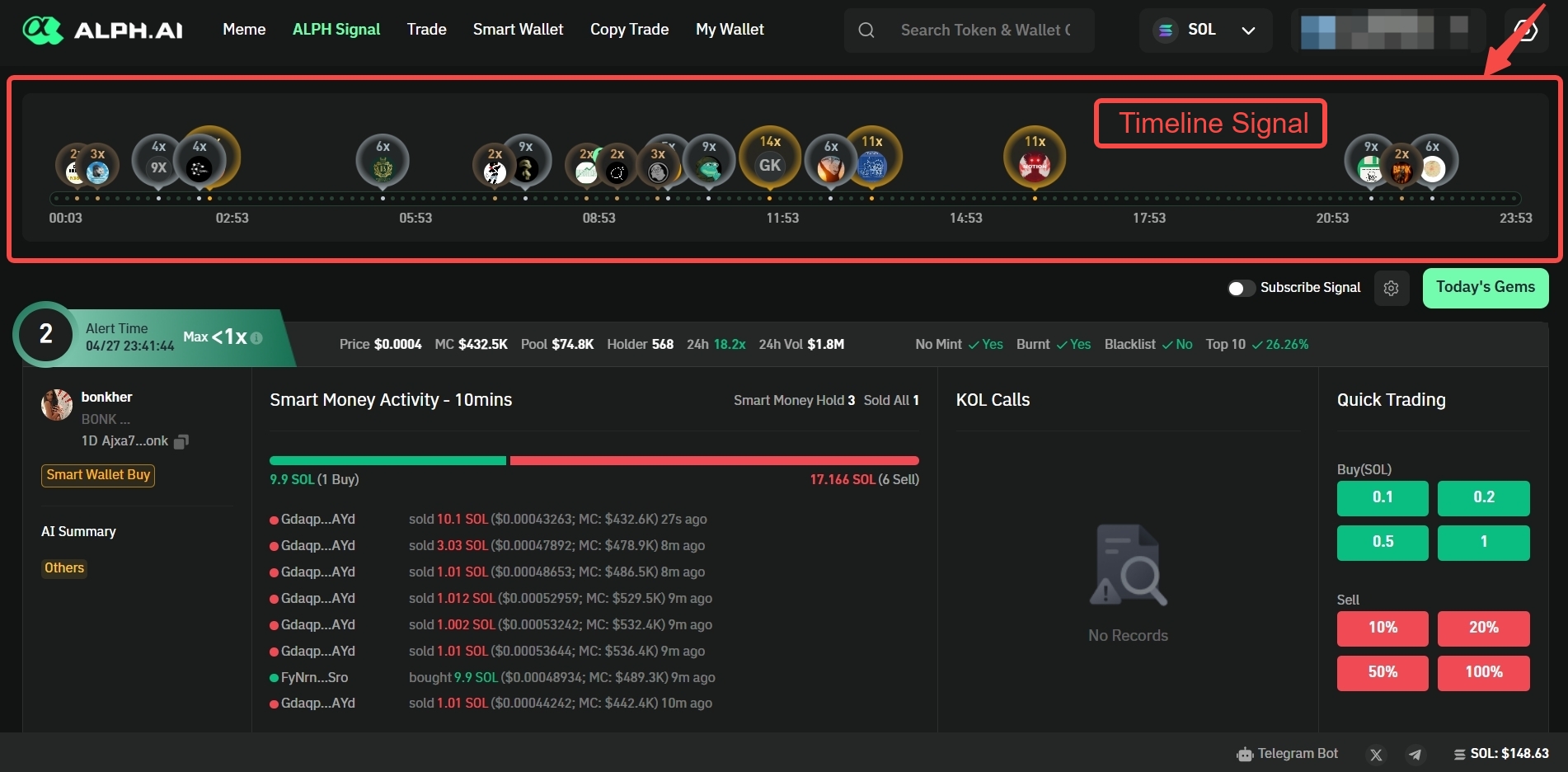
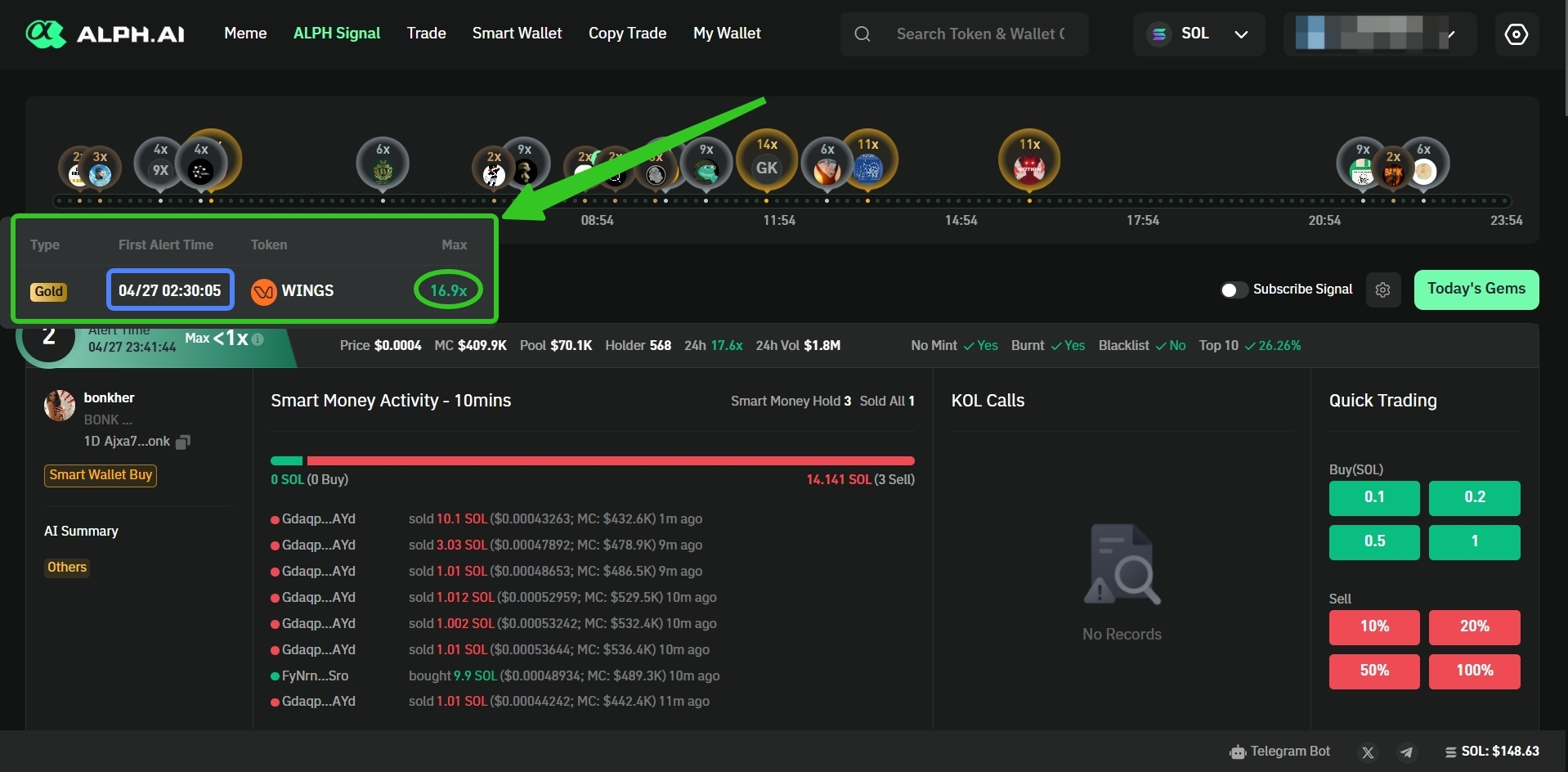
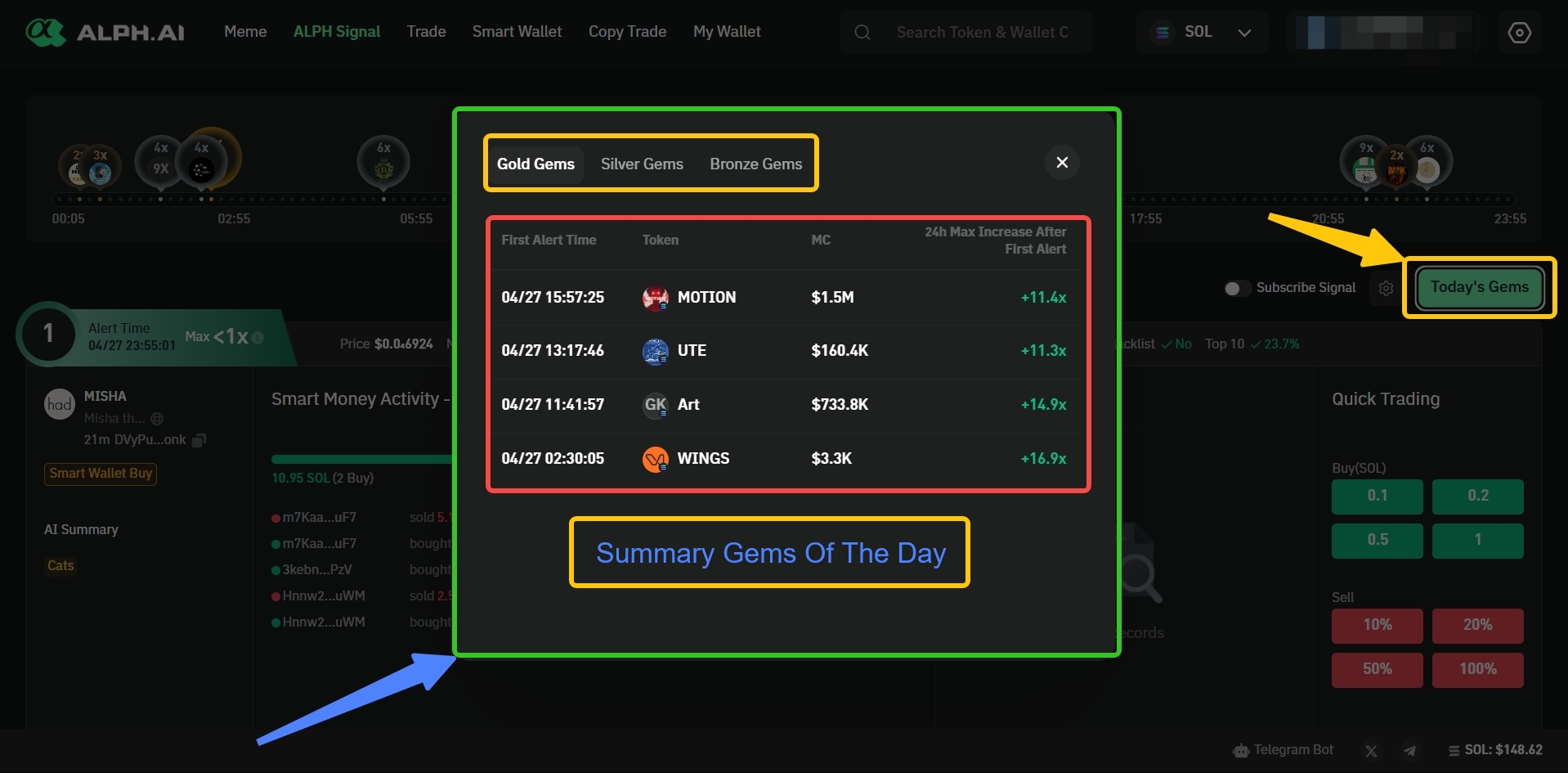
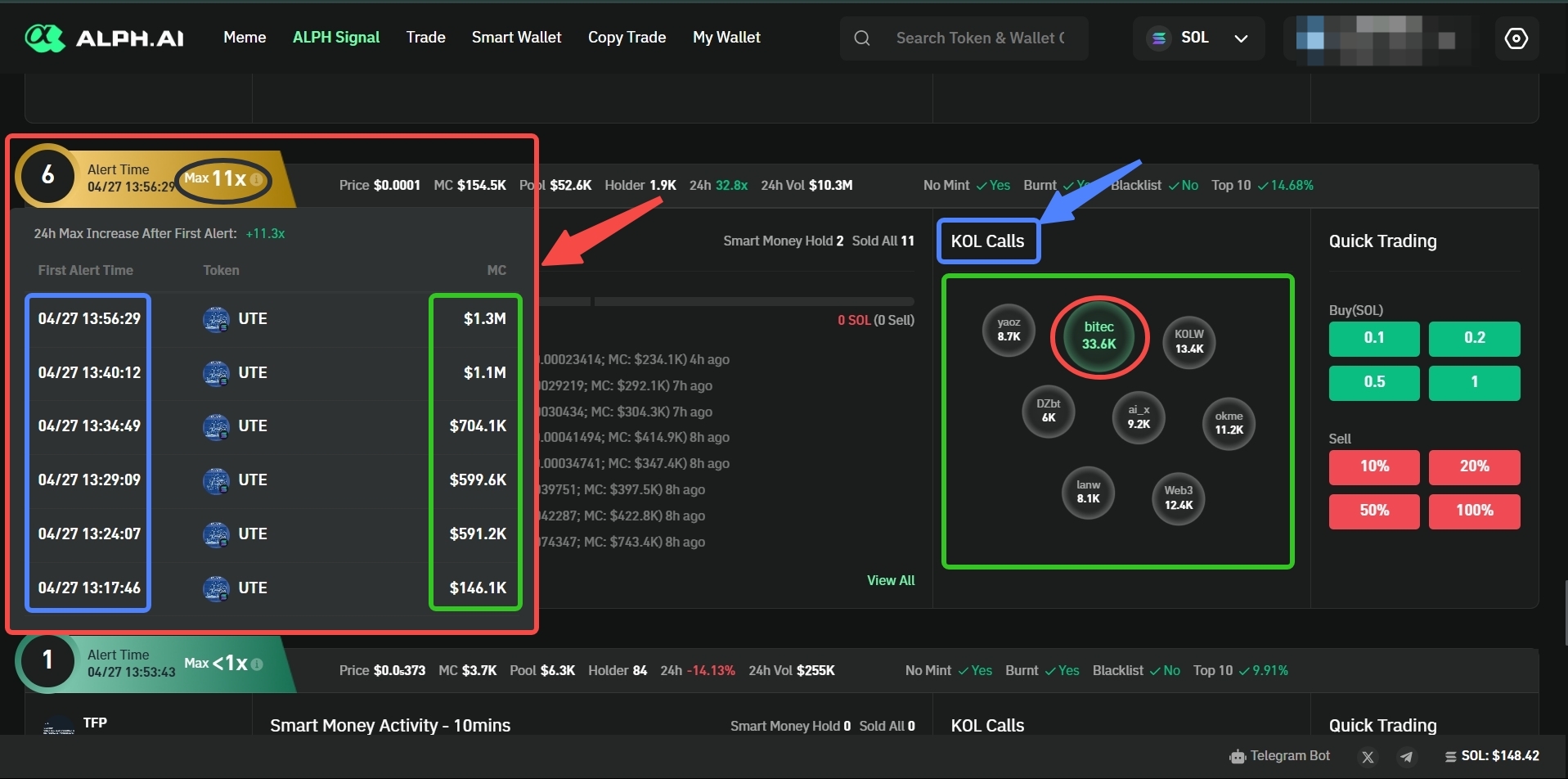
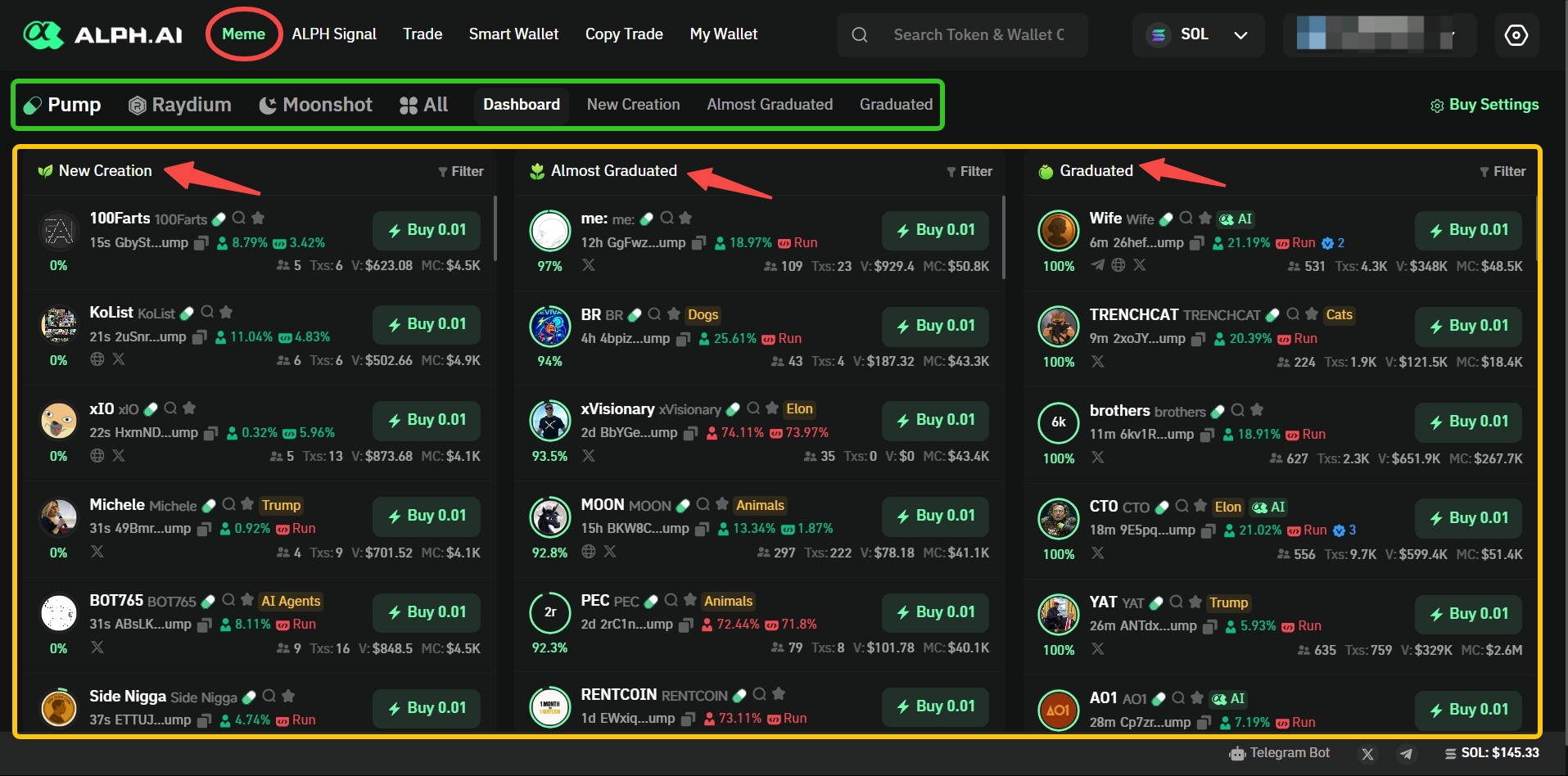
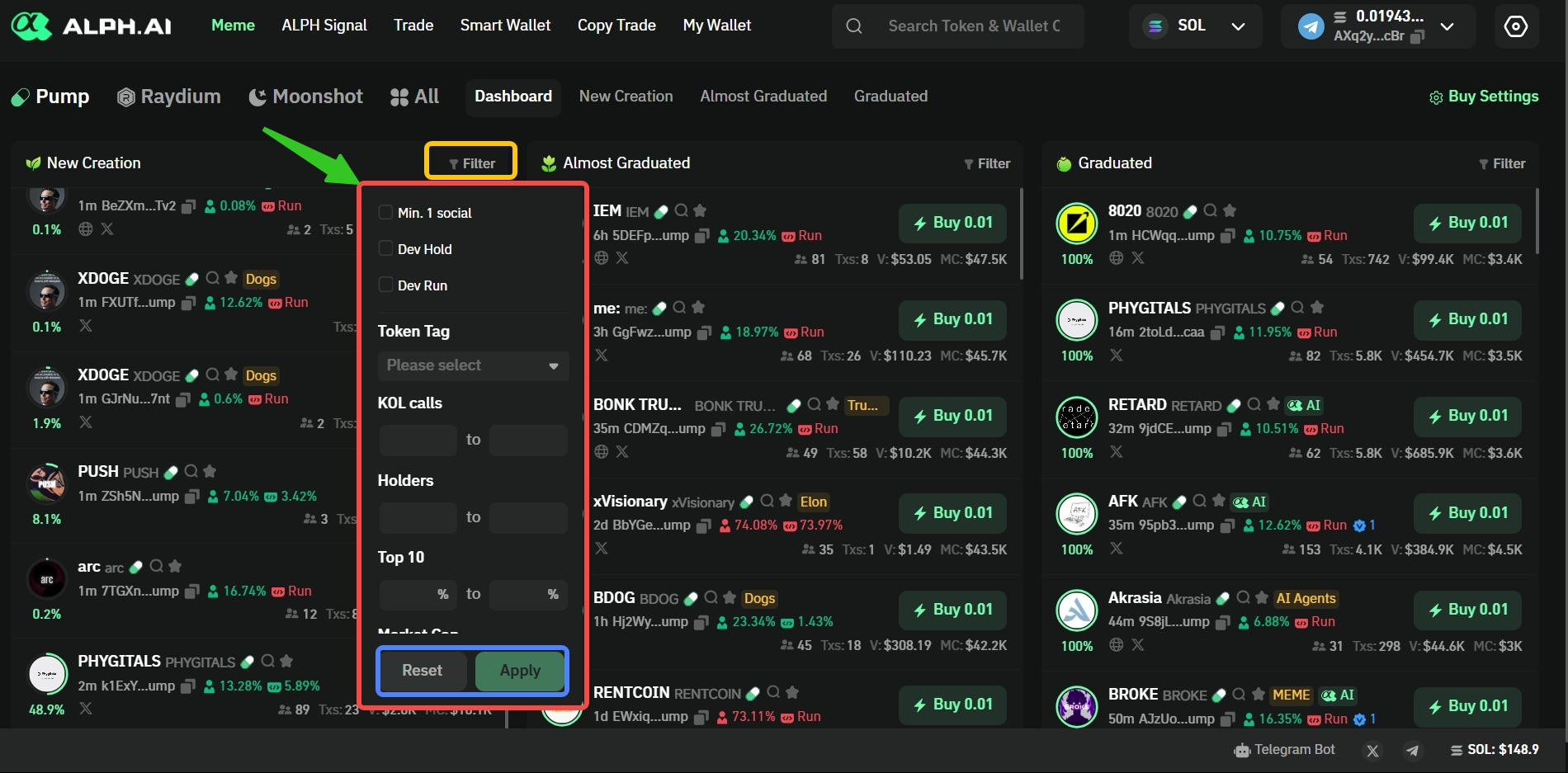
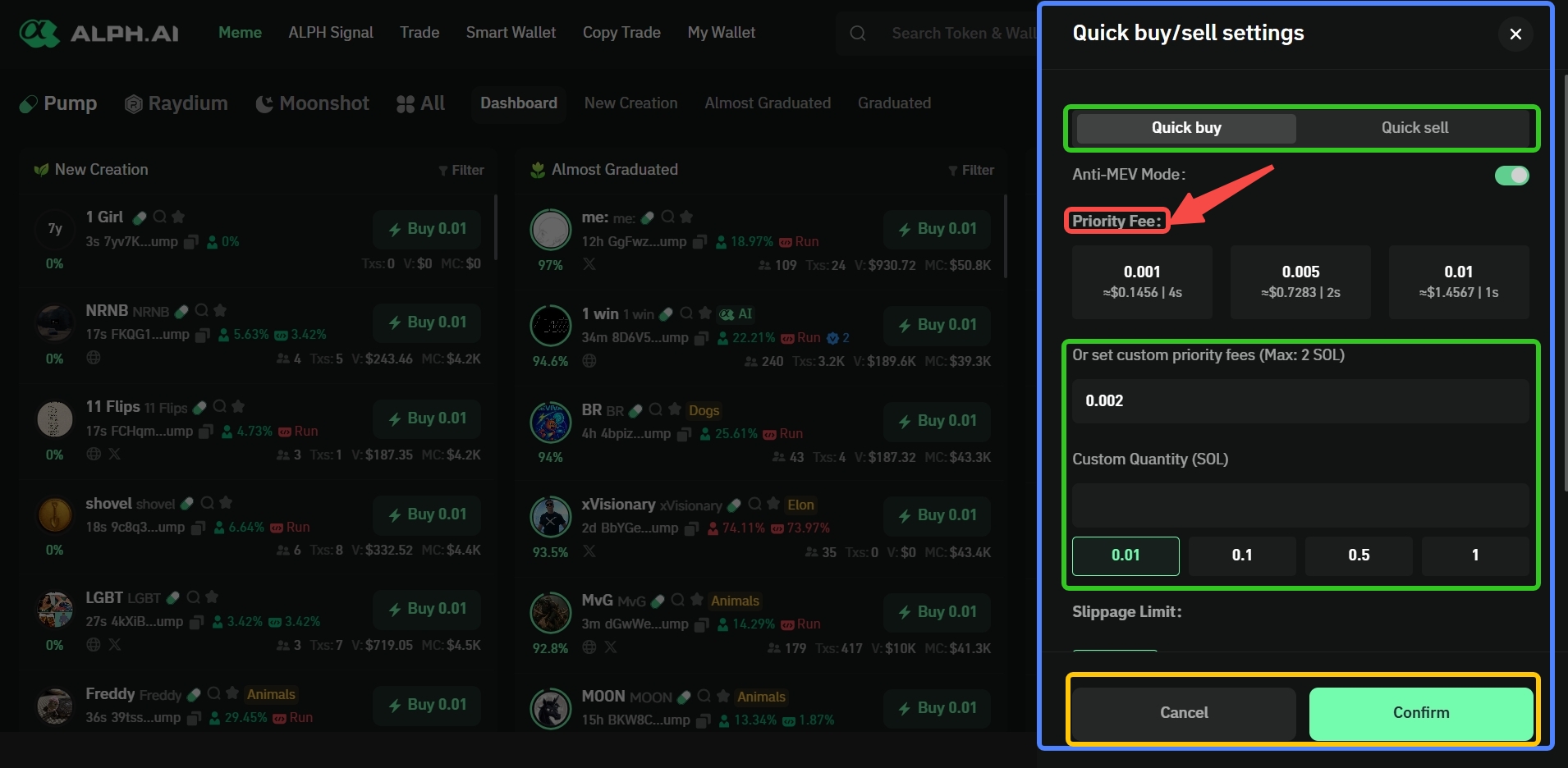
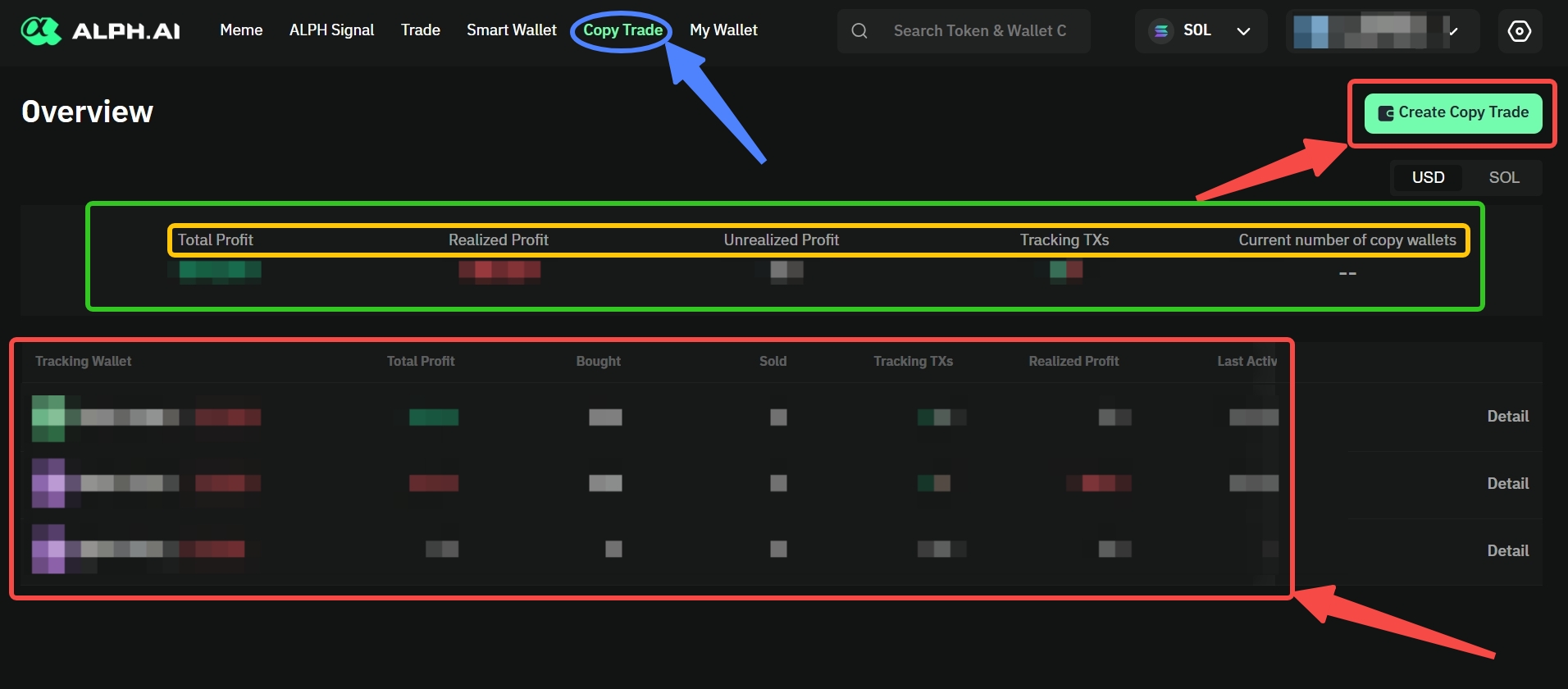

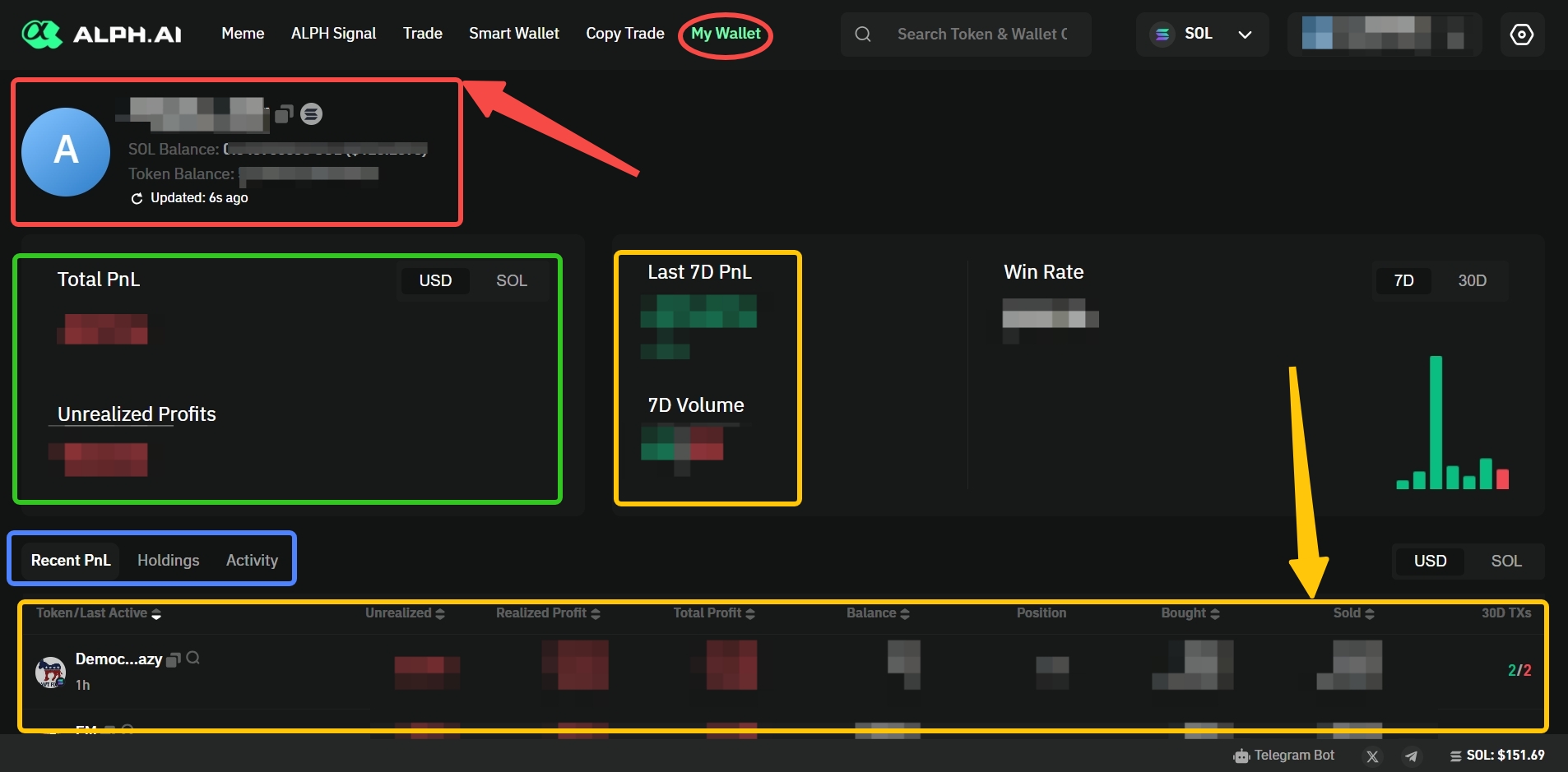

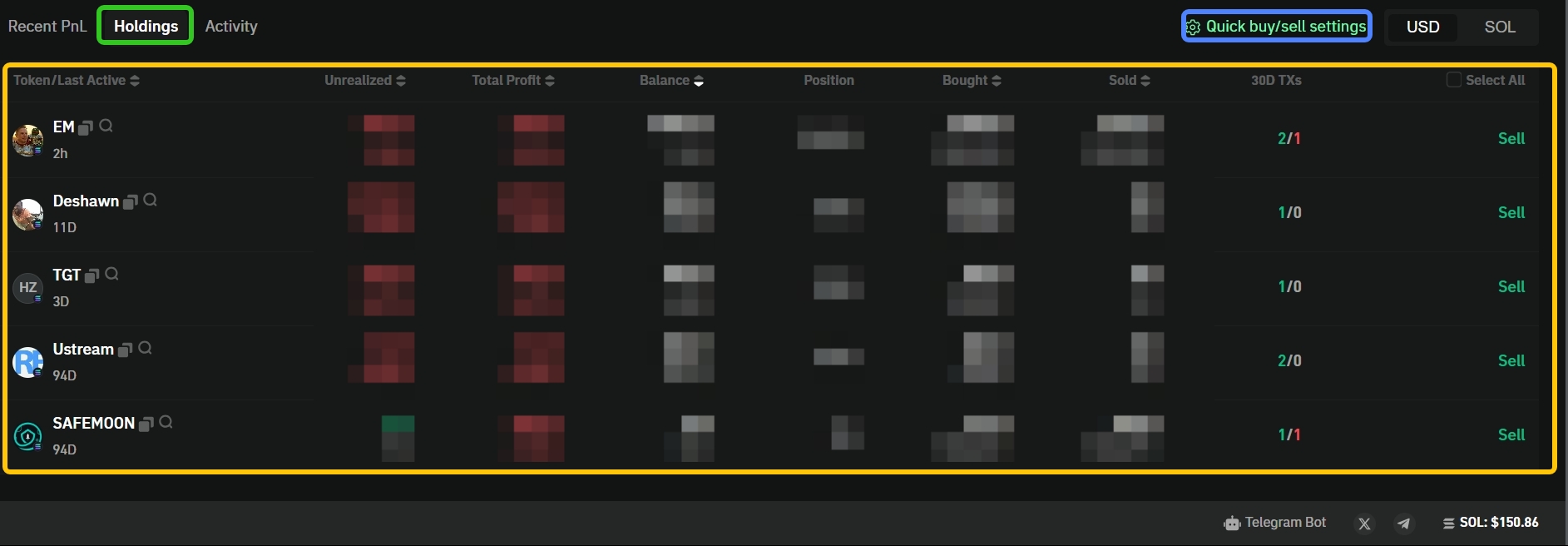
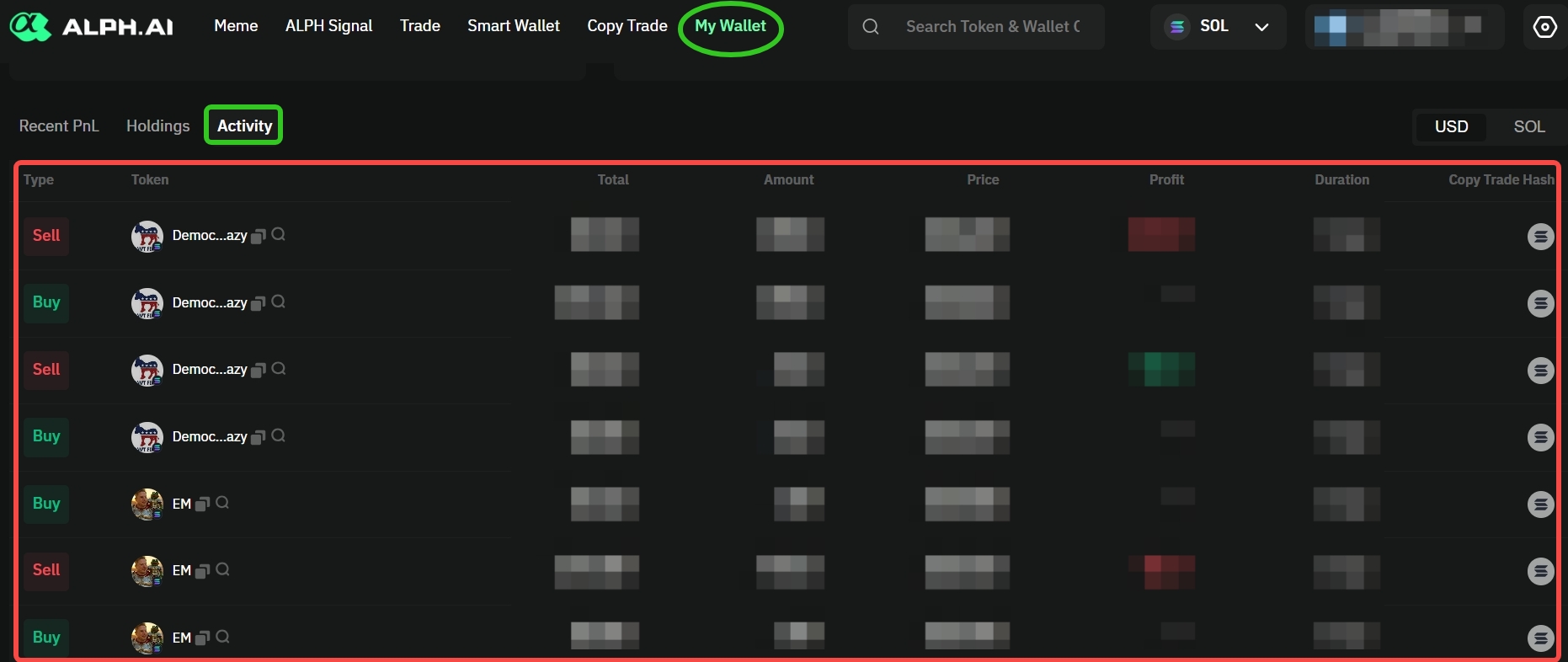
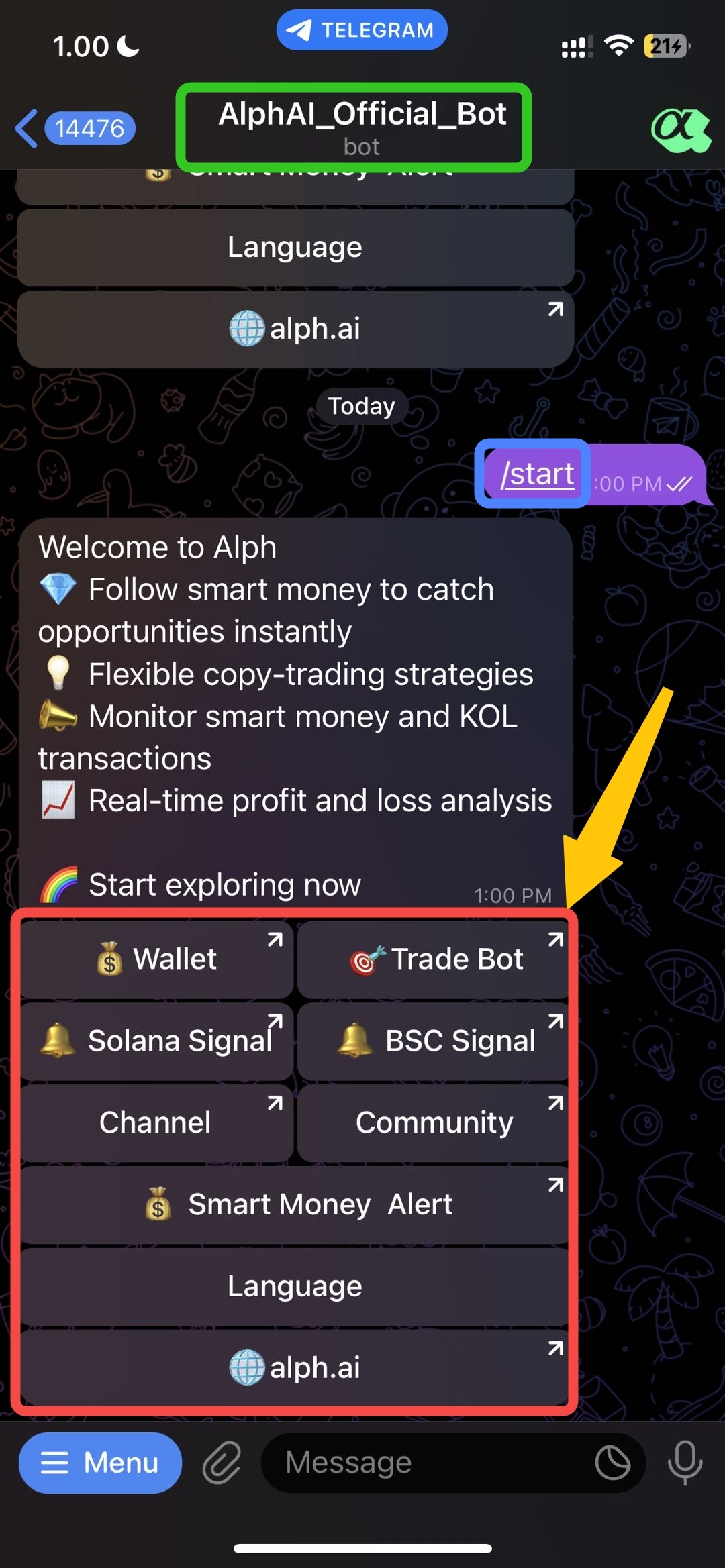
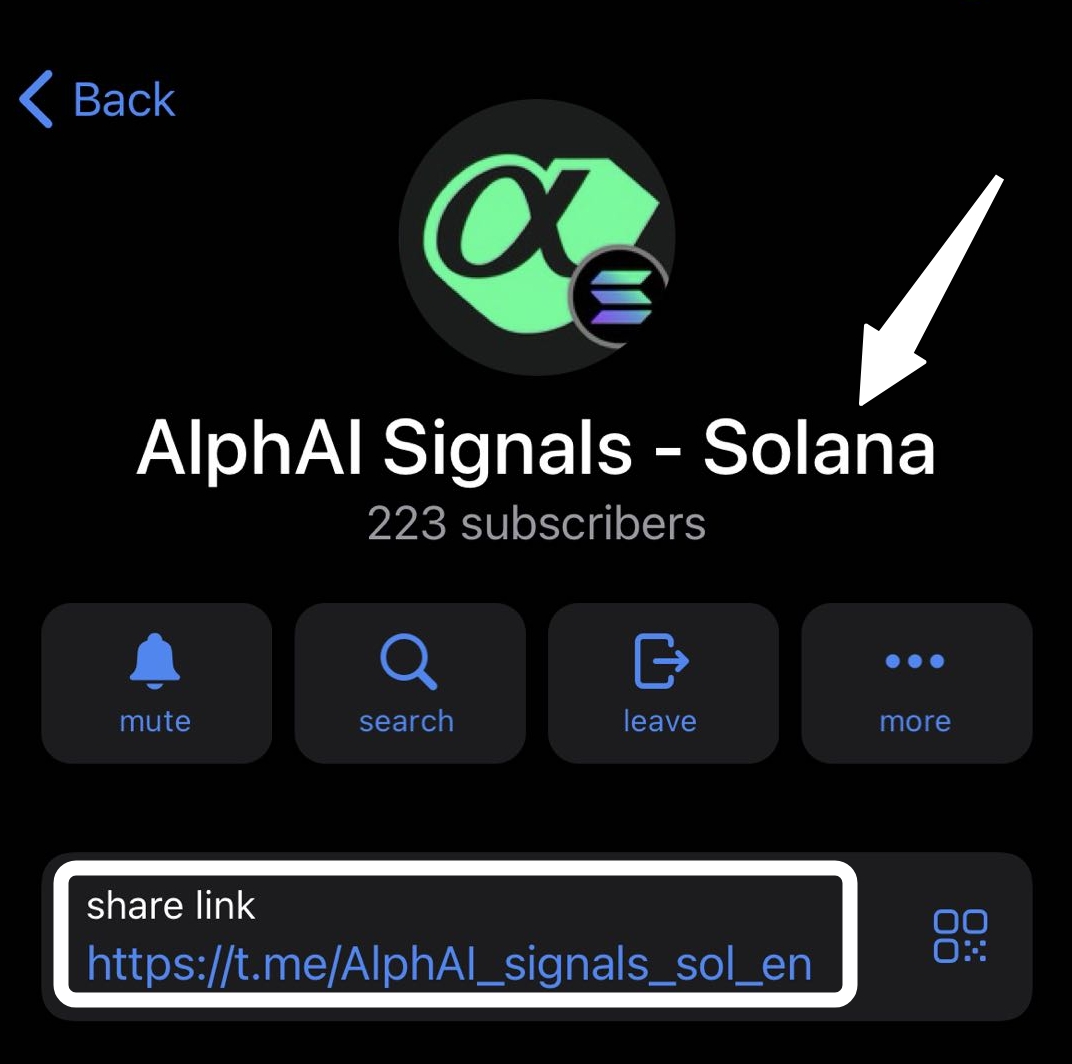
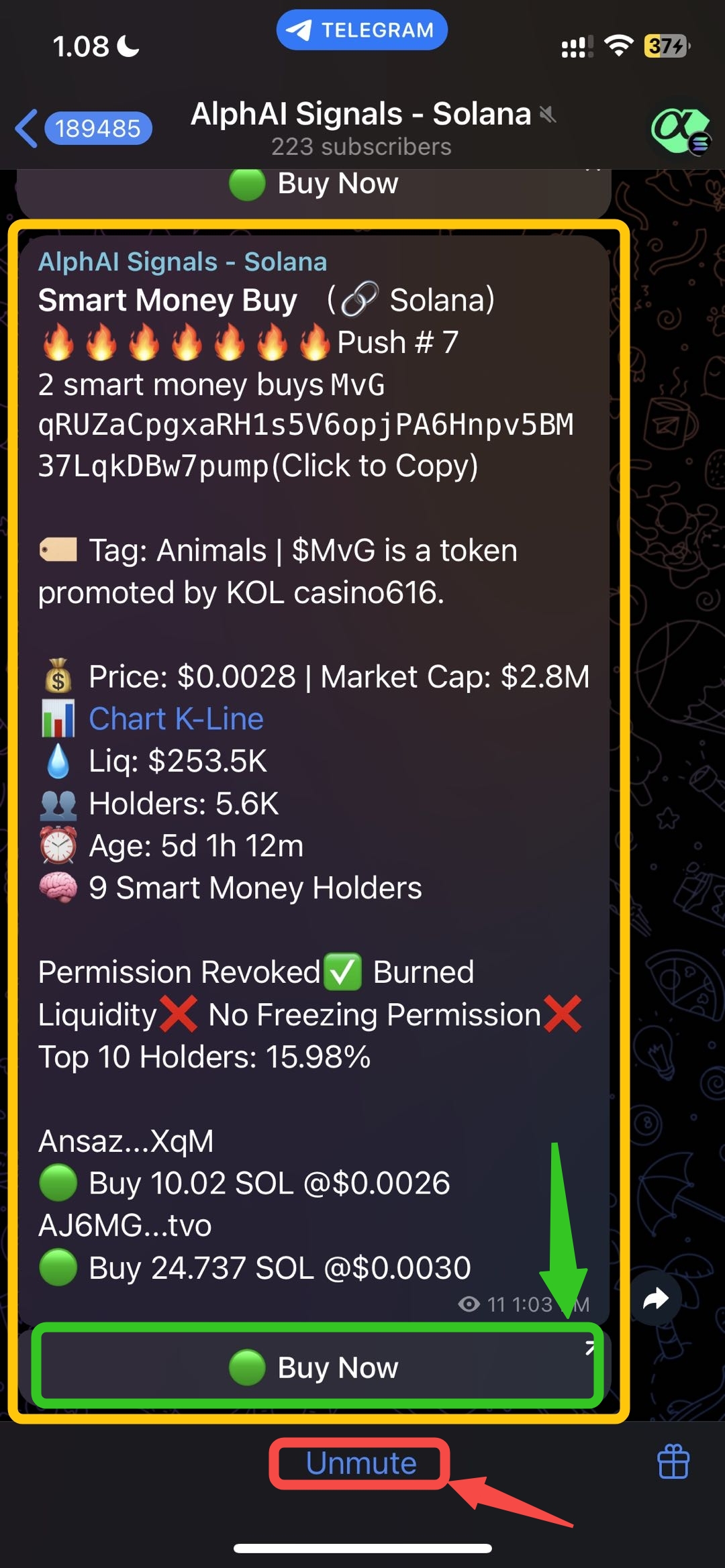
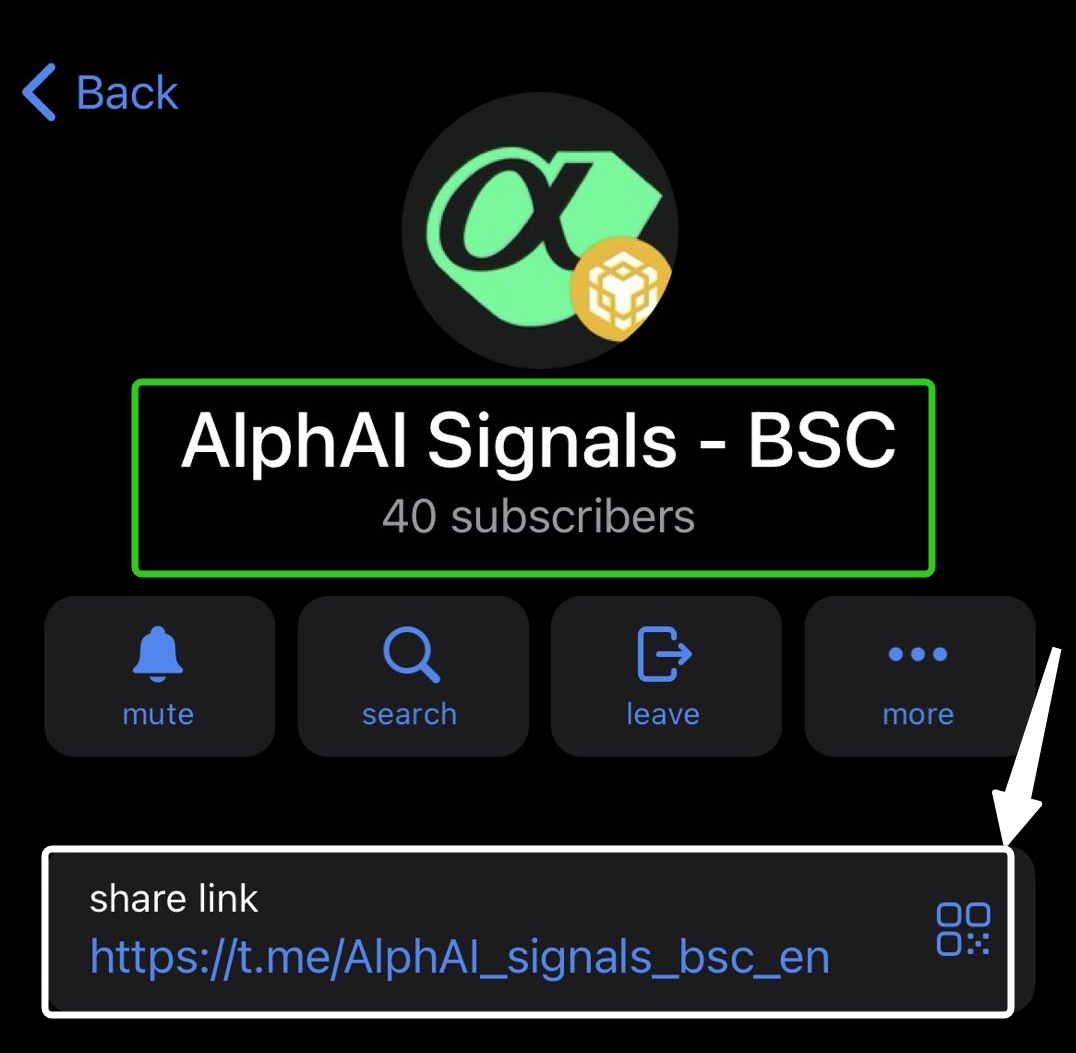
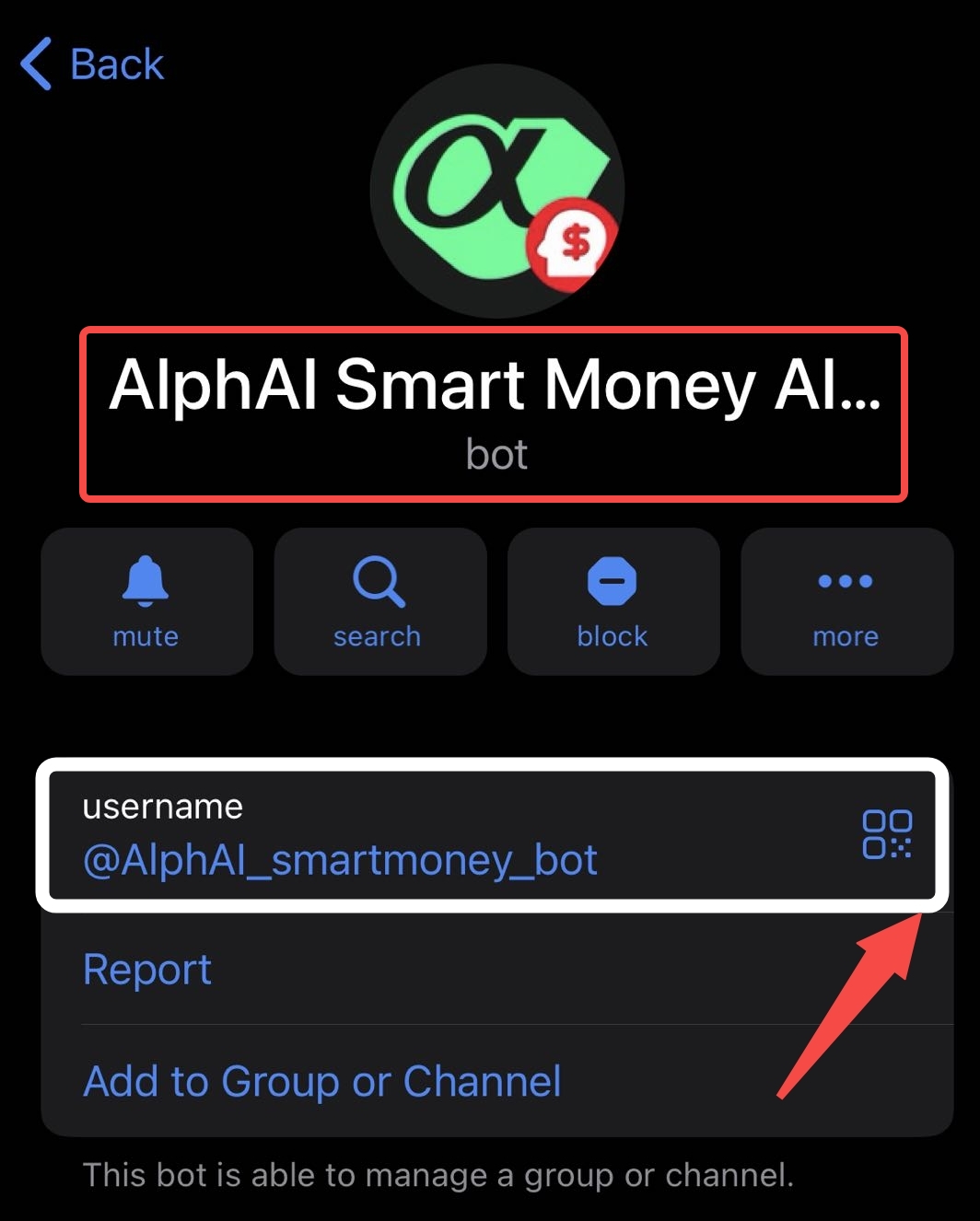
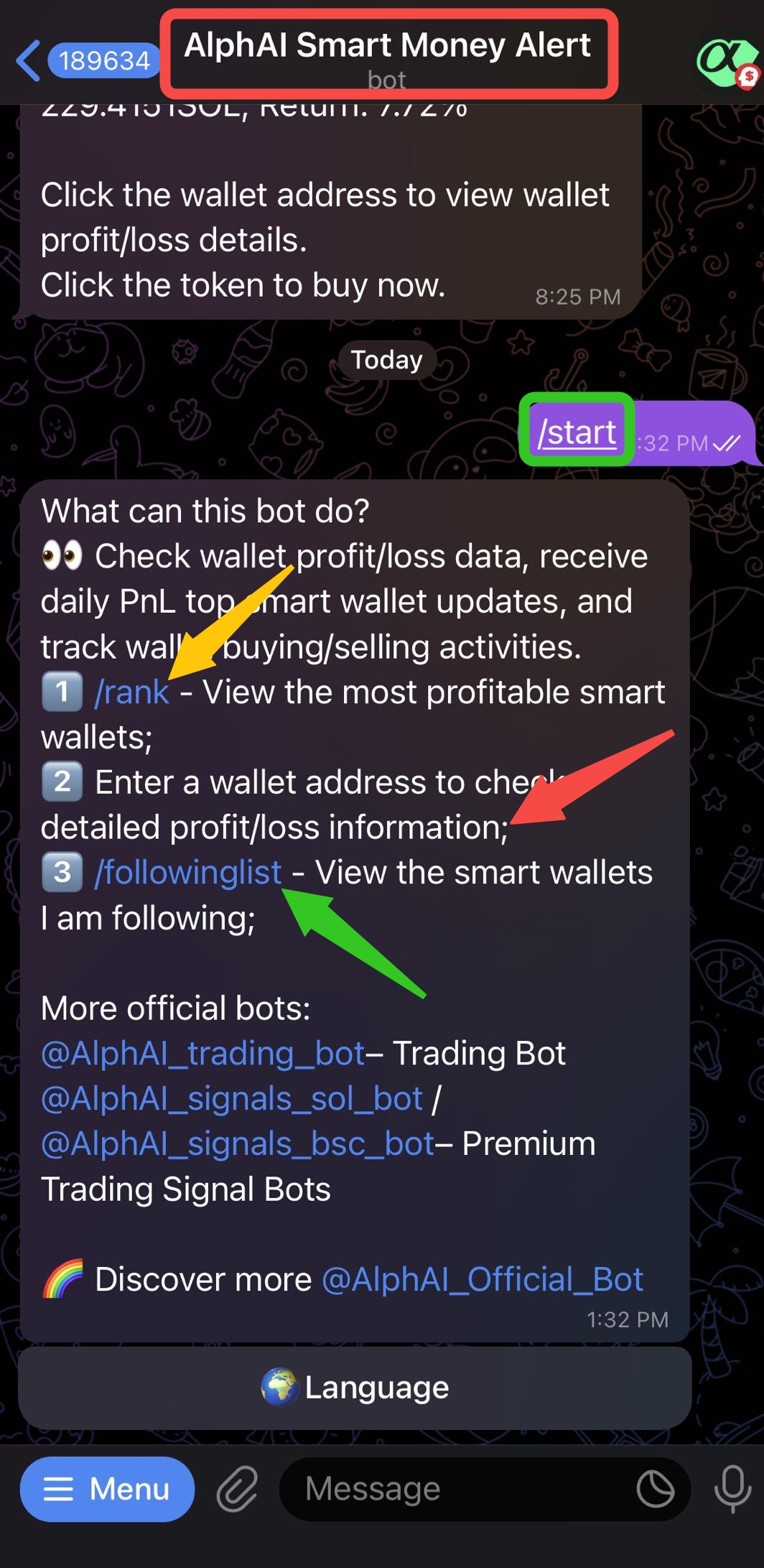
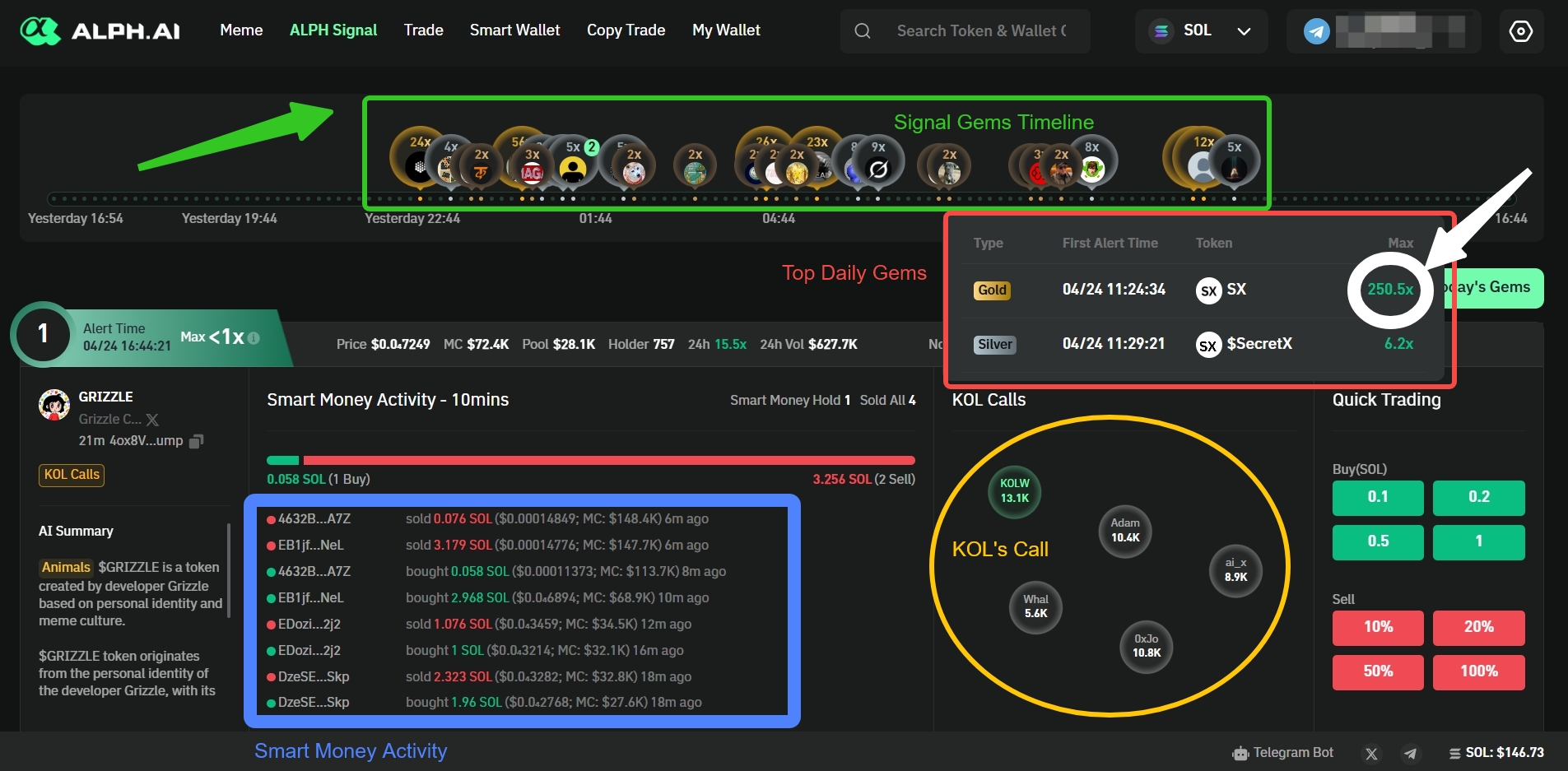
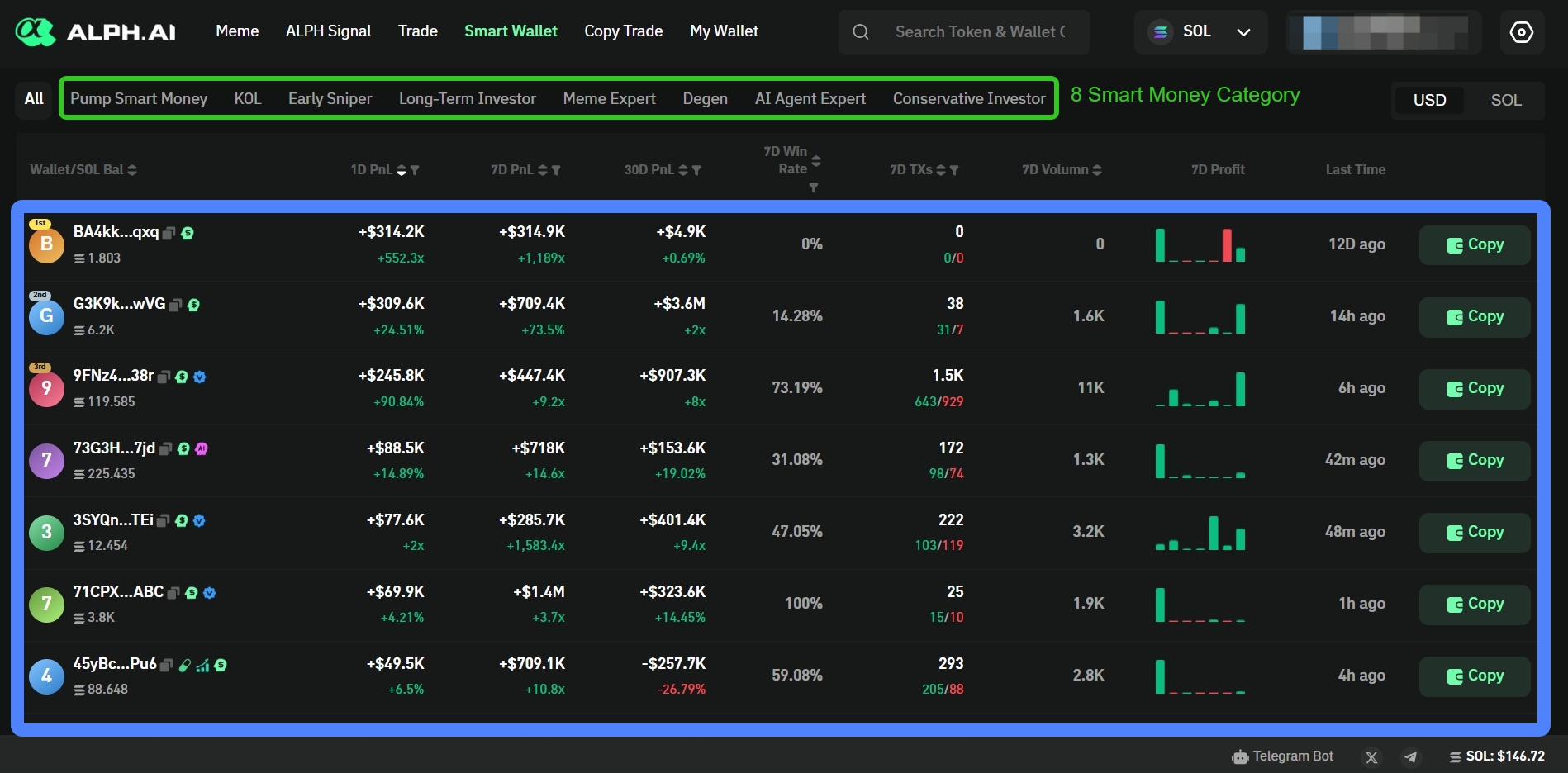
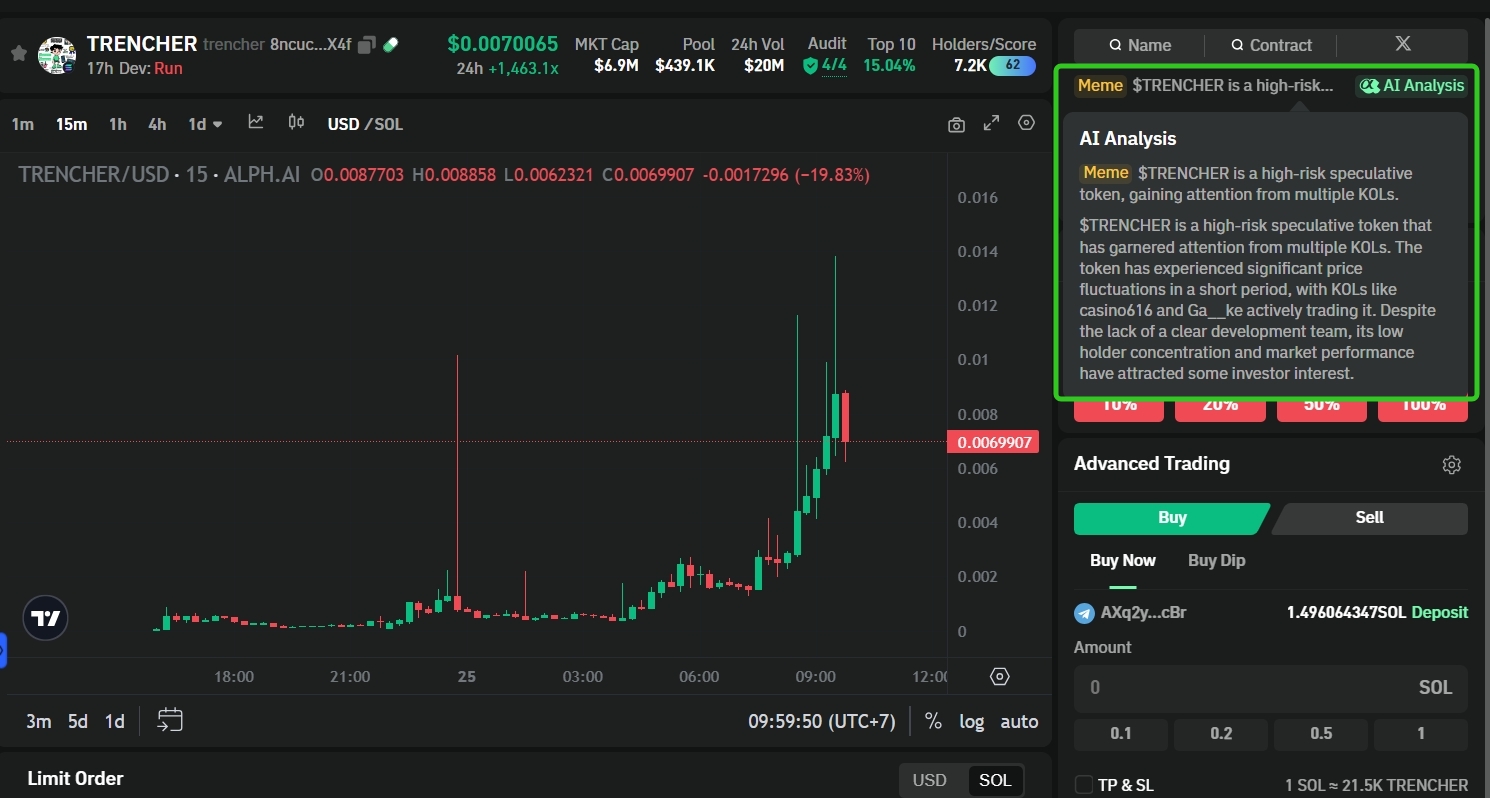
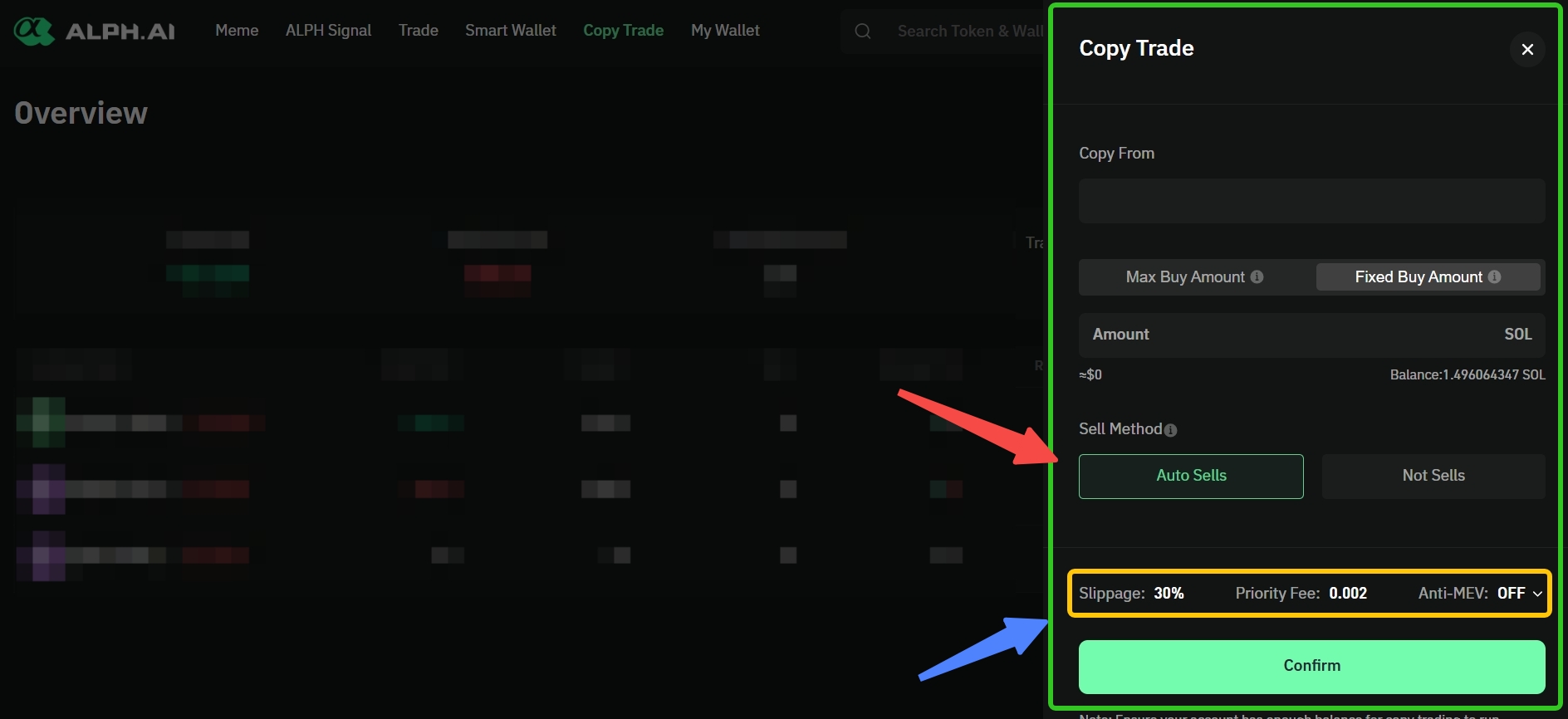
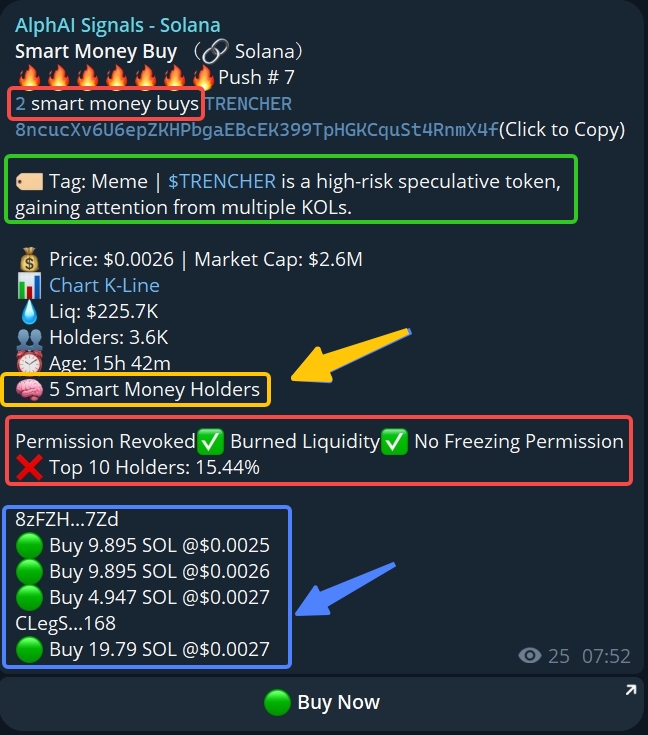
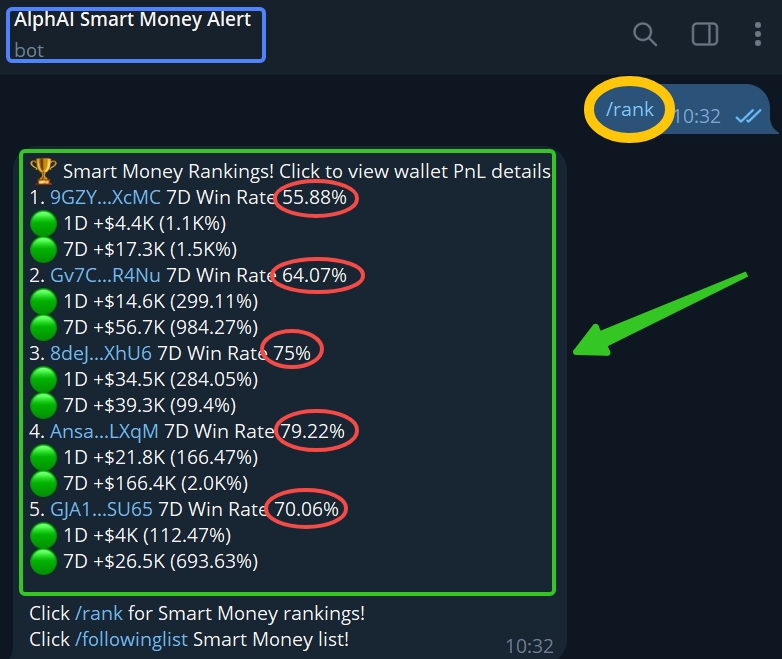


 :key:为什么 MPC 对安全至关重要?
在加密行业中,网络安全是一项重大关注点。涉及资金或数字资产的交易容易受到各种攻击,而其中一个关键漏洞就在于加密密钥的管理。私钥是保护数字资产不可或缺的核心,一旦私钥落入不法分子之手,资产可能会瞬间被盗。因此,保护私钥的安全至关重要。
通过采用 MPC 技术,Alph 确保私钥从不会以完整形式存在于任何单一位置。相反,私钥会被拆分成多个部分,并分布存储在不同实体之间。任何单一方都无法完全掌握私钥,从而大大降低了黑客攻击或私钥被盗导致资产损失的风险。
🛡️Alph 如何实现 MPC?
Alph 已将 MPC 技术纳入其平台的安全架构中,为加密密钥和交易提供额外的保护层。这种方式确保即使系统中的某一部分遭到攻击,黑客也无法访问敏感信息或篡改交易。以下是 Alph 集成 MPC 的方式:
* 分布式密钥存储
加密密钥不会存储在一个地方或单一服务器上。相反,它们会被拆分成多个部分,并分布在不同的节点或实体之间。每个参与者只持有密钥的一部分,单独的部分是没有用的,必须与其他部分结合才能恢复完整的密钥。
* 去中心化计算
对于交易或区块创建,计算是在持有密钥碎片的各方之间去中心化地进行的。这避免了任何单一方在未达成共识的情况下访问或篡改完整密钥的情况。
* 消除单点故障
通过 MPC 技术,系统中不存在单点故障。即使某个实体被攻破,由于密钥和数据分布在多个位置,系统依然保持安全。
* 端到端加密
Alph 确保所有交易过程,包括密钥管理,都采用端到端加密保护。这保证了各方之间传输的数据保持安全,且无法被未经授权的第三方访问。
#### :guard:Alph 采用 MPC 的好处
在 Alph 实施 MPC 技术带来了许多优势,既体现在安全性方面,也体现在运营效率上:
* 更强的安全性:MPC 技术实现了加密密钥的安全分发,减少了盗窃或黑客攻击的风险。
* 数据保护:MPC 确保个人数据和交易保持私密,未经授权无法访问。
* 去中心化:该技术减少了对单一实体的依赖,降低了单点故障或攻击的风险。
* 合规性:通过采用 MPC 技术,Alph 还能够满足加密货币和金融科技行业的严格安全监管要求。
{% hint style="info" %}
Alph 始终坚持维护平台的完整性和安全性,而 MPC 技术是该承诺的关键组成部分,确保未来的安全性。
{% endhint %}
# 通过 2FA 提升账户安全性
:key:为什么 MPC 对安全至关重要?
在加密行业中,网络安全是一项重大关注点。涉及资金或数字资产的交易容易受到各种攻击,而其中一个关键漏洞就在于加密密钥的管理。私钥是保护数字资产不可或缺的核心,一旦私钥落入不法分子之手,资产可能会瞬间被盗。因此,保护私钥的安全至关重要。
通过采用 MPC 技术,Alph 确保私钥从不会以完整形式存在于任何单一位置。相反,私钥会被拆分成多个部分,并分布存储在不同实体之间。任何单一方都无法完全掌握私钥,从而大大降低了黑客攻击或私钥被盗导致资产损失的风险。
🛡️Alph 如何实现 MPC?
Alph 已将 MPC 技术纳入其平台的安全架构中,为加密密钥和交易提供额外的保护层。这种方式确保即使系统中的某一部分遭到攻击,黑客也无法访问敏感信息或篡改交易。以下是 Alph 集成 MPC 的方式:
* 分布式密钥存储
加密密钥不会存储在一个地方或单一服务器上。相反,它们会被拆分成多个部分,并分布在不同的节点或实体之间。每个参与者只持有密钥的一部分,单独的部分是没有用的,必须与其他部分结合才能恢复完整的密钥。
* 去中心化计算
对于交易或区块创建,计算是在持有密钥碎片的各方之间去中心化地进行的。这避免了任何单一方在未达成共识的情况下访问或篡改完整密钥的情况。
* 消除单点故障
通过 MPC 技术,系统中不存在单点故障。即使某个实体被攻破,由于密钥和数据分布在多个位置,系统依然保持安全。
* 端到端加密
Alph 确保所有交易过程,包括密钥管理,都采用端到端加密保护。这保证了各方之间传输的数据保持安全,且无法被未经授权的第三方访问。
#### :guard:Alph 采用 MPC 的好处
在 Alph 实施 MPC 技术带来了许多优势,既体现在安全性方面,也体现在运营效率上:
* 更强的安全性:MPC 技术实现了加密密钥的安全分发,减少了盗窃或黑客攻击的风险。
* 数据保护:MPC 确保个人数据和交易保持私密,未经授权无法访问。
* 去中心化:该技术减少了对单一实体的依赖,降低了单点故障或攻击的风险。
* 合规性:通过采用 MPC 技术,Alph 还能够满足加密货币和金融科技行业的严格安全监管要求。
{% hint style="info" %}
Alph 始终坚持维护平台的完整性和安全性,而 MPC 技术是该承诺的关键组成部分,确保未来的安全性。
{% endhint %}
# 通过 2FA 提升账户安全性