> For the complete documentation index, see [llms.txt](https://docs.alph.ai/llms.txt). Markdown versions of documentation pages are available by appending `.md` to page URLs; this page is available as [Markdown](https://docs.alph.ai/id/bagaimana-cara-menghubungkan-alph-wallet-ke-website-alph.md).
# Bagaimana cara menghubungkan Alph wallet ke website Alph?
## Langkah 1 -> Menghubugkan ke website 𝛂Alph
**Kunjungi Alph Bot Wallet di sini:**
💳 Alph Official Bot
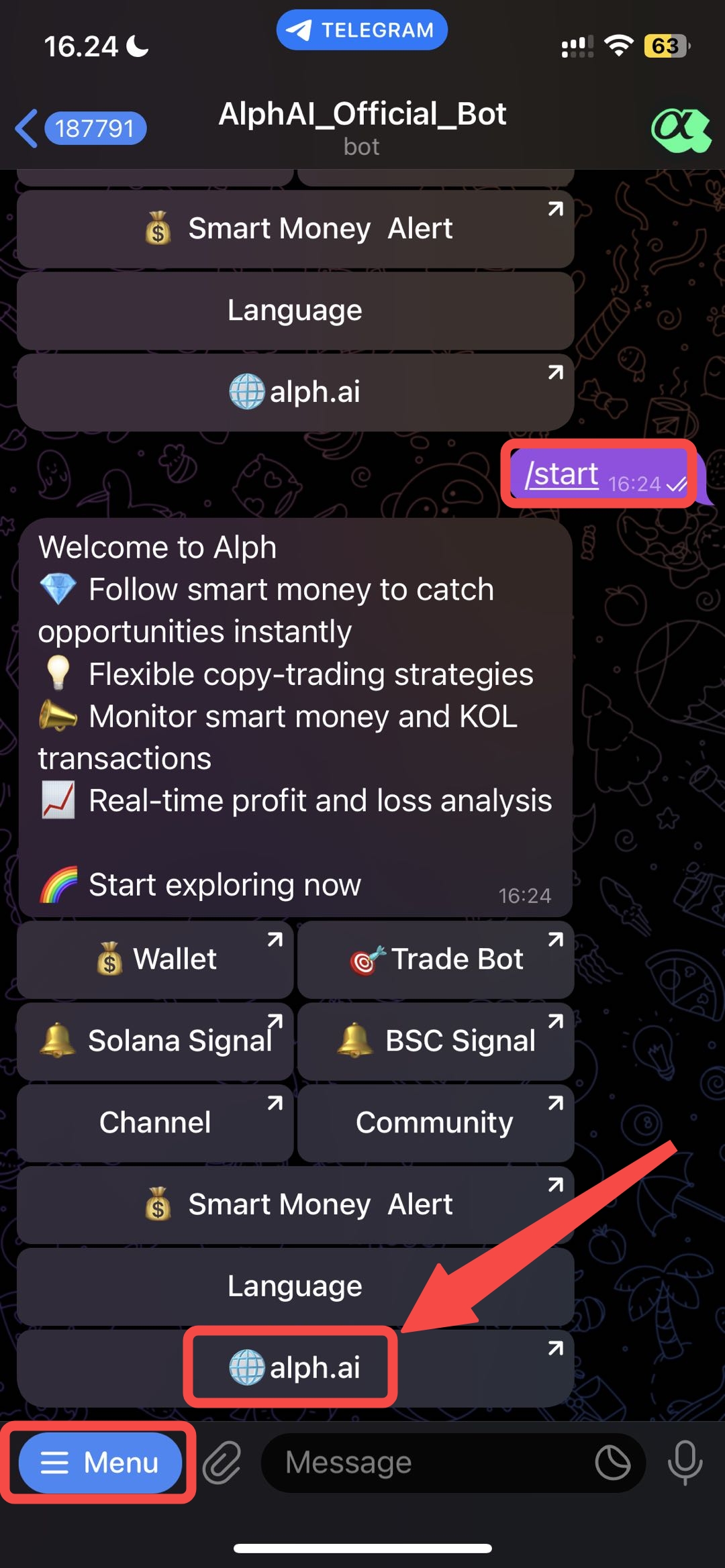
Setelah Anda memiliki Alph *wallet address* di telegram, Anda dapat menghubungkannya ke website Alph untuk melihat berbagai fitur hebat. Pertama, Anda masuk ke **`Alph Official Bot`**, dan klik tombol **`menu`** di pojok kiri bawah setelah Anda mengklik tombol **`/start`**. Kemudian klik tombol **`alph.ai`** yang akan langsung diarahkan ke website kami.
## Langkah 2 -> Langsung menuju ke website 𝛂 Alph
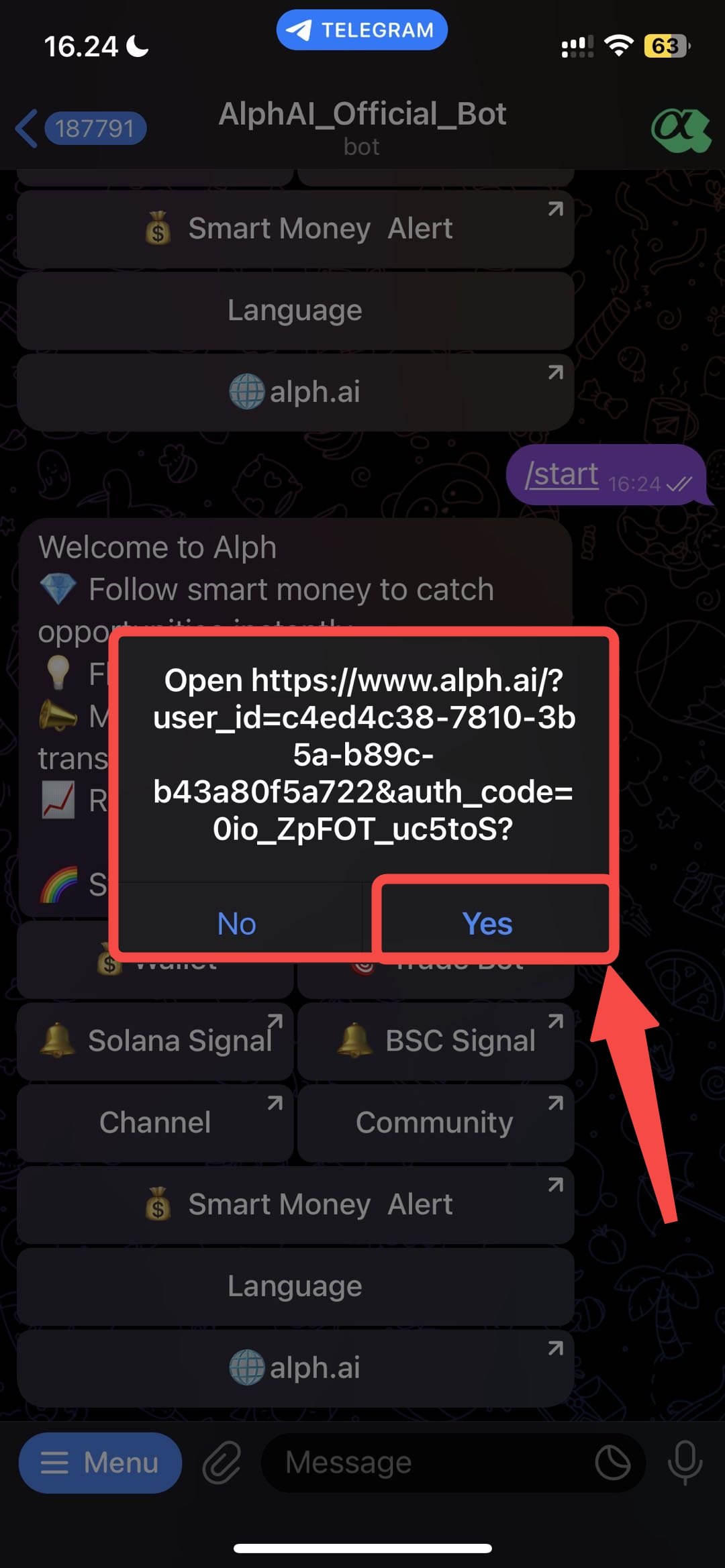
Anda akan melihat halaman tautan ini, dan klik tombol /`Yes` untuk melanjutkan ke website 𝛂Alph.
## Langkah 3 -> Menghubungkan *wallet address*
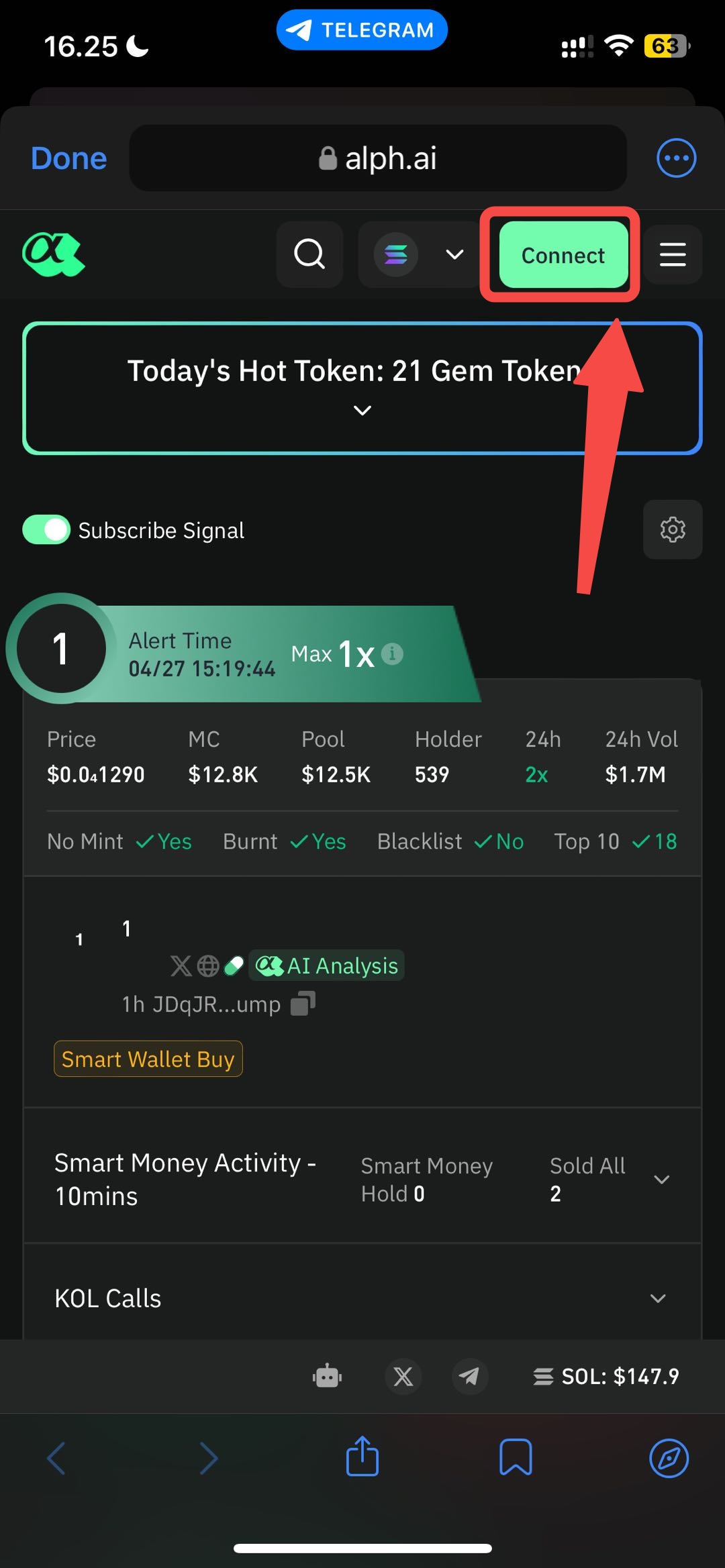
Setelah Anda mengklik **`Yes`**, Anda akan masuk ke website Alph dan klik tombol **`Connect`.**
## Langkah 4 -> Menghubungkan ke Telegram
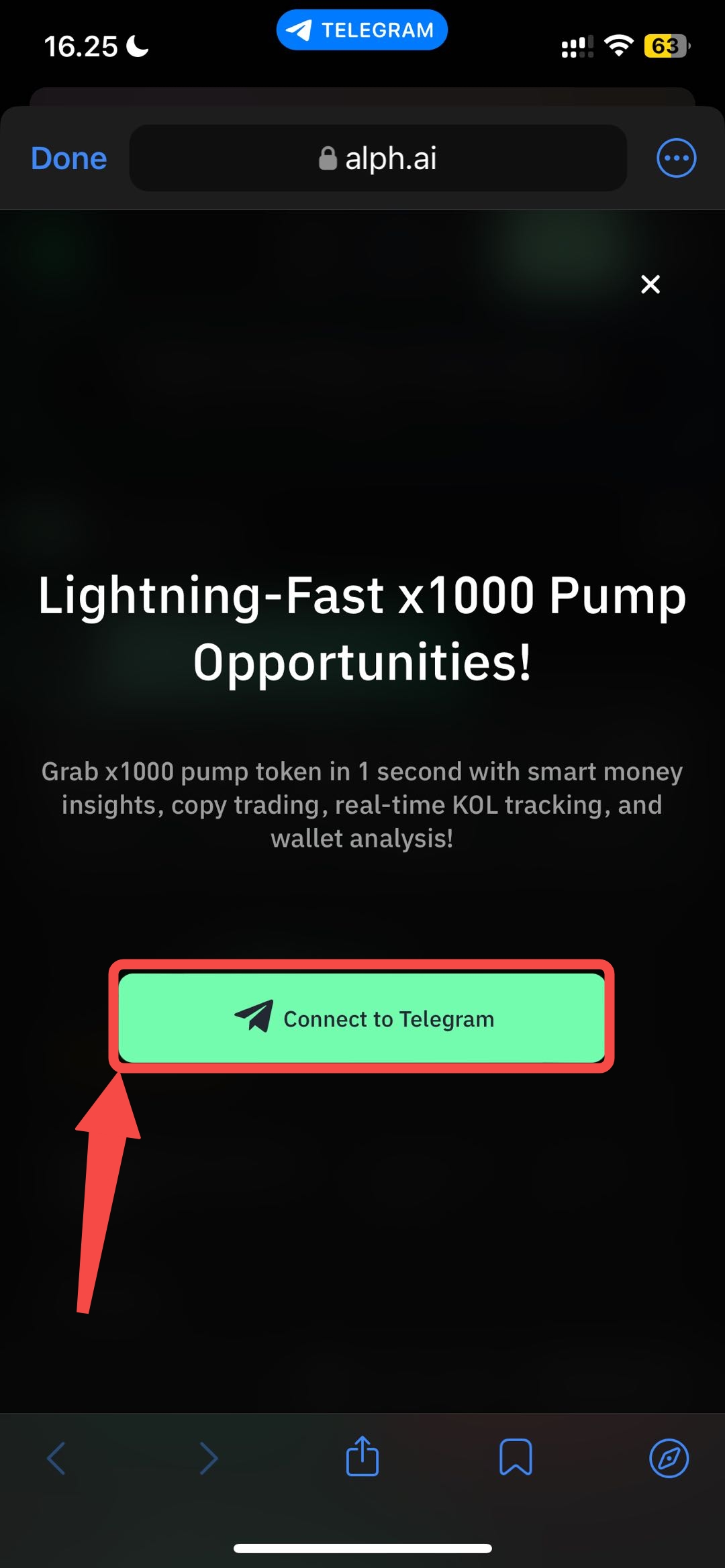
Tata letak *pop up* in akan muncul setelah Anda mengklik tombol **`connect`** sebelumnya, lalu klik tombol **`Connect to Telegram`**
## Langkah 4 -> Menghubungkan ke Telegram
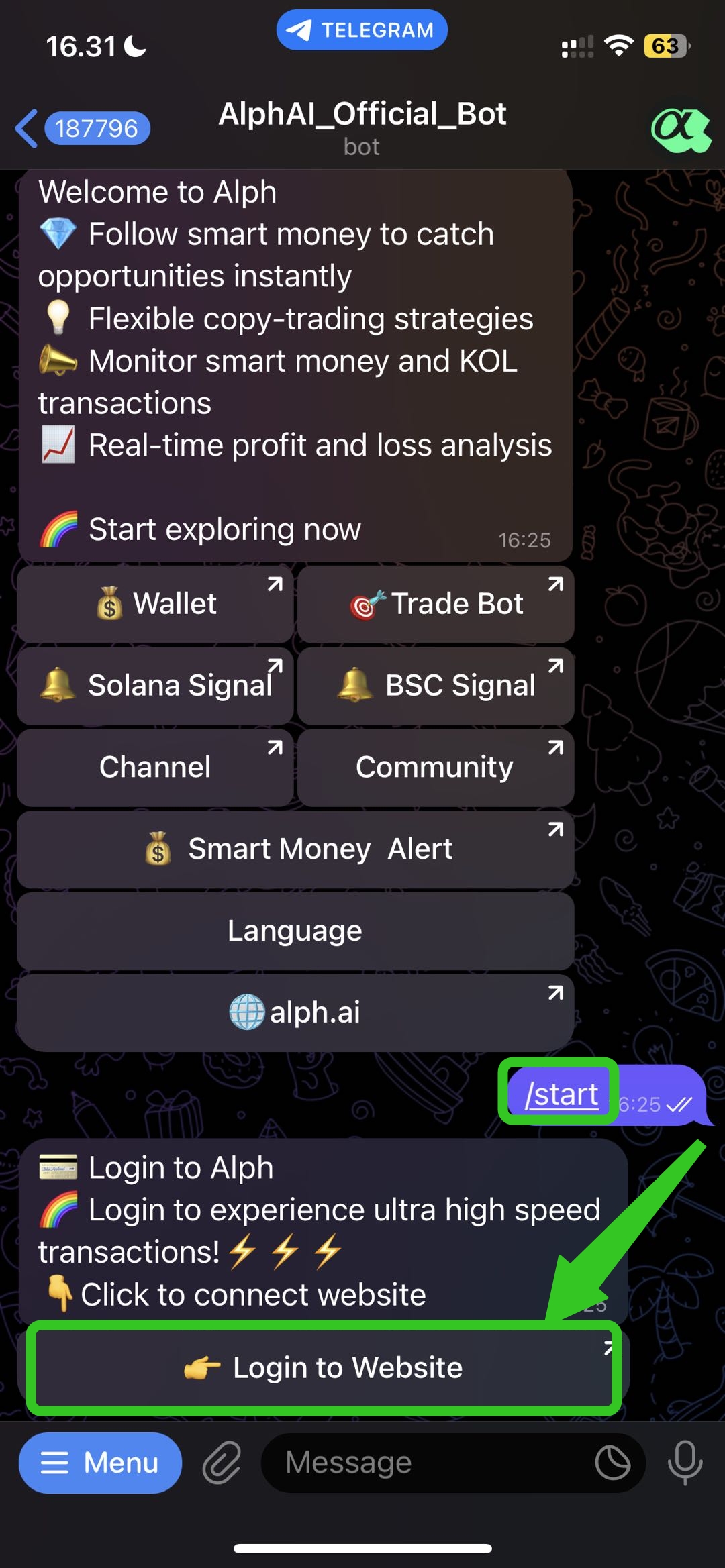
Setelah anda klik **`Connect to Telegram`**, maka akan langsung otomatis **`/start`** dan anda akan melihat tombol **`Login to Website`.**
## Langkah 5 -> Lanjutkan ke Website Alph
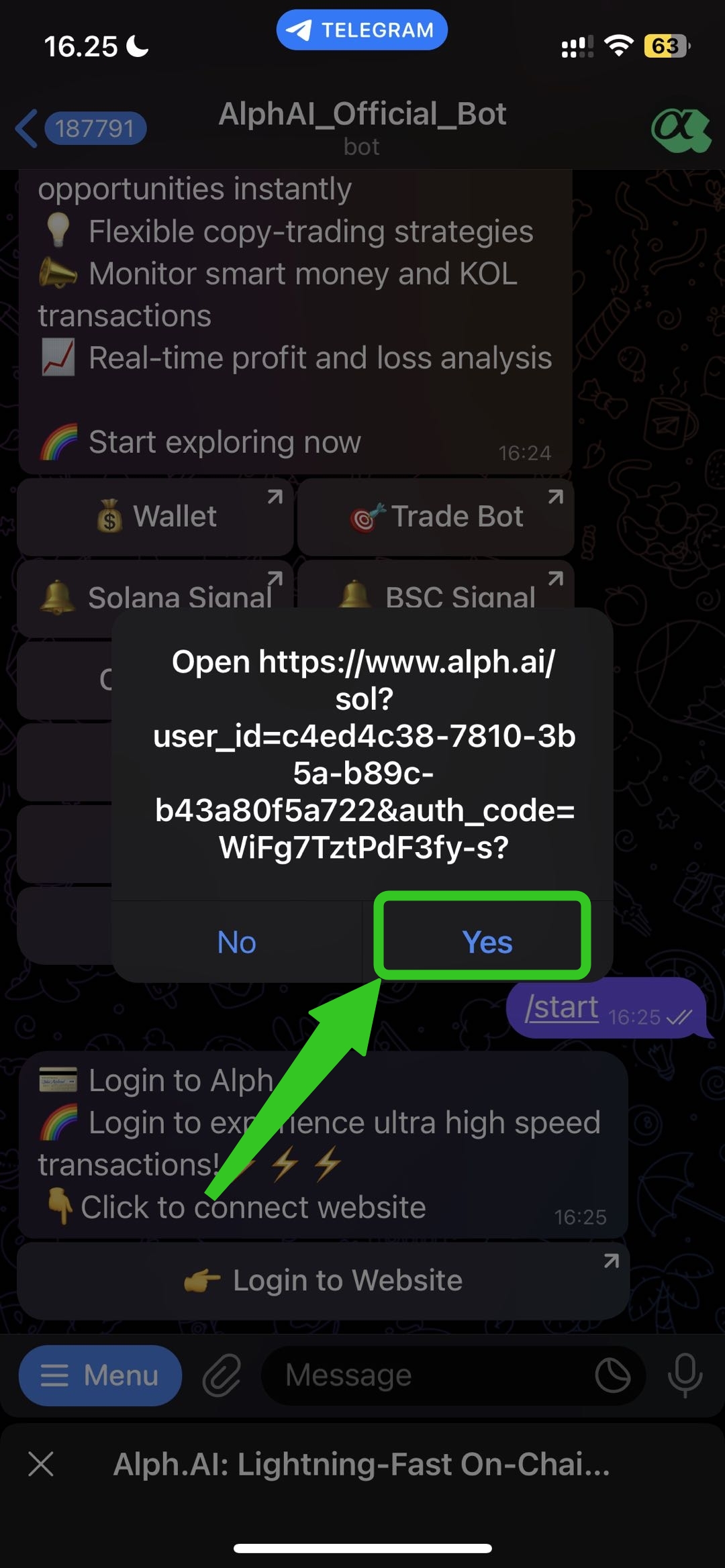
Setelah Anda mengklik tombol **`Login to Website`**, tautan ini akan muncul dan klik tombol **`Yes`**, maka Anda akan kembali ke website Alph.
## Langkah 6 -> *Wallet* Anda Terhubung🎉
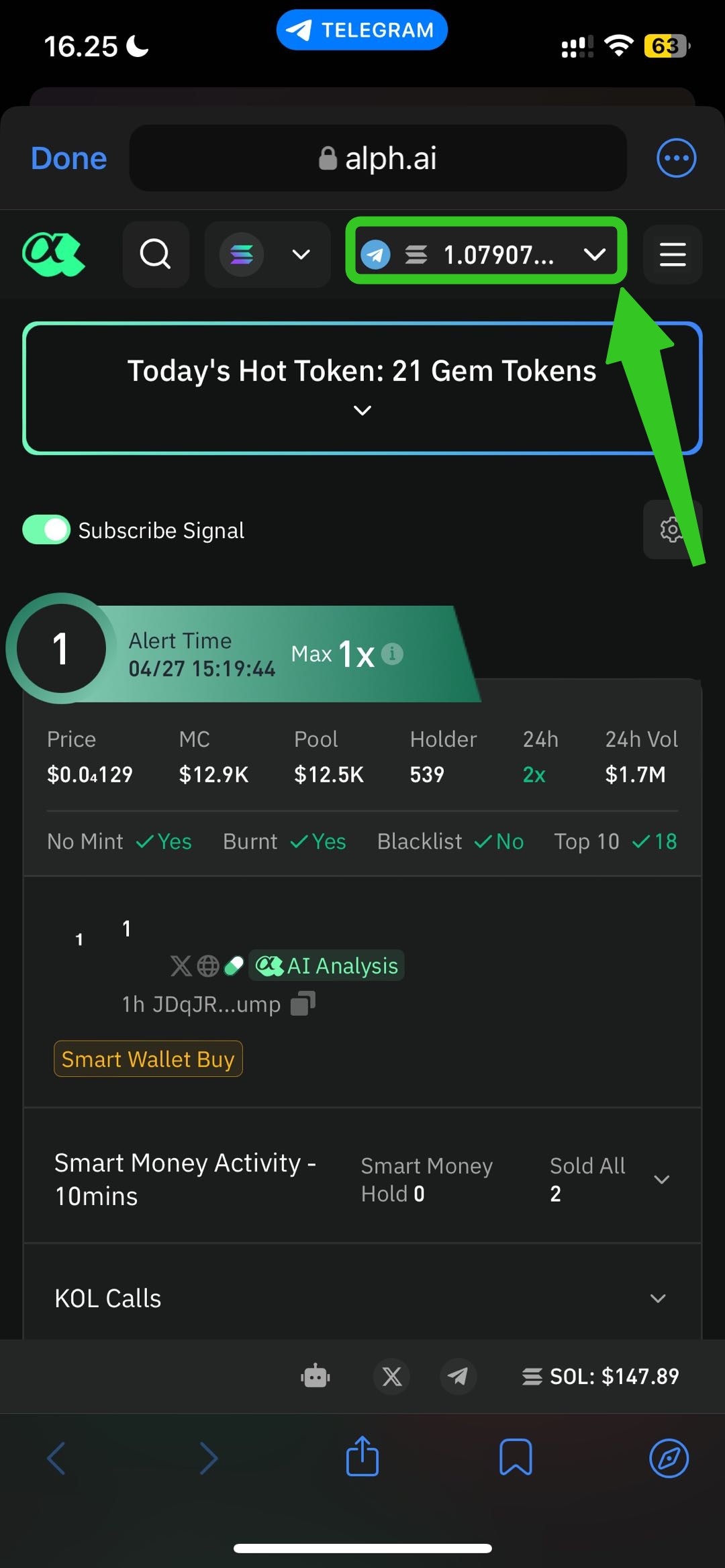
Setelah Anda melihat *wallet address* dan saldo Anda, selamat *wallet* Anda telah terhubung dan Anda dapat mulai untuk *trade* dengan website Alph.