> For the complete documentation index, see [llms.txt](https://docs.alph.ai/llms.txt). Markdown versions of documentation pages are available by appending `.md` to page URLs; this page is available as [Markdown](https://docs.alph.ai/cn/alph-xin-shou-ru-men-jiao-cheng/ru-he-xiang-alph-ai-qian-bao-cun-kuan.md).

# 如何向 Alph AI 钱包存款？

## &#x20;<mark style="background-color:red;">步骤1 -> 向 Alph AI 钱包存入SOL 或 BSC</mark>&#x20;

访问 Alph 交易机器人：&#x20;

<details>

<summary><a href="https://t.me/AlphAI_trading_Bot">🔫 Alph AI 交易 Bot</a></summary>

</details>

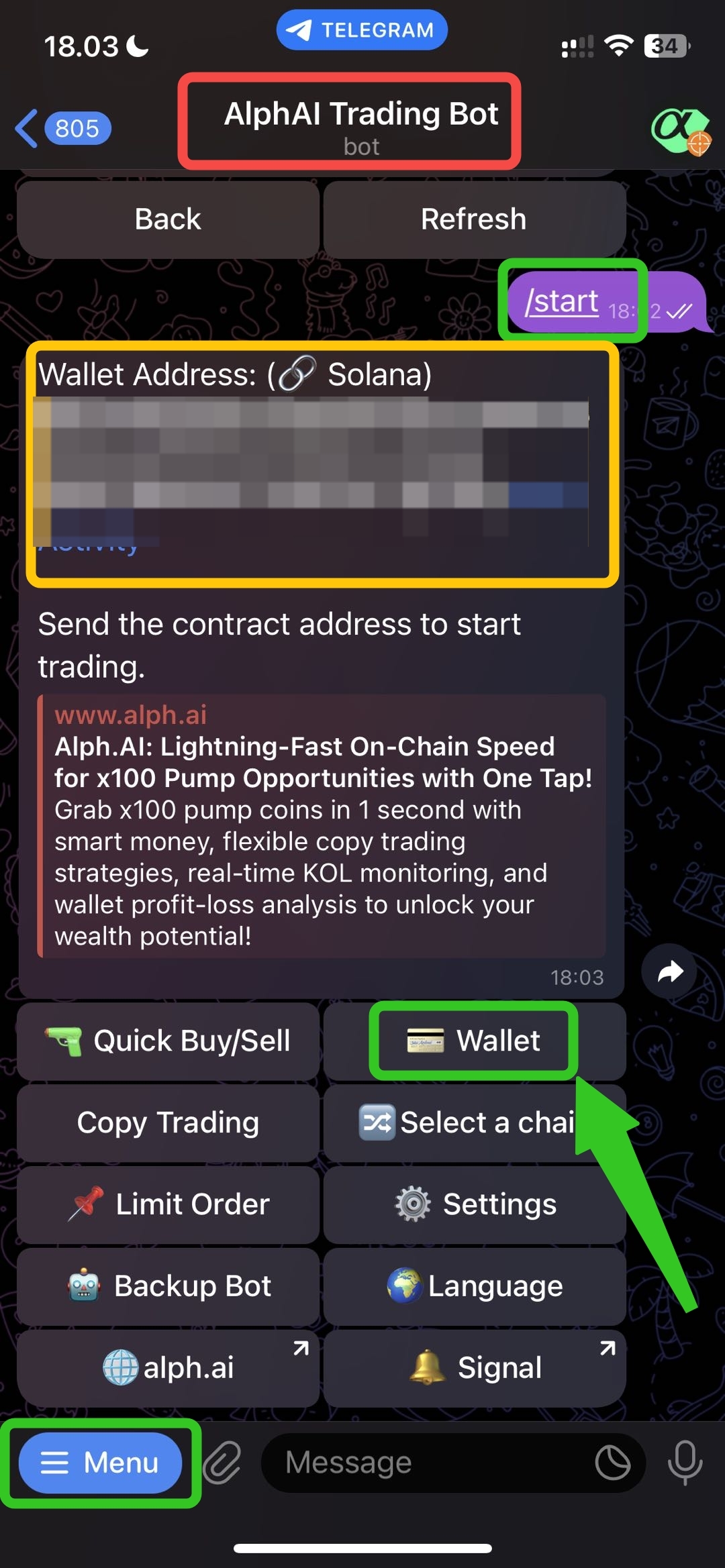
访问 Alph 交易机器人后，首先点击 `Menu button` `/start button`. 然后，您的钱包地址将显示出来（您可以在 SOL 或 BSC 之间切换链）。之后，您可以点击 `wallet button`.

<figure><img src="https://content.gitbook.com/content/ZFvjAF2QqEnVvpeF6PSi/blobs/ciAw3juRYLnjqTI8SyOw/dw1.jpg" alt="" width="375"><figcaption></figcaption></figure>

## <mark style="background-color:red;">步骤 2 -> 存入 SOL 数量</mark>

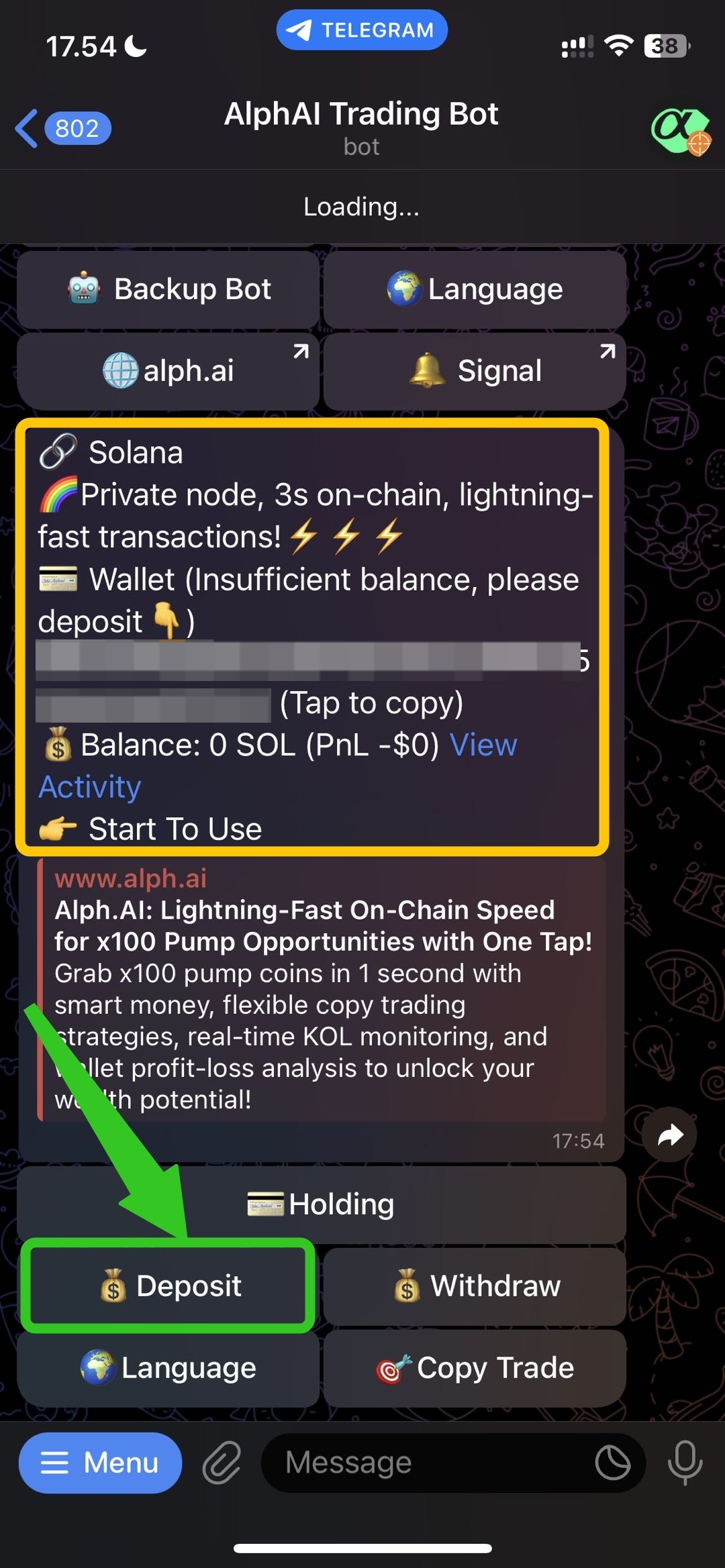
之后，页面布局将显示出来，您可以在这里看到您的 Solana 地址。要继续存款，您可以点击 `deposit button.`

<figure><img src="https://content.gitbook.com/content/ZFvjAF2QqEnVvpeF6PSi/blobs/8Sdm5qkmzBRXgsPBAwPb/dw2.jpg" alt="" width="375"><figcaption></figcaption></figure>

## <mark style="background-color:red;">步骤 3 -> 复制钱包地址</mark>

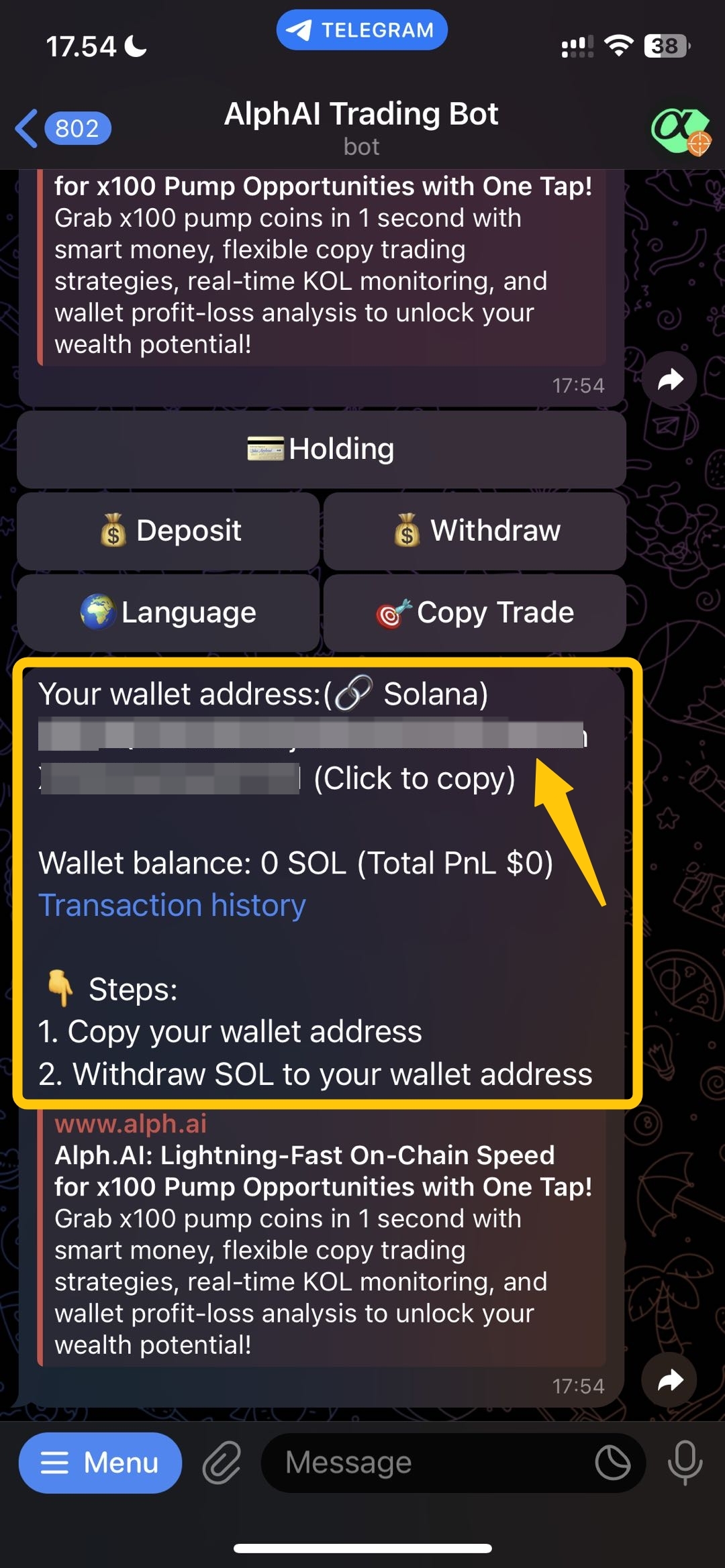
接下来，您将看到您的地址，之后只需复制您的地址以继续存款过程。

<figure><img src="https://content.gitbook.com/content/ZFvjAF2QqEnVvpeF6PSi/blobs/0H7KMJ0j5gjA83exJcDl/dw3.jpg" alt="" width="375"><figcaption></figcaption></figure>

## <mark style="background-color:red;">步骤 4 -> 存款成功</mark>🎉&#x20;

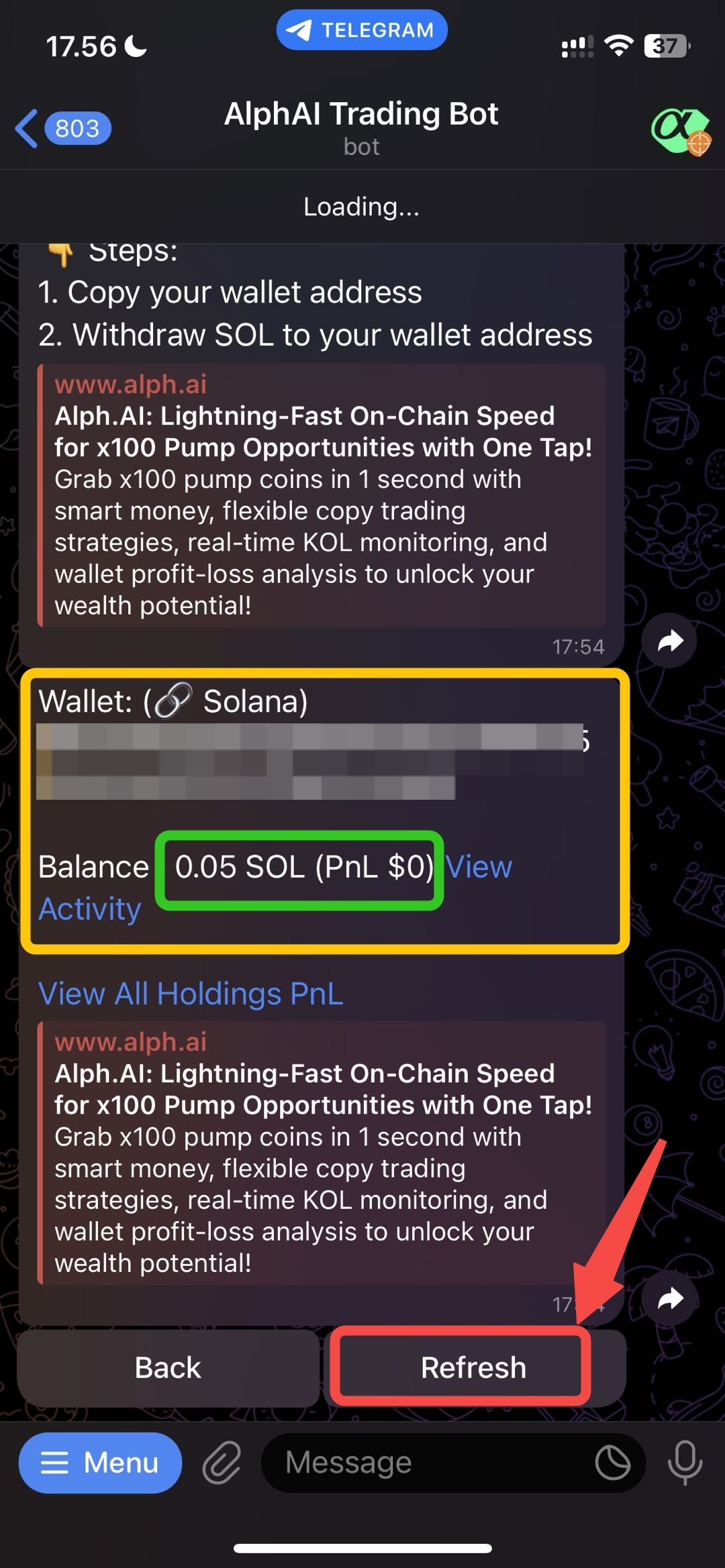
在您将 SOL 转移到 Alph 地址后，您可以通过以下方式监控进度： `refresh the button`. 如果转账成功，您可以在您的 Alph AI 地址中查看到存款金额。

<figure><img src="https://content.gitbook.com/content/ZFvjAF2QqEnVvpeF6PSi/blobs/fvPwYJGbY7rZ8141Jhv4/dwlast.jpg" alt="" width="375"><figcaption></figcaption></figure>