> For the complete documentation index, see [llms.txt](https://docs.alph.ai/llms.txt). Markdown versions of documentation pages are available by appending `.md` to page URLs; this page is available as [Markdown](https://docs.alph.ai/cn/alph-xin-shou-ru-men-jiao-cheng/ru-he-cong-alph-di-zhi-lian-shang-ti-xian.md).
# 如何从Alph地址链上提现?
## 步骤 1 -> 提取你的资产
访问 Alph 交易机器人链接:
🔫Alph AI 交易 Bot
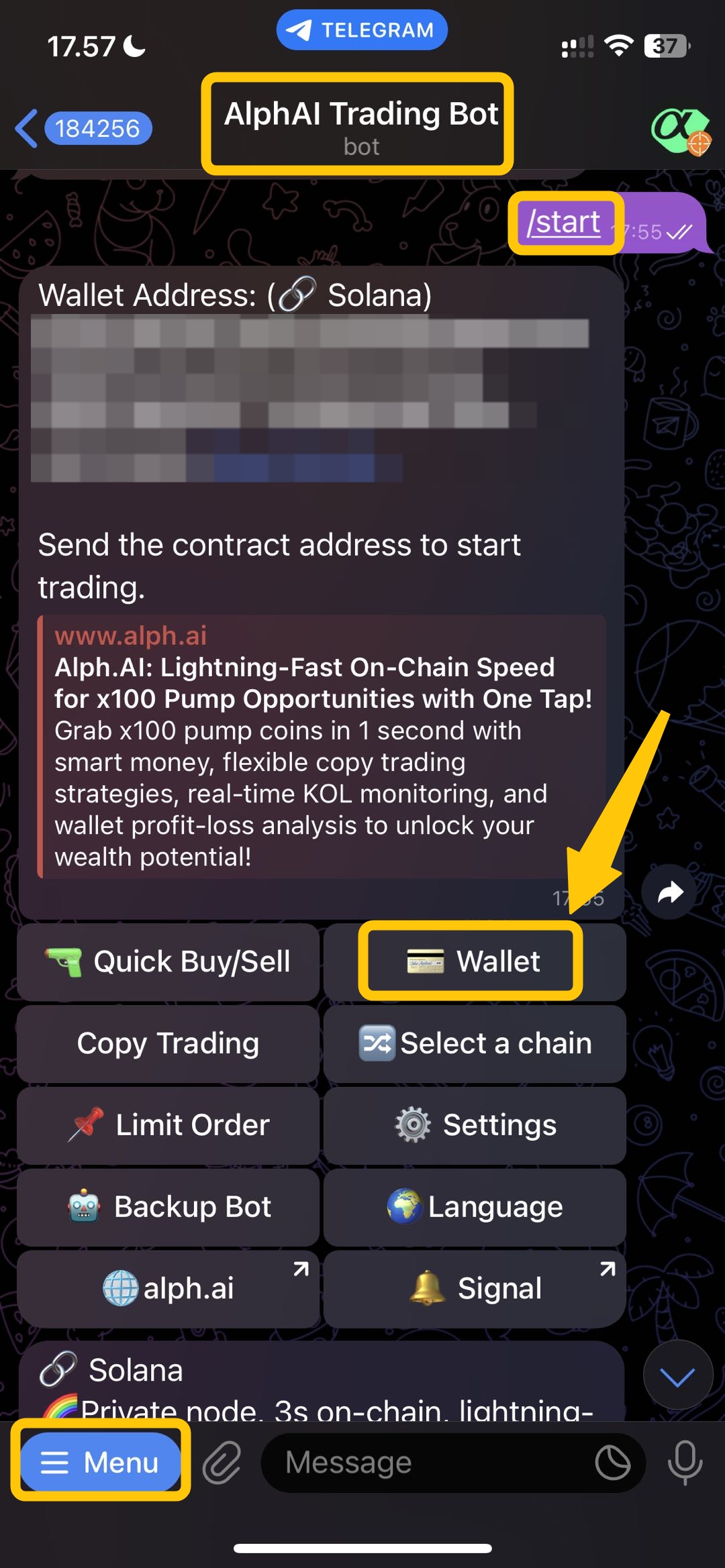
在打开 Alph 交易机器人后,点击左上角的菜单按钮 `menu button`在左上角点击菜单按钮,然后点击“提取”按钮。 `/start button` 您的钱包地址将会显示出来,然后点击“提取”按钮。 `withdraw button.`
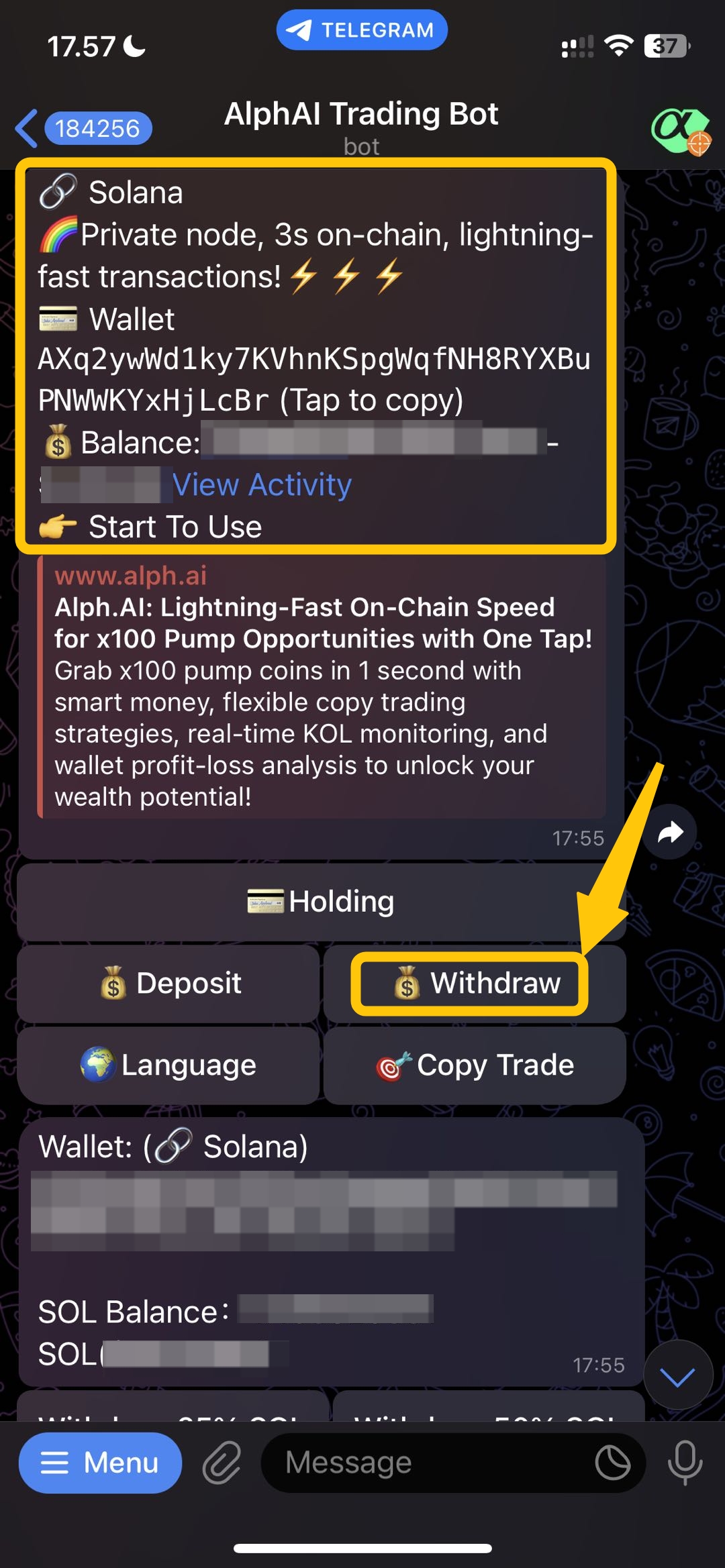
 ## 步骤 2 -> 点击 “提现”按钮
您将看到您的钱包地址和钱包余额,之后点击“确认”按钮。 `withdraw button.`
## 步骤 2 -> 点击 “提现”按钮
您将看到您的钱包地址和钱包余额,之后点击“确认”按钮。 `withdraw button.`
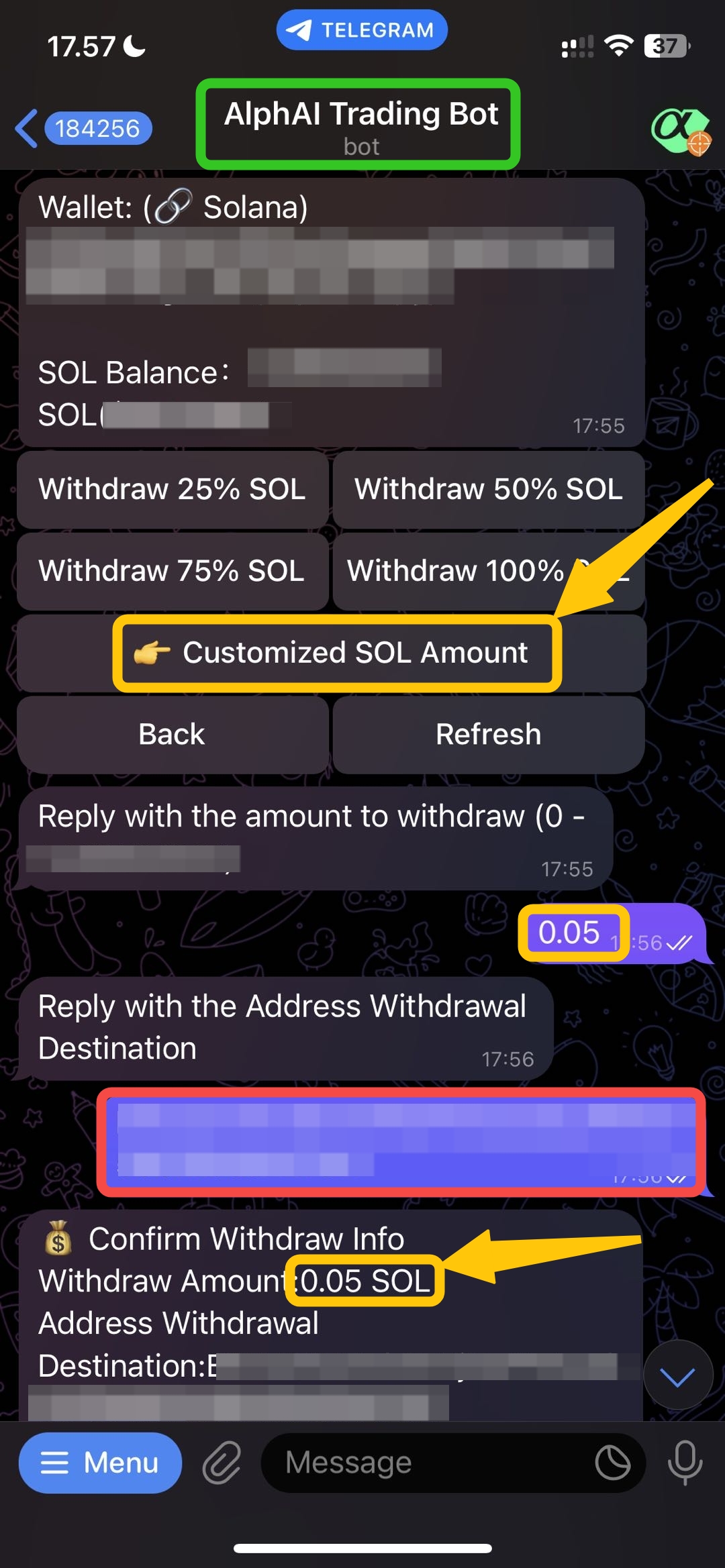
 ## 步骤 3 -> 自定义金额
在你点击 `withdraw button`,你可以选择你想提取的金额。如果你想提取特定的金额,可以点击按钮来输入金额。 `customized SOL amount for solana network, and customized BNB amount for BSC network`. 并且只输入金额数字。决定好你想提取的金额后,接下来你需要输入 `destination address`. 选择金额和目标地址后,系统会显示一个通知以确认并确保数据准确。如果数据正确,您可以继续点击“确认”按钮进行操作。 `confirm.`
## 步骤 3 -> 自定义金额
在你点击 `withdraw button`,你可以选择你想提取的金额。如果你想提取特定的金额,可以点击按钮来输入金额。 `customized SOL amount for solana network, and customized BNB amount for BSC network`. 并且只输入金额数字。决定好你想提取的金额后,接下来你需要输入 `destination address`. 选择金额和目标地址后,系统会显示一个通知以确认并确保数据准确。如果数据正确,您可以继续点击“确认”按钮进行操作。 `confirm.`
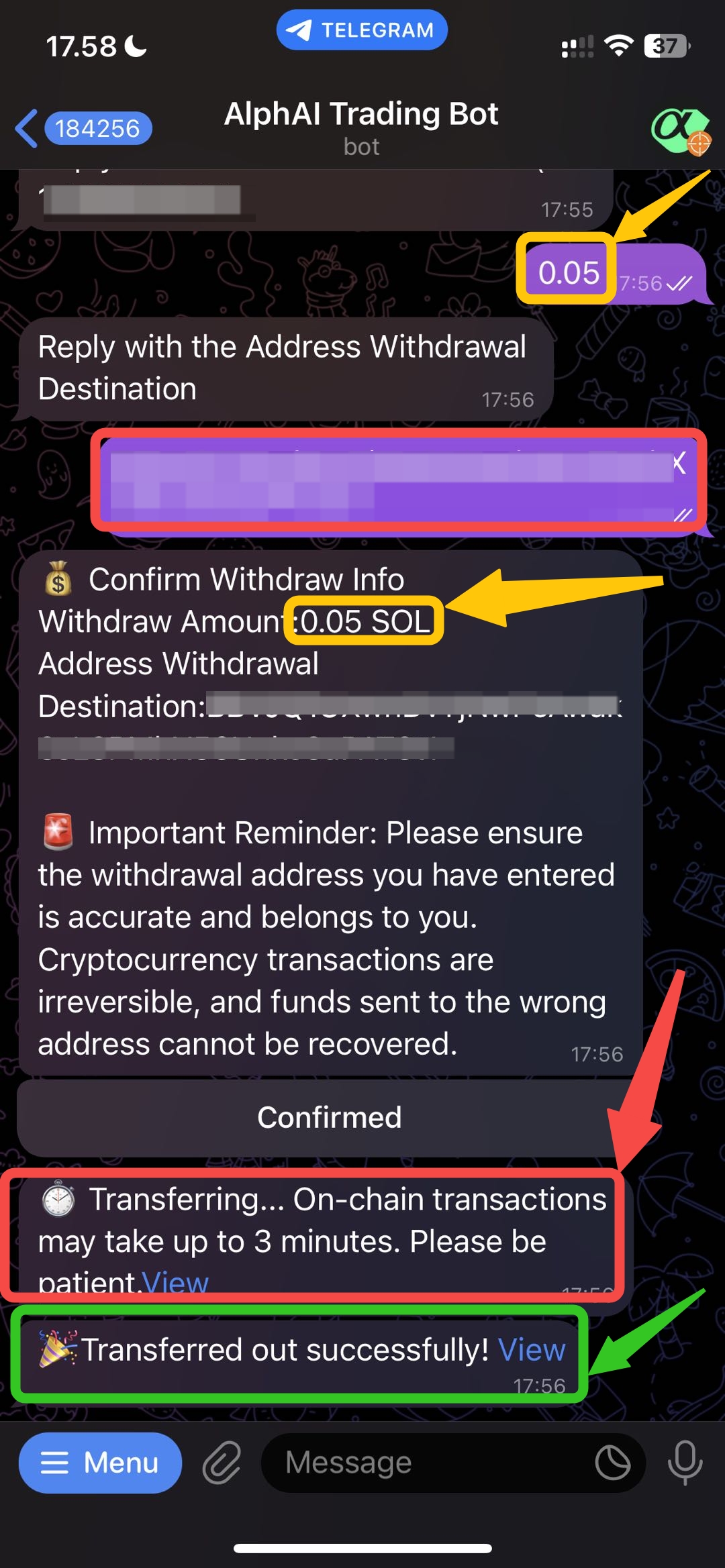
 ## 步骤 4 -> 提现成功🎉
在确认并确保数据正确后,提现将开始处理。几秒钟后,如果提现完成,您将看到成功的通知和相关交易信息 `tx hash`在下面的链接中。
## 步骤 4 -> 提现成功🎉
在确认并确保数据正确后,提现将开始处理。几秒钟后,如果提现完成,您将看到成功的通知和相关交易信息 `tx hash`在下面的链接中。